1. Produk Lebihview
Ciri-ciri Utama
- Advanced Diagnostic Capabilities: Integrated advanced features, comprehensive TPMS functions, and OE-level diagnostic capabilities.
- Pengekodan ECU: Online and offline ECU coding for vehicle customization, hidden feature activation, module matching, and performance optimization. Supports BMW F/E chassis, Porsche, VW, Nissan, and offline adaptation for Ford, Mazda, Jaguar, Vauxhall, Opel.
- Bidirectional Control & All-System Diagnostics: Full bidirectional control with over 3000 active tests for various vehicle components. OE-level all-system diagnostics for over 160 vehicle brands, including reading/clearing 8000+ DTCs, 5-in-1 graph live data, and freeze frame data.
- Fungsi Perkhidmatan yang Luas: Over 40 advanced maintenance services such as Oil Reset, EPB, BMS, SRS, ABS Bleed, SAS, Injector Coding, Throttle Match, Suspension Calibration, Gearbox Learn, and Battery Registration.
- Fungsi TPMS: Comprehensive TPMS functions including activation of 315MHz and 433MHz sensors, various relearn procedures (OBDII, Automatic, Stationary), sensor programming, RKE and RF signal strength testing, and TPMS diagnostics.
- Ciri Lanjutan: Includes battery testing with BT506, endoscope support (MV108S/MV105S), one-click Wi-Fi report printing, Auto Scan 2.0 for rapid scanning, a 16 MP camera for VIN/license plate scans, pre/post-sale reports, FCA automatic authentication, VAG guided functions, power balance, component matching, and remote desk functionality.
- Liputan Kenderaan Luas: Supports over 160 brands (1996-2026+) with compatibility for DoIP (BMW E/F/G, Volvo 2018+, Land Rover/Jaguar 2017+) and CAN FD (GM 2019+) protocols.
- Perkakasan Unggul: Octa-core CPU, Android 10.0 OS, 8-inch 1920x1200 display, 4GB RAM + 128GB ROM, and an 11600mAh battery.
Komponen Produk
The Autel MaxiSYS MS906 Pro-TS package typically includes the diagnostic tablet, a VCI (Vehicle Communication Interface) unit, necessary cables, and a power adapter. Specific contents may vary.
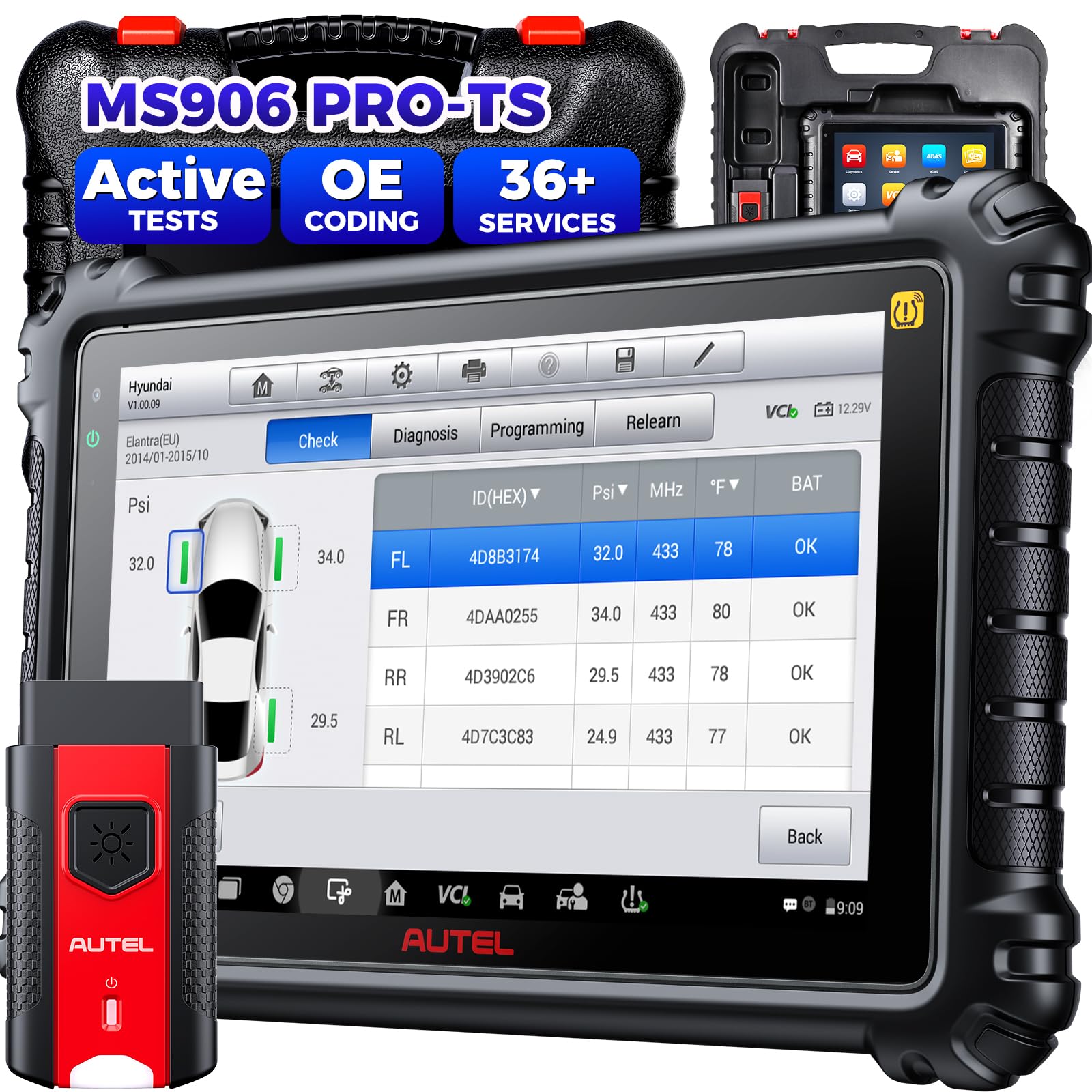
Image: The Autel MaxiSYS MS906 Pro-TS diagnostic tablet with its VCI unit.
2. Persediaan
2.1 Kuasa Permulaan
- Pastikan peranti dicas sepenuhnya atau disambungkan ke sumber kuasa.
- Tekan dan tahan butang kuasa untuk menghidupkan tablet.
- Ikut arahan pada skrin untuk melengkapkan persediaan awal, termasuk pemilihan bahasa dan sambungan Wi-Fi.
2.2 Menyambung ke Kenderaan
- Cari port OBD2 kenderaan, biasanya di bawah papan pemuka di sebelah pemandu.
- Connect the VCI unit to the vehicle's OBD2 port.
- Ensure the VCI unit is wirelessly connected to the MaxiSYS MS906 Pro-TS tablet via Bluetooth.
- Putarkan penyalaan kenderaan ke kedudukan ON (enjin mati).

Image: Illustration of connecting the diagnostic tool to a vehicle's OBD2 port.
3. Arahan Operasi
3.1 Diagnostik Kenderaan
- Daripada menu utama, pilih "Diagnostik".
- Choose the vehicle manufacturer and model. The device supports automatic VIN detection.
- Pilih "Auto Scan" to perform a comprehensive scan of all available systems.
- Review the detected Diagnostic Trouble Codes (DTCs) and live data.
- Gunakan "Clear Codes" function to erase DTCs after repairs are completed.

Imej: A view of the diagnostic screen displaying vehicle information and scan results.
3.2 Fungsi TPMS
The MS906 Pro-TS offers extensive TPMS capabilities:
- Pengaktifan Sensor: Activate 315MHz and 433MHz TPMS sensors.
- Pembelajaran Semula Sensor: Perform various relearn procedures (OBDII, Automatic, Stationary).
- Pengaturcaraan Sensor: Program Autel MX-Sensors to replace faulty OEM sensors.
- Diagnostik TPMS: Read sensor data, clear TPMS DTCs, and reset TPMS MIL.

Image: The TPMS menu showing options for sensor activation, relearn, and programming.
3.3 Fungsi Perkhidmatan
Access a wide range of service functions from the "Service" menu. These include:
- Set Semula Minyak
- Tetapan Semula Brek Parkir Elektronik (EPB)
- Tetapan Semula Sistem Pengurusan Bateri (BMS)
- Penentukuran Steering Angle Sensor (SAS).
- ABS Brake Bleeding
- Pengekodan Penyuntik
- Throttle Body Relearn
- Penentukuran Suspensi
- Pembelajaran Kotak Gear

Image: A display of various maintenance and service functions available on the device.
4. Penyelenggaraan
- Pastikan peranti bersih menggunakan kain lembut dan kering. Elakkan pembersih yang kasar.
- Regularly update the software to ensure optimal performance and the latest vehicle coverage. Connect to Wi-Fi and navigate to "Kemas kini" pada menu utama.
- Simpan peranti di tempat yang sejuk dan kering jauh dari cahaya matahari langsung dan suhu yang melampau.
- Cas bateri dengan kerap, walaupun tidak kerap digunakan, untuk mengekalkan kesihatan bateri.
5. Penyelesaian masalah
| Masalah | Kemungkinan Punca | Penyelesaian |
|---|---|---|
| Peranti tidak dihidupkan. | Bateri lemah atau isu penyesuai kuasa. | Cas peranti selama sekurang-kurangnya 30 minit. Periksa penyesuai kuasa dan sambungan kabel. |
| Tidak dapat menyambung ke kenderaan. | Loose OBD2 connection, VCI not paired, or vehicle ignition off. | Ensure VCI is securely connected to OBD2 port. Verify VCI Bluetooth pairing. Turn vehicle ignition to ON. |
| Kemas kini perisian gagal. | Sambungan Wi-Fi tidak stabil atau storan tidak mencukupi. | Ensure a stable internet connection. Clear unnecessary files to free up storage. Try updating again. |
| Skrin tidak bertindak balas. | Gangguan perisian atau pembekuan sementara. | Perform a forced restart by holding the power button for 10-15 seconds. |
6. Spesifikasi
- Pengeluar: Autel
- model: Autel MaxiSYS MS906 Pro-TS
- Dimensi Produk: 26 x 8 x 18 cm
- Berat: 931 g
- Sistem pengendalian: Android 10.0
- Pemproses: Octa-core
- paparan: 8-inci, resolusi 1920 x 1200
- Ingatan: 4GB RAM + 128GB ROM
- Bateri: 11,600 mAh
- Voltage: 18 Volt
7. Waranti dan Sokongan
The Autel MaxiSYS MS906 Pro-TS comes with a Waranti 1 tahun. Autel provides frequent software updates and lifetime technical support. For any questions or assistance, please contact Autel customer service. Online services are available 24/7.
For support in languages other than English (e.g., Spanish or Portuguese), please provide your device's serial number (S/N) when contacting support.


