1. Pengenalan
The Quad Lock Stem/Handlebar Bike Mount Pro is designed to securely attach your smartphone to your bicycle's stem or handlebars. Featuring a patented dual-stage locking mechanism, it provides a strong and reliable hold, allowing you to access your phone's apps on the go with confidence. This mount is compatible with all Quad Lock Cases and Universal Adapters (sold separately).

Image: The Quad Lock Stem/Handlebar Bike Mount Pro, showcasing its compact design and dual-stage locking mechanism.
2. Apa yang ada di dalam Kotak
Your Quad Lock Stem/Handlebar Bike Mount Pro package includes the following components:
- 1 x Quad Lock Stem / Handlebar Bike Mount
- Mounting Hardware (4 x EPDM O-Rings, 2 x Zipties)

Imej: Dari dekat view of the Quad Lock Bike Mount Pro and its included mounting hardware.
3. Ciri-ciri Utama
- Lightweight, Strong, and Secure: Engineered for maximum security and minimal weight.
- Patented Dual-Stage Lock: Ensures your phone is held securely to your bike, even over bumps and jumps.
- Quick Attach/Detach: Simple twist and lock system provides easy access to your smartphone.
- Pemasangan Mudah: Designed to fit stems or handlebars with a tube diameter of 25-40mm.
- Keserasian: Works seamlessly with all Quad Lock Cases and Adapters (not included).
4. Persediaan dan Pemasangan
Follow these steps to install your Quad Lock Bike Mount Pro:
- Pilih Lokasi Pemasangan: Identify a suitable position on your bike's stem or handlebars. Ensure the surface is clean and dry. The mount is designed for tube diameters between 25-40mm.
- Selamatkan Gunung: Use either the provided EPDM O-Rings or Zipties to firmly attach the mount to your chosen location. For O-Rings, stretch them around the mount and the handlebar/stem, ensuring a snug fit. For Zipties, thread them through the mount's designated slots and tighten securely.

Image: A hand securing the Quad Lock Bike Mount Pro to a bicycle handlebar using a zip tie.
- Kestabilan Ujian: Once installed, gently try to move the mount to ensure it is stable and does not rotate or slide. Adjust as necessary.

Image: The Quad Lock Bike Mount Pro securely installed on a bicycle handlebar, ready for phone attachment.
5. Arahan Operasi
Using your Quad Lock Bike Mount Pro is simple and intuitive:
- Lampirkan Telefon Anda: Align your Quad Lock equipped phone (with a Quad Lock Case or Universal Adapter) with the mount. The phone's adapter should fit into the mount's receiver.
- Putar ke Kunci: Once aligned, gently push your phone down onto the mount and twist it 45 degrees until you hear and feel a click. This engages the patented dual-stage locking mechanism, securing your phone firmly in place.

Image: A hand demonstrating the twist-and-lock motion to secure a phone onto the Quad Lock Bike Mount.
- Sahkan Kunci: Before riding, always ensure your phone is fully locked by gently pulling upwards on it. It should not detach.
- Tanggalkan Telefon Anda: To remove your phone, press down on the blue lever located on the mount and twist your phone 45 degrees in the opposite direction. Once unlocked, lift your phone off the mount.
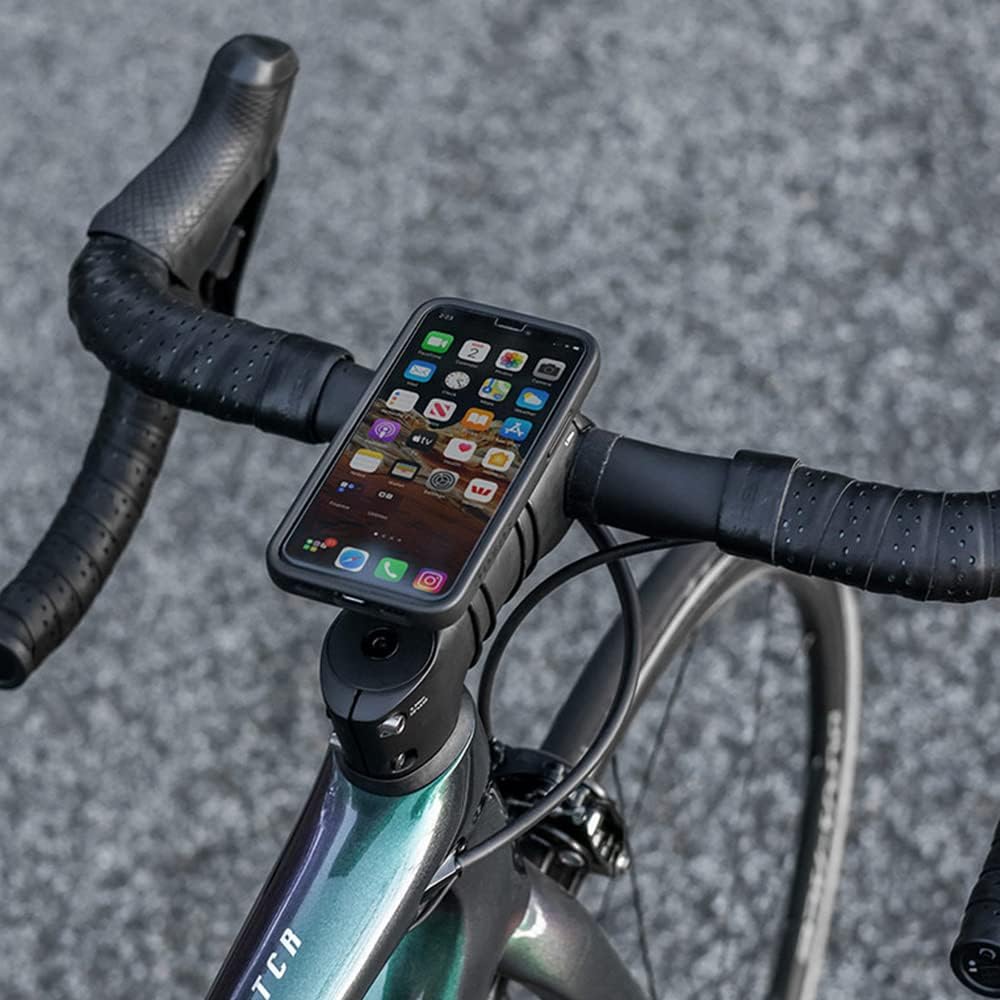
Image: An iPhone securely mounted on a bicycle handlebar using the Quad Lock Bike Mount Pro, displaying a map application.

Image: A Samsung Galaxy phone mounted on a bicycle handlebar, showing its secure and accessible position for cycling.
6. Penyelenggaraan
To ensure the longevity and optimal performance of your Quad Lock Bike Mount Pro, follow these simple maintenance guidelines:
- Pembersihan: Periodically wipe down the mount with a damp cloth to remove dirt and grime. Avoid harsh chemicals or abrasive cleaners.
- Periksa Komponen: Regularly check the O-Rings or Zipties for signs of wear, stretching, or damage. Replace them if necessary to maintain a secure fit.
- Pelinciran: The locking mechanism is designed for smooth operation. If it feels stiff, a small amount of silicone-based lubricant can be applied to the moving parts.
7. Penyelesaian masalah
If you encounter any issues with your Quad Lock Bike Mount Pro, consider the following:
- Mount Slipping on Handlebar/Stem: Ensure the O-Rings or Zipties are tightened sufficiently. If using O-Rings, try using an additional set or replacing worn ones. For Zipties, ensure they are pulled taut.
- Phone Not Locking Securely: Verify that your phone is equipped with an official Quad Lock Case or Universal Adapter. Ensure the phone is properly aligned with the mount and twisted a full 45 degrees until a distinct click is heard/felt. Check for any debris in the locking mechanism.
- Difficulty Detaching Phone: Ensure you are fully depressing the blue release lever on the mount before twisting the phone. The mechanism requires a firm press to disengage.
8. Spesifikasi
| Ciri | Perincian |
|---|---|
| Dimensi Produk | 1.69 x 1.26 x 5.12 inci |
| Berat Barang | 1.41 auns |
| Nombor Model Item | QLM-BMP-BL |
| warna | Hitam/Biru |
| Pengeluar | Annex Products Pty Ltd |
| Negara Asal | China |
| Peranti Serasi | Smartphones (with Quad Lock Cases) |
| Jenis Pemasangan | Hendal / Batang |
9. Waranti dan Sokongan
For information regarding product warranty, returns, or additional support, please refer to the official Quad Lock website or contact Quad Lock customer service directly. You can also visit the Quad Lock Store on Amazon untuk maklumat lanjut dan maklumat produk.


