1. Pengenalan
Terima kasih kerana membeliasing the GPX Portable Top-Loading CD Boombox, Model BC112B. This device offers versatile audio playback options including a top-loading CD player, AM/FM radio, and a 3.5mm auxiliary line-in for connecting external audio devices. Designed for portability and ease of use, this boombox can be powered by AC current or batteries, making it suitable for various environments. This manual provides comprehensive instructions to help you set up, operate, and maintain your new audio system.
2. Kandungan Pakej
Sila pastikan semua item yang disenaraikan di bawah disertakan dalam pakej anda:
- GPX Portable Top-Loading CD Boombox (Model BC112B)
- Kabel Kuasa AC
- Panduan Pengguna
- Kad Waranti
Note: 6 "C" batteries are required for portable operation and are sold separately.
3. Produk Lebihview
Familiarize yourself with the components and controls of your boombox.

Rajah 3.1: Depan view of the GPX Portable CD Boombox, showing the top-loading CD compartment, control buttons, and dual speakers.

Figure 3.2: Labeled diagram of the GPX CD Boombox, highlighting the foldable handle, CD player, AM/FM radio, and program/shuffle/play controls.
Kawalan dan Ciri:
- Pemain CD Muatan Atas: Supports CD and CD-R/RW discs with 20-track programmable memory.
- Radio AM/FM: Direct tune radio with telescopic FM antenna and built-in AM antenna.
- 3.5mm Audio Line Input: Connect external MP3 players or other audio devices.
- Pembesar Suara Terbina dalam: Pembesar suara stereo bersepadu untuk output audio.
- 2-Digit Red LED Display: Shows track number or radio frequency.
- Pemegang boleh lipat: Untuk mudah dibawa.
- Pilihan Kuasa: Operates with included AC power cable or 6 "C" batteries (sold separately).
4. Persediaan
4.1 Sambungan Kuasa
- Ensure the unit is switched OFF.
- Insert the included AC power cable into the AC power input jack on the back of the unit.
- Palamkan hujung kabel kuasa AC yang lain ke soket dinding standard.
Note: Disconnect the AC power cable when using batteries.
4.2 Pemasangan Bateri
For portable use, install 6 "C" size batteries (not included).
- Cari petak bateri di bahagian bawah unit.
- Buka penutup petak bateri.
- Insert 6 "C" size batteries, ensuring correct polarity (+/-) as indicated inside the compartment.
- Tutup penutup petak bateri dengan selamat.
Awas: Do not mix old and new batteries. Do not mix alkaline, standard (carbon-zinc), or rechargeable (nickel-cadmium) batteries. Remove batteries if the unit is not used for an extended period.
Video 4.1: This video demonstrates the battery installation process and highlights the portability of the GPX CD Boombox. It also shows the AC power connection and the AM/FM switch on the back of the unit.
5. Operasi
5.1 Main Semula CD
- Slide the function switch (located on the back) to the "CD/LINE IN" position.
- Open the top-loading CD compartment by gently lifting the lid.
- Place a CD or CD-R/RW disc onto the spindle with the label side facing up.
- Close the CD compartment lid securely. The display will show "00" or the number of tracks.
- Tekan ke Play/Pause (►⏸) button to begin playback. The track number will appear on the LED display.
- Gunakan Skip Forward (►►) or Skip Back (◄◄) butang untuk menavigasi antara trek.
- Tekan ke Berhenti (■) butang untuk menghentikan main balik.
- Untuk memprogram trek, tekan butang Program (P) button while the CD is stopped. Select tracks using the Skip buttons and press Program again to confirm each track. Press Play to start the programmed sequence.
Radio 5.2 AM/FM
- Slide the function switch (located on the back) to the "FM" or "AM" position.
- Extend the telescopic FM antenna for optimal FM reception. For AM reception, the unit has a built-in antenna.
- Putar Penalaan dial (located on the side) to select your desired radio station.
- Laraskan Kelantangan dail ke tahap pendengaran pilihan anda.
5.3 Line-In (Auxiliary Input)
Connect an external audio device (e.g., MP3 player, smartphone) to play audio through the boombox speakers.
- Slide the function switch (located on the back) to the "CD/LINE IN" position.
- Connect a 3.5mm audio cable (not included) from the headphone jack or line-out of your external device to the BARIS MASUK jack on the back of the boombox.
- Mulakan main balik pada peranti audio luaran anda.
- Laraskan kelantangan menggunakan Kelantangan dial on the boombox and/or the volume controls on your external device.
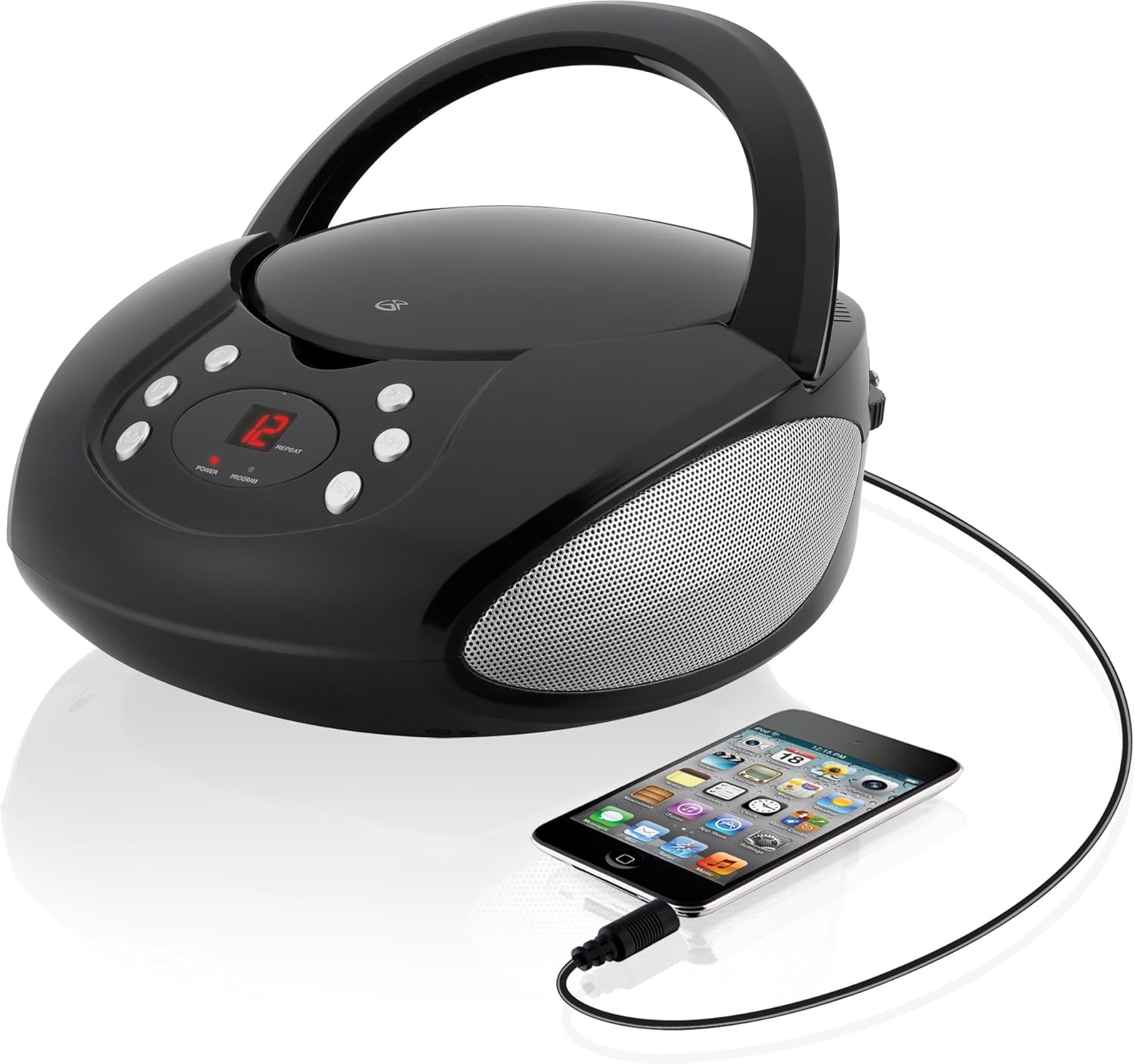
Figure 5.1: The GPX CD Boombox with a smartphone connected via the 3.5mm Line-In port, demonstrating auxiliary audio playback.
6. Penyelenggaraan
- Pembersihan: Gunakan kain lembut dan kering untuk membersihkan bahagian luar unit. Jangan gunakan pembersih atau pelarut yang melelas.
- Penjagaan Pemain CD: Keep the CD compartment clean and free of dust. Avoid touching the lens inside the CD player.
- Storan: When not in use for extended periods, store the unit in a cool, dry place. Remove batteries if storing for a long time to prevent leakage.
- Penjagaan Antena: Handle the telescopic FM antenna gently to prevent damage.
7. Penyelesaian masalah
| Masalah | Kemungkinan Punca | Penyelesaian |
|---|---|---|
| Tiada kuasa | AC cable not connected; Batteries depleted or incorrectly installed. | Ensure AC cable is securely plugged in. If using batteries, check battery polarity and replace if necessary. |
| CD not playing / "ER" displayed | CD inserted incorrectly; Disc is dirty or scratched; Function switch not in CD/LINE IN mode. | Re-insert CD with label side up. Clean the disc. Set function switch to CD/LINE IN. |
| Penerimaan radio yang lemah | FM antenna not extended; Unit too close to interference sources. | Fully extend the FM telescopic antenna. Reposition the unit away from other electronic devices. |
| No sound from Line-In | Audio cable not connected; Volume too low on boombox or external device. | Ensure 3.5mm audio cable is securely connected. Increase volume on both the boombox and the external device. |
8. Spesifikasi
- model: BC112B
- Sumber Kuasa: AC 120V ~ 60Hz or 6 x "C" Batteries (DC 9V)
- Keserasian CD: CD, CD-R / RW
- Frekuensi Radio: AM, FM
- Input: Talian Audio 3.5mm Masuk
- Dimensi (L x W x H): 9.19 x 5.17 x 10.42 inci
- Berat: 2.51 paun
- Pengeluar: DPI
9. Waranti dan Sokongan
This product comes with a limited warranty. Please refer to the included warranty card for detailed terms and conditions, including warranty period and coverage. For technical support or service inquiries, please contact GPX customer service. Contact information can typically be found on the warranty card or the official GPX webtapak.
Amaran Proposisi 65: Produk ini mungkin mengandungi bahan kimia yang diketahui oleh State of California yang menyebabkan barah dan cacat lahir atau bahaya pembiakan yang lain.


