1. Pengenalan
The TP-Link TL-R470T+ Load Balance Broadband Router is designed for small businesses requiring robust and flexible network connectivity. This device offers advanced features to ensure consistent network uptime and reliable Ethernet connectivity, optimizing internet access through multiple WAN connections.
2. Ciri-ciri Produk
- Port Berbilang WAN: Features three changeable WAN/LAN ports, allowing configuration for up to four WAN ports to meet diverse internet access requirements.
- Smart Load Balancing: Automatically distributes network traffic across multiple WAN connections based on load and bandwidth, ensuring optimal performance and reliability.
- Keselamatan Lanjutan: Includes Denial of Service (DoS) attack detection and blocking (TCP/UDP/ICMP flooding, Ping of Death), along with IP/MAC/URL/Web filtering functions to protect against intruders and viruses.
- Efficient Access Management: Supports PPPoE server functionality for user authentication and IP-based bandwidth control to manage bandwidth usage. The e-bulletin feature allows for periodic web-page notifications to user groups.
- Perlindungan Kilat: Incorporates professional lightning protection technology designed to prevent electrical surges up to 4KV, safeguarding networking infrastructure.
- DDNS Support: Facilitates easy remote management using a domain name.
- IP and MAC Binding: Prevents ARP virus attacks by binding IP addresses to MAC addresses.
3. Kandungan Pakej
Sahkan bahawa pakej anda mengandungi item berikut:
- Penghala Jalur Lebar Imbangan Beban TP-Link TL-R470T+
- Kord Kuasa
- Kabel Ethernet RJ-45
- Panduan Pemasangan Pantas
4. Persediaan
Follow these steps to set up your TL-R470T+ router:
- Sambungan Fizikal:
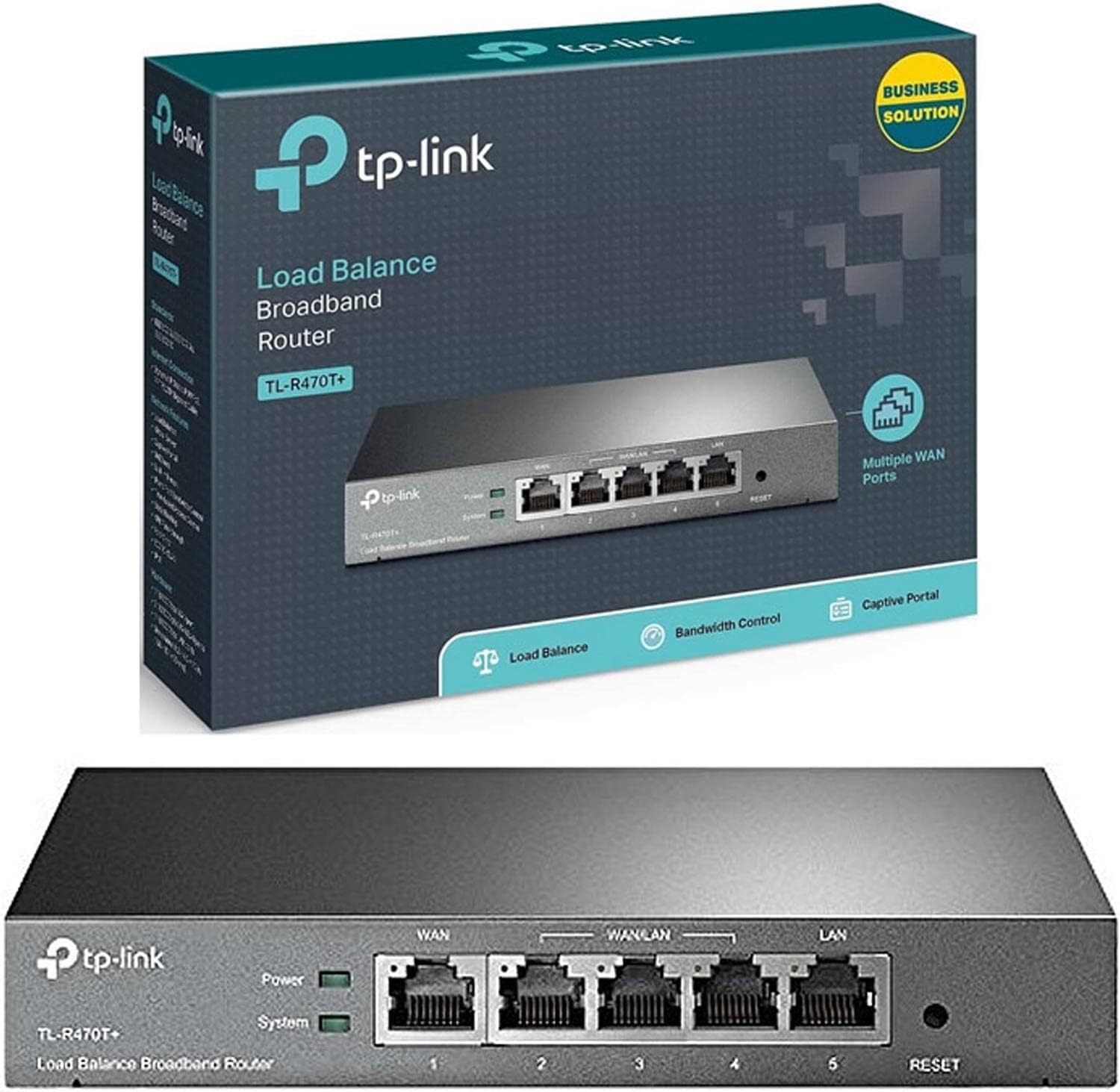
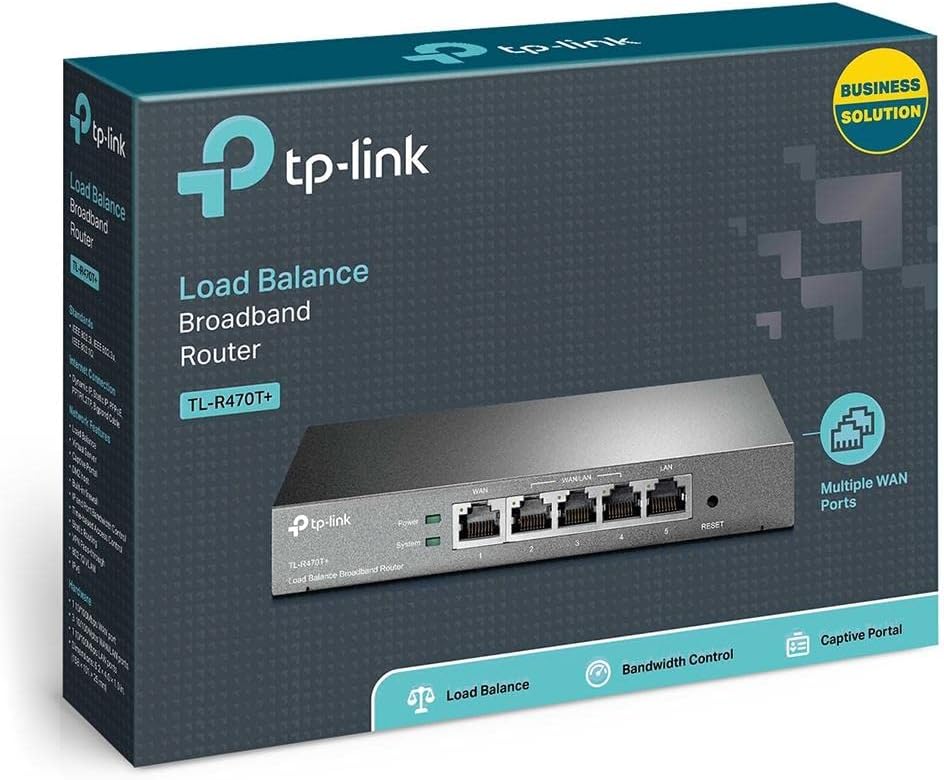
Imej: Depan view of the TL-R470T+ router, displaying the WAN port, three configurable WAN/LAN ports, and one dedicated LAN port, along with power and system LED indicators.
- Connect your modem's Ethernet cable to the router's dedicated WAN port (Port 1).
- If using additional WAN connections, connect them to the configurable WAN/LAN ports (Ports 2-4).
- Connect your local network devices (computers, switches) to the LAN port (Port 5) or other configurable ports set as LAN.
- Sambungkan penyesuai kuasa ke input kuasa penghala dan pasangkannya ke soket elektrik.
Imej: Belakang view of the TL-R470T+ router, highlighting the power input (9V=0.6A) and a Kensington lock slot for physical security.
- Konfigurasi Awal:
- Buka a web browser on a computer connected to the router's LAN port.
- Masukkan alamat IP lalai (biasanya 192.168.0.1) ke dalam bar alamat.
- Log masuk menggunakan nama pengguna dan kata laluan lalai (rujuk Panduan Pemasangan Pantas untuk butiran lanjut).
- Follow the on-screen wizard to configure your WAN connections and basic network settings.
5. Arahan Operasi
Once set up, the TL-R470T+ operates to manage your network traffic efficiently.
- Pengimbangan Beban: The router intelligently distributes internet traffic across active WAN connections. You can configure load balancing policies via the web interface to prioritize certain connections or applications.
- Firewall and Filtering: Access the security settings in the web interface to configure IP/MAC/URL filtering rules and enable DoS attack protection. This helps secure your network from external threats.
- Kawalan Lebar Jalur: Utilize the IP-based bandwidth control feature to allocate specific bandwidth limits to different users or devices on your network, ensuring fair usage and preventing congestion.
- Port Forwarding (Virtual Servers): For applications requiring external access to internal network resources (e.g., FTP servers, gaming servers), configure Virtual Servers (Port Forwarding) in the router's settings.
- DNS Dinamik (DDNS): If you have a dynamic public IP address, configure DDNS to associate a fixed domain name with your router, enabling consistent remote access.
6. Penyelenggaraan
Penyelenggaraan berkala memastikan prestasi optimum dan jangka hayat penghala anda.
- Kemas kini Firmware: Periksa pegawai TP-Link secara berkala weblaman web untuk kemas kini perisian tegar. Mengemas kini perisian tegar boleh meningkatkan prestasi, menambah ciri baharu dan membetulkan kelemahan keselamatan.
- Sandaran Konfigurasi: Sandarkan tetapan konfigurasi penghala anda secara berkala melalui web interface. This allows for quick restoration in case of accidental changes or a factory reset.
- Persekitaran Fizikal: Ensure the router is placed in a well-ventilated area, away from direct sunlight, heat sources, and moisture. Keep the device clean and free from dust accumulation.
- Perlindungan Kilat: While the device has built-in lightning protection, ensure proper grounding of your electrical system to maximize its effectiveness.
7. Penyelesaian masalah
Bahagian ini menangani isu biasa yang mungkin anda hadapi.
- Tiada Akses Internet:
- Verify that your modem is working correctly and providing an internet connection.
- Check the WAN port LED indicators on the router; they should be lit.
- Ensure WAN settings (IP address, DNS) are correctly configured in the router's web antara muka.
- Restart both your modem and the router.
- Kelajuan Internet Perlahan:
- Semak kelajuan pembekal perkhidmatan internet anda.
- Review load balancing settings to ensure optimal distribution across WANs.
- Check for any active bandwidth control rules that might be limiting speed for your device.
- Tidak Boleh Akses Web Halaman Pengurusan:
- Pastikan komputer anda disambungkan ke port LAN penghala.
- Verify your computer's IP address is in the same subnet as the router (e.g., 192.168.0.x).
- Cuba kosongkan cache penyemak imbas anda atau gunakan penyemak imbas lain.
- If the issue persists, perform a factory reset by pressing and holding the reset button for approximately 5-10 seconds while the router is powered on. Note: This will erase all custom configurations.
8. Spesifikasi
| Nombor Model Item | TL-R470T+ |
| Jenama | TP-Link |
| Jenis Antaramuka | 1 Fixed Ethernet WAN Port, 1 Fixed Ethernet LAN Port, 3 Changeable Ethernet WAN/LAN Ports |
| Bilangan Pelabuhan | 5 |
| Kadar Pemindahan Data | 100 Megabit Sesaat |
| Voltage | 240 Volt |
| Berat Barang | 0.46 Kilogram (1.02 paun) |
| Dimensi Produk | 8.3 x 1.1 x 5 inci |
| Keserasian Sistem Pengendalian | Microsoft Windows 8, 7, Vista, XP atau MAC OS, NetWare, UNIX atau Linux |
| Jenis Wayarles | 802.11ac (Note: This device is a wired router, 802.11ac refers to internal component compatibility, not wireless functionality) |
| Saiz Memori Denyar | 4 MB |
9. Waranti dan Sokongan
Untuk maklumat jaminan, sokongan teknikal dan bantuan lanjut, sila rujuk laman web rasmi TP-Link. website or contact TP-Link customer service directly. The Quick Installation Guide included with your product may also contain specific warranty details for your region.