pengenalan
The Anker A7726121 Ultra-Slim Bluetooth Keyboard is designed to provide a comfortable and efficient typing experience across various devices. Its compact and lightweight design makes it ideal for portability, while its low-profile keys ensure quiet and comfortable use. This manual provides instructions for setting up, operating, maintaining, and troubleshooting your keyboard.

Image: Anker A7726121 Ultra-Slim Bluetooth Keyboard shown alongside a tablet, demonstrating its compact size and compatibility.
Kandungan Pakej
- Anker Ultra-Slim Bluetooth Keyboard
- Panduan Selamat Datang
Note: Two AAA batteries are required for operation and are not included in the package.
Persediaan
1. Pemasangan Bateri
- Cari petak bateri di bahagian bawah papan kekunci.
- Buka penutup petak bateri.
- Masukkan dua bateri AAA, pastikan kekutuban (+/-) betul.
- Tutup penutup petak bateri dengan selamat.
2. Berpasangan Bluetooth
- Turn on the keyboard using the power switch, typically located on the bottom or side.
- Press the Bluetooth pairing button (often labeled with a Bluetooth symbol or 'Connect') on the keyboard. The indicator light should begin to flash, indicating it is in pairing mode.
- On your device (tablet, smartphone, computer), navigate to the Bluetooth settings.
- Pastikan Bluetooth didayakan pada peranti anda.
- Cari untuk available Bluetooth devices. The keyboard should appear as "Anker A7726".
- Select "Anker A7726" from the list of available devices.
- If prompted, enter the pairing code displayed on your device using the Anker keyboard and press Enter.
- Once paired, the indicator light on the keyboard will stop flashing and remain solid or turn off, depending on the model. Your keyboard is now ready for use.
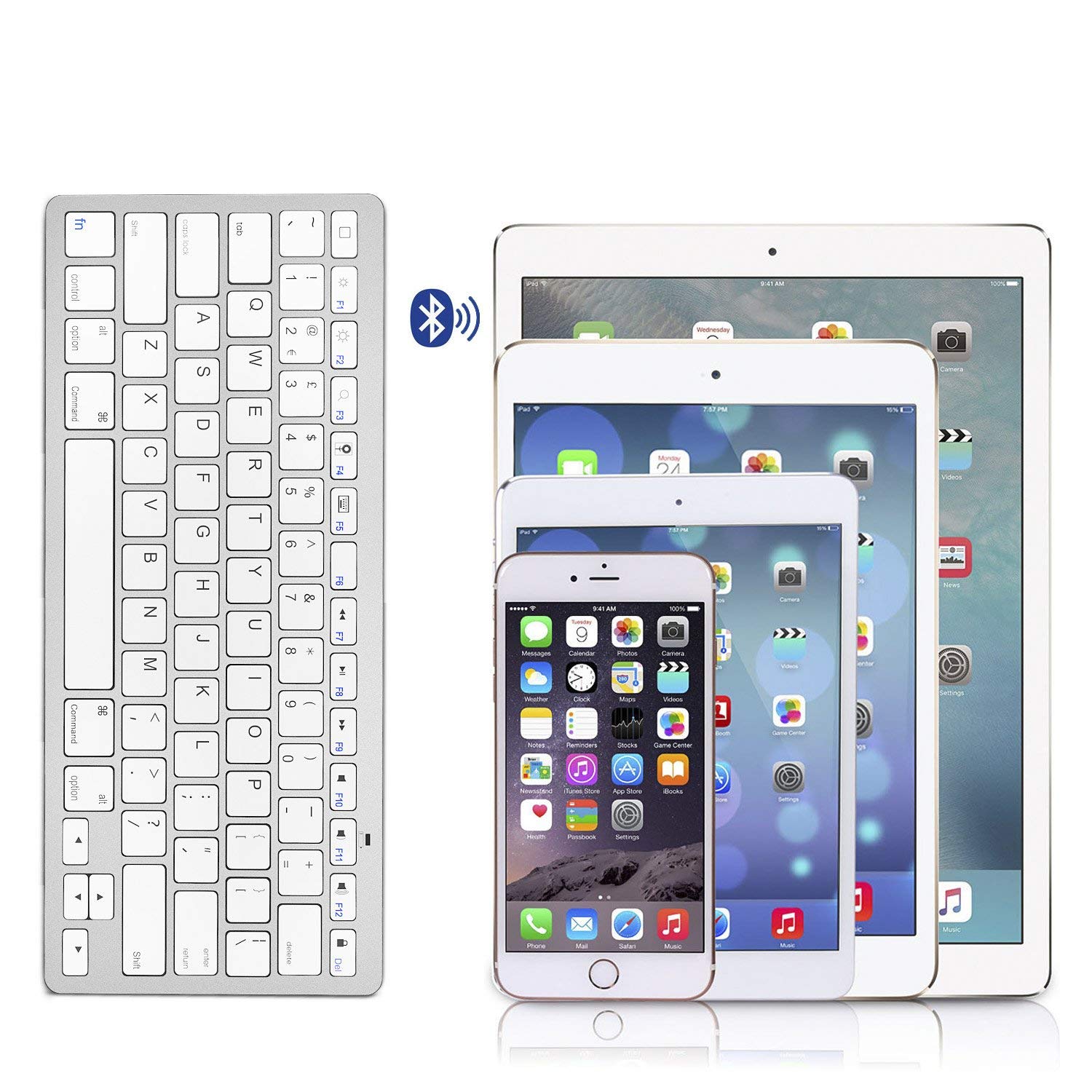
Image: The Anker A7726121 keyboard shown wirelessly connected to an iPad, iPhone, and iPad Mini, illustrating its multi-device compatibility.
Arahan Operasi
Keserasian
The Anker A7726121 keyboard is cross-compatible with a wide range of operating systems and devices:
- iOS: iPad, iPhone, iPod Touch (Bluetooth 3.0 and above)
- Android: Smartphones or tablets (Android 3.0 and above)
- Mac: iMac/Macbooks (Mac OS X 10.2.8 or above). Note: Not compatible with Mac Mini.
- Windows: Bluetooth-enabled PCs or Laptops (Windows XP/Vista/7/8)
- Windows Mobile: 5.0 dan ke atas
Note: Some exceptions may apply. Not compatible with Moto RAZR.
Kekunci Fungsi dan Pintasan
The keyboard features dedicated hotkeys for various functions across different operating systems. These keys provide quick access to media controls and system functions.

Imej: Dari dekat view of the Anker A7726121 keyboard keys, highlighting the layout and function key labels.
Pengurusan Kuasa
The keyboard is designed for ultra-low power consumption, allowing for extended use. It features an automatic sleep mode to conserve battery life:
- Mod Tidur Automatik: If the keyboard is inactive for a period, it will automatically enter sleep mode to save power.
- Waking the Keyboard: To wake the keyboard, simply press any key. It may take a few seconds to reconnect to your device.
- Hayat Bateri: With typical usage (approximately two hours per day), the keyboard can last over three months between battery changes.
Penyelenggaraan
Pembersihan
Untuk mengekalkan rupa dan fungsi papan kekunci:
- Ensure the keyboard is turned off before cleaning.
- Gunakan kain lembut dan tidak berbulu sedikit dampdisapu dengan air atau larutan pembersih lembut.
- Elakkan menggunakan bahan kimia yang keras, pembersih yang melelas, atau kelembapan berlebihan.
- For cleaning between keys, use compressed air or a soft brush.
Penggantian Bateri
When the keyboard's performance degrades or it fails to connect, it may be time to replace the batteries. Follow the battery installation steps outlined in the Setup section.
Menyelesaikan masalah
If you encounter issues with your Anker A7726121 keyboard, refer to the following common solutions:
- Papan kekunci tidak bersambung atau kerap terputus sambungan:
- Ensure the keyboard is turned on and has fresh batteries.
- Sahkan Bluetooth didayakan pada peranti anda.
- Try re-pairing the keyboard with your device (unpair and then pair again).
- Move the keyboard closer to your device to rule out range issues or interference.
- Mulakan semula kedua-dua papan kekunci dan peranti anda.
- Keys are unresponsive or typing incorrectly:
- Periksa tahap bateri dan ganti jika perlu.
- Ensure the keyboard is properly paired.
- Bersihkan papan kekunci untuk mengeluarkan sebarang serpihan yang mungkin menghalang kekunci.
- Test the keyboard with another compatible device to determine if the issue is with the keyboard or the original device.
- Keyboard enters sleep mode too frequently:
- This is a power-saving feature. Press any key to wake the keyboard.
- Ensure your device's Bluetooth settings are stable and not causing frequent disconnections.
Spesifikasi
| Ciri | Perincian |
|---|---|
| Nombor Model | AK-A7726121 |
| Teknologi Ketersambungan | Bluetooth 3.0 |
| Keserasian Sistem Pengendalian | iOS, Android, Mac OS X, Windows, Windows Mobile |
| Sumber Kuasa | 2 x Bateri AAA (tidak termasuk) |
| Anggaran Hayat Bateri | Over 3 months (based on 2 hours/day use) |
| Dimensi (LxWxH) | 28.5 x 11.99 x 0.61 cm (11.2 x 4.7 x 0.2 inci) |
| Berat Barang | 191 g (6.7 oz) |
| warna | putih |

Image: Technical diagram showing the precise dimensions of the Anker A7726121 Ultra-Slim Bluetooth Keyboard.
Waranti dan Sokongan
Anker provides an 18-month worry-free warranty for this product. For any questions, issues, or support needs, please refer to the contact information provided in your welcome guide or visit the official Anker support webtapak.