Produk Selesaiview
The POWERTEC 12-1/2 Inch Planer Blades (Model 128081) are premium cutting tools designed for woodworking applications. This set includes two high-speed steel (HSS) planer knives engineered to meet or exceed OEM product performance. They are specifically designed for compatibility with the JET 708522 and JWP-12-4P planers.
Manufactured from premium HSS material, these blades undergo professional machining and strict quality control to ensure extreme sharpness, precision, balancing, and tight tolerance. A final heat treatment enhances their hardness and durability, allowing them to stay sharp and last longer than conventional products.

Image: POWERTEC 12-1/2 Inch Planer Blades, Set of 2, in packaging.
Ciri-ciri Utama
- Termasuk: Two (2) 12-1/2 inch planer blades.
- Keserasian: Designed as direct replacements for JET 708522 and JWP-12-4P planers.
- Pemotongan Ketepatan: Each blade features a single cutting edge with a profile engineered for smooth, fast planing action, delivering high precision and professional results.
- High Speed Steel (HSS): Constructed from HSS for superior hardness, allowing cuts through various materials at higher speeds, with enhanced temperature protection and wear resistance for long-term durability.
- Dimensi: Each blade measures 12-1/2 inches in length, 3/4 inch in width, and 1/8 inch in thickness.

Image: Detail of a POWERTEC planer blade highlighting its High Speed Steel construction.
Keserasian
These POWERTEC planer blades are specifically engineered to be fully compatible with the following planer models:
- JET 708522 Planer
- JET JWP-12-4P Planer
Always verify your planer's model number and blade specifications before purchasing replacement blades to ensure proper fit and optimal performance.
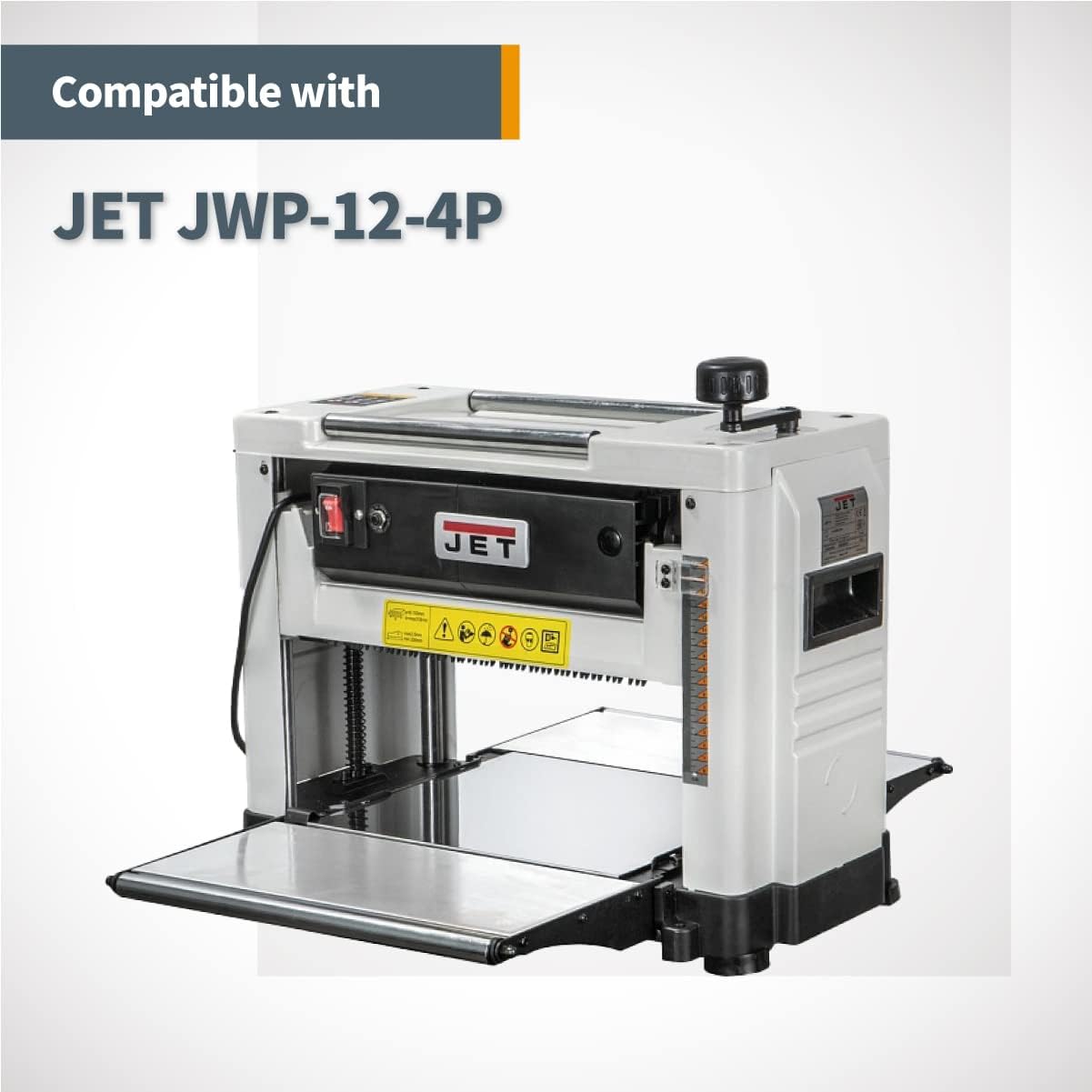
Image: JET JWP-12-4P Planer, compatible with POWERTEC 12-1/2 inch blades.
Arahan Pemasangan
Langkah-langkah Keselamatan
- Putuskan Kuasa: Always unplug your planer from the power source before performing any maintenance or blade replacement.
- Pakai Alat Pelindung: Use heavy-duty gloves to protect your hands from sharp edges and safety glasses to protect your eyes from debris.
- Rujuk Manual Perancang: Consult your specific planer's instruction manual for detailed blade replacement procedures, as steps may vary slightly by model.
- Kendalikan Bilah dengan Berhati-hati: Planer blades are extremely sharp. Handle them by the non-cutting edges whenever possible.
Blade Replacement Steps (General Guide)
- Access Cutterhead: Open the planer's cutterhead access cover. This usually involves releasing latches or screws.
- Loosen Blade Screws: Using the appropriate wrench or tool (often supplied with your planer), carefully loosen the screws or bolts that secure the old blades to the cutterhead.
- Tanggalkan Bilah Lama: Gently slide out the old blades. Be extremely cautious as they may still be sharp. Dispose of them safely.
- Clean Cutterhead: Thoroughly clean any sawdust, resin, or debris from the cutterhead and blade seating areas. A clean surface ensures proper blade alignment.
- Pasang Bilah Baharu: Carefully insert the new POWERTEC blades into their respective slots. Ensure they are seated correctly and flush with the cutterhead. Many planers have alignment pins or jigs to assist with this.
- Ketatkan Skru: Securely tighten the blade screws or bolts. Tighten them evenly to prevent blade wobble or misalignment. Do not overtighten.
- Sahkan Penjajaran: Double-check that the new blades are properly aligned and parallel to the planer bed. Refer to your planer's manual for specific alignment checks.
- Tutup Penutup: Close and secure the cutterhead access cover.
- Larian Ujian: Plug in the planer and perform a test run on a scrap piece of wood to ensure smooth operation and proper cutting.

Image: Illustrative example of planer blade installation.
Operating Your Planer with POWERTEC Blades
Once the new POWERTEC blades are installed, your planer is ready for use. These blades are designed to provide smooth and consistent cuts across various wood types. Always ensure your workpiece is free of foreign objects (nails, screws) that could damage the blades.
For optimal results, feed wood at a consistent rate and avoid taking excessively deep cuts, especially with harder woods. The high-speed steel construction of these blades allows for efficient material removal and a clean finish.

Imej: Cthamples of wood types and finished lumber, demonstrating typical planer usage.
Penjagaan dan Penyelenggaraan
Proper care of your POWERTEC planer blades will extend their lifespan and maintain cutting performance:
- Bersihkan Selepas Penggunaan: After each use, clean the blades and cutterhead to remove sawdust and resin buildup. Resin can cause friction and dull blades prematurely. Use a suitable blade cleaner or mineral spirits.
- Periksa dengan kerap: Periodically inspect the blades for nicks, dull spots, or damage. Damaged blades can lead to poor cut quality and potential safety hazards.
- Storan: When not in use, store the blades in their original protective packaging or a dedicated blade holder to prevent accidental damage and corrosion. Store in a dry environment.
- Penggantian: Replace blades when they become dull or damaged beyond repair. Attempting to sharpen these specific HSS blades is generally not recommended for the average user; replacement is the most effective way to restore cutting performance.
Menyelesaikan Masalah Isu Biasa
| Masalah | Kemungkinan Punca | Penyelesaian |
|---|---|---|
| Rough or Uneven Cuts | Dull or damaged blades; improper blade alignment; excessive depth of cut. | Replace blades; re-align blades; reduce depth of cut per pass. |
| Excessive Tear-out | Dull blades; feeding wood against the grain; too fast feed rate. | Replace blades; ensure proper grain direction; slow down feed rate. |
| Blades Not Cutting | Blades installed incorrectly (e.g., upside down); severely dull blades. | Check blade orientation and re-install; replace blades. |
| Bunyi/Getaran Berlebihan | Loose blades; unbalanced cutterhead (due to uneven blade wear/damage). | Tighten blade screws; inspect blades for damage and replace if necessary. |
Spesifikasi Produk
| Spesifikasi | Perincian |
|---|---|
| Jenama | POWERTEC |
| Nombor Model | 128081 |
| bahan | Keluli Berkelajuan Tinggi (HSS) |
| Panjang Bilah | 12-1/2 inci (317.5 mm) |
| Lebar Bilah | 3/4 inci (19.05 mm) |
| Ketebalan Bilah | 1/8 inci (3.175 mm) |
| warna | Perak |
| Berat Barang | 1.72 paun (0.78 kg) |
| Kuantiti Pakej Item | 1 (contains 2 blades) |
| Bilangan Kepingan | 2 |
| UPC | 736815000262 |

Image: Dimensions of the POWERTEC 12-1/2 Inch Planer Blade.
Sokongan dan Maklumat Hubungan
For further assistance, product inquiries, or to explore other POWERTEC products, please visit the official POWERTEC store or contact customer support.
Visit the Official POWERTEC Store on Amazon
Sila rujuk dokumentasi pembelian anda untuk butiran jaminan khusus.


