1. Produk Lebihview
The Logitech Wireless Mouse M305 is designed for comfort and convenience, featuring an ergonomic design with a soft rubber grip and a compact Nano-receiver. This manual provides instructions for setting up, operating, and maintaining your mouse.
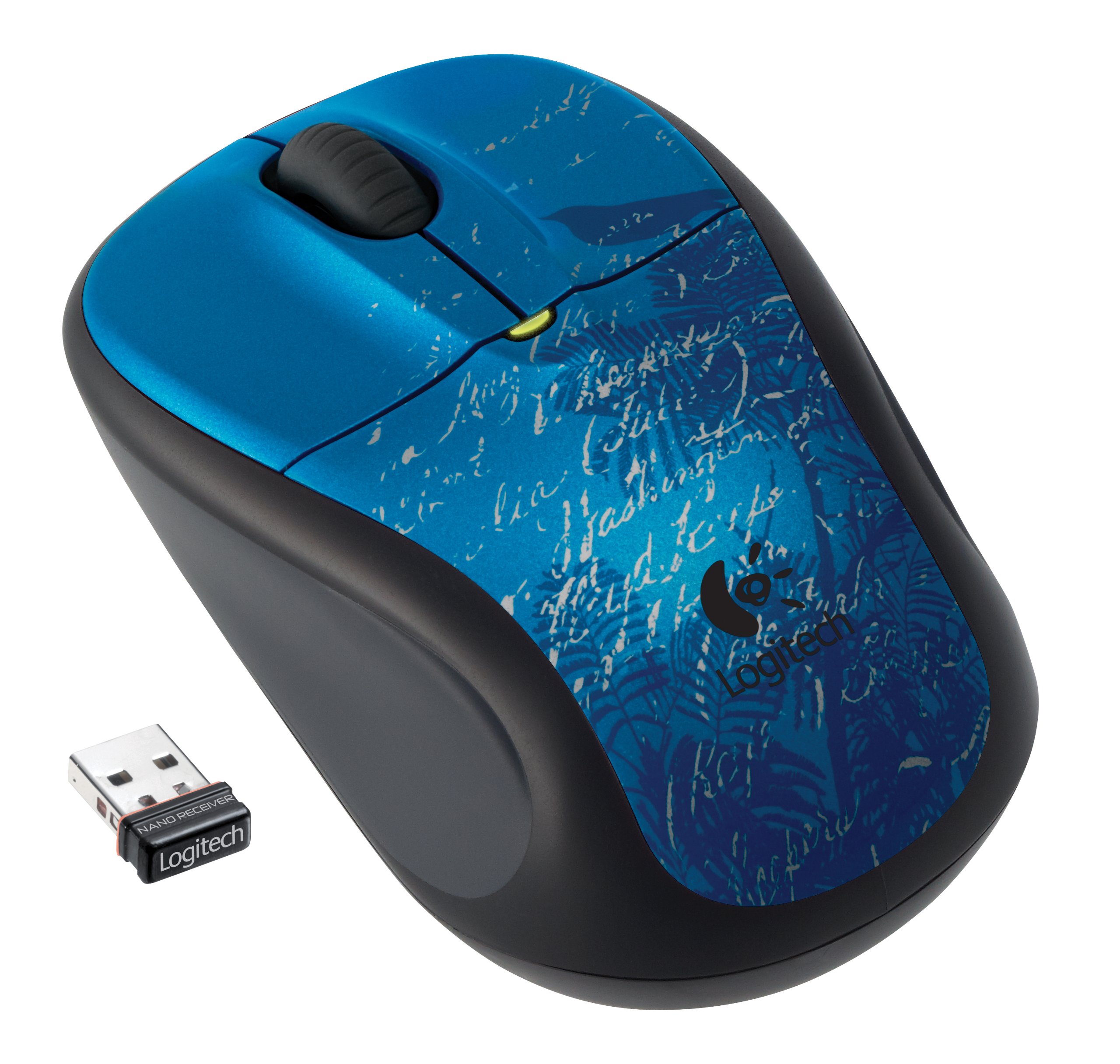
Image: Logitech Wireless Mouse M305 (Indigo Scroll) with its Nano receiver. The mouse features a blue design with white scroll patterns and a bird silhouette.
2. Arahan Persediaan
2.1. Pemasangan Bateri
- Cari petak bateri di bahagian bawah tetikus.
- Buka penutup petak bateri.
- Masukkan satu bateri AA, pastikan kekutuban yang betul (+/-).
- Tutup penutup petak bateri.
- Turn on the mouse using the On/Off switch located on the bottom.
2.2. Connecting the Nano-Receiver
- Locate the USB Nano-receiver. It is typically stored inside the battery compartment or packaged separately.
- Plug the Nano-receiver into an available USB port on your computer.
- Komputer anda sepatutnya mengesan dan memasang pemacu yang diperlukan secara automatik. Proses ini mungkin mengambil masa beberapa saat.
- Once the drivers are installed, the mouse is ready for use.

Image: The compact Nano receiver plugged into a laptop's USB port, demonstrating its small size.

Image: The Nano receiver shown next to a US nickel coin, highlighting its small, unobtrusive design.
3. Arahan Operasi
The Logitech Wireless Mouse M305 provides standard mouse functionality with enhanced comfort and precision.
3.1. Fungsi Asas
- Butang Klik Kiri: Digunakan untuk memilih barang, membuka files, dan melaksanakan arahan.
- Butang Klik Kanan: Digunakan untuk mengakses menu konteks dan pilihan tambahan.
- Roda Tatal: Digunakan untuk menatal dokumen dan web pages. The scroll wheel may also function as a middle-click button for specific applications.
3.2. Ergonomics and Tracking
The mouse features an ergonomic design with a soft rubber grip for comfortable use over extended periods. Its high-definition optical tracking (1000 dpi) ensures responsive and smooth cursor control on various surfaces.

Imej: Sisi view of the Logitech Wireless Mouse M305, illustrating its contoured shape and soft rubber side grips designed for comfort.
3.3. Pengurusan Kuasa
To conserve battery life, the mouse includes an On/Off switch on its underside. It also features intelligent battery management, allowing for months of use from a single AA battery.
4. Penyelenggaraan
4.1. Penggantian Bateri
When the mouse's performance degrades or the battery indicator light (if present) signals low power, replace the AA battery by following the installation steps in Section 2.1.
4.2. Pembersihan
Untuk membersihkan tetikus anda, gunakan kain lembut dan kering. Untuk kotoran degil, sedikit damp cloth can be used, ensuring no moisture enters the internal components. Avoid using harsh chemicals or abrasive cleaners.
5. Penyelesaian masalah
If you encounter issues with your Logitech Wireless Mouse M305, try the following troubleshooting steps:
- Tetikus Tidak Menjawab:
- Pastikan tetikus dihidupkan menggunakan suis Hidup/Mati.
- Periksa bateri. Gantikannya jika perlu.
- Ensure the Nano-receiver is securely plugged into a working USB port. Try a different USB port.
- Mulakan semula komputer anda.
- Pergerakan Kursor Tidak Menentu:
- Bersihkan sensor optik di bahagian bawah tetikus.
- Pastikan anda menggunakan tetikus pada permukaan yang sesuai. Elakkan permukaan yang sangat reflektif atau lutsinar.
- Check for interference from other wireless devices. Move the receiver closer to the mouse or away from other electronics.
- Isu Sambungan:
- If the connection is frequently lost, try re-pairing the mouse with the receiver using Logitech's connection utility software (if available for your operating system).
6. Spesifikasi
| Ciri | Perincian |
|---|---|
| Nombor Model | 910-002462 |
| Dimensi Produk | 8.25 x 3.5 x 5.88 inci |
| Berat Barang | 4.8 auns |
| Bateri | 1 bateri AA (termasuk) |
| Teknologi Ketersambungan | Tanpa Wayar (2.4 GHz) |
| Teknologi Pengesanan Pergerakan | Optik (1000 dpi) |
| Pengeluar | Logitech, Inc |
7. Waranti dan Sokongan
For warranty information and technical support, please refer to the documentation included with your product or visit the official Logitech website. Logitech provides customer support and resources for their products.
Logitech Official Webtapak: www.logitech.com


