1. Pengenalan
This manual provides instructions for the setup, operation, and maintenance of your Acctim 14193 Eclipse Solar Dual Power Alarm Clock. This clock features a hybrid power system, utilizing solar energy during the day and battery power at night. It includes a crescendo alarm with snooze functionality and Smartlite technology for automatic display illumination in low light conditions.
2. Maklumat Keselamatan
- Do not expose the clock to extreme temperatures, direct sunlight for prolonged periods (beyond normal operation), or high humidity.
- Elakkan daripada menjatuhkan jam atau mendedahkannya kepada hentaman yang kuat.
- Jangan cuba membuka atau membaiki jam sendiri. Rujuk kepada kakitangan perkhidmatan yang berkelayakan.
- Buang bateri terpakai mengikut peraturan tempatan.
3. Kandungan Pakej
Sila pastikan semua item ada:
- Acctim 14193 Eclipse Solar Dual Power Alarm Clock
- 2 x Bateri AA (dipasang atau disertakan secara berasingan)
4. Produk Lebihview
Familiarize yourself with the clock's components and controls.
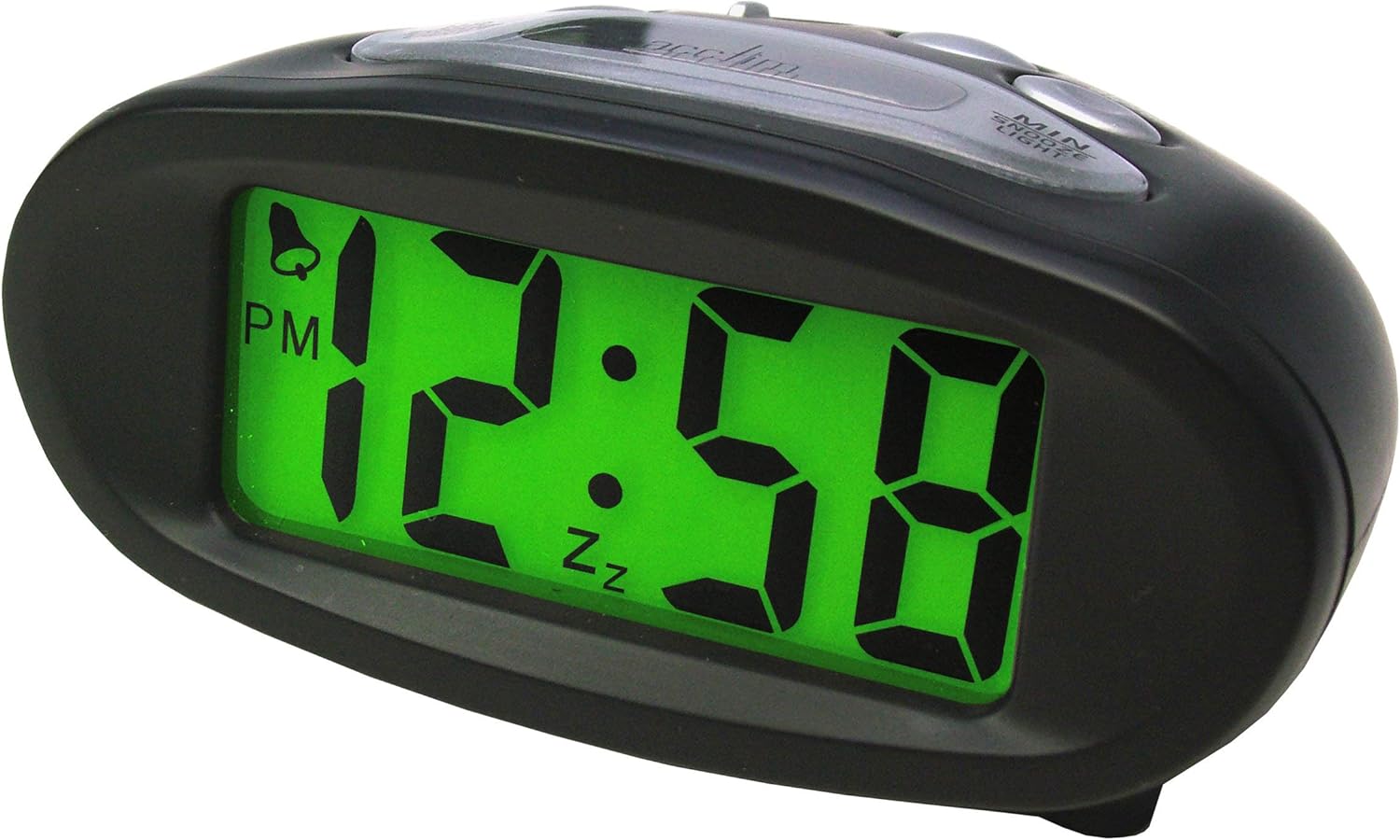
Rajah 4.1: Depan View (Illuminated Display)
This image shows the front of the Acctim 14193 alarm clock with its digital display illuminated in green, showing the time 12:58 PM. The clock has a black, oval-shaped casing.

Rajah 4.2: Depan View (Unilluminated Display)
This image displays the front of the Acctim 14193 alarm clock with its digital display unilluminated, showing the time 12:58 PM. The clock maintains its black, oval-shaped design.

Figure 4.3: Top and Rear View (Kawalan)
This image provides a top-rear view of the Acctim 14193 alarm clock, highlighting the control buttons and the solar panel. The buttons are labeled for functions such as ALARM ON/OFF, ALARM SET, TIME SET, and a LIGHT switch with OFF, LO, and HI settings. The solar panel is visible on the top surface.
4.1 Kawalan dan Ciri
- paparan: Digital time display.
- Panel Suria: Located on the top surface, charges the clock during daylight.
- Butang HR: Used to adjust hours.
- Butang MIN: Used to adjust minutes.
- SNOOZE/LIGHT Button: Activates snooze during alarm, provides temporary backlight.
- ALARM ON/OFF Switch: Menukar fungsi penggera.
- Butang SET PENGGERA: Memasuki mod tetapan penggera.
- Butang SET MASA: Memasuki mod tetapan masa.
- LIGHT Switch (OFF/LO/HI): Controls the Smartlite backlight intensity.
5. Persediaan
5.1 Pemasangan Bateri
The clock requires 2 x AA batteries (included). If batteries are not pre-installed or need replacement:
- Locate the battery compartment cover on the underside of the clock.
- Tanggalkan penutup.
- Insert 2 AA batteries, ensuring correct polarity (+ and -).
- Gantikan penutup petak bateri dengan selamat.
5.2 Solar Power Functionality
The Acctim Eclipse clock utilizes a hybrid power system. The solar panel on top of the clock charges the internal system during daylight hours, reducing battery consumption. For optimal performance, place the clock in an area that receives ambient light during the day. The clock will automatically switch to battery power at night or in low-light conditions.
6. Arahan Operasi
6.1 Menetapkan Masa
- Tekan dan tahan butang MASA DITETAPKAN butang sehingga digit jam mula berkelip.
- Tekan ke HR button repeatedly to adjust the hour. Pay attention to the AM/PM indicator.
- Tekan ke MASA DITETAPKAN butang sekali lagi untuk mengesahkan jam dan beralih ke tetapan minit. Digit minit akan berkelip.
- Tekan ke MIN butang berulang kali untuk melaraskan minit.
- Tekan ke MASA DITETAPKAN button one last time to confirm the minutes and exit time setting mode.
6.2 Menetapkan Penggera
- Tekan dan tahan butang SET ALARM butang sehingga digit jam penggera mula berkelip.
- Tekan ke HR button repeatedly to adjust the alarm hour. Observe the AM/PM indicator.
- Tekan ke SET ALARM butang sekali lagi untuk mengesahkan jam penggera dan beralih ke tetapan minit penggera. Digit minit penggera akan berkelip.
- Tekan ke MIN button repeatedly to adjust the alarm minutes.
- Tekan ke SET ALARM button one last time to confirm the alarm minutes and exit alarm setting mode.
6.3 Mengaktifkan/Menyahaktifkan Penggera
Gunakan ALARM ON / OFF switch located on the top of the clock to enable or disable the alarm. When the alarm is active, an alarm icon (often a bell) will appear on the display.
6.4 Fungsi Tunda
Apabila penggera berbunyi, tekan besar SNOOZE / CAHAYA button on the top of the clock. The alarm will temporarily stop and sound again after approximately 5-10 minutes (standard snooze duration).
6.5 Backlight Functions (Smartlite & Manual)
- Smartlite Technology: The clock features Smartlite technology, which automatically illuminates the display for easy night time viewing. Control its intensity using the CAHAYA switch (OFF/LO/HI).
- MATI: Smartlite feature is disabled.
- LO: Low intensity automatic backlight.
- HI: High intensity automatic backlight.
- Lampu Latar Manual: Tekan ke SNOOZE / CAHAYA button at any time to activate a temporary blue backlight for approximately 4 seconds, providing additional illumination.
7. Penyelenggaraan
7.1 Pembersihan
Wipe the clock with a soft, dry cloth. Do not use abrasive cleaners or chemical solvents, as these may damage the casing atau paparan.
7.2 Penggantian Bateri
When the display dims significantly or the clock functions become erratic, it may be time to replace the batteries. Refer to Section 5.1 for battery installation instructions. Always replace both AA batteries simultaneously with new ones.
8. Penyelesaian masalah
| Masalah | Kemungkinan Punca | Penyelesaian |
|---|---|---|
| Paparan malap atau kosong. | Low batteries or insufficient light for solar charging. | Replace batteries (Section 5.1). Ensure the clock is placed in an area with adequate ambient light for solar charging. |
| Penggera tidak berbunyi. | Alarm is not activated or alarm time is incorrect. | Check the ALARM ON/OFF switch (Section 6.3). Verify the alarm time is set correctly (Section 6.2). |
| Masa tidak betul. | Masa tidak ditetapkan dengan betul atau bateri telah ditanggalkan. | Reset the time (Section 6.1). |
| Smartlite backlight not working. | LIGHT switch is set to OFF or insufficient ambient light. | Ensure the LIGHT switch is set to LO or HI (Section 6.5). Test in a darker environment. |
9. Spesifikasi
| Jenama | Acctim |
| Nombor Model | 14193 |
| warna | Hitam |
| Jenis Paparan | digital |
| Sumber Kuasa | Battery Powered, Solar Powered (Hybrid) |
| Bateri | 2 x AA (termasuk) |
| Ciri Khas | Alarm, Snooze, Smartlite Automatic Backlight, Manual Blue Backlight |
| Dimensi (L x W x H) | 105mm x 50mm x 75mm (lebih kurang 4.13 x 1.97 x 2.95 inci) |
| Berat Barang | 0.11 Kilogram (lebih kurang 3.87 auns) |
10. Waranti dan Sokongan
The Acctim 14193 Eclipse Solar Dual Power Alarm Clock comes with a Jaminan 1 tahun dari tarikh pembelian. Waranti ini meliputi kecacatan pembuatan di bawah penggunaan biasa.
For warranty claims, technical support, or further assistance, please contact your retailer or the manufacturer directly. Please retain your proof of purchase.


