pengenalan
The iHome iM60LT is a compact, rechargeable mini speaker designed to deliver enhanced audio from various devices. Its vacuum bass design provides surprising volume and bass response for its small size. This speaker is ideal for use with laptops, cell phones, MP3 players, and other audio sources equipped with a 3.5 mm headphone jack.
This manual provides detailed instructions for setting up, operating, maintaining, and troubleshooting your iM60LT speaker to ensure optimal performance and longevity.
Kandungan Pakej
- iHome iM60LT Rechargeable Mini Speaker (Blue Translucent)
- 2-in-1 USB Charging and Audio Cable
Persediaan
1. Mengisi Speaker
Before initial use, fully charge the iM60LT speaker. The speaker contains a long-lasting internal lithium-ion battery.
- Locate the 2-in-1 USB charging and audio cable.
- Connect the small end of the cable to the charging port on the iM60LT speaker.
- Connect the USB plug of the cable to a powered USB port on a computer or a USB power adapter (not included).
- The charging indicator light will illuminate during charging and turn off when the battery is fully charged.
Note: You can charge the speaker while listening to audio.
2. Menyambung ke Sumber Audio
The iM60LT speaker connects to any audio device with a standard 3.5 mm headphone jack.
- Pastikan pembesar suara dicas atau disambungkan kepada sumber kuasa.
- Connect the 3.5 mm audio plug of the 2-in-1 cable to the audio input jack on the iM60LT speaker.
- Connect the other 3.5 mm audio plug to the headphone jack of your audio device (e.g., laptop, cell phone, MP3 player).
- Turn on the iM60LT speaker using the power switch (if available, typically located near the ports).
- Begin playing audio on your connected device. Adjust the volume on your device and the speaker for desired sound levels.
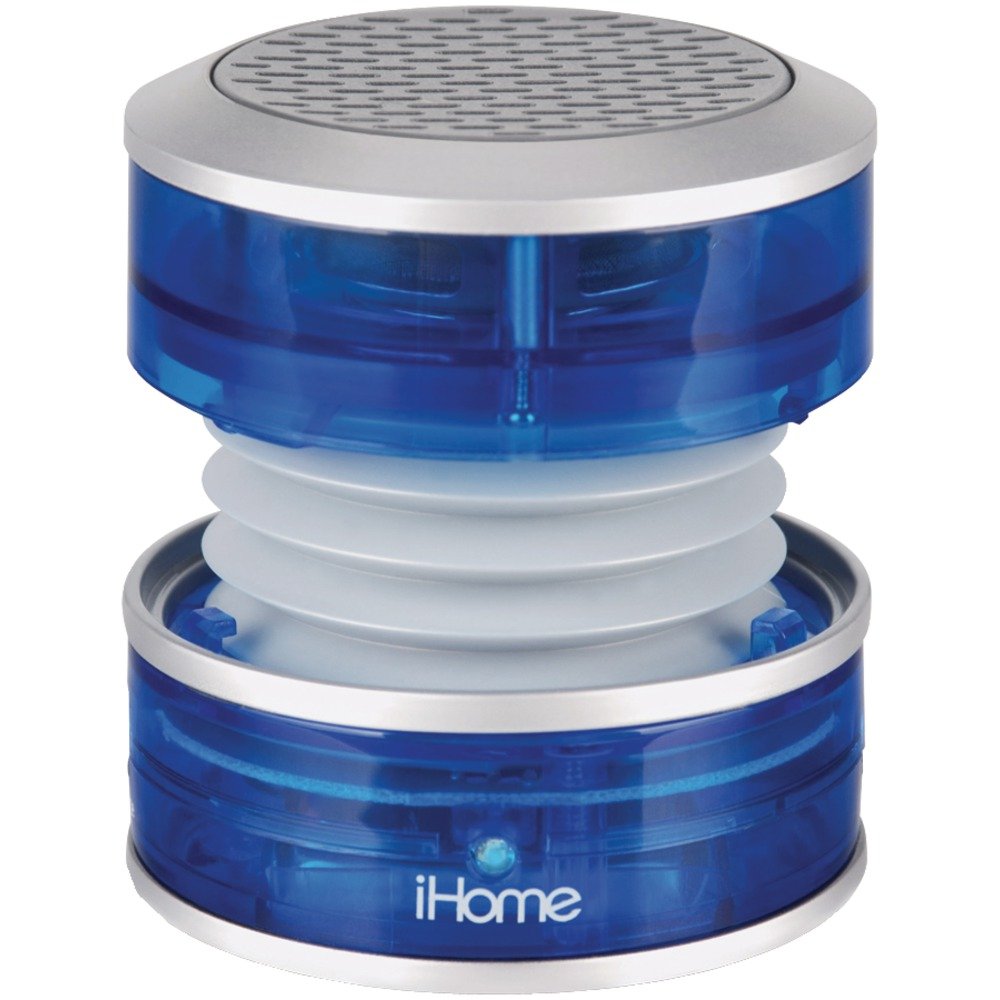
Image: The iHome iM60LT Mini Speaker, blue translucent, connected to a laptop via its audio cable, demonstrating its compact size and connectivity.
Arahan Operasi
1. Hidupkan/Mati Kuasa
- To power on the speaker, slide the power switch to the 'ON' position. A power indicator light may illuminate.
- Untuk mematikan kuasa, luncurkan suis kuasa ke kedudukan 'OFF'.
2. Melaraskan Kelantangan
Volume is primarily controlled through your connected audio device. Ensure the device's volume is set to an appropriate level.
3. Enhancing Bass with Vacuum Bass Design
The iM60LT features a unique vacuum bass design that allows for enhanced bass response.
- To activate the vacuum bass feature, gently twist the top and bottom sections of the speaker to expand its body. This creates a larger resonance chamber for deeper bass.
- To return to a compact form, twist the sections back together.
4. Connecting Multiple Speakers (Simulated Stereo)
For a simulated stereo sound experience or increased volume, you can connect multiple iM60LT speakers.
- Connect the first iM60LT speaker to your audio source as described in the 'Connecting to an Audio Source' section.
- Using an additional 3.5mm audio cable (not included), connect the line-out jack of the first speaker to the audio input jack of a second iM60LT speaker.
- Repeat this process to daisy-chain additional speakers.
Penyelenggaraan
- Keep the speaker clean by wiping it with a soft, dry cloth. Do not use liquid cleaners or solvents.
- Avoid exposing the speaker to extreme temperatures, direct sunlight, or moisture. The speaker is not waterproof.
- Simpan pembesar suara di tempat yang sejuk dan kering apabila tidak digunakan.
- Do not attempt to disassemble or modify the speaker, as this will void the warranty and may cause damage.
Menyelesaikan masalah
| Masalah | Penyelesaian |
|---|---|
| Tiada bunyi dari pembesar suara. |
|
| Low volume or distorted sound. |
|
| Pembesar suara tidak dicas. |
|
Spesifikasi
- Nama Model: iM60LT
- Jenis pembesar suara: Pembesar Suara Mudah Alih
- Ciri Khas: Mudah alih
- Peranti Serasi: MP3 Player, Laptops, Cell Phones, Portable Game Devices
- warna: Blue Translucent
- Berat Barang: 91 Gram (3.21 auns)
- Impedans: 2 ohm
- Adakah Kalis Air: Tidak
- Bilangan Item: 1
- Teknologi Komunikasi Tanpa Wayar: Bluetooth (Note: While listed, primary connection is wired 3.5mm)
- Saiz pembesar suara: 3.5 Millimeters (referring to audio jack size)
- Sumber Kuasa: Dikuasakan Bateri (Litium-ion Boleh Dicas Semula)
- Jenis Pemacu Audio: Pemandu Dinamik
- Dimensi Produk: 2.36 x 2.13 x 2.28 inci
- Kuasa Output Maksimum Pembesar Suara: 5 Watt
- Teknologi Ketersambungan: USB (for charging), 3.5mm Audio Jack (for audio input)
- Mod Output Audio: Stereo (when two speakers are connected)
Maklumat Waranti
The iHome iM60LT Rechargeable Mini Speaker comes with a Limited Warranty. Please refer to the warranty card included with your product or visit the official iHome website for specific terms and conditions regarding warranty coverage, duration, and claims procedures.
Waranti ini biasanya meliputi kecacatan bahan dan mutu kerja di bawah penggunaan biasa. Ia tidak meliputi kerosakan yang disebabkan oleh salah guna, kemalangan, pengubahsuaian tanpa kebenaran atau haus dan lusuh biasa.
Sokongan
For further assistance, technical support, or to inquire about replacement parts, please contact iHome customer service. You can typically find contact information on the official iHome webtapak atau pada pembungkusan produk.
Please have your product model number (iM60LT) and purchase information ready when contacting support.


