pengenalan
This manual provides comprehensive instructions for the Verbatim 2.4G Wireless Mini Travel Optical Mouse, Model 97471. It covers setup, operation, maintenance, and troubleshooting to ensure optimal performance and longevity of your device. This ultra-compact wireless mouse is designed for portability and ease of use with notebooks and netbooks.

Image: The Verbatim 2.4G Wireless Mini Travel Optical Mouse in blue, shown with its compact Nano receiver.
Kandungan Pakej
Sahkan bahawa semua item terdapat dalam pakej:
- Verbatim 2.4G Wireless Mini Travel Optical Mouse
- Penerima USB Nano
- Bateri AAA 1x
- Panduan Mula Pantas
Keperluan Sistem
The Verbatim 2.4G Wireless Mini Travel Optical Mouse is compatible with the following operating systems:
- Windows XP, Vista, Windows 7, and higher
- Mac OS X 10.1 dan lebih tinggi
- Linux kernel 2.6 and higher
A free USB 1.1 or 2.0 port is required for the Nano USB Receiver.
Arahan Persediaan
1. Pasang Bateri
- Cari penutup petak bateri di bahagian bawah tetikus.
- Gelongsor atau angkat penutup perlahan-lahan untuk membuka petak.
- Insert the included AAA battery, ensuring the positive (+) and negative (-) terminals align correctly with the markings inside the compartment.
- Gantikan penutup petak bateri sehingga ia terkunci pada tempatnya.

Image: The underside of the mouse with the battery compartment open, showing the AAA battery and the Nano receiver stored inside.
2. Connect the Nano USB Receiver
- Remove the Nano USB receiver from its storage slot within the mouse's battery compartment (if stored there).
- Plug the Nano USB receiver into an available USB port on your computer.
- Komputer anda sepatutnya mengesan dan memasang pemacu yang diperlukan secara automatik. Proses ini mungkin mengambil masa beberapa saat.
Arahan Operasi
Menghidupkan/Mematikan
The mouse typically powers on automatically when the receiver is connected and the mouse is moved. To conserve battery life, ensure the mouse is turned off when not in use. A power switch is usually located on the underside of the mouse.
Penggunaan Asas
- Butang Kiri: Primary click function, used for selecting items, opening links, etc.
- Butang Kanan: Fungsi klik sekunder, biasanya membuka menu konteks.
- Roda Tatal: Gulung ke atas atau ke bawah untuk menavigasi dokumen dan web pages. The scroll wheel may also function as a middle button when pressed.
Penyelenggaraan
Penggantian Bateri
When the mouse performance degrades or stops responding, it is likely time to replace the AAA battery. Follow the battery installation steps outlined in the Setup section.
Pembersihan
Untuk membersihkan tetikus anda, gunakan kain lembut, kering dan tidak berbulu. Untuk kotoran degil, sedikit dampen the cloth with water. Avoid using harsh chemicals, solvents, or abrasive cleaners, as these can damage the mouse's surface or internal components.
Menyelesaikan masalah
| Masalah | Penyelesaian |
|---|---|
| Tetikus tidak bertindak balas |
|
| Pergerakan kursor tidak menentu atau gelisah |
|
| Receiver not detected by computer |
|
Spesifikasi
| Ciri | Perincian |
|---|---|
| Nombor Model | 97471 |
| Dimensi Produk | 3 x 2 x 1.25 inci (L x P x H) |
| Berat Barang | 2.4 auns |
| Teknologi Ketersambungan | 2.4GHz Wireless |
| Teknologi Pengesanan Pergerakan | Optik |
| Jenis Bateri | 1x AAA (included) |
| Antara muka | USB 2.0 (serasi dengan USB 1.1) |

Imej: Atas ke bawah view of the Verbatim Mini Travel Mouse showing its approximate dimensions of 3 inches length and 2 inches width.
Maklumat Waranti
This Verbatim product is covered by a Waranti Terhad 1 Tahun from the date of purchase. This warranty covers defects in materials and workmanship under normal use. For full terms and conditions, please refer to the official Verbatim warranty documentation or contact customer support.
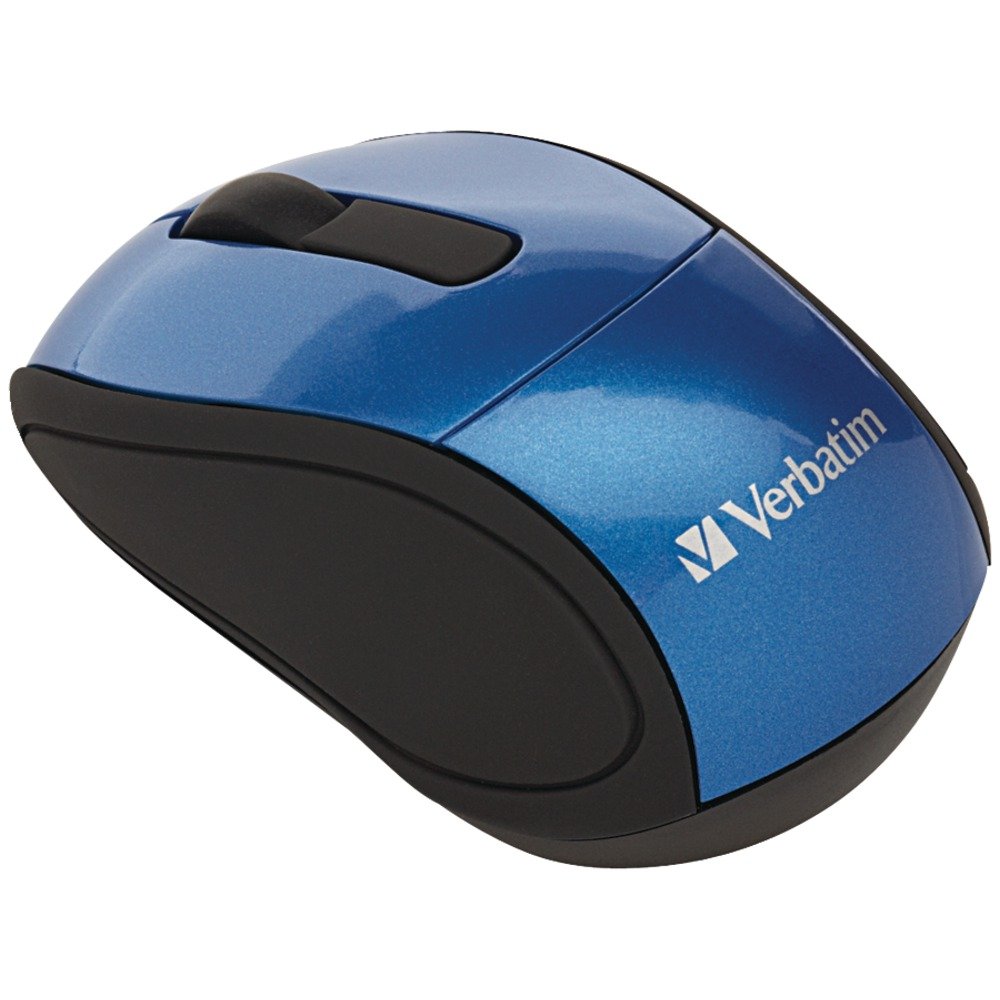
Image: A blue circular badge indicating a "1-Year Limited Warranty".
Sokongan
For further assistance, technical support, or warranty claims, please visit the official Verbatim website or contact their customer service department. Contact information can typically be found on the Verbatim weblaman web atau dalam Panduan Permulaan Pantas yang disertakan dengan produk anda.


