pengenalan
This manual provides detailed instructions for the setup, operation, maintenance, and troubleshooting of your Coby CRA54 Digital AM/FM Alarm Clock Radio. Please read this manual thoroughly before using the device to ensure proper function and longevity.
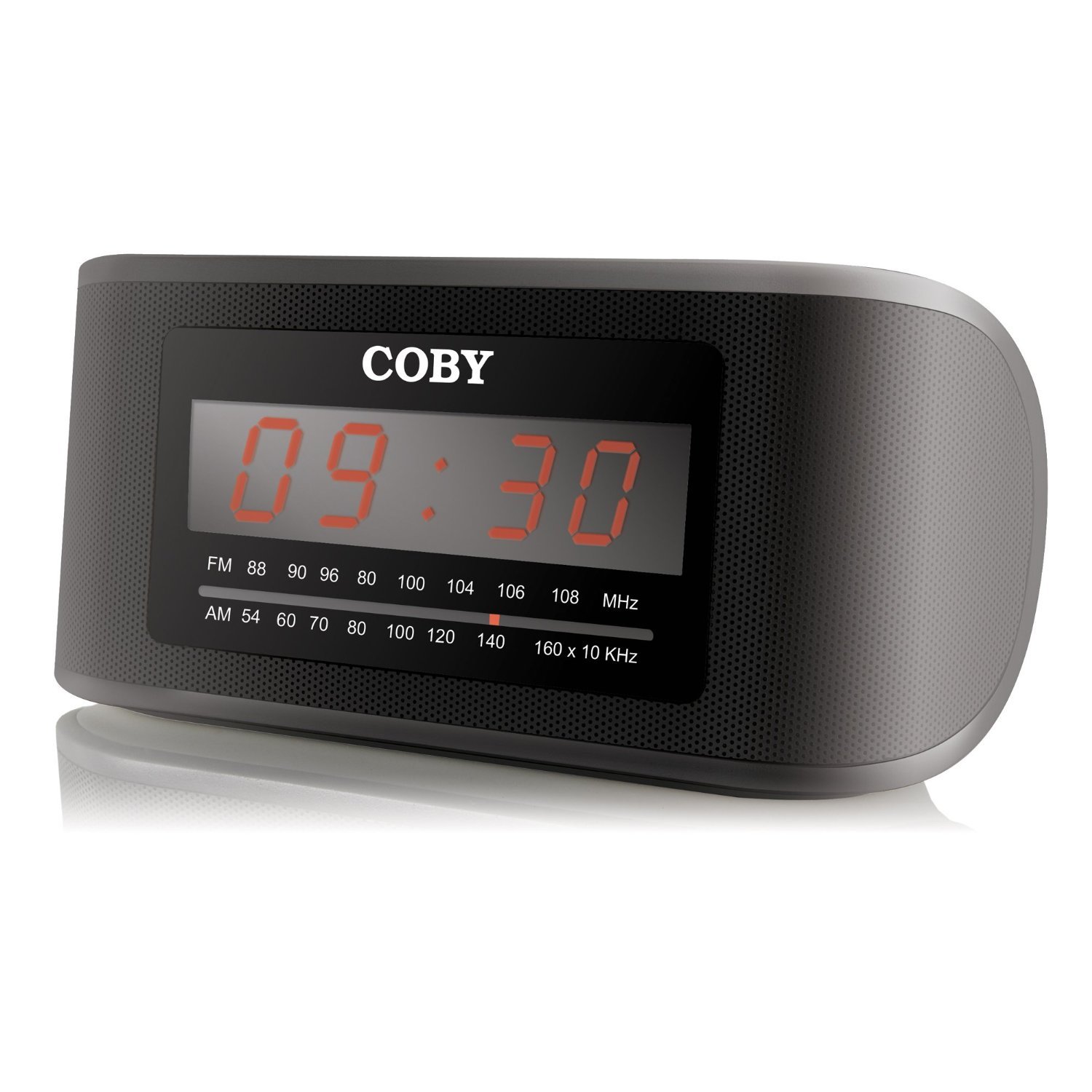
Rajah 1: Depan view of the Coby CRA54 Digital AM/FM Alarm Clock Radio, showing the digital display and control buttons.
Persediaan
- Membongkar: Carefully remove the alarm clock radio from its packaging. Retain the packaging materials for future transport or storage.
- Sambungan Kuasa: Connect the AC power cord to the 110V power outlet. The unit is designed for wired operation.
- Sandaran Bateri (Pilihan): While the unit operates on AC power, it may have a compartment for backup batteries (not included) to maintain time settings during power outages. Refer to the battery compartment cover for the correct battery type and polarity. Note: Batteries are not included with this product.
- Pelarasan Antena: Extend the FM wire antenna fully for optimal FM reception. For AM reception, rotate the unit for the best signal.
Arahan Operasi
Menetapkan Masa
- Tekan dan tahan butang MASA DITETAPKAN button (location may vary, typically on the front or top panel) until the display flashes.
- Gunakan JAM dan MINIT buttons to adjust the time. Observe the AM/PM indicator if present.
- Tekan MASA DITETAPKAN sekali lagi untuk mengesahkan dan keluar daripada mod tetapan masa.
Menetapkan Penggera
- Tekan dan tahan butang SET ALARM butang sehingga paparan masa penggera berkelip.
- Gunakan JAM dan MINIT butang untuk menetapkan masa penggera yang anda inginkan.
- Tekan SET ALARM again to confirm. You may then be prompted to select the alarm source (radio or buzzer) using the MODUL ALARM butang.
- Ensure the alarm is activated by checking for an alarm indicator icon on the display.
Operasi Radio
- Hidupkan/Mati Kuasa: Tekan ke KUASA butang untuk menghidupkan atau mematikan radio.
- Pemilihan Band: Tekan ke AM/FM butang untuk bertukar antara jalur AM dan FM.
- tuning: Gunakan MENALA dial or TULA +/- buttons to find your desired station. Some models may feature auto-scan functionality.
- Kawalan Kelantangan: Laraskan kelantangan menggunakan JILID dial or VOL +/- butang.
Fungsi Tunda
Apabila penggera berbunyi, tekan besar MENGEJUTKAN button (usually located on the top of the unit) to temporarily silence the alarm. The alarm will sound again after a few minutes (typically 9 minutes).
Penyelenggaraan
- Pembersihan: Disconnect the power before cleaning. Use a soft, dry cloth to wipe the exterior of the unit. Do not use abrasive cleaners or solvents.
- penempatan: Place the unit on a stable, flat surface. Avoid placing it in direct sunlight, near heat sources, or in areas with high humidity.
- Pengudaraan: Pastikan pengudaraan yang mencukupi di sekeliling unit untuk mengelakkan terlalu panas. Jangan sekat bukaan pengudaraan.
Menyelesaikan masalah
| Masalah | Kemungkinan Punca | Penyelesaian |
|---|---|---|
| Unit tidak dihidupkan. | Kord kuasa tidak disambungkan dengan betul. | Ensure the power cord is securely plugged into both the unit and a working 110V outlet. |
| Penerimaan radio yang lemah. | Antenna not extended or unit position. | Extend the FM wire antenna fully. For AM, rotate the unit to improve signal. Avoid interference from other electronic devices. |
| Penggera tidak berbunyi. | Alarm not set or activated. | Verify that the alarm time is correctly set and the alarm function is activated (check for alarm icon on display). Ensure volume is not at minimum. |
| Time display is incorrect or runs fast/slow. | Internal clock deviation or power interruption. | Reset the time. If the issue persists, ensure stable power supply and consider using fresh backup batteries if applicable. |
Spesifikasi
- Jenama: Coby
- Nombor Model: CRA54
- Dimensi Produk: 17.78 x 10.16 x 8.89 cm
- Berat produk: 522 g
- Voltage: 110 Volt
- Jenis Paparan: digital
- Jenis Pemasangan: Atas meja
- Jam loceng: ya
- Mod Operasi: Elektrik
- Pembesar Suara Terbina dalam: ya
- Teknologi Ketersambungan: berwayar
Waranti dan Sokongan
For information regarding warranty coverage and customer support, please refer to the warranty card included with your product or contact Coby customer service directly. Keep your purchase receipt as proof of purchase.


