1. Pengenalan
Thank you for choosing the Waring Pro Professional Popcorn Maker. This appliance is designed to bring the classic movie theater popcorn experience to your home. With its vintage styling and efficient performance, you can enjoy up to 8 cups of delicious popcorn quickly. This manual provides essential information for the safe and effective operation, maintenance, and care of your new popcorn maker.
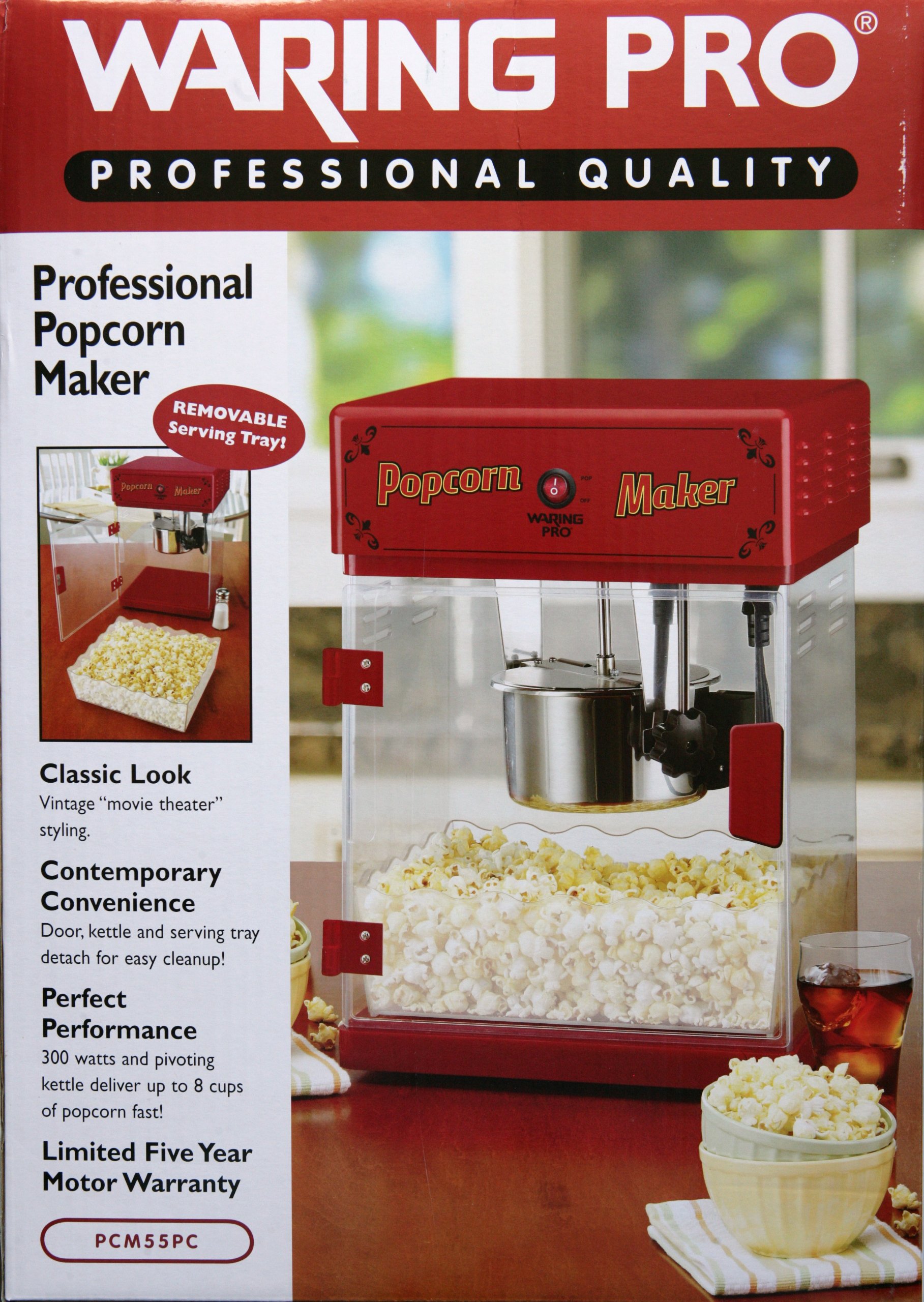
Figure 1: Waring Pro Professional Popcorn Maker (Model PCM55PC)
2. Maklumat Keselamatan Penting
Sila baca semua arahan dengan teliti sebelum menggunakan perkakas ini. Kegagalan mematuhi garis panduan keselamatan ini boleh mengakibatkan kebakaran, renjatan elektrik atau kecederaan diri.
- Sentiasa pastikan perkakas diletakkan pada permukaan yang stabil, rata dan tahan haba.
- Do not immerse the main unit or electrical components of the kettle in water or other liquids.
- Keep hands and utensils away from the heating element and stirring mechanism during operation.
- Cabut plag perkakas dari outlet ketika tidak digunakan dan sebelum membersihkan.
- Allow the appliance to cool completely before adding or removing parts, and before cleaning.
- Jangan kendalikan perkakas dengan kord atau palam yang rosak, atau selepas perkakas tidak berfungsi atau rosak dalam apa jua cara.
- Gunakan hanya aksesori dan lampiran yang disyorkan oleh pengilang.
- Pengawasan rapi diperlukan apabila sebarang perkakas digunakan oleh atau berhampiran kanak-kanak.
- Never pop corn in a dry kettle. Always add oil and kernels as instructed.
3. Kandungan Pakej
Upon unpacking, ensure all items listed below are present and in good condition:
- Popcorn Maker Main Unit (with red top and clear panels)
- Stainless Steel Kettle with Stirring Mechanism
- Removable Serving Tray
- Senduk Popcorn
- Measuring Spoons (for oil and kernels)
- Manual Arahan
Note: Popcorn kernels and popping oil are not included and must be purchased separately.
4. Arahan Perhimpunan
Your popcorn maker requires minimal assembly. All components are typically packaged inside the main unit for shipping. Carefully remove all packaging materials and components before beginning assembly.
- Attach the Front Door: The front door slides down onto the hinges located on the main unit. Ensure it is securely seated.
- Assemble the Kettle:
- Screw the lid onto the kettle using the provided wing nuts.
- Mount the assembled kettle into the device's holding brackets. Twist it to secure it in place.

Figure 2: Kettle assembly and controls.
- Attach the Serving Tray: Slide the removable serving tray into its designated slot at the bottom of the main unit. This tray can be pulled out for serving and pushed in for storage.
- Connect Kettle Power: The kettle has its own power plug. This must be plugged into the receptacle outlet located at the top of the main unit. Do not plug the kettle into any other power source, as its operation is controlled by the main unit's switches.
5. Arahan Operasi
Follow these steps to make delicious popcorn:
- Sediakan Bahan: Measure the appropriate amount of popcorn kernels and popping oil. The machine is designed to produce up to 8 cups of popcorn per batch.
- Add Ingredients to Kettle: Open the kettle lid and carefully add the measured popping oil, followed by the popcorn kernels.
- Close Kettle and Door: Securely close the kettle lid and the front door of the popcorn maker.
- Hidupkan kuasa: Turn on the stirrer and kettle switches located on the top panel of the machine. The light switch can also be turned on to illuminate the interior.
- Popcorn Production: The popcorn will begin popping within a few minutes. The stirring mechanism will ensure even popping.
- Empty Kettle: Once popping is complete, turn off both the stirrer and kettle switches. Use the convenient tilt handle on the kettle to dump the freshly popped corn into the main chamber.
- Hidangkan: Pull out the serving tray and use the included scoop to serve the popcorn.

Figure 3: Adding popcorn kernels to the kettle.
The popcorn maker has a large capacity, capable of producing up to 48 cups (384 ounces) of popcorn, making it suitable for gatherings or movie nights.
6. Penyelenggaraan dan Pembersihan
Pembersihan yang kerap akan memastikan ketahanan dan prestasi optimum pembuat popcorn anda.
- Pembersihan Cerek: The kettle should be hand washed only. JANGAN use a dishwasher. Avoid submerging the kettle in water as it contains electrical components. Remove the wing nuts to detach the lid for easier cleaning.
- Pembersihan Unit Utama: Wipe down the interior and exterior surfaces of the main unit with a damp cloth. For stubborn grease, use a mild detergent.
- Kernel Collection Tray: The bottom of the unit features a removable kernel collection tray. Pull this tray out to dispose of unpopped kernels and small debris, then clean it as needed.
- Pastikan semua bahagian kering sepenuhnya sebelum memasang semula dan menyimpan perkakas.

Figure 4: Kernel collection tray for easy cleaning.
7. Penyelesaian masalah
If you encounter issues with your popcorn maker, please refer to the following common solutions:
- Perkakas tidak dihidupkan:
- Ensure the main power cord is securely plugged into a working electrical outlet.
- Verify that the kettle's power plug is correctly inserted into the receptacle on the main unit.
- Check that all switches (light, stirrer, kettle) are in the "ON" position.
- Popcorn not popping or poor yield:
- Ensure sufficient oil and fresh kernels are used. Stale kernels may not pop effectively.
- Confirm the kettle is properly heated before adding kernels.
- Check that the stirrer mechanism is operating correctly.
- Asap berlebihan:
- This may indicate too much oil or old oil. Reduce oil quantity or use fresh oil.
- Ensure the kettle is clean and free of burnt residue from previous uses.
Jika masalah berterusan, sila hubungi sokongan pelanggan.
8. Spesifikasi
| Jenama: | Waring |
| Nombor Model: | PCM55PC |
| warna: | merah |
| Bahan: | Keluli Tahan Karat |
| Berat Barang: | 11.5 paun |
| Komponen yang Disertakan: | Cerek |
| Ciri Khas: | Mudah alih |
| Adakah Elektrik: | ya |
| UPC: | 040072016028 |
| Dimensi Pakej: | 19.9 x 14.1 x 14 inci |
| Pengeluar: | Waring Pro |
| Tarikh Mula-mula Tersedia: | 14 Oktober 2010 |
9. Waranti dan Sokongan
For warranty information or technical support, please refer to the documentation included with your purchase or contact Waring customer service directly. Keep your purchase receipt as proof of purchase for warranty claims.