1. Pengenalan
Thank you for choosing the Takstar E 340 Karaoke Microphone. This manual provides essential information for the proper setup, operation, and maintenance of your microphone. Please read this manual thoroughly before using the product to ensure optimal performance and longevity.
2. Produk Lebihview
The Takstar E 340 is a high-quality unidirectional handheld dynamic microphone designed for clear vocal reproduction, ideal for karaoke and general speech applications. It features a robust construction and a design focused on user comfort and sound clarity.
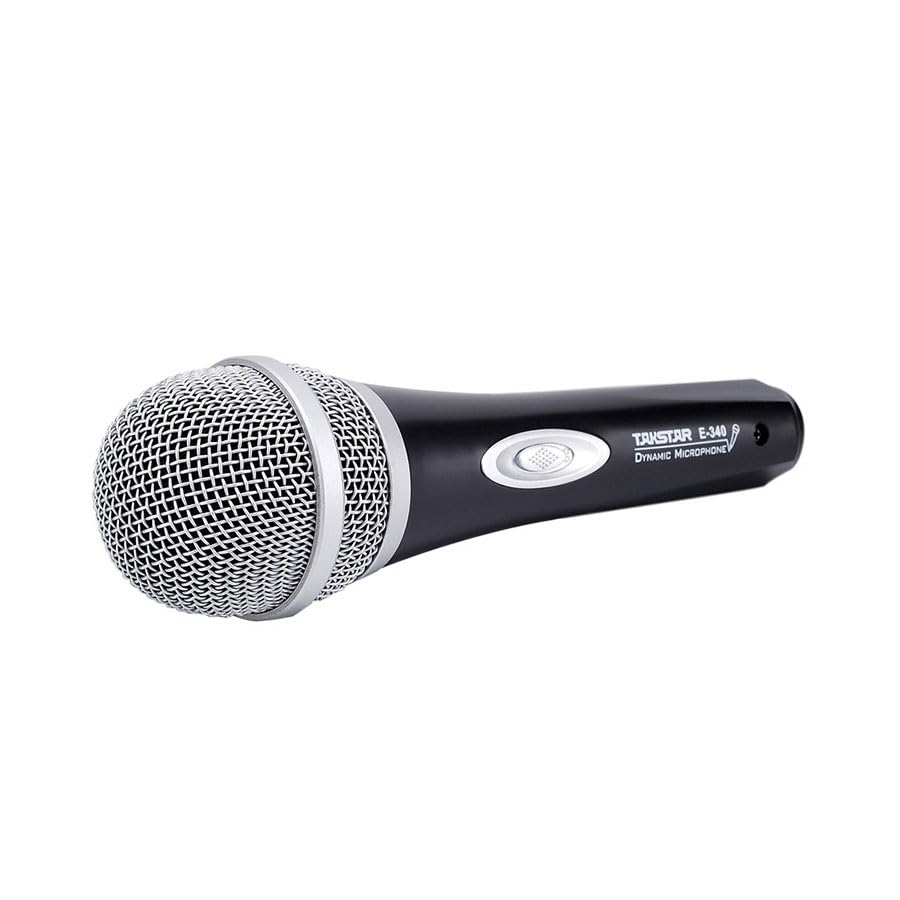
Figure 2.1: Takstar E 340 Handheld Dynamic Microphone. This image shows the full view of the microphone, highlighting its black body and silver grille.
Ciri-ciri Utama:
- Corak Kutub Sehala: Fokus pada bunyi dari hadapan, mengurangkan bunyi latar belakang.
- Kapsul Dinamik: Provides clear and powerful sound reproduction.
- Pembinaan Tahan Lama: Plastic housing with a paint finish for comfortable handling and durability.
- Kesambungan XLR: Utilizes a dual-core XLR cable for clear signal transmission and noise interference shielding.
- Reka bentuk ringan: Ensures ease of use and portability.

Rajah 2.2: Terperinci view of the Takstar E 340 microphone highlighting its internal dynamic capsule and the robust construction. This image illustrates the quality components and design features.
Pengenalan Komponen:
- Gril Mikrofon: Protects the microphone capsule and helps shape the sound.
- Badan Mikrofon: Houses the internal components and provides a comfortable grip.
- Suis Hidup/Mati: Controls the microphone's power.
- XLR Output Connector: For connecting the microphone to an audio interface or karaoke machine.
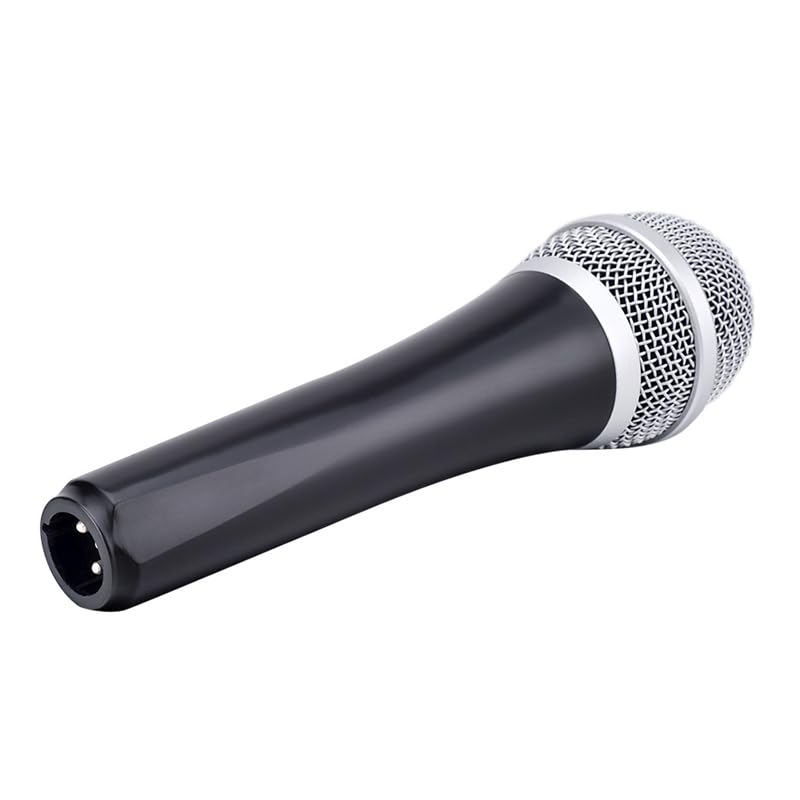
Figure 2.3: The XLR output connector located at the base of the Takstar E 340 microphone. This is where the microphone cable connects.
3. Arahan Persediaan
- Buka bungkusan Mikrofon: Carefully remove the Takstar E 340 microphone and any included accessories from its packaging.
- Sambungkan Kabel: Insert the XLR end of your microphone cable into the XLR output connector at the base of the microphone. Ensure it clicks securely into place.
- Sambung ke Peranti Audio: Connect the other end of the microphone cable (e.g., 1/4-inch jack or USB Type-C, depending on your cable) to the microphone input of your karaoke machine, mixer, or audio interface.
- Hidupkan kuasa: Ensure your audio device is powered on and its volume is set to a low level before activating the microphone.
4. Arahan Operasi
- Turn On the Microphone: Locate the On/Off switch on the microphone body and slide it to the 'ON' position.
- Kedudukan: Hold the microphone approximately 2-6 inches (5-15 cm) from your mouth for optimal sound pickup. Experiment with distance to find the best sound for your voice and environment.
- Pelarasan Kelantangan: Gradually increase the volume on your connected audio device until the desired sound level is achieved. Avoid setting the volume too high to prevent feedback or distortion.
- Pickup satu arah: The E 340 is a unidirectional microphone, meaning it primarily picks up sound from the front. Point the top of the microphone directly towards the sound source (your mouth) for the clearest audio.
- Mematikan: When finished, slide the On/Off switch to the 'OFF' position and then turn off your audio device.
5. Penjagaan dan Penyelenggaraan
- Pembersihan: Use a soft, dry cloth to clean the microphone body. For the grille, a soft brush can be used to gently remove dust or debris. Do not use liquid cleaners or solvents.
- Storan: Store the microphone in a dry, cool place away from direct sunlight and extreme temperatures. If possible, use a protective case to prevent physical damage.
- Pengendalian: Elakkan daripada menjatuhkan mikrofon atau terkena impak yang kuat, kerana ini boleh merosakkan komponen dalaman.
- Penjagaan Kabel: Always grasp the connector, not the cable, when plugging or unplugging. Avoid bending or kinking the cable excessively.
6. Penyelesaian masalah
| Masalah | Kemungkinan Punca | Penyelesaian |
|---|---|---|
| Tiada keluaran bunyi | Suis mikrofon MATI Kabel tidak disambungkan dengan betul Audio device input volume too low Faulty cable or audio device input | Slide switch to 'ON' Pastikan kabel disambungkan dengan selamat di kedua-dua hujungnya Increase input volume on audio device Test with a different cable or audio input |
| Bunyi rendah atau herot | Microphone too far from sound source Input volume too high (distortion) Kapsul mikrofon yang rosak | Hold microphone closer to mouth Reduce input volume on audio device Contact customer support if damage is suspected |
| Maklum balas (bunyi melolong) | Microphone too close to speakers Jumlah dagangan terlalu tinggi Microphone pointed at speakers | Increase distance between microphone and speakers Reduce overall volume Ensure microphone is not pointed directly at speakers |
7. Spesifikasi Teknikal
| Ciri | Spesifikasi |
|---|---|
| Model | E340 |
| Corak Kutub | Satu arah |
| Faktor Bentuk Mikrofon | pegang tangan |
| Impedans | 600 ohm |
| Nisbah Isyarat-ke-Kebisingan (SNR) | 72 dB |
| Respons Kekerapan | 16 KHz |
| Kepekaan Audio | 54 Desibel |
| Teknologi Ketersambungan | UHF (via cable) |
| Jenis Penyambung | USB Type-C (implied for cable connection, typically XLR on mic) |
| Peranti Serasi | Mesin Karaoke |
| Sumber Kuasa | Elektrik Bertali |
| Berat Barang | 580 g |
| Dimensi Pakej | 24.8 x 12.6 x 8 cm |
| Ciri Khas | Adjustable Headband (Note: This feature is typically associated with headsets, but listed in product specifications.) |
8. Waranti dan Sokongan
For warranty information and customer support, please refer to the documentation provided at the time of purchase or visit the official Takstar webtapak. Simpan bukti pembelian anda untuk sebarang tuntutan waranti.


