pengenalan
Welcome to the Oster Expressbake Breadmaker user manual. This guide provides essential information for the safe and efficient operation, maintenance, and troubleshooting of your new bread machine.
Sila baca manual ini dengan teliti sebelum penggunaan pertama dan simpan untuk rujukan pada masa hadapan.
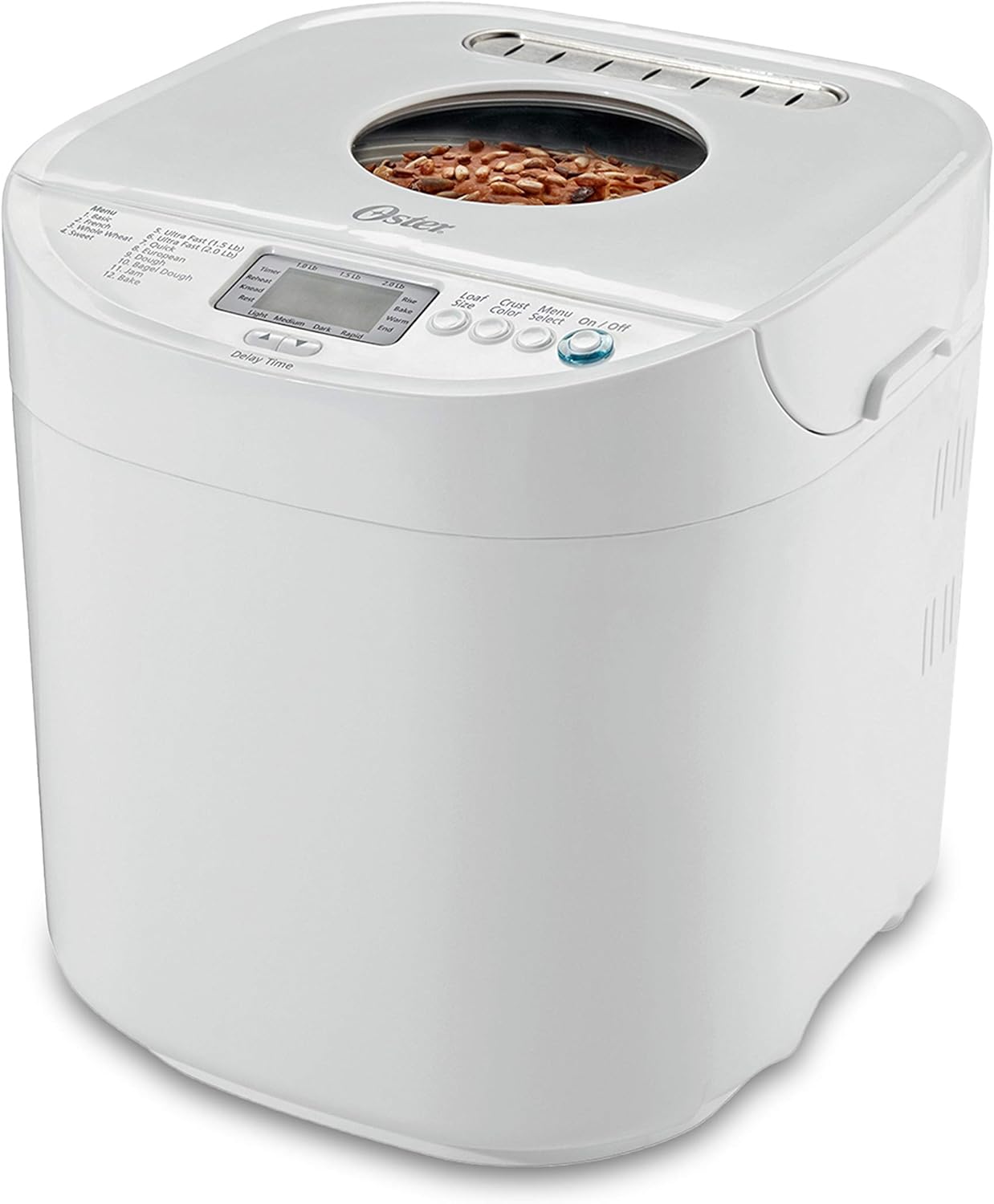
Depan view of the Oster Expressbake Breadmaker, showcasing its compact design and the viewtingkap di atas.
Komponen dan Ciri Produk
Familiarize yourself with the key components and features of your Oster Expressbake Breadmaker for optimal use.
- Tudung boleh tanggal: For easy access and cleaning.
- Nonstick Aluminum Pan: Ensures even heating and easy bread removal.
- Easy-to-read LCD Display: Provides clear information on settings and cycle progress.
- Viewdalam Tetingkap: Membolehkan anda memantau proses pembakar tanpa membuka penutup.
- Panel Kawalan: Intuitive buttons for program selection, crust color, loaf size, and delay timer.
- Dayung menguli: Detachable for thorough mixing of ingredients.
- Cawan Sukat & Sudu: Included for precise ingredient measurement.

Terperinci view highlighting the removable lid, nonstick aluminum pan, easy-to-read LCD display, and the viewing window of the breadmaker.

Accessories included: a convenient measuring cup and spoon. The image also illustrates the large capacity pan, the 13-hour programmable timer, and the signal for adding fruits or nuts.
Persediaan dan Penggunaan Pertama
- Membongkar: Carefully remove all packaging materials from the breadmaker and its accessories.
- Pembersihan Awal: Before first use, wash the bread pan and kneading paddle with warm, soapy water. Rinse thoroughly and dry completely. Wipe the exterior of the breadmaker with a damp kain.
- penempatan: Letakkan pembuat roti di atas permukaan yang stabil, rata dan tahan haba, jauh daripada cahaya matahari langsung dan sumber haba. Pastikan pengudaraan yang mencukupi di sekeliling perkakas.
- Sambungan Kuasa: Palamkan kord kuasa ke salur keluar elektrik yang dibumikan.
- First Bake Preparation: It is recommended to run an empty "Bake" cycle for about 10 minutes on the first use to burn off any manufacturing residues. Ensure the bread pan is empty during this process. Allow the unit to cool completely afterward.
Arahan Operasi
Panel Kawalan Terlaluview

The control panel features an LCD display, loaf size selection, crust color options, menu select, and On/Off button.
- Paparan LCD: Shows selected program, loaf size, crust color, and remaining time.
- Butang Saiz Roti: Selects 1.0 lb, 1.5 lb, or 2.0 lb loaf.
- Butang Warna Kerak: Chooses Light, Medium, Dark, or Rapid crust.
- Menu Select Button: Cycles through the 12 available programs.
- Butang Hidup/Mati: Starts and stops the baking cycle.
- Delay Time Buttons (Up/Down Arrows): Adjusts the delay timer for deferred baking.
Baking Programs
Your breadmaker offers 12 versatile settings to prepare a variety of breads, doughs, and jams.
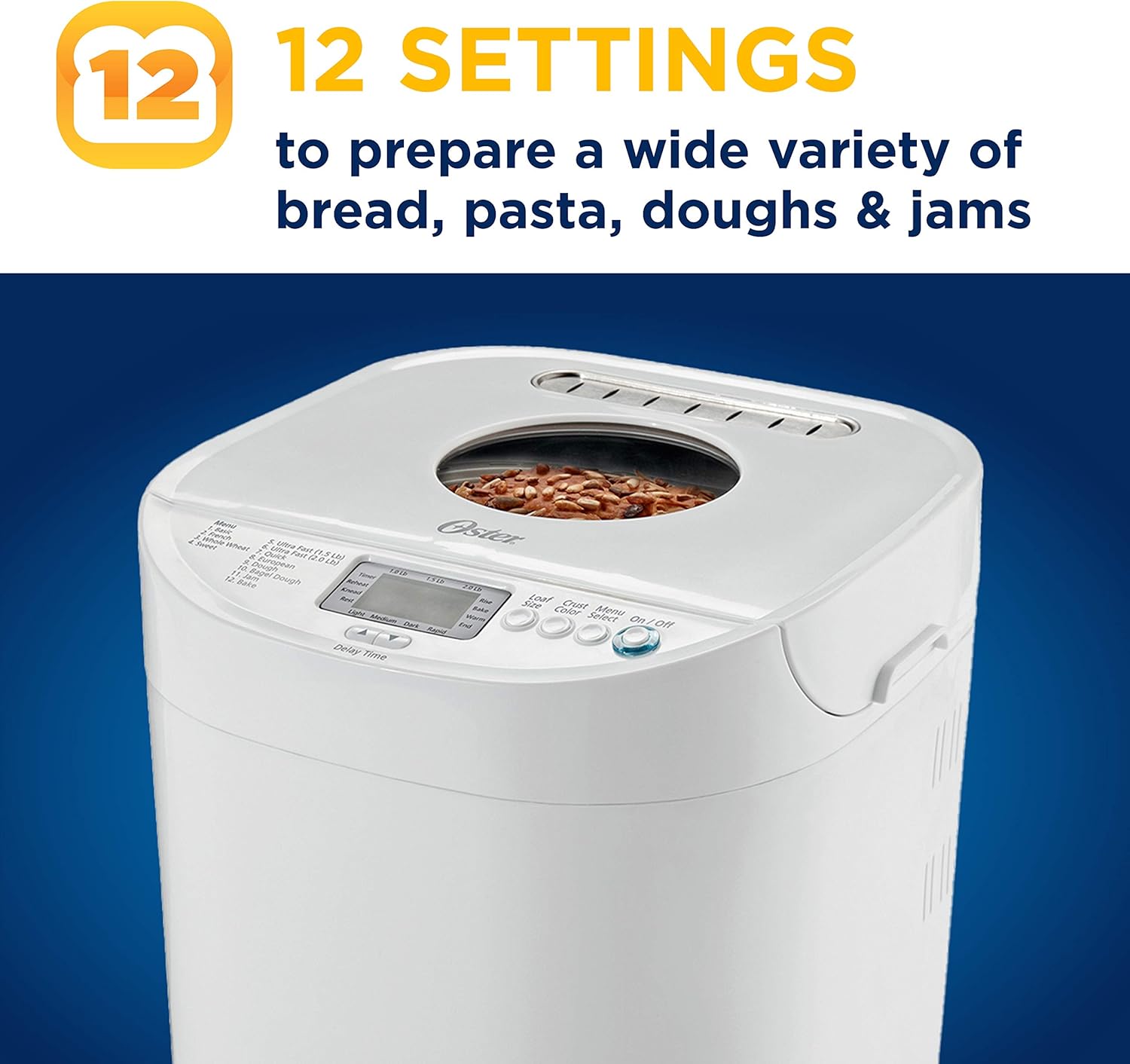
The breadmaker features 12 distinct settings for a wide range of recipes, including various bread types, doughs, and jams.
- asas: Untuk roti putih dan roti campuran.
- Perancis: Untuk roti ringan dengan kerak rangup.
- Gandum Penuh: Untuk roti gandum penuh.
- manis: Untuk roti yang mempunyai kandungan gula yang tinggi.
- Ultra Fast (1.5 Lb): Quick baking for 1.5 lb loaves.
- Ultra Fast (2.0 Lb): Quick baking for 2.0 lb loaves.
- Cepat: For quick breads using baking powder/soda.
- Eropah: For denser, chewier European-style breads.
- Doh: Prepares dough for rolls, pizza, etc., without baking.
- Bagel Dough: Specifically for bagel dough.
- jem: Untuk membuat jem buatan sendiri.
- bakar: For baking pre-prepared dough or for additional baking time.
Proses Membakar
The Oster Expressbake Breadmaker automates the kneading, rising, and baking process.
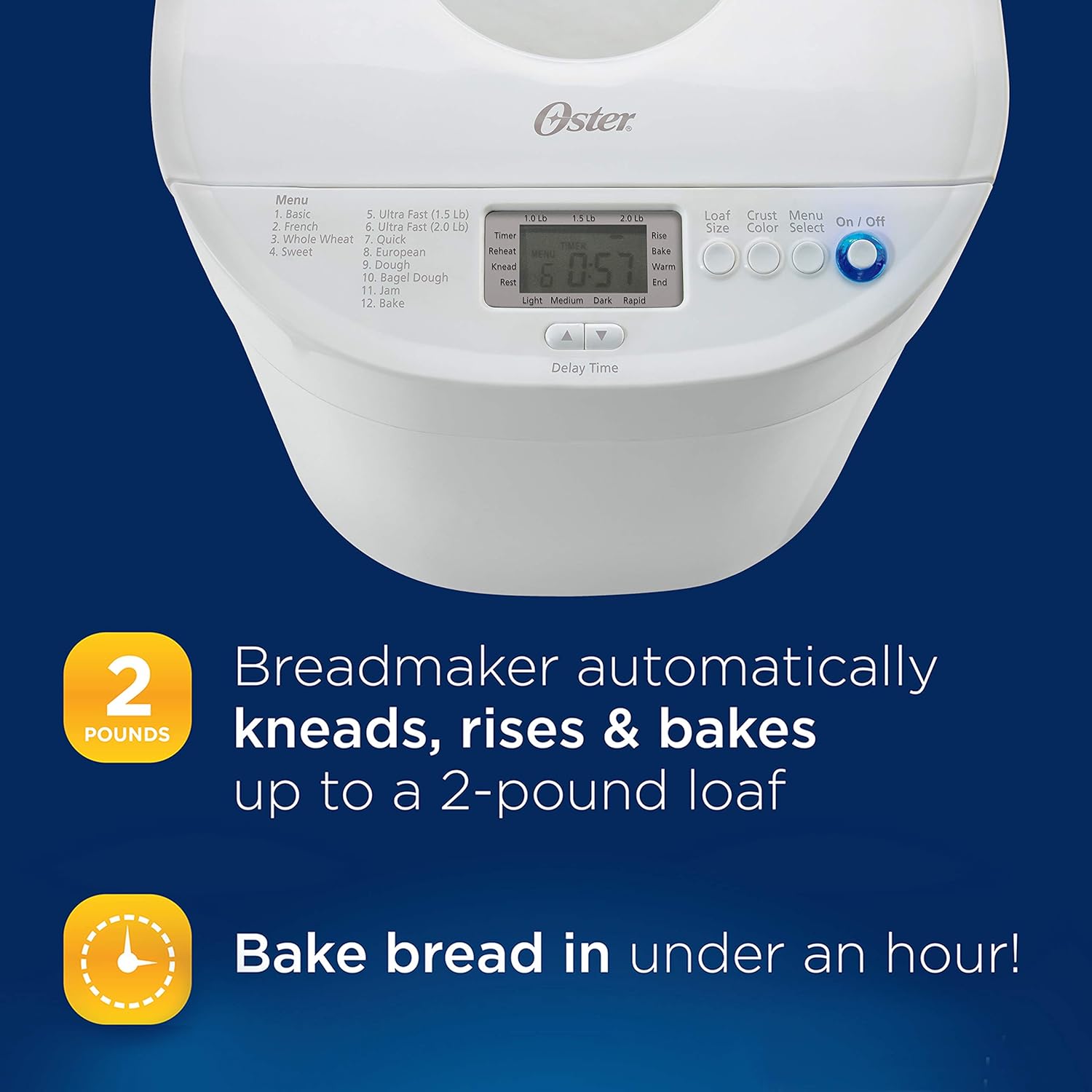
The breadmaker handles the entire process from kneading to baking, capable of producing up to a 2-pound loaf. The Expressbake setting allows for baking in under an hour.
- Tambah Bahan: Always add liquid ingredients first, followed by dry ingredients. Make a small indentation in the dry ingredients for the yeast, ensuring it does not touch the liquid or salt.
- Pilih Program: Use the "Menu Select" button to choose your desired program.
- Choose Loaf Size and Crust Color: Press the "Loaf Size" and "Crust Color" buttons to make your selections.
- Set Delay Timer (Optional): If you wish to delay the start of the baking cycle, use the "Delay Time" buttons.
- Mula Membakar: Press the "On/Off" button to begin the cycle. The breadmaker will automatically knead, rise, and bake the bread.
- Fruit/Nut Dispenser: The breadmaker will signal when it's time to add fruits, nuts, or other mix-ins during the kneading cycle.
- penyiapan: Once the cycle is complete, the breadmaker will beep. Carefully remove the bread pan using oven mitts.
- penyejukan: Invert the pan to release the bread onto a wire rack and allow it to cool completely before slicing.
Penjagaan dan Penyelenggaraan
Proper care ensures the longevity and performance of your Oster Expressbake Breadmaker.
- Membersihkan Loyang Roti dan Pengayuh Uli:
After each use, remove the bread pan and kneading paddle. Fill the pan with warm, soapy water and let it soak for 10-15 minutes to loosen any stuck-on dough. Use a soft sponge or cloth to clean. Jangan gunakan pembersih kasar atau pembalut as they can damage the nonstick coating. Rinse thoroughly and dry completely. The bread pan and kneading paddle are Cuci Tangan Sahaja.
- Membersihkan Bahagian Luar:
Wipe the exterior of the breadmaker with a damp kain. Jangan rendam unit utama dalam air atau sebarang cecair lain.
- Cleaning the Lid and Viewdalam Tetingkap:
The removable lid can be wiped clean with a damp cloth. For the viewing window, use a soft cloth and a mild glass cleaner if necessary, avoiding harsh chemicals.
- Storan:
Ensure the breadmaker is clean and completely dry before storing. Store in a cool, dry place.

The breadmaker with its lid open, revealing the nonstick bread pan and a freshly baked loaf, demonstrating ease of access for cleaning.
Panduan Penyelesaian Masalah
If you encounter issues with your breadmaker, refer to the common problems and solutions below.
| Masalah | Kemungkinan Punca | Penyelesaian |
|---|---|---|
| Roti tidak naik atau terlalu banyak naik. | Incorrect yeast amount, expired yeast, incorrect water temperature, wrong flour type. | Ensure yeast is fresh and measured accurately. Use lukewarm water (105-115°F / 40-46°C). Verify correct flour type for the recipe. |
| Roti terlalu padat atau berat. | Too much flour, not enough liquid, high altitude. | Measure ingredients precisely. Adjust liquid slightly for high altitude. |
| Uli dayung tersangkut dalam roti. | Kejadian biasa. | Allow bread to cool. Use a non-metallic utensil to carefully remove the paddle. |
| Breadmaker not starting. | Not plugged in, lid not closed properly, program not selected. | Check power connection. Ensure lid is securely closed. Select a program and press Start. |
For more detailed troubleshooting and specific error codes, please refer to the complete user manual available for download from the manufacturer's weblaman web atau dokumen PDF yang disediakan.
Spesifikasi Produk
| Jenama | Oster |
| Nombor Model | CKSTBRTW20 |
| warna | White/Ivory |
| Dimensi Produk | 14"W x 14"H |
| Wattage | 650 Watt |
| Kapasiti Roti | Sehingga 2.0 paun |
| Bilangan Program | 12 |
| Arahan Penjagaan Produk | Cuci Tangan Sahaja |
| Berat Barang | 8 paun |
| UPC | 049500819538, 034264431928 |
| Tarikh Mula-mula Tersedia | 12 April 2010 |

Approximate dimensions of the Oster Expressbake Breadmaker.
Waranti dan Sokongan
For detailed warranty information, product registration, and customer support, please refer to the official user manual included with your product or visit the Oster official webtapak.
Anda juga boleh mendapatkan sumber tambahan dan maklumat hubungan di Kedai Oster di Amazon.