1. Pengenalan
Thank you for choosing the DGT North American Chess Clock and Game Timer. This device is designed to provide accurate and reliable timekeeping for chess and other board games, featuring a user-friendly interface and a variety of pre-programmed and customizable settings. This manual will guide you through the setup, operation, and maintenance of your new chess clock.
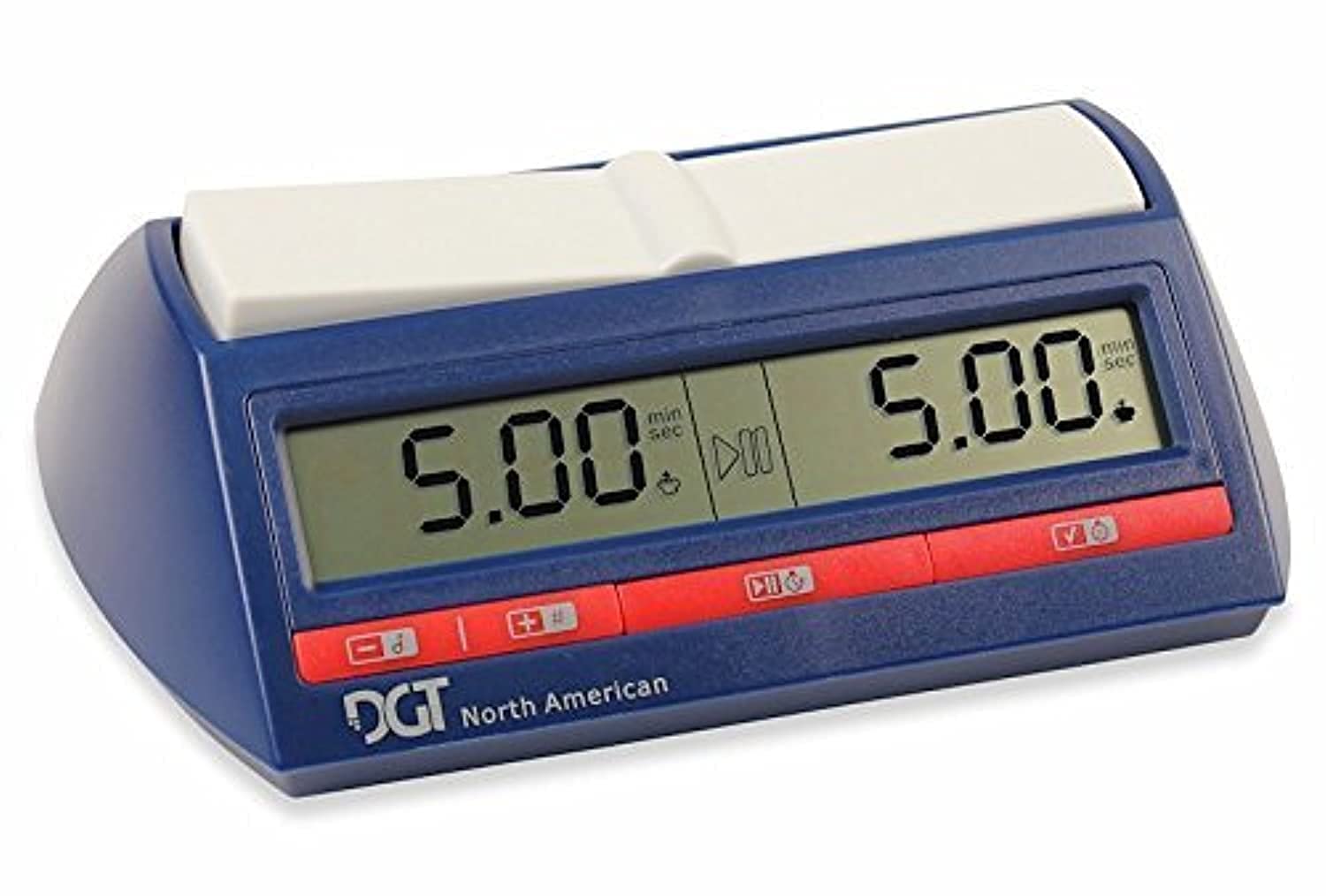
Image: The DGT North American Chess Clock and Game Timer, shown in its retail packaging. The clock itself is blue with a white rocker arm and a digital display.
2. Persediaan
2.1 Pemasangan Bateri
The DGT North American Chess Clock requires two (2) AA batteries for operation. These batteries are typically included with your purchase. The battery compartment is located on the underside of the clock. Ensure batteries are inserted with the correct polarity (+/-) as indicated inside the compartment. The clock is designed for long battery life, often lasting for years with regular use.
2.2 Hidupkan/Mati Kuasa
To power on or off the device, locate the dedicated ON/OFF switch on the bottom of the clock. Press this switch to toggle the power state.
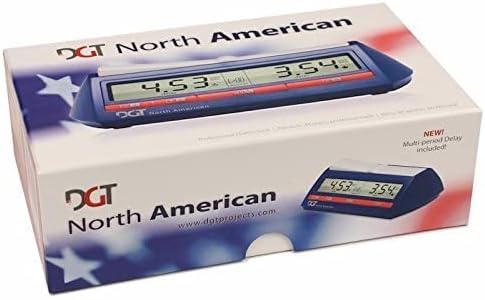
Image: Underside of the DGT North American Chess Clock, highlighting the ON/OFF switch and a printed list of pre-programmed settings.
2.3 Initial Settings Overview
The back of the clock features a convenient list of pre-programmed settings, each identified by a number. This allows for quick reference during game setup. The clock will display the current setting number upon power-on.
3. Arahan Operasi
3.1 Selecting a Game Mode
Upon powering on, the clock will display the current game mode number. Use the '+' and '-' buttons (located on the front panel) to cycle through the available pre-programmed settings. Refer to the list on the bottom of the clock for a description of each setting (e.g., Setting 14: One Time Control with Bonus Time per Move).
3.2 Setting Time Controls
Once a setting is selected, press the 'SET' button (typically the middle button on the front panel) to enter time adjustment mode. The display will show the current time for Player 1. Use the '+' and '-' buttons to adjust hours, minutes, and seconds. Press 'SET' again to move to the next time parameter (e.g., minutes, then seconds, then bonus time). After adjusting Player 1's time, the display will switch to Player 2's time, allowing for independent adjustment. This feature is useful for balancing games between players of different skill levels.
3.3 Starting and Pausing the Game
After setting both players' times, press the 'SET' button one last time to confirm and start the game. The clock will begin counting down for the player whose turn it is. To pause the game, simply press the middle button again. Pressing it once more will resume the game.

Imej: Depan view of the DGT North American Chess Clock, displaying digital time for two players and the control buttons below the screen.
3.4 Seamless Operation
The DGT North American Chess Clock features a smooth and responsive rocker arm mechanism, ensuring effortless and quiet operation during gameplay. This design minimizes distraction and allows players to focus on their game.
3.5 Instructional Video
Video: A detailed demonstration of the DGT North American Chess Clock, covering unboxing, battery installation, power functions, and how to navigate and set various time controls and bonus features. The video highlights the user-friendly aspects and durability of the clock.
4. Penyelenggaraan
4.1 Pembersihan
To clean your DGT North American Chess Clock, use a soft, dry cloth. For stubborn marks, a slightly damp cloth with mild soap can be used, followed by immediate drying. Avoid abrasive cleaners or solvents, as these can damage the display or casing.
4.2 Penjagaan Bateri
While the clock boasts long battery life, it is recommended to remove the AA batteries if the device will not be used for an extended period (several months or more) to prevent potential leakage and damage. Replace batteries when the low battery indicator appears on the display.
5. Penyelesaian masalah
5.1 Paparan Tidak Berfungsi
If the display is blank or unresponsive, first check the batteries. Ensure they are correctly inserted and have sufficient charge. Try replacing them with new AA batteries. Also, verify that the ON/OFF switch on the bottom of the clock is in the 'ON' position.
5.2 Difficulty Setting Time Options
The timing options can sometimes appear complex. Always refer to the printed settings list on the bottom of the clock for a clear understanding of each numbered mode. When adjusting time, remember to press the 'SET' button to cycle through hours, minutes, seconds, and bonus time for each player. If you encounter persistent issues, a factory reset (if available, consult the full manual or manufacturer's website) might resolve the problem.
5.3 Unresponsive Buttons
Ensure that the buttons are not obstructed by debris. If a button remains unresponsive, try removing and reinserting the batteries to perform a soft reset. If the issue persists, contact customer support.
6. Spesifikasi
- Jenama: DJP
- model: SG_B00312D2OU_US
- Bahan: plastik
- Dimensi Produk: 4"D x 7.5"W x 2"H
- Berat Barang: 399 Gram (14.1 auns)
- Bilangan Tetapan: 30 pre-programmed options
- Saiz Skrin: 19.05 Sentimeter
- Bateri: 2 bateri AA diperlukan (termasuk)
- Umur Disyorkan Pengilang: 12 bulan dan ke atas
7. Waranti dan Sokongan
For warranty information and customer support, please refer to the documentation included with your product or visit the official DGT webtapak. Simpan bukti pembelian anda untuk sebarang tuntutan waranti.


