1. Produk Lebihview
The PlayStation Move Starter Bundle provides an immersive motion-controlled gaming experience for your PlayStation 3 system. This bundle includes essential components to get you started with PlayStation Move games.

Image 1.1: Contents of the PlayStation Move Starter Bundle. This image displays the PlayStation Move motion controller, the PlayStation Eye camera, and the game case for Sports Champions, all laid out on a light-colored surface.
Kandungan Bundle:
- PlayStation Move Motion Controller: This controller features precise motion tracking and standard PlayStation navigational buttons for intuitive gameplay.
- PlayStation Eye Camera: Required for tracking the motion controller's movements and for certain game features.
- Sports Champions Game: A multiplayer game designed to showcase the capabilities of the PlayStation Move system.
2. Panduan Persediaan
Follow these steps to set up your PlayStation Move Starter Bundle with your PlayStation 3 console.
2.1 Connecting the PlayStation Eye Camera
- Locate an available USB port on your PlayStation 3 console.
- Connect the USB cable from the PlayStation Eye camera to the USB port on your PS3.
- Position the PlayStation Eye camera. For optimal performance, place the camera on top of your TV or monitor, centered, and facing the play area. Ensure there are no obstructions between the camera and the player.

Image 2.1: The PlayStation Eye Camera. This image shows the black PlayStation Eye camera, a rectangular device with a lens in the center, and its attached USB cable.
2.2 Charging and Pairing the PlayStation Move Motion Controller
- Connect the PlayStation Move motion controller to your PS3 console using a mini-USB cable (not included in this bundle, typically supplied with the PS3 console or sold separately). The controller will begin charging.
- Once connected, press the PS button on the Move controller to pair it with your PS3. The controller's light sphere will illuminate, and the controller will be assigned a player number.
- Ensure the controller is fully charged before extended use for best performance.

Image 2.2: The PlayStation Move Motion Controller. This image features the black PlayStation Move motion controller with its distinctive white light sphere at the top, showcasinreka bentuk ergonomiknya.
2.3 Installing Sports Champions Game
- Insert the Sports Champions game disc into your PlayStation 3 console's disc drive.
- Follow the on-screen prompts to install the game data to your PS3 hard drive. This process may take several minutes.
- Once installation is complete, the game icon will appear in the Game section of the XMB (XrossMediaBar) menu.
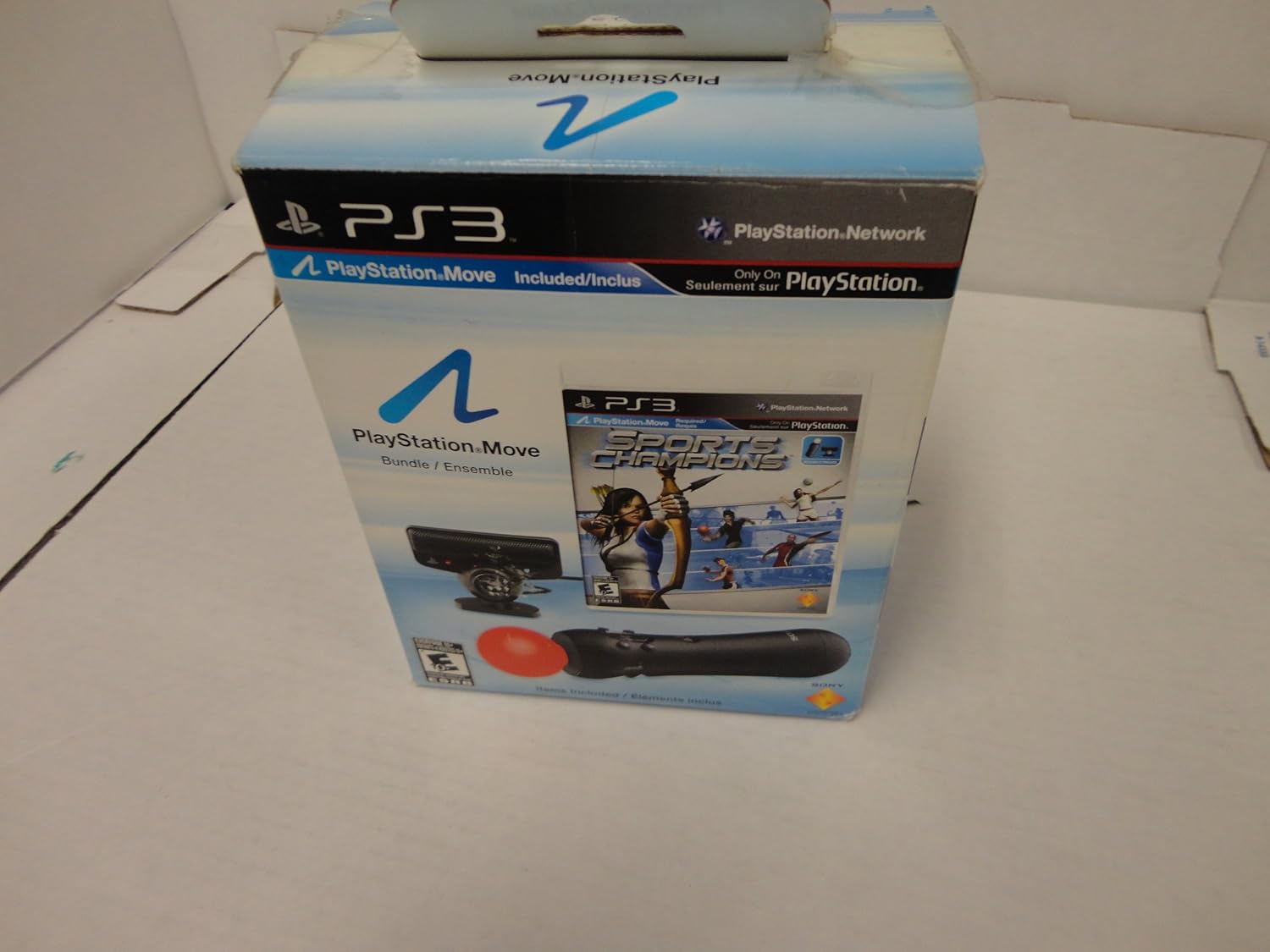
Image 2.3: Sports Champions Game Disc. This image shows the Sports Champions game disc for PlayStation 3, partially removed from its clear plastic case, displaying the game's title and artwork.
3. Arahan Operasi
Learn how to use your PlayStation Move motion controller and PlayStation Eye camera during gameplay.
3.1 Fungsi Pengawal Asas
- Light Sphere: The sphere at the top of the controller changes color and is tracked by the PlayStation Eye camera to determine the controller's position and orientation in 3D space.
- Butang PS: Located in the center, this button turns the controller on/off, accesses the XMB menu, and can be used for pairing.
- Action Buttons (X, Circle, Triangle, Square): Standard PlayStation buttons for in-game actions.
- Move Button: The large button below the light sphere, often used for primary actions or confirming selections.
- Trigger Button (T): Located on the underside, typically used for grabbing, shooting, or other interactive actions.
- Butang MULA/PILIH: Standard menu navigation buttons.

Image 3.1: PlayStation Move Controller with Illuminated Sphere. This image provides a detailed view of the PlayStation Move motion controller, highlighting its illuminated sphere and the various buttons, including the PS button and action buttons.
3.2 Playing Sports Champion
- From the PS3 XMB menu, navigate to the Game section and select the Sports Champions icon.
- Follow the in-game instructions for calibration and setup. The game will guide you on how to hold the Move controller for each sport.
- Ensure you have adequate space around you to move freely and safely during gameplay.
- The PlayStation Eye camera will track your movements, translating them into in-game actions.
4. Penyelenggaraan
Proper care and maintenance will extend the life of your PlayStation Move components.
- Pembersihan: Use a soft, dry cloth to wipe down the PlayStation Move controller and PlayStation Eye camera. Do not use liquid cleaners or abrasive materials.
- Storan: Store the components in a cool, dry place away from direct sunlight and extreme temperatures.
- Penjagaan Bateri: For the PlayStation Move controller, avoid completely draining the battery frequently. Recharge it regularly, even if not in use for extended periods, to maintain battery health.
- Pengurusan Kabel: Ensure all cables are not kinked or excessively bent to prevent damage.
5. Penyelesaian masalah
If you encounter issues with your PlayStation Move Starter Bundle, refer to the following common problems and solutions.
- Controller Not Responding/Tracking:
- Ensure the controller is charged. Connect it to the PS3 via USB cable.
- Press the PS button to ensure it's powered on and paired.
- Check that the PlayStation Eye camera is properly connected and positioned.
- Ensure the play area is well-lit and free of strong light sources (like windows or bright lamps) that might interfere with camera tracking.
- PlayStation Eye Camera Not Detected:
- Verify the USB cable is securely plugged into both the camera and the PS3.
- Try a different USB port on the PS3.
- Mulakan semula konsol PlayStation 3 anda.
- Permainan Tidak Memuatkan/Membeku:
- Ensure the Sports Champions disc is clean and free of scratches.
- Mulakan semula konsol PS3.
- Check for any available system software updates for your PS3.
6. Spesifikasi
| Ciri | Perincian |
|---|---|
| Nombor Model | 98262 |
| Dimensi Produk | 11.42 x 11.42 x 2.56 inci |
| Berat Barang | 1.31 paun |
| Tarikh Tayangan | 17 September 2010 |
| Pengeluar | Hiburan Komputer Sony |
| Bahasa | Inggeris |
| Dinilai | Semua orang 10+ |
7. Waranti dan Sokongan
For detailed warranty information, please refer to the documentation included with your product at the time of purchase or visit the official PlayStation support webtapak. Terma dan syarat waranti mungkin berbeza mengikut wilayah.
For technical support, frequently asked questions, and additional resources, please visit the official PlayStation support website or contact PlayStation customer service directly. Contact information can typically be found on the PlayStation webtapak.
PlayStation rasmi Webtapak: www.playstation.com/support


