1. Pengenalan
This instruction manual provides comprehensive guidance for the proper use and maintenance of your Vivitar DVR545 5.0 Megapixel Digital Camcorder. Please read this manual thoroughly before operating the device to ensure optimal performance and longevity. Keep this manual for future reference.
2. Produk Lebihview
2.1 Komponen
The Vivitar DVR545 is a compact digital camcorder designed for capturing videos and still images. It features an 8x digital zoom, a 2.4-inch LCD screen, and supports SD memory cards for expanded storage.

Figure 1: The Vivitar DVR545 Digital Camcorder shown alongside its protective carrying case.
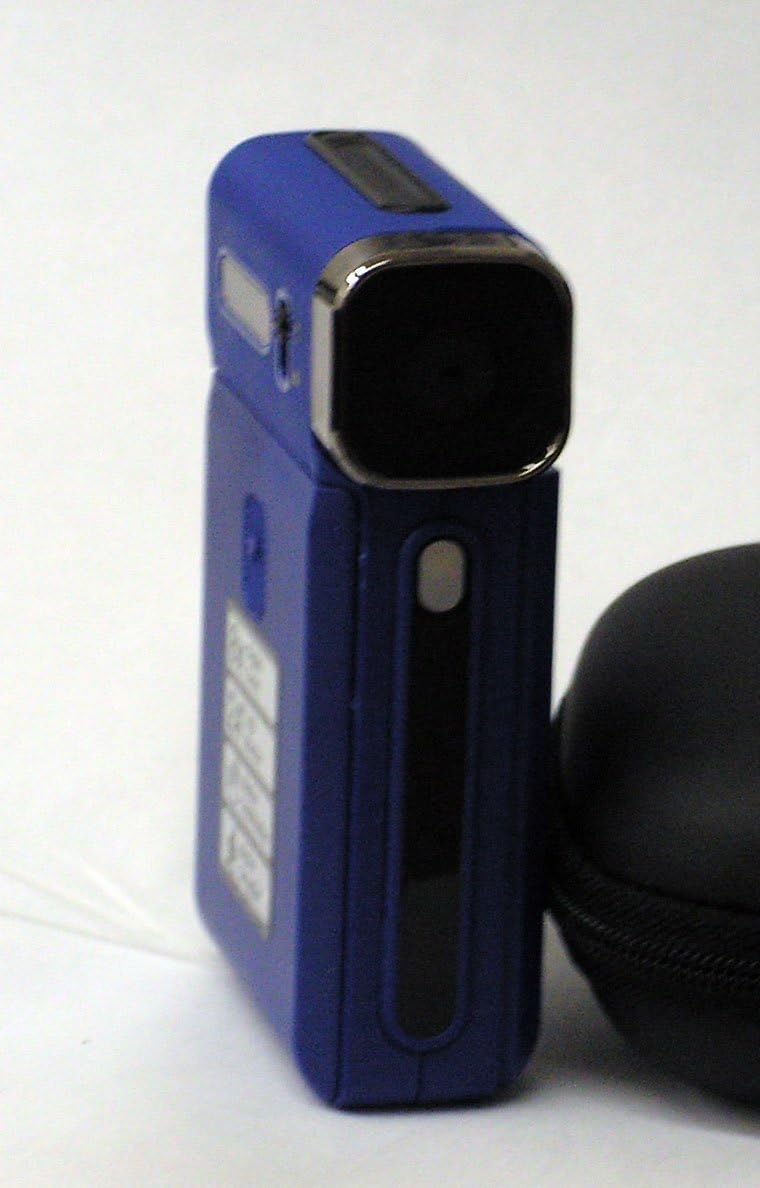
Rajah 2: Lebih dekat view of the Vivitar DVR545 Digital Camcorder, highlighting its front panel and lens.
3. Persediaan
3.1 Pemasangan dan Pengecasan Bateri
- Locate the battery compartment on the camcorder.
- Buka penutup petak.
- Insert the provided rechargeable Li-ion battery, ensuring correct polarity as indicated inside the compartment.
- Tutup penutup petak bateri dengan selamat.
- Connect the camcorder to a power source using the supplied USB cable to charge the battery. The charging indicator light will illuminate.
- Benarkan bateri dicas sepenuhnya sebelum penggunaan pertama.
3.2 Pemasangan Kad Memori
The camcorder has 64MB of internal memory. For extended recording and storage, an SD card is recommended.
- Locate the SD card slot on the camcorder.
- Insert an SD card into the slot with the metal contacts facing down, until it clicks into place.
- To remove the SD card, gently push it inward until it springs out.
3.3 Kuasa Awal Hidup
Press and hold the power button (usually located on the side or top of the device) for a few seconds until the 2.4-inch LCD screen illuminates.
4. Arahan Operasi
4.1 Operasi Asas
- Hidupkan/Mati Kuasa: Tekan dan tahan butang kuasa.
- Skrin LCD: The 2.4-inch LCD screen displays the live view, menu options, and playback.
- Navigasi: Use the directional buttons to navigate through menus and settings.
4.2 Merakam Video
- Hidupkan camcorder.
- Ensure the camcorder is in video recording mode (indicated by an icon on the LCD).
- Bingkai subjek anda menggunakan skrin LCD.
- Press the Record button (usually a red circle) to start recording. The recording indicator will flash.
- Press the Record button again to stop recording. Videos are captured at 1080p resolution.
4.3 Mengambil Foto
- Hidupkan camcorder.
- Switch to still photo mode (indicated by a camera icon on the LCD).
- Bingkai pukulan anda.
- Press the Shutter button (often separate from the Record button) to capture a 5.0 megapixel image.
4.4 Fungsi Zum
Use the zoom controls (often labeled 'W' for Wide and 'T' for Telephoto) to adjust the 8x digital zoom. Press 'T' to zoom in and 'W' to zoom out.
4.5 Menyambung ke Komputer (USB)
- Pastikan camcorder dihidupkan.
- Connect the camcorder to your computer using the supplied USB cable.
- Camcorder sepatutnya muncul sebagai pemacu cakera boleh tanggal pada komputer anda.
- You can now access and transfer your video and photo files.
5. Penyelenggaraan
5.1 Membersihkan Camcorder
- Gunakan kain lembut dan bebas lin untuk membersihkan badan camcorder.
- For the lens, use a specialized lens cleaning cloth and solution. Avoid touching the lens surface with your fingers.
- Jangan gunakan bahan kimia atau pembersih kasar.
5.2 Penjagaan Bateri
- Charge the battery regularly, even if not in use, to maintain its capacity.
- Elakkan daripada mendedahkan bateri kepada suhu yang melampau.
- If the camcorder will not be used for an extended period, remove the battery.
5.3 Penyimpanan
Store the camcorder in a cool, dry place, away from direct sunlight and excessive dust. Use the provided carrying case for protection during transport.
6. Penyelesaian masalah
6.1 Isu dan Penyelesaian Biasa
- Peranti tidak dihidupkan: Pastikan bateri dipasang dengan betul dan dicas sepenuhnya.
- Tidak boleh memindahkan files ke komputer: Verify the USB cable is securely connected to both the camcorder and the computer. Ensure the camcorder is powered on. Try a different USB port.
- Kualiti imej/video yang lemah: Check if the lens is clean and free from smudges. Ensure adequate lighting in your recording environment.
- "Memory Full" error: Padam yang tidak perlu files from the internal memory or insert an SD card with sufficient free space.
- LCD screen not displaying: Check if the camcorder is powered on. Adjust the screen angle if it's a swivel screen.
7. Spesifikasi
7.1 Butiran Teknikal
| Jenama | Vivitar |
| Nama Model | DVR545 |
| Megapiksel | 5.0 |
| Resolusi Tangkapan Video | 1080p |
| Zum Digital | 8x |
| Saiz Skrin | 2.4 Inci |
| Memori Dalaman | 64MB |
| Jenis Memori Denyar | SD |
| Teknologi Ketersambungan | USB |
| Penstabilan Imej | Digital, Optik |
| Komponen yang Disertakan | Bateri |
| Julat Fokus | 150cm to infinite |
8. Waranti dan Sokongan
For information regarding warranty coverage and customer support, please refer to the warranty card included with your product or visit the official Vivitar webtapak. Simpan resit pembelian anda sebagai bukti pembelian.


