1. Pengenalan
Thank you for choosing the NEC LCD4215 42-inch MultiSync LCD Monitor. This manual provides essential information for the safe and efficient use of your new display. Please read these instructions thoroughly before installation and operation, and retain them for future reference.
2. Maklumat Keselamatan
Patuhi langkah berjaga-jaga keselamatan berikut untuk mengelakkan kerosakan pada monitor dan memastikan keselamatan pengguna:
- Sumber Kuasa: Connect the monitor only to a grounded power outlet with the correct voltage seperti yang ditunjukkan pada label produk.
- Pengudaraan: Pastikan pengudaraan yang mencukupi di sekitar monitor. Jangan halang bukaan pengudaraan.
- Pendedahan Cecair: Avoid exposing the monitor to rain, moisture, or excessive humidity. Do not place liquid-filled objects on or near the monitor.
- Pembersihan: Putuskan kord kuasa sebelum membersihkan. Gunakan kain lembut dan kering. Elakkan pembersih cecair atau aerosol.
- Servis: Jangan cuba servis produk ini sendiri. Rujuk semua perkhidmatan kepada pegawai perkhidmatan yang berkelayakan.
- penempatan: Letakkan monitor pada permukaan yang stabil dan rata untuk mengelakkannya daripada jatuh.
3. Kandungan Pakej
Verify that all items are present in the package. If any items are missing or damaged, contact your dealer immediately.
- NEC LCD4215 42-inch MultiSync LCD Monitor
- Kord Kuasa
- Kabel VGA
- Kawalan Jauh dengan Bateri
- Manual Pengguna (dokumen ini)
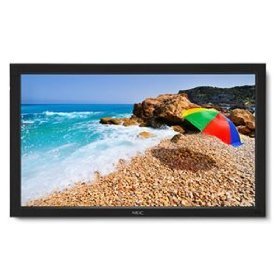
Image: The NEC LCD4215 42-inch MultiSync LCD Monitor, shown from the front with its stand. This image represents the primary display unit.
4. Persediaan
4.1 Membongkar
- Carefully open the packaging and remove the monitor and accessories.
- Place the monitor face down on a soft, clean surface to avoid scratching the screen.
4.2 Stand/Mounting Installation
The monitor can be used with its included desktop stand or mounted using a VESA-compatible wall mount (sold separately).
4.2.1 Desktop Stand Installation
- Pasangkan tapak dirian pada leher pendirian menggunakan skru yang disediakan.
- Secure the assembled stand to the back of the monitor using the designated mounting points and screws.
- Carefully lift the monitor and place it on a stable, level surface.
4.2.2 Pemasangan Dinding (Pilihan)
If using a VESA-compatible wall mount, follow the instructions provided with your wall mount kit. Ensure the mount supports the weight and VESA pattern of the NEC LCD4215 monitor.
4.3 Menyambung Kabel
Before connecting any cables, ensure the monitor and all connected devices are powered off.
- Kabel Video: Connect one end of the appropriate video cable (VGA, DVI, HDMI, etc.) to the video output port of your computer or media device and the other end to the corresponding input port on the monitor.
- Kabel Audio (Pilihan): If using the monitor's internal speakers or audio output, connect an audio cable from your source device to the monitor's audio input.
- Kabel kuasa: Connect the power cord to the monitor's AC input and then plug the other end into a grounded electrical outlet.
5. Arahan Operasi
5.1 Menghidupkan/Mematikan
- Press the power button on the front panel of the monitor or on the remote control to turn the monitor on. The power indicator light will illuminate.
- Untuk mematikan monitor, tekan butang kuasa sekali lagi.
5.2 Pemilihan Input
The monitor can display content from multiple sources. To switch between inputs:
- Press the 'Input' or 'Source' button on the remote control or the monitor's control panel.
- Use the navigation buttons to select the desired input source (e.g., VGA, DVI, HDMI).
- Press 'Enter' or 'OK' to confirm your selection.
5.3 Tetapan Paparan Asas
Access the On-Screen Display (OSD) menu to adjust various settings:
- Press the 'Menu' button on the remote control or the monitor's control panel.
- Use the navigation buttons (Up/Down/Left/Right) to browse through menu options such as 'Brightness', 'Contrast', 'Color Temperature', and 'Aspect Ratio'.
- Press 'Enter' or 'OK' to select an option and adjust its value.
- Press 'Menu' again to exit the OSD menu.
6. Penyelenggaraan
6.1 Membersihkan Paparan
To maintain optimal display quality, clean the screen and casing regularly:
- Sentiasa matikan dan cabut plag monitor sebelum membersihkan.
- Gunakan kain lembut dan tidak berbulu sedikit dampened with water or a non-abrasive, ammonia-free, and alcohol-free screen cleaner.
- Lap skrin perlahan-lahan dan casing. Do not apply excessive pressure.
- Elakkan menyembur cecair terus ke skrin atau ke dalam sebarang bukaan.
6.2 Penyimpanan
If storing the monitor for an extended period, ensure it is powered off, unplugged, and stored in a cool, dry place away from direct sunlight and extreme temperatures. Use the original packaging if available for protection.
7. Penyelesaian masalah
Sebelum menghubungi khidmat pelanggan, rujuk jadual berikut untuk isu lazim dan penyelesaiannya:
| Masalah | Kemungkinan Punca | Penyelesaian |
|---|---|---|
| Tiada gambar di skrin | Monitor tidak dihidupkan; Kabel video longgar atau terputus sambungan; Sumber input yang dipilih salah. | Press the power button; Check video cable connections; Select the correct input source. |
| Imej terlalu gelap/terang | Tetapan Kecerahan/Kontras salah. | Adjust 'Brightness' and 'Contrast' in the OSD menu. |
| Tiada audio | Kabel audio terputus; Kelantangan terlalu rendah; Dibisukan. | Periksa sambungan kabel audio; Tingkatkan kelantangan; Nyahbisukan audio. |
| Imej berkelip-kelip | Video cable faulty; Resolution/Refresh rate mismatch. | Replace video cable; Adjust display settings on your computer. |
8. Spesifikasi
Detailed technical specifications for the NEC LCD4215 MultiSync LCD Monitor:
| Ciri | Spesifikasi |
|---|---|
| Nombor Model | LCD4215 |
| Saiz Skrin | 42 Inci |
| Resolusi Skrin Maks | 1366 x 768 |
| Nisbah Aspek | 1.78:1 |
| Berat Barang | 47 paun |
| Dimensi Produk (LxWxH) | 44 x 27.5 x 9.25 inci |
| warna | Hitam |
| Pengeluar | Nec Computers |
| Tarikh Mula-mula Tersedia | 31 Julai 2008 |
9. Waranti dan Sokongan
9.1 Maklumat Waranti
This NEC LCD4215 monitor comes with a standard manufacturer's warranty. Please refer to the separate warranty card included in your product packaging for specific terms, conditions, and duration of coverage. Keep your proof of purchase for warranty claims.
9.2 Sokongan Pelanggan
For technical assistance, troubleshooting beyond this manual, or warranty service, please contact NEC customer support. Visit the official NEC webtapak untuk maklumat hubungan yang paling terkini, termasuk nombor telefon dan sumber sokongan dalam talian.
Webtapak: www.nec.com


