pengenalan
This user manual provides detailed instructions for the Kodak Easyshare C913 9.2 MP Digital Camera. Please read this manual thoroughly before using your camera to ensure proper operation and to maximize its features. Keep this manual for future reference.
1. Persediaan
1.1 Unpacking the Camera
Sahkan bahawa semua item terdapat dalam pakej:
- Kamera Digital Kodak Easyshare C913
- Kodak alkaline AA batteries or equivalent
- Kabel USB
- Tali pergelangan tangan
- Getting started guide with Kodak EasyShare software
- Custom camera insert for optional Kodak EasyShare camera and printer docks
1.2 Memasang Bateri
The Kodak Easyshare C913 requires two AA batteries. For optimal performance and longevity, it is recommended to use high-quality alkaline or rechargeable AA batteries.
- Cari pintu petak bateri di bahagian bawah kamera.
- Slide the latch to open the battery compartment.
- Insert two AA batteries, ensuring correct polarity (+ and - terminals match the indicators inside the compartment).
- Tutup pintu petak bateri dengan selamat sehingga ia terkunci pada tempatnya.
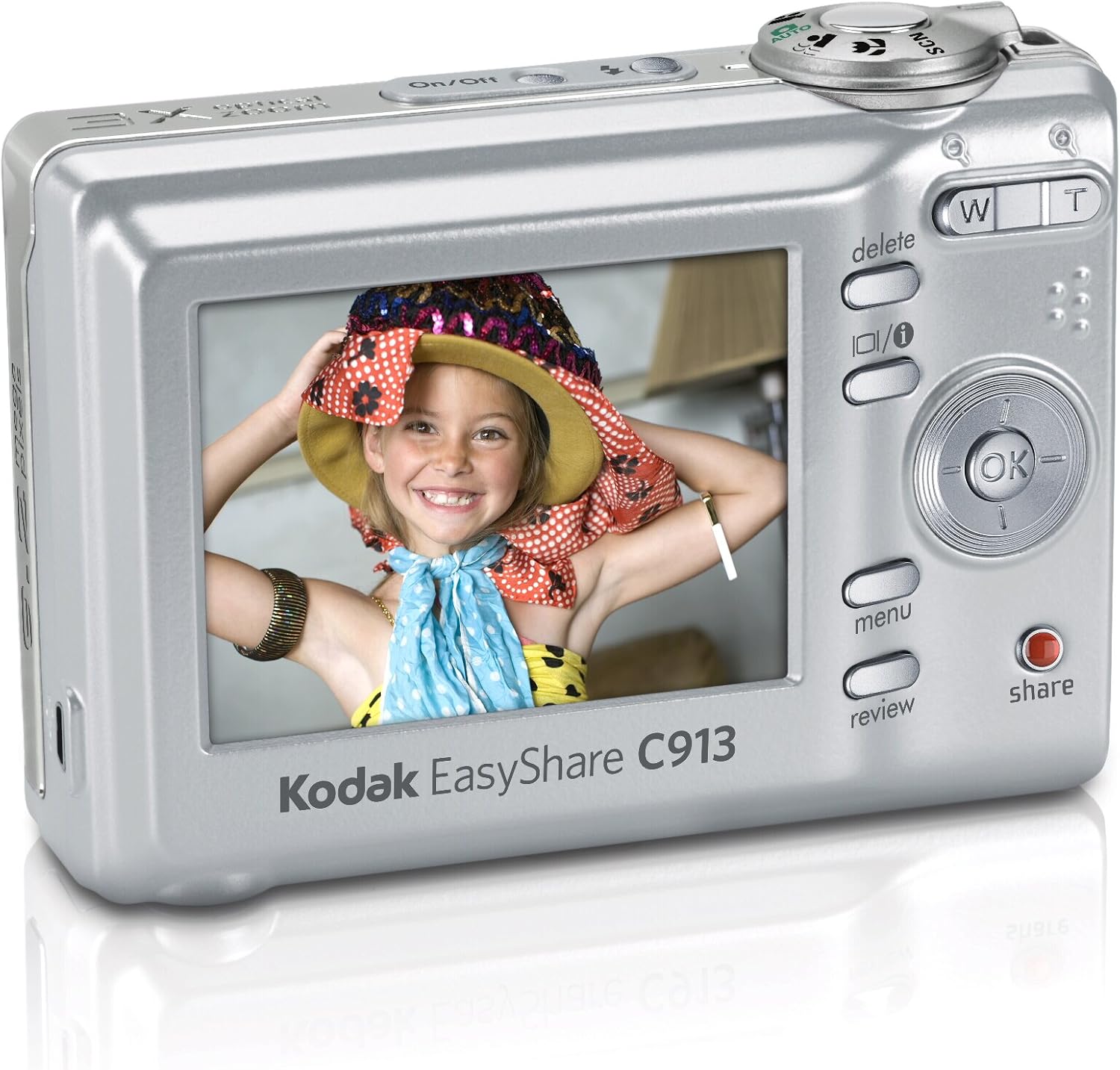
Rajah 1: Belakang view of the Kodak Easyshare C913, displaying the LCD screen and various control buttons. The battery compartment is located on the bottom of the camera.
1.3 Memasukkan Kad Memori
The camera supports SD/SDHC memory cards (not included). A memory card is required to store a large number of photos and videos.
- Cari slot kad memori, biasanya berhampiran petak bateri.
- Buka penutup slot kad memori.
- Insert the SD/SDHC card with the metal contacts facing the front of the camera until it clicks into place.
- Tutup penutup slot kad memori.
Nota: The camera has 16 MB of internal memory for temporary storage if a memory card is full or not inserted.
1.4 Attaching the Wrist Strap
Attach the wrist strap to the designated loop on the camera body to prevent accidental drops.
2. Mengendalikan Kamera
2.1 Menghidupkan/Mematikan
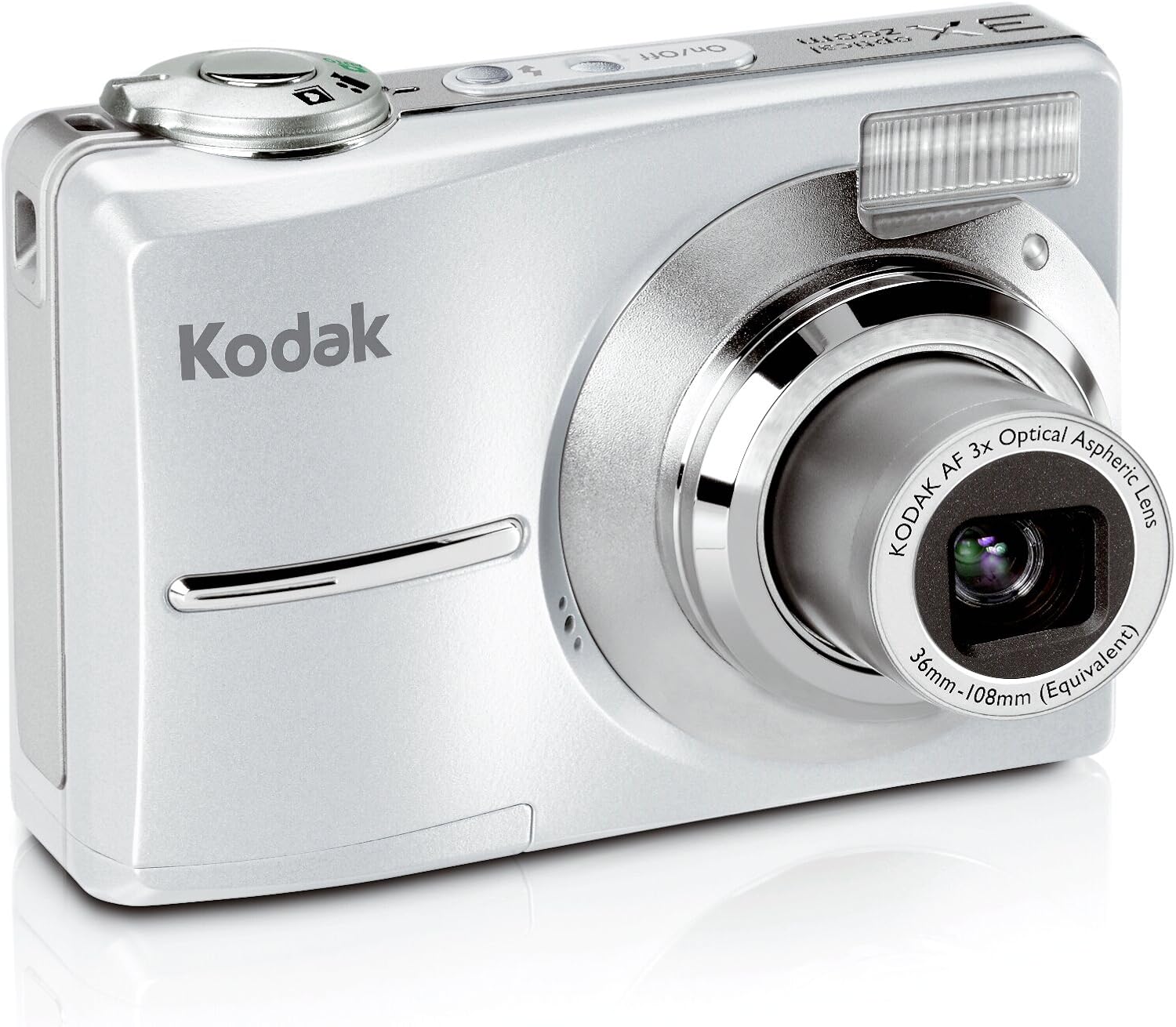
Tekan ke Hidup/Mati button located on the top of the camera to power it on or off. The lens will extend when powered on.
Rajah 2: Depan view of the Kodak Easyshare C913, showing the lens extended and the flash unit. The On/Off button is visible on the top panel.
2.2 Taking Pictures
- Hidupkan kamera.
- Frame your shot using the 2.4-inch color LCD display.
- Use the zoom buttons (W for Wide, T for Telephoto) to adjust the focal length. The camera features a 3x optical zoom and 5x digital zoom.
- Press the shutter button halfway down to focus. The focus indicator will illuminate.
- Tekan butang pengatup sepenuhnya ke bawah untuk menangkap imej.
2.3 Mod Pemandangan
The camera offers various scene modes to optimize settings for different shooting conditions. Access these modes through the camera's menu system.
- Auto: Standard mode for general photography.
- Sukan: Untuk merakam subjek yang bergerak pantas.
- Potret: Ideal for close-up shots of people, often blurring the background.
- salji: Adjusts exposure for bright, reflective snow scenes.
- Bunga api: Optimizes settings for capturing fireworks displays.
- Lampu latar: Helps properly expose subjects that are backlit.
2.4 Mod Warna
Experiment with different color modes to achieve desired artistic effects:
- warna: Standard full-color photography.
- Hitam & Putih: Captures images in monochrome.
- Sepia: Applies a warm, brownish tone for an antique look.
2.5 Rakaman Video
The camera can capture VGA video with audio.
- Switch the camera to video mode (refer to the on-screen icons or mode dial).
- Tekan butang pengatup untuk mula merakam.
- Tekan butang pengatup sekali lagi untuk menghentikan rakaman.
On-camera editing features allow for basic video manipulation.
2.6 Semulaviewing and Sharing Images
Tekan ke Review butang ke view captured photos and videos on the 2.4-inch LCD. Use the directional pad to navigate.
Yang berdedikasi Kongsi butang membolehkan anda tag images for easy printing or emailing when connected to a computer with Kodak EasyShare software.
2.7 Ciri Istimewa
- Pengurangan Kabur: This technology automatically minimizes camera shake or subject movement to produce clearer pictures.
- High ISO: The camera supports high ISO settings (up to 1000) for improved performance in low-light conditions and when capturing fast action.
- Kodak Perfect Touch Technology: This feature enhances pictures by improving brightness and revealing details in dark shadows.
- Internal Memory Plus: If your memory card becomes full, the camera can temporarily store images in its 16 MB internal memory.
3. Penyelenggaraan
3.1 Membersihkan Kamera
- Gunakan kain lembut dan tidak berbulu untuk membersihkan badan kamera.
- Untuk kanta dan skrin LCD, gunakan kain dan larutan pembersih kanta khusus. Elakkan bahan kimia yang keras atau bahan yang melelas.
- Gently blow away dust from the lens before wiping.
3.2 Penjagaan Bateri
- Keluarkan bateri jika kamera tidak akan digunakan untuk tempoh yang lama.
- For frequent use, consider investing in high-quality rechargeable AA batteries and a charger to reduce waste and ensure consistent power.
3.3 Penyimpanan
Store the camera in a cool, dry place away from direct sunlight, extreme temperatures, and high humidity. Use a camera case to protect it from dust and physical damage.
4. Penyelesaian masalah
| Masalah | Kemungkinan Punca | Penyelesaian |
|---|---|---|
| Camera does not turn on or turns off immediately. |
|
|
| Gambar kabur. |
|
|
| Ralat "Memori Penuh". |
|
|
| Hayat bateri yang lemah. |
|
|
5. Spesifikasi
| Ciri | Perincian |
|---|---|
| Model | Kodak Easyshare C913 |
| Penderia Imej | 9.2 Megapiksel |
| Zum Optik | 3x (36-108 mm equivalent) |
| Zum Digital | 5x |
| Paparan | 2.4-inch Indoor/Outdoor Color LCD |
| Tangkapan Video | VGA with audio |
| Media Storan | SD/SDHC card slot, 16 MB internal memory |
| Bateri | 2 x bateri AA |
| Dimensi (W x H x D) | 3.58 x 0.98 x 2.44 inci (lebih kurang) |
| Berat badan | 4.8 auns (tanpa bateri) |
| Penstabilan Imej | Digital, Optik |
| Disokong File Format | MP4 (for video) |
| Nisbah Aspek | 16:9, 3:2 |
6. Maklumat Waranti
For detailed warranty information regarding your Kodak Easyshare C913 Digital Camera, please refer to the warranty card included in your product packaging or visit the official Kodak support webtapak. Terma dan syarat waranti mungkin berbeza mengikut wilayah dan tarikh pembelian.
7. Sokongan Pelanggan
If you require further assistance or have questions not covered in this manual, please contact Kodak customer support. You can typically find contact information (phone numbers, email, or online chat) on the official Kodak webtapak.
Sumber Dalam Talian: www.kodak.com/go/support


