pengenalan
Welcome to the world of portable gaming with your Nintendo Game Boy Color. This manual will guide you through the essential steps to set up, operate, and maintain your system, ensuring an enjoyable gaming experience.
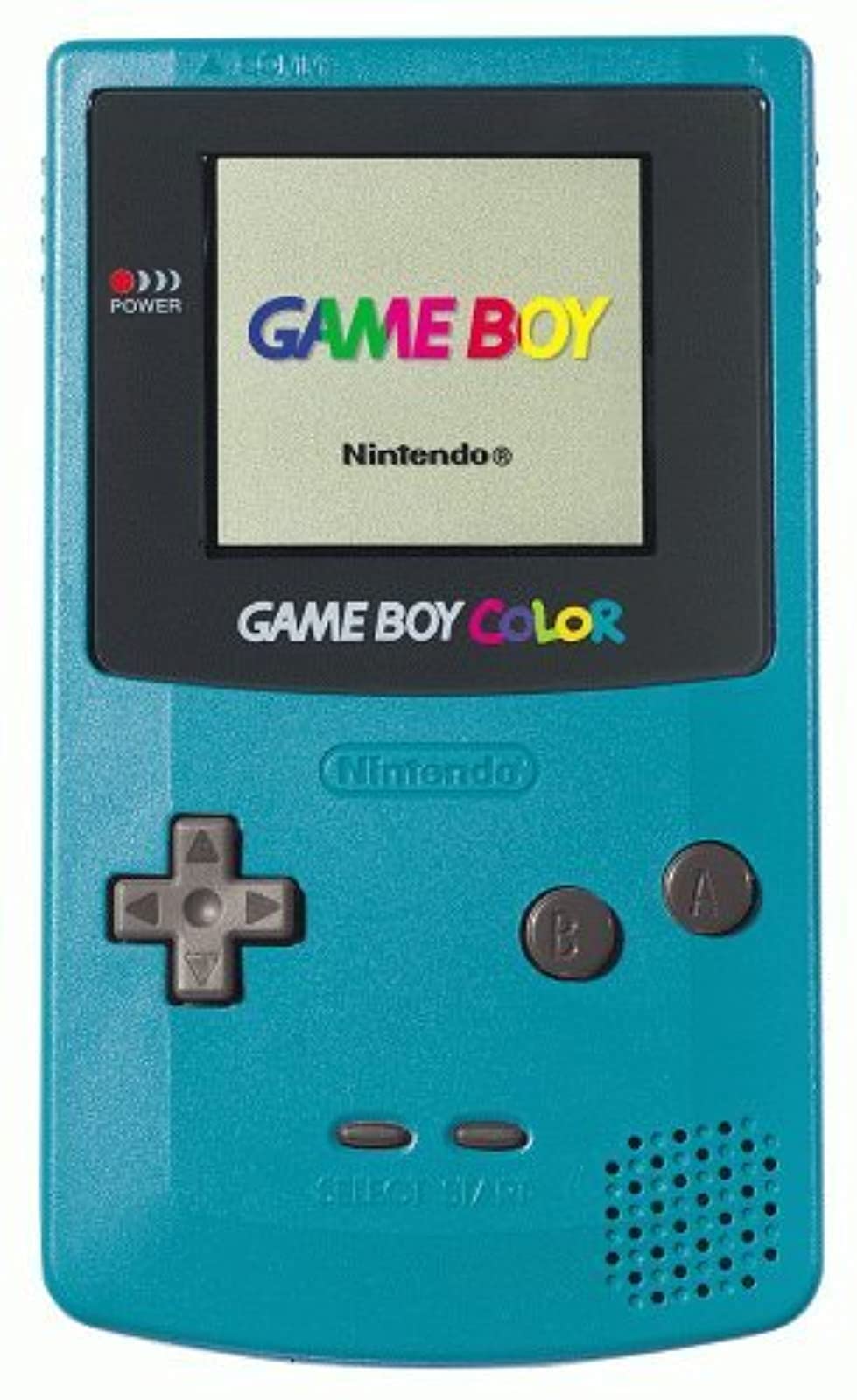
Imej: Depan view of the Teal Game Boy Color console, displaying the "GAME BOY" and "Nintendo" logos on its screen, with the D-pad, A/B buttons, Start/Select buttons, and speaker visible.
Persediaan
1. Pemasangan Bateri
The Game Boy Color requires two (2) AA batteries for operation. Follow these steps to install them:
- Locate the battery compartment cover on the back of the Game Boy Color unit.
- Luncurkan penutup ke bawah untuk mengeluarkannya.
- Masukkan dua bateri AA, pastikan terminal positif (+) dan negatif (-) sejajar dengan penunjuk di dalam petak.
- Gantikan penutup petak bateri dengan menggelongsorkannya ke atas sehingga ia berbunyi klik pada tempatnya.

Imej: Belakang view of the Teal Game Boy Color console with the battery cover open, revealing two AA batteries correctly inserted. The model number CGB-001 is visible on the label.
2. Memasukkan Kartrij Permainan
To play a game, insert a Game Boy or Game Boy Color cartridge into the slot at the top of the unit. Push it firmly until it clicks into place.
3. Menghidupkan
Locate the power switch on the top left side of the unit. Slide it to the "ON" position. The power indicator light (red LED) will illuminate, and the Nintendo logo will appear on the screen.
Operating Your Game Boy Color
Kawalan Asas
- Pad Arah (D-Pad): Located on the left side, used for movement and menu navigation.
- Butang: Typically used for confirming selections or performing primary actions in games.
- Butang B: Typically used for canceling selections or performing secondary actions in games.
- Butang MULA: Digunakan untuk menjeda permainan atau mengesahkan pilihan.
- Butang PILIH: Used for various in-game functions or menu navigation.
- Dail Kelantangan: Located on the right side of the unit, rotate to adjust sound output.
- Jack fon kepala: Located at the bottom, for private listening with 3.5mm headphones.
Bermain Permainan
Once powered on with a game cartridge inserted, the game will automatically load. Follow the on-screen instructions and use the controls as described above to play.
Mematikan
To turn off the system, slide the power switch to the "OFF" position. Always power off the system before removing a game cartridge.
Penyelenggaraan
Membersihkan Konsol
Use a soft, dry cloth to wipe the exterior of the Game Boy Color. Do not use liquid cleaners or solvents, as they may damage the unit. For the screen, use a soft, lint-free cloth. Avoid scratching the screen surface.
Penjagaan Bateri
- Tanggalkan bateri jika unit tidak akan digunakan untuk tempoh yang lama untuk mengelakkan kebocoran.
- Jangan campurkan bateri lama dan baharu, atau jenis bateri yang berlainan.
- Buang bateri terpakai secara bertanggungjawab mengikut peraturan tempatan.
Penyimpanan
Store your Game Boy Color in a cool, dry place away from direct sunlight and extreme temperatures. Keep it free from dust and moisture.
Menyelesaikan masalah
| Masalah | Kemungkinan Punca | Penyelesaian |
|---|---|---|
| Sistem tidak dihidupkan. |
|
|
| Permainan tidak memuatkan atau memaparkan grafik yang tidak teratur. |
|
|
| Tiada bunyi atau bunyi rendah. |
|
|
| Screen is dark or difficult to see. |
|
|
Spesifikasi
- Nombor Model: CGB-001
- Dimensi: 5.1 x 3 x 1.1 inci (anggaran)
- Berat: 7.4 auns (tanpa bateri)
- Sumber Kuasa: 2 x Bateri AA
- paparan: Reflective STN LCD, 160x144 pixels, 56 simultaneous colors from a palette of 32,768
- CPU: pemproses 8-bit
- Bunyi: 4-channel stereo sound (via headphones), mono speaker
- Slot Kartrij: Compatible with Game Boy and Game Boy Color cartridges
- Tarikh Keluaran: 18 November 1998
Waranti dan Sokongan
Specific warranty information for this product is not provided in this manual. For details regarding warranty coverage, repairs, or additional support, please refer to the original product packaging or contact Nintendo customer support directly.
You can visit the official Nintendo store for more information: Nintendo Store.


