pengenalan
This guide serves as a comprehensive resource for understanding and utilizing Adobe InDesign CS6, based on the "Adobe InDesign CS6 on Demand" book. It provides a visual, step-by-step approach to mastering the software, featuring full-color illustrations and clear, easy-to-follow instructions. The content is designed to help users quickly find answers and apply techniques effectively.
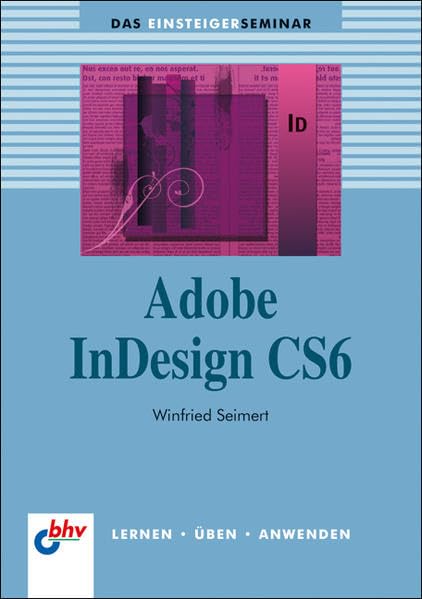
This image displays the front cover of the 'Adobe InDesign CS6 on Demand' book. The cover is predominantly light blue with a darker blue band at the top. The title 'Adobe InDesign CS6' is prominently displayed in the center. Below the title, the author's name, 'Winfried Seimert', is visible. The top section of the cover includes a graphic element with text and the 'ID' logo, representing InDesign. At the bottom left, the 'bhv' logo is present, accompanied by the German words 'LERNEN • ÜBEN • ANWENDEN' (LEARN • PRACTICE • APPLY).
Using This Guide (Setup)
To maximize your learning experience with this guide, pay attention to its structured format:
- Langkah Bernombor: Each task is broken down into clear, numbered steps, guiding you through the process.
- Lihat Juga: References to related information within the guide are provided to deepen your understanding.
- Tahukah Anda: Look for these alerts for valuable tips and techniques that can enhance your workflow.
- Ilustrasi: All instructions are accompanied by matching full-color illustrations for visual clarity.
- Tugasan Ringkas: Most tasks are presented concisely, typically on one or two pages, for efficient learning.
Core Concepts and Operations
This section outlines the fundamental and advanced operations of Adobe InDesign CS6 that you will learn:
- Layout Creation: Learn to create layouts suitable for print, web, tablet dan peranti mudah alih.
- File Pengurusan: Understand how to browse, organize, and process files using Adobe Bridge or Mini Bridge.
- Pengurusan Kandungan: Discover techniques to create, link, and manage content, pages, and books to maintain organized documents.
- Text and Styling: Master the creation of text and the application of various styles to achieve artistic text effects.
- Kandungan semulaview: Utilize track changes to efficiently review and collaborate on content.
- Dokumen Interaktif: Cipta PDF interaktif, ebook EPUB dan HTML web pages for dynamic content delivery.
- Output Cetakan Komersial: Prepare and create output files specifically for commercial printing purposes.
- Digital Publishing: Learn to create publications for use with Adobe Digital Publishing Suite.
Penyelenggaraan dan Amalan Terbaik
Maintaining efficient workflows and applying best practices are crucial for effective use of InDesign CS6. This guide emphasizes:
- Organized Document Structure: The book teaches methods to keep your InDesign documents, pages, and linked content well-organized, which is key for long-term project manageability.
- Consistent Styling: Applying styles consistently across your document helps maintain a professional appearance and simplifies global changes.
- Preflighting for Print: Understanding the steps for creating output for commercial print purposes ensures your designs are print-ready and avoids common errors.
- Cekap File Pengendalian: Utilizing Adobe Bridge or Mini Bridge for browsing and processing files contributes to a streamlined workflow.
Troubleshooting and Quick Answers
When encountering challenges or needing quick solutions while working with InDesign CS6, this guide is structured to provide rapid assistance:
- Visual Step-by-Step Format: The visual nature of the instructions allows for quick identification of the correct steps to resolve issues.
- "Did You Know" Tips: These sections often highlight common pitfalls or provide alternative, more efficient ways to perform tasks, acting as mini-troubleshooting guides.
- Focused Task Presentation: Since tasks are presented on one or two pages, you can quickly locate the relevant section for a specific problem without sifting through extensive content.
- Contextual "See Also" References: These links guide you to related information that might offer a solution or deeper insight into the problem you are facing.
For more complex issues, consulting the official Adobe InDesign CS6 documentation or online forums may be necessary.
Spesifikasi
| Atribut | Perincian |
|---|---|
| Penerbit | mitp-Verlag |
| Bahasa | Jerman |
| ISBN-10 | 3826676211 |
| ISBN-13 | 978-3826676215 |
| Berat Barang | 1.06 paun |
| Dimensi | 5.87 x 0.83 x 8.31 inci |
| Siri | Atas Permintaan |
Support and Online Resources
For additional learning resources and support related to the "Adobe InDesign CS6 on Demand" book, please utilize the following online content:
- Kandungan Dalam Talian Bonus: Daftarkan buku anda di queondemand.com to gain access to supplementary materials.
- Workshops and Related Files: Access practical workshops and associated files to further enhance your skills.
- Pintasan papan kekunci: Download and reference useful keyboard shortcuts to improve your efficiency in InDesign CS6.
- Pengarang Webtapak: Visit the author's webtapak di perspection.com untuk maklumat lanjut dan sumber.
For official Adobe InDesign CS6 software support, please refer to Adobe's official documentation and support channels.


