Introduction to Quicken 2017
This guide provides detailed instructions for utilizing Quicken 2017, the personal finance software for Windows. It covers both Quicken Deluxe and Premier editions. The purpose of this resource is to assist users in effectively managing their personal finances, including tracking income, expenses, savings, transactions, and investments.
The content is structured to help users understand and apply best practices for financial organization, leveraging the software's features to achieve financial goals such such as debt reduction, budgeting, and secure financial planning.
Getting Started: Setup and Customization
To begin using Quicken 2017, initial setup and customization are essential. This section outlines the steps to configure the software according to individual preferences and financial requirements.
- Pemasangan Perisian: Ensure Quicken 2017 is correctly installed on your Microsoft Windows operating system. Refer to the software's installation instructions for specific system requirements and procedures.
- Customizing Quicken: Adjust settings and preferences to tailor the software interface and functionality to your specific needs. This includes setting up categories, tags, and reporting options.
- Initial Account Setup: Link your bank accounts, credit card accounts, and investment accounts to Quicken for automated transaction downloads and comprehensive financial tracking.
Operating Quicken: Core Functions
This section details the primary operational functions within Quicken 2017, enabling users to manage daily financial activities efficiently.
- Tracking Income and Expenses: Learn to accurately record and categorize all incoming funds and outgoing payments to maintain a clear overview of your cash flow.
- Automating Transactions and Tasks: Set up recurring transactions and scheduled tasks to streamline financial management and reduce manual entry.
- Recording Bank and Credit Card Transactions: Understand how to manually enter or import transactions from your financial institutions.
- Using Online Banking Features: Connect to your bank and credit card providers online to download transactions directly into Quicken, ensuring up-to-date financial records.
- Reconciling Accounts: Perform regular reconciliation of checking, savings, and credit card accounts against bank statements to verify accuracy and identify discrepancies.
Advanced Financial Planning
Quicken 2017 offers tools for long-term financial planning and investment management. This section covers features designed to help users optimize their financial future.
- Tracking Investments and Optimizing Portfolios: Monitor investment performance, analyze asset allocation, and make informed decisions to optimize your investment portfolio.
- Monitoring Assets, Loans, and Net Worth: Keep track of all assets, liabilities, and calculate your net worth to assess your overall financial health.
- Evaluating Financial Position: Utilize Quicken's reporting features to gain insights into your financial standing and identify areas for improvement.
- Reducing Debt, Saving Money, and Planning for Retirement: Implement strategies and use planning tools within Quicken to manage debt, build savings, and prepare for retirement.
- Simplifying Tax Preparation and Maximizing Deductions: Organize financial data for tax purposes, making tax preparation simpler and helping to identify potential deductions.
- Creating Quicken Reports: Generate various financial reports to analyze spending, income, investments, and other financial metrics.
Penyelenggaraan dan Amalan Terbaik
Regular maintenance of your Quicken data ensures accuracy and optimal performance. Adhering to best practices will enhance your financial management experience.
- Regular Data Backups: Periodically back up your Quicken data files untuk mengelakkan kehilangan data.
- Consistent Reconciliation: Reconcile all accounts monthly to ensure that Quicken's records match your financial institution's statements.
- Reviewing Categories and Tags: Kerap semulaview and update your transaction categories and tags to maintain accurate financial reporting.
- Kemas Kini Perisian: Install any available updates for Quicken 2017 to benefit from performance improvements and security enhancements.
Menyelesaikan Masalah Isu Biasa
While using Quicken 2017, users may encounter various issues. This section provides general guidance for troubleshooting common problems.
- Masalah Ketersambungan: If online banking features are not working, verify your internet connection and check for any service outages from your financial institution or Quicken.
- Data Discrepancies: If account balances do not match, re-reconcile the affected accounts. Check for duplicate transactions or incorrect entries.
- Prestasi Perisian: If Quicken runs slowly, ensure your computer meets the minimum system requirements and close other demanding applications. Consider optimizing your data file.
- Seeking Further Assistance: For complex issues, refer to the official Quicken support website or community forums for detailed troubleshooting steps and solutions.
Spesifikasi Produk
| Spesifikasi | Perincian |
|---|---|
| ASIN | 1259862011 |
| Penerbit | McGraw Hill |
| Tarikh Penerbitan | 1 Mac 2017 |
| Edisi | ke-7 |
| Bahasa | Inggeris |
| Panjang Cetakan | 576 muka surat |
| ISBN-10 | 9781259862014 |
| ISBN-13 | 978-1259862014 |
| Berat Barang | 1.85 paun |
| Dimensi | 7.3 x 1.3 x 9.1 inci |
Maklumat Sokongan
For assistance with Quicken 2017 software, please refer to the official Quicken support channels. This guide is a published resource and does not include direct software support or warranty.
- Quicken Software Support: Visit the official Quicken website for FAQs, user forums, and contact information for technical support related to the software.
- Publisher Inquiries: For questions regarding the content or availability of this guide, please contact McGraw Hill, the publisher.
Imej Produk

Image: Front cover of the book "Quicken 2017: The Official Guide". The cover features the title prominently, indicating it covers U.S. Microsoft Windows Editions, specifically Quicken Deluxe and Premier.
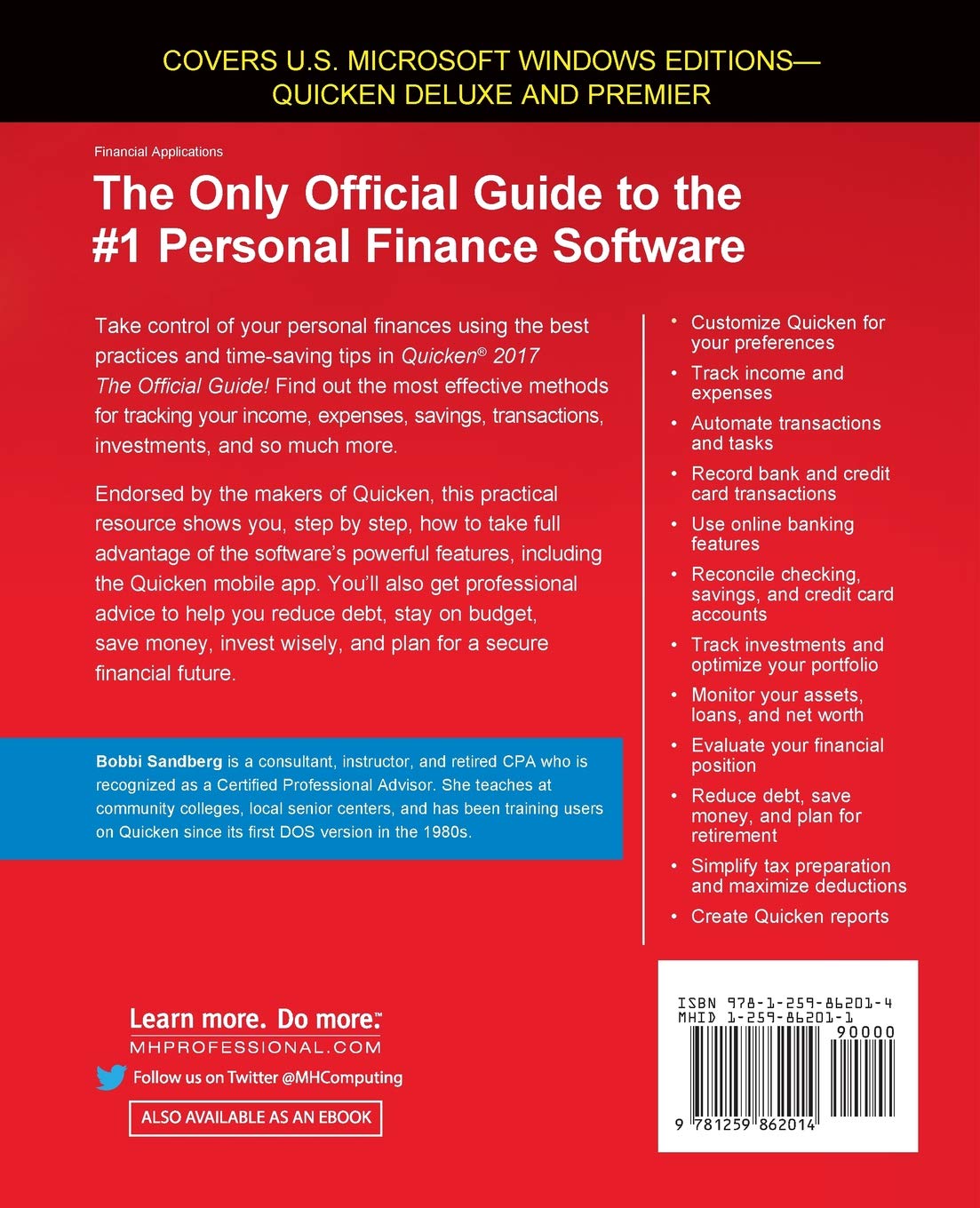
Image: Back cover of the book "Quicken 2017: The Official Guide". This image displays a summary of the book's content, including bullet points on how to customize Quicken, track income and expenses, automate tasks, record transactions, use online banking, reconcile accounts, track investments, monitor assets, evaluate financial position, reduce debt, plan for retirement, simplify tax preparation, and create reports. It also includes author information for Bobbi Sandberg and publisher contact details.


