
1. Pengenalan
Thank you for choosing the AIPER Seagull Pro ZT6002 Cordless Robotic Pool Cleaner. This manual provides essential information for the safe and efficient operation, maintenance, and troubleshooting of your device. Please read it thoroughly before first use and retain it for future reference.

Image: The AIPER Seagull Pro ZT6002 robotic pool cleaner positioned at the edge of a swimming pool.
2. Arahan Keselamatan Penting
Untuk mengurangkan risiko kecederaan atau kerosakan, patuhi langkah keselamatan berikut:
- Baca manual pengguna dengan teliti sebelum mengendalikan peranti.
- Do not run the device out of water.
- Jangan hidupkan peranti semasa mengecas.
- Charge the device indoors in a dry, well-ventilated area.
- Hanya gunakan penyesuai kuasa yang disediakan untuk mengecas.
- Pastikan port pengecasan kering sebelum menyambungkan pengecas.
- Keep children and pets away from the pool cleaner during operation.
- Jangan kendalikan pembersih jika kord kuasa atau palamnya rosak.
- For use in swimming pools only.
3. Produk Lebihview
The AIPER Seagull Pro ZT6002 is a cordless robotic pool cleaner designed for efficient cleaning of inground pools up to 1,600 sq.ft. It features advanced navigation, powerful scrubbing, and multiple cleaning modes.
Ciri-ciri Utama:
- WavePath Navigation: Intelligent four-motor system for thorough cleaning of pool floors, walls, and waterlines.
- Wall-Climbing Capability: Four-wheel-drive system enables effective scrubbing of walls and waterlines.
- Quad-Motor Performance: Four motors provide up to 196W of power, filtering up to 80 gallons of water per minute.
- Jangka Hayat Bateri: 7,800mAh battery offers up to 150 minutes of continuous cleaning.
- Pengecasan Cepat: Fully recharges in 3–4 hours.
- Pelbagai Mod Pembersihan: Includes Floor, Wall, and Auto modes.

Imej: Dalaman view of the AIPER Seagull Pro ZT6002, highlighting the quad-motor system and water filtration process.
4. Persediaan
4.1 Pengecasan Awal
- Ensure the pool cleaner is dry before charging.
- Sambungkan penyesuai pengecas ke port pengecasan pembersih.
- Plug the adapter into a power outlet indoors.
- Allow 3-4 hours for a full charge. The battery indicator will show charging status.
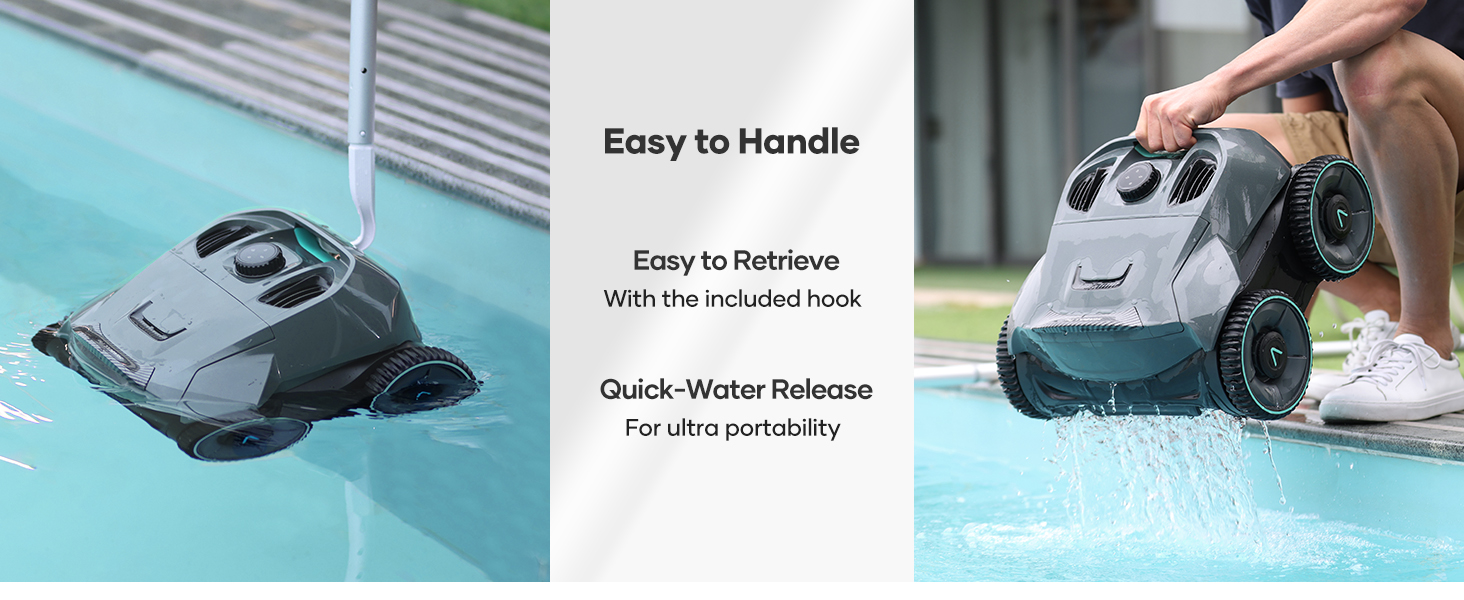
Image: The AIPER Seagull Pro ZT6002 connected to its charger indoors, illustrating the charging process and time.
5. Arahan Operasi
5.1 Kerahan
- Once fully charged, ensure the cleaner is turned off.
- Gently lower the cleaner into the pool. It will sink to the bottom.
- Ensure there are no obstructions in the pool that could impede its movement.
5.2 Memilih Mod Pembersihan
The Seagull Pro ZT6002 offers three cleaning modes:
- Mod Automatik: Cleans both the pool floor and walls/waterline.
- Floor Only Mode: Memberi tumpuan kepada pembersihan di lantai kolam renang.
- Wall Only Mode: Focuses cleaning on the pool walls and waterline.
Use the intuitive control dial on top of the unit to select your desired cleaning mode. The dial also features a 4-color battery indicator to monitor real-time battery status.

Image: The control dial of the AIPER Seagull Pro ZT6002, illustrating the three cleaning modes.
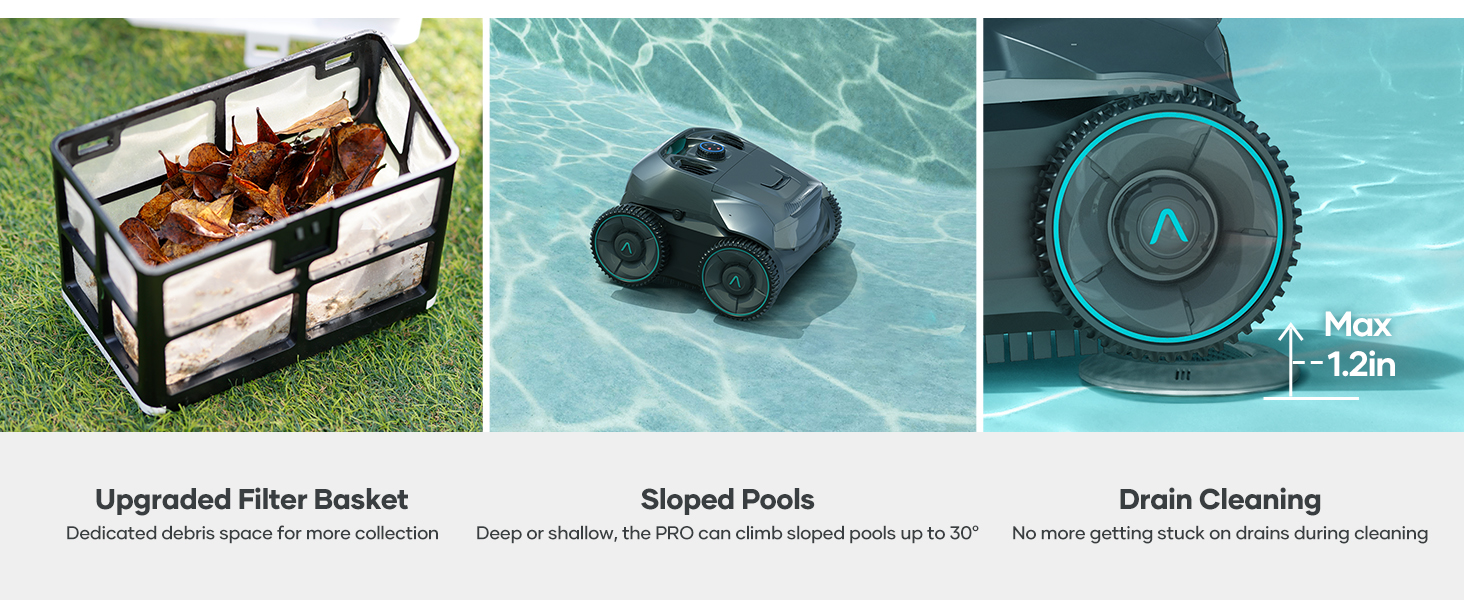
Image: The intuitive control dial with a 4-color battery indicator for real-time monitoring of battery status.
5.3 WavePath Navigation
The WavePath Navigation system ensures comprehensive cleaning. In Auto Mode, the cleaner performs an 'S' pattern for the pool floor when the battery is over 50%, and an 'N' pattern for walls and waterline when the battery is below 50%.
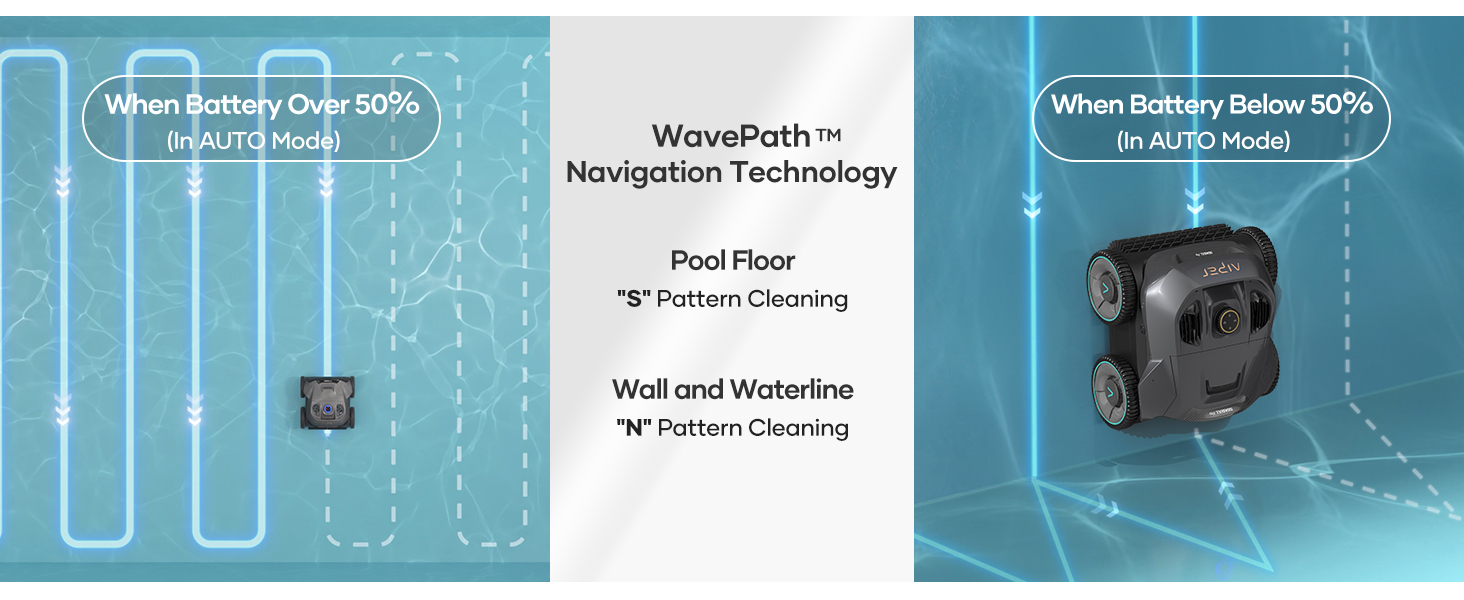
Image: Visual representation of the WavePath Navigation system, demonstrating cleaning patterns for the pool floor and walls.
Image: Explanation of the AUTO mode operation, detailing cleaning behavior based on battery level.
5.4 Pengambilan semula
After the cleaning cycle is complete or the battery is low, the cleaner will typically park itself near a wall. Use the included retrieval hook to safely lift the cleaner out of the water. The quick-water release feature allows for easy portability.
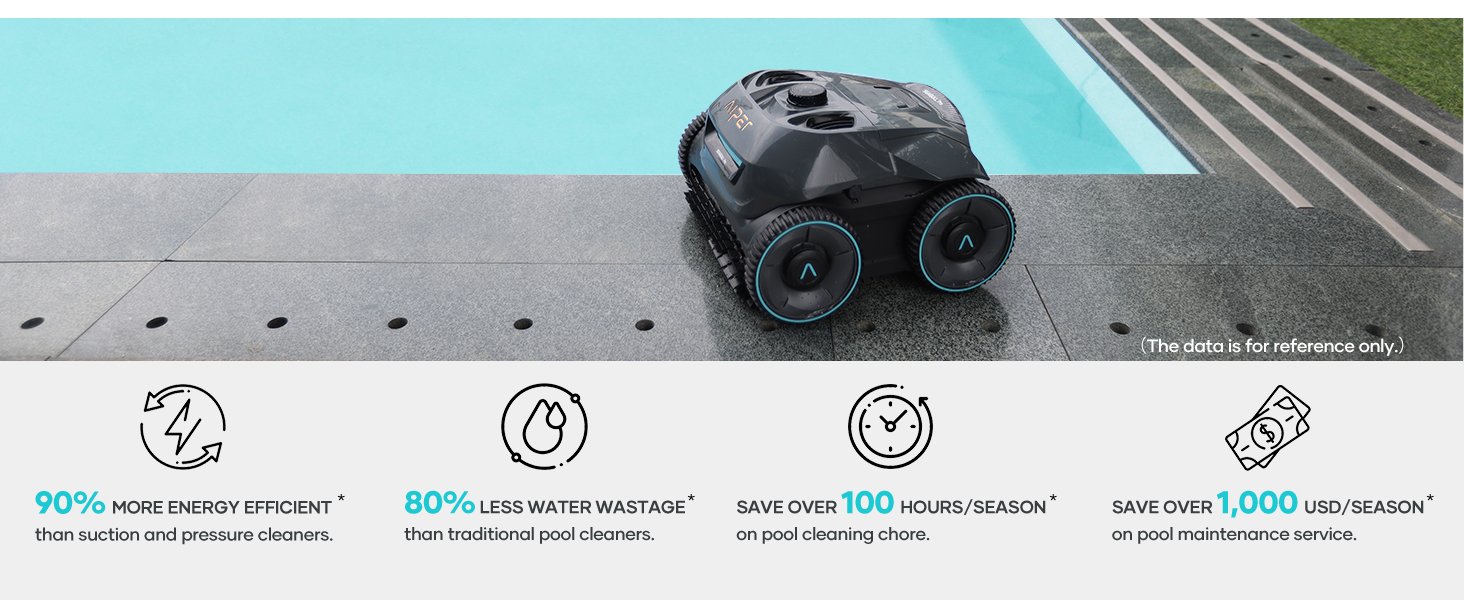
Image: Demonstrating the easy retrieval of the AIPER Seagull Pro ZT6002 from the pool and its quick water release for handling.
6. Penyelenggaraan
6.1 Membersihkan Bakul Penapis
Regular cleaning of the filter basket is crucial for optimal performance. The Seagull Pro ZT6002 features an easy-access top-load filter basket.
- Keluarkan pembersih dari kolam.
- Open the top cover to access the filter basket.
- Remove the basket and pour out any collected debris.
- Rinse the filter basket thoroughly with water to remove fine particles.
- Reinsert the clean filter basket and close the top cover securely.
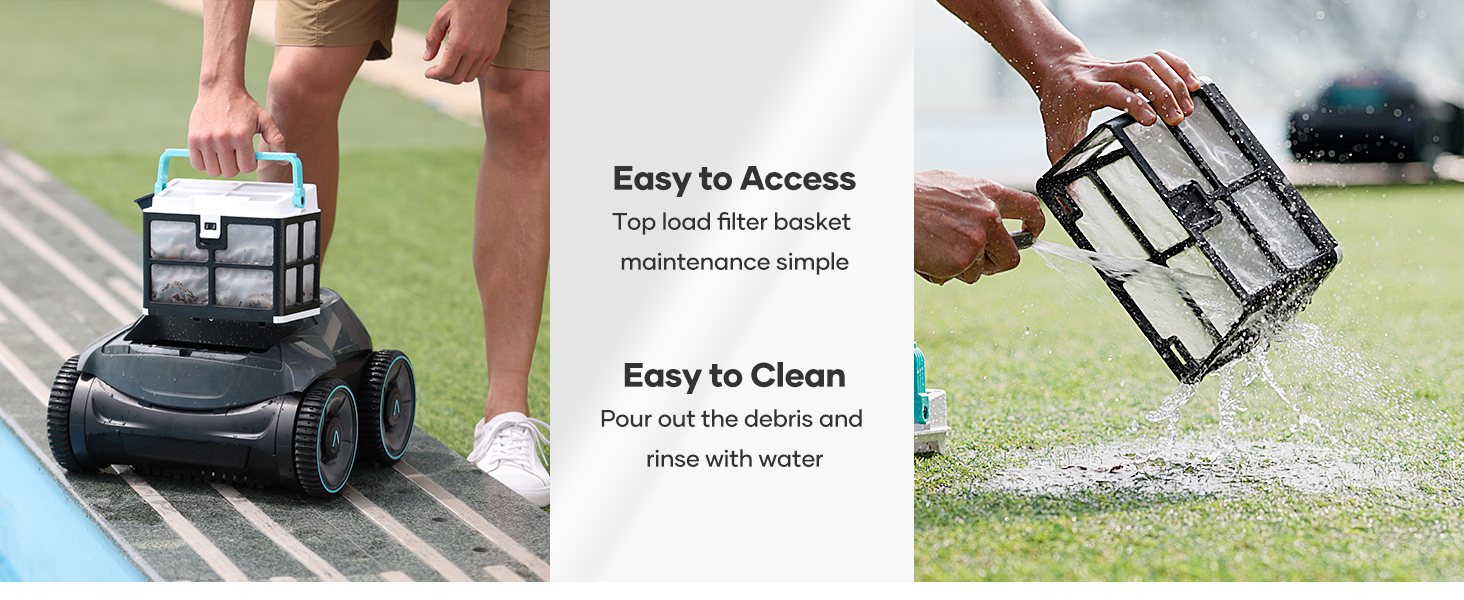
Image: Steps for accessing and cleaning the debris filter basket of the AIPER Seagull Pro ZT6002.
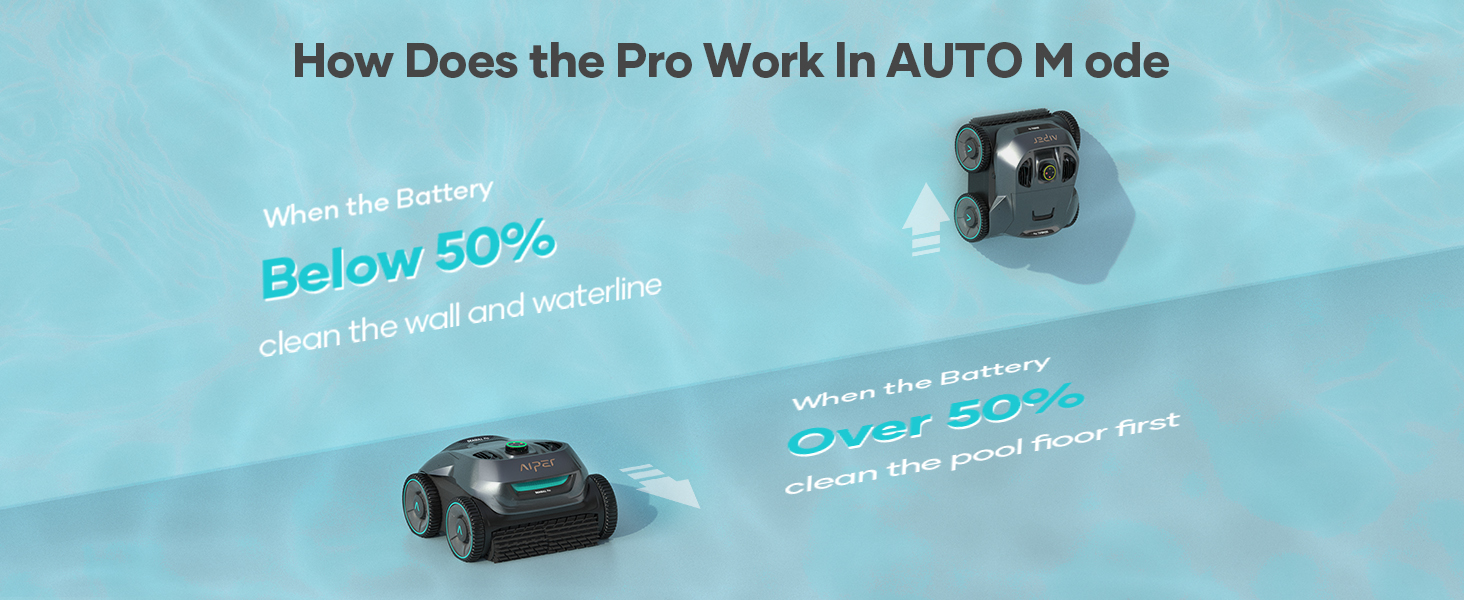
Image: Features of the upgraded filter basket, performance in sloped pools, and drain cleaning capability.
6.2 Penyimpanan
When not in use for extended periods, store the cleaner in a cool, dry place, away from direct sunlight and extreme temperatures. Ensure the battery is partially charged (around 50%) before storage to prolong its lifespan.
7. Penyelesaian masalah
| Masalah | Kemungkinan Punca | Penyelesaian |
|---|---|---|
| Pembersih tidak menyala. | Bateri lemah atau tidak dicas. | Charge the cleaner fully (3-4 hours). |
| Pembersih bergerak perlahan atau berhenti. | Filter basket is full or clogged. | Bersihkan bakul penapis. |
| Cleaner does not climb walls effectively. | Low battery or dirty brushes/wheels. | Ensure battery is sufficiently charged. Clean brushes and wheels. |
| Prestasi pembersihan yang lemah. | Filter basket is dirty or debris is too large. | Clean the filter basket. Remove large debris manually before operation. |
| Tukang cuci tersekat. | Obstruction in the pool or uneven surface. | Remove obstructions. The cleaner is designed to handle most pool surfaces. |
8. Spesifikasi
| Ciri | Perincian |
|---|---|
| Jenama | AIPER |
| Nama Model | Seagull Pro 0529 |
| Nombor Model | ZT6002-G |
| Dimensi Produk | 16"L x 10"W x 16"H |
| Sumber Kuasa | Dikuasakan Bateri |
| Jenis Bateri | Litium-Ion |
| Kapasiti Bateri | 7,800mAh (196.56 Watt Hours) |
| Masa jalan | Sehingga 150 minit |
| Masa Mengecas | 3-4 Jam |
| Kapasiti Penapisan | Up to 80 gallons per minute |
| Kuasa Motor | Up to 196W (Quad-Motor) |
| Pool Size Compatibility | Up to 1,600 sq.ft (Inground Pools) |
| Ciri Khas | Cordless, Rechargeable, WavePath Navigation, Wall-Climbing |
9. Waranti dan Sokongan
The AIPER Seagull Pro ZT6002 robotic pool cleaner comes with a two-year product protection. For warranty claims, technical support, or any inquiries, please contact AIPER customer service through their official website or the retailer where the product was purchased. Please have your model number (ZT6002) and proof of purchase ready when contacting support.