
1. Pengenalan
This manual provides detailed instructions for the safe and effective use of your DIGIERA DGW100BL 5K Digital Camera. Please read this manual thoroughly before operating the camera and retain it for future reference.
The DIGIERA DGW100BL is a versatile digital camera designed for high-quality photography and videography, featuring 5K video recording, 80MP photo resolution, a 3.0-inch IPS LCD flip screen, and advanced autofocus capabilities.
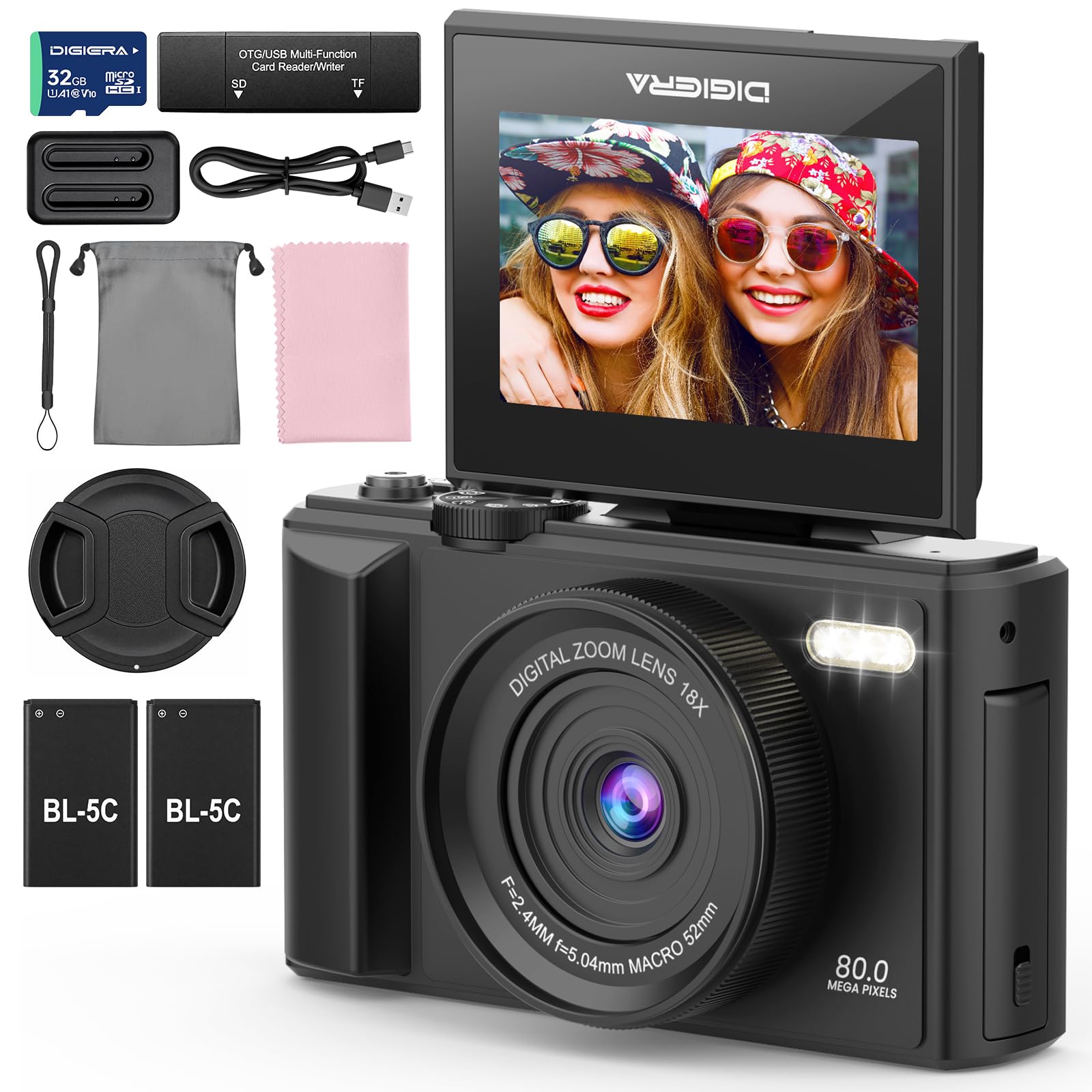
Image 1.1: The DIGIERA DGW100BL 5K Digital Camera.
2. Kandungan Pakej
Sahkan bahawa semua item terdapat dalam pakej anda:
- DIGIERA DGW100BL Camera Body
- 2 x Detachable Rechargeable Lithium-ion Batteries
- Pengecas Bateri
- Kad SD 32GB
- Kabel USB
- Manual Pengguna
- Tali Pergelangan Tangan
3. Persediaan
3.1. Pemasangan dan Pengecasan Bateri
- Buka penutup petak bateri yang terletak di bahagian bawah kamera.
- Insert a rechargeable lithium-ion battery, ensuring the contacts align correctly. Close the cover.
- To charge the battery, insert it into the provided external charger. Connect the charger to a power source using the USB cable. The indicator light on the charger will show charging status.
- A fully charged battery provides approximately 80 minutes of 4K video recording.
3.2. Pemasangan Kad SD
- Locate the SD card slot, typically on the side or bottom of the camera.
- Insert the included 32GB SD card with the metal contacts facing the correct direction (refer to the diagram near the slot). Push until it clicks into place.
- Untuk mengalih keluar, tolak perlahan-lahan kad SD ke dalam sehingga ia keluar.
3.3. Menghidupkan/Mematikan
- Untuk menghidupkan, tekan dan tahan butang Kuasa sehingga skrin menyala.
- To power off, press and hold the Power button again until the screen shuts down.
3.4. Tetapan Awal
Upon first power-on, you may be prompted to set the date, time, and language. Use the navigation buttons to select and confirm your preferences.
4. Mengendalikan Kamera
4.1. Basic Photography and Video Recording
The camera supports 80MP still images and 5K video recording.

Image 4.1: Demonstrating 5K video and 80MP photo capabilities.
- Menukar Mod: Use the mode dial or menu options to switch between photo, video, and playback modes.
- Mengambil gambar: In photo mode, frame your shot and press the Shutter button halfway to focus, then fully to capture the image.
- Merakam Video: In video mode, press the Record button to start and stop recording.
- Snapshot While Recording: You can capture still photos during video recording by pressing the Shutter button.
4.2. Focus Modes
The camera offers flexible focusing options:
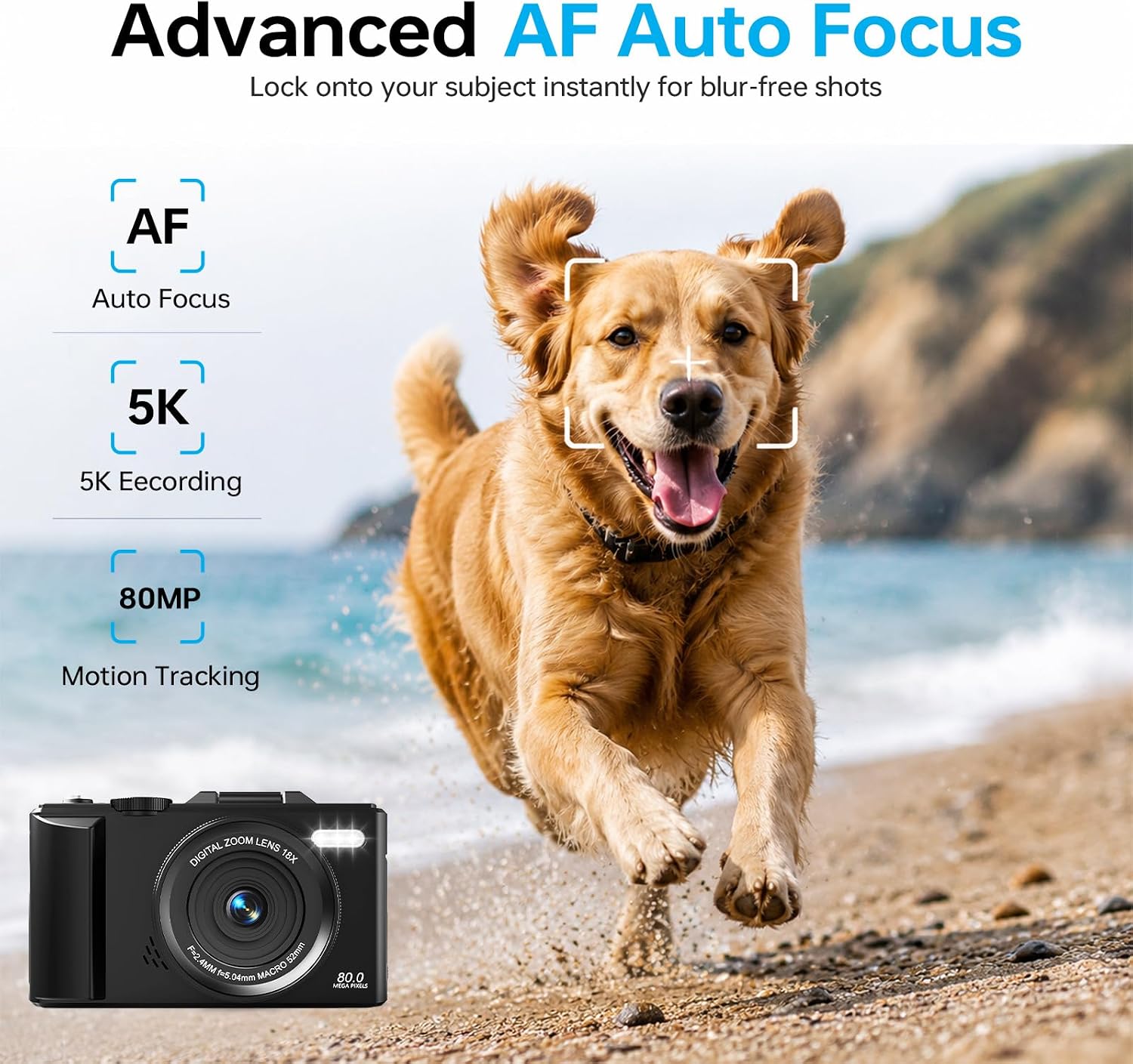
Image 4.2: Advanced Autofocus for sharp images.
- Autofokus (AF): The camera automatically detects and focuses on subjects. This is ideal for most situations, including moving subjects.
- Fokus Tetap: Maintains a fixed focus distance, suitable for specific scenarios where manual adjustment is not desired.
- Fokus Manual (MF): Allows you to manually adjust the focus for precise control.
4.3. Using the Flip Screen and Digital Zoom

Image 4.3: The 180° flip screen for easy selfies and vlogging.
- Skrin Balik: The 3.0-inch IPS LCD screen can be flipped 180 degrees, making it convenient for self-portraits, vlogging, and monitoring your shots from various angles.
- Zum Digital 18X: Use the zoom controls (usually 'W' for wide and 'T' for telephoto) to digitally zoom in or out on your subject. Note that digital zoom may reduce image quality compared to optical zoom.
4.4. Anti-Shake Technology
The built-in anti-shake technology helps to stabilize your footage and photos, reducing blur caused by camera movement, especially useful during handheld shooting or when using digital zoom.
4.5. Ciri-ciri Khas
- Masa berlalu: Capture sequences of images over time to create time-lapse videos. Access this feature through the camera's menu. For extended sessions, consider connecting a power bank.
- Gerak perlahan: Record videos at a higher frame rate to play back in slow motion.
- Penapis Kreatif: Apply various artistic filters and effects directly to your photos and videos.

Imej 4.4: Cthamples of built-in creative filters.
4.6. Kesambungan Wi-Fi dan Kawalan Aplikasi

Image 4.5: Wi-Fi transfer for instant sharing.
The camera features built-in Wi-Fi for seamless transfer of photos and videos to your smartphone via a dedicated mobile app. This also enables remote control for convenient selfies and group shots.
- Download the official DIGIERA camera app from your device's app store.
- Enable Wi-Fi on your camera and connect your smartphone to the camera's Wi-Fi network.
- Use the app to browse, transfer, and share your media, or to control the camera remotely.
4.7. External Lens Support

Image 4.6: The camera supports external 52mm wide-angle lenses (sold separately).
The camera supports external 52mm wide-angle lenses (not included) to expand your field of view, ideal for capturing landscapes or group photos.
5. Penyelenggaraan
5.1. Membersihkan Kamera
- Kanta: Gunakan kain lembut yang tidak berbulu atau berus kanta untuk menanggalkan habuk dengan lembut. Untuk kotoran, gunakan larutan pembersih kanta khusus yang disapu pada kain, bukan terus pada kanta.
- Skrin: Wipe the LCD screen with a soft, dry microfiber cloth. Avoid harsh chemicals.
- Badan: Use a dry, soft cloth to clean the camera body. Do not use water or cleaning solvents.
5.2. Penjagaan Bateri
- Simpan bateri di tempat yang sejuk dan kering apabila tidak digunakan.
- Elakkan menyahcas sepenuhnya bateri dengan kerap untuk memanjangkan jangka hayatnya.
- Jangan dedahkan bateri kepada suhu yang melampau.
5.3. Penyimpanan
When storing the camera for extended periods, remove the battery and SD card. Store the camera in a protective case in a dry, dust-free environment.
6. Penyelesaian masalah
Jika anda menghadapi masalah dengan kamera anda, rujuk masalah dan penyelesaian biasa berikut:
| Masalah | Kemungkinan Punca | Penyelesaian |
|---|---|---|
| Kamera tidak dihidupkan. | Bateri habis atau salah dimasukkan. | Ensure battery is fully charged and correctly inserted. Try a different charged battery. |
| Tidak boleh mengambil gambar/merakam video. | Kad SD penuh, dikunci atau tidak dimasukkan. | Check SD card status. Ensure it is unlocked, has sufficient space, and is inserted correctly. Format the SD card if necessary (this will erase all data). |
| Imej adalah kabur. | Fokus yang salah, goncangan kamera atau kanta kotor. | Check focus mode. Ensure anti-shake is enabled. Clean the lens. Hold the camera steady. |
| Isu sambungan Wi-Fi. | Tetapan Wi-Fi atau isu apl yang salah. | Ensure Wi-Fi is enabled on both camera and phone. Reconnect to the camera's Wi-Fi network. Restart the camera and the app. |
| Hayat bateri pendek. | Frequent use of power-intensive features or old battery. | Reduce screen brightness, limit continuous recording. Ensure batteries are fully charged. Consider replacing old batteries. |
Jika masalah berterusan selepas mencuba penyelesaian ini, sila hubungi sokongan pelanggan.
7. Spesifikasi
| Ciri | Perincian |
|---|---|
| Nama Model | DGW100BL |
| Teknologi Penderia Foto | CMOS |
| maksimum Webcam Resolusi Imej | 80 MP |
| Resolusi Video | 5K |
| Zum Digital | 18X |
| Saiz Skrin | 3.0 inci |
| Jenis Paparan | IPS LCD (Flip Screen) |
| Penstabilan Imej | Digital (Anti-Shake) |
| Mod Fokus | Autofocus, Fixed Focus, Manual Focus |
| Disokong File Format | JPEG (Photos) |
| Kapasiti Penyimpanan Memori | 32 GB (SD Card included) |
| Compatible Flash Memory Type | mikroSD |
| Teknologi Ketersambungan | USB, Wi-Fi |
| Jenis Bateri | Detachable Rechargeable Lithium-ion |
| Purata Hayat Bateri | Approx. 80 minutes (4K recording) |
| Ciri Khas | Anti-Shake, Slow Motion, Wi-Fi Control, Time-Lapse, Snapshot While Recording, 5K Ultra-HD |
| Pengeluar | Shenzhen Kerun E-commerce Co.,Ltd |
8. Maklumat Waranti
This DIGIERA DGW100BL camera comes with a Waranti Pengeluar 1 Tahun dari tarikh pembelian. Waranti ini meliputi kecacatan pembuatan dan mutu kerja di bawah penggunaan biasa. Ia tidak meliputi kerosakan yang disebabkan oleh salah guna, kemalangan, pengubahsuaian tanpa kebenaran atau bencana alam.
Sila simpan bukti pembelian anda untuk tuntutan waranti.
9. Sokongan Pelanggan
For technical assistance, troubleshooting not covered in this manual, or warranty inquiries, please contact DIGIERA customer support. We offer 4/7 after-sale support to assist you.
- e-mel: Refer to your product packaging or the official DIGIERA weblaman web untuk maklumat hubungan.
- Webtapak: Visit the DIGIERA Store on Amazon