
1. Maklumat Keselamatan Penting
Please read all instructions carefully before assembly and use to ensure safe operation and prolong the life of your desk frame. Keep this manual for future reference.
- Pastikan semua komponen ada dan tidak rosak sebelum memulakan pemasangan.
- Do not exceed the maximum load capacity of 200 kg (static) / 160 kg (dynamic) to prevent damage or injury.
- Jauhkan kanak-kanak dan haiwan peliharaan daripada meja semasa pelarasan ketinggian.
- Verify that there are no obstacles in the desk's path (above or below) when adjusting its height.
- Hanya gunakan penyesuai kuasa yang disertakan bersama produk.
- Do not attempt to disassemble the motor or control box. Contact customer support for repairs.
- If any unusual sounds, smells, or malfunctions occur, immediately unplug the desk and contact customer support.
2. Produk Lebihview
Ciri-ciri Utama
- Sistem Motor Berkembar Berkuasa: Ensures smooth and strong lifting, supporting static loads up to 200 kg and dynamic loads up to 160 kg. Offers a rapid adjustment speed of 40 mm/s.
- Extra-Wide Height Adjustment Range: 3-section inverted frame allows height adjustments from 60 cm to 125 cm, suitable for various users and activities.
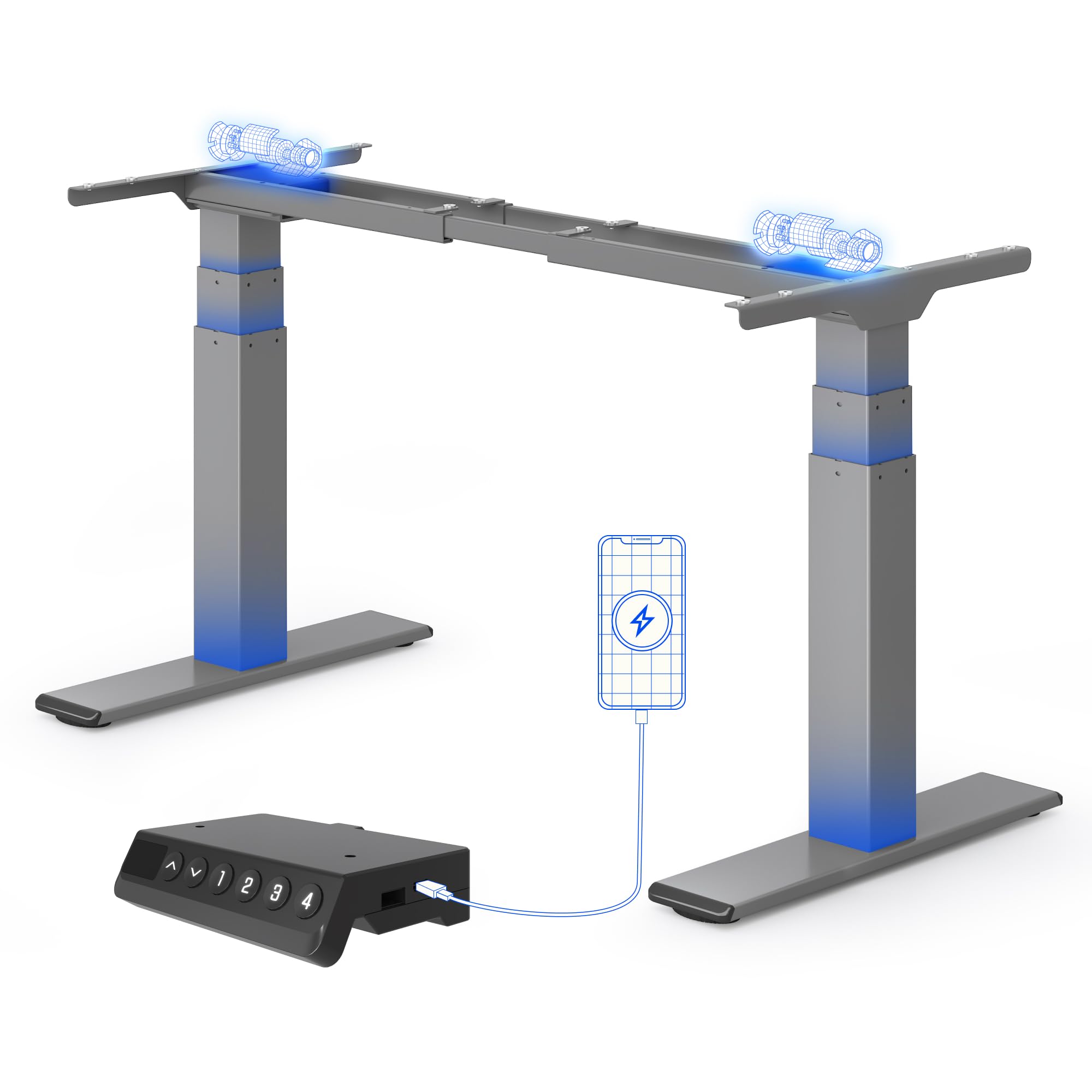
- Smart Control Panel with Memory: Features an LED display, 4 programmable memory presets for quick height adjustments, and an integrated USB charging port.
- Flexible Desktop Compatibility: Accommodates desktops ranging from 120 cm to 180 cm in width.
- Sistem Anti-Perlanggaran: Automatically stops and reverses if an obstruction is detected during height adjustment.
- Reinforced Stability: Features reinforced lower columns for enhanced stability, even at maximum height.
- Operasi senyap: Operates at a low noise level, typically below 45 dB.
Komponen
The FLEXISPOT E200 desk frame includes all necessary parts for assembly, such as the leg columns, feet, crossbar, control box, handset, and power adapter. A desktop is not included and must be purchased separately.
A jelas view of the FLEXISPOT E200 electric standing desk frame in grey. This image showcases the robust dual-motor design and the overall structure of the frame, ready for a desktop to be installed.
3. Persediaan dan Pemasangan
Assembly of the FLEXISPOT E200 desk frame requires careful attention to detail. Please refer to the separate detailed assembly manual included in your product packaging for step-by-step instructions and diagrams. Ensure you have adequate space and assistance if needed, as the components can be heavy.
Langkah Perhimpunan Agung:
- Buka bungkusan semua komponen dan sahkannya dengan senarai bahagian dalam manual anda.
- Attach the feet to the leg columns.
- Connect the leg columns to the crossbar.
- Mount the control box and handset to the frame.
- Connect all cables (motors to control box, handset to control box, power adapter to control box).
- Secure your chosen desktop to the frame using the provided screws.
Keserasian Desktop
The E200 frame is designed to be compatible with a wide range of desktop sizes. Ensure your desktop falls within the following dimensions for optimal performance and stability:
- Desktop Width: 120 cm hingga 180 cm

This image shows the adjustable frame width of the FLEXISPOT E200, indicating its compatibility with various desktop sizes. The frame can accommodate desktops with a minimum width of 120 cm and a maximum width of 180 cm, offering versatility for different workspace needs.
4. Arahan Operasi
Panel Kawalan
The E200 features an intuitive smart control panel for easy operation.

This image displays the intelligent control panel of the FLEXISPOT E200. It features an LED screen showing the current height, up and down adjustment buttons, four programmable memory buttons (1, 2, 3, 4) for saving preferred heights, and a convenient integrated USB port for charging devices.
- Anak panah atas/bawah: Press and hold to adjust the desk height upwards or downwards. Release to stop at the desired height. The LED display will show the current height.
- Pratetap Memori (1, 2, 3, 4): These buttons allow you to save and recall up to four preferred height settings.
- Port USB: An integrated USB port is available for charging your mobile devices or accessories.
Menetapkan Pratetap Memori
- Laraskan meja pada ketinggian yang anda inginkan menggunakan anak panah Atas/Bawah.
- Press the 'M' button (Memory button). The LED display will show 'S-'.
- Within 3 seconds, press one of the number buttons (1, 2, 3, or 4). The display will show 'S-1', 'S-2', etc., and beep to confirm the setting is saved.
- Untuk mengingat semula ketinggian yang disimpan, hanya tekan butang nombor yang sepadan (1, 2, 3 atau 4). Meja akan bergerak secara automatik ke kedudukan yang disimpan.
Sistem Anti-Perlanggaran
The FLEXISPOT E200 is equipped with an anti-collision system to prevent damage to the desk or objects in its path. If the desk encounters an obstruction during height adjustment, it will automatically stop and reverse slightly to avoid collision. This feature enhances safety and protects your belongings.
5. Penyelenggaraan
Regular maintenance helps ensure the longevity and optimal performance of your FLEXISPOT E200 desk frame.
- Pembersihan: Lap rangka meja dengan kain lembut,amp kain. Elakkan menggunakan pembersih yang kasar atau bahan kimia keras yang boleh merosakkan kemasan.
- Pemeriksaan: Periodically check all screws, bolts, and connections to ensure they are tight. Retighten if necessary.
- Pelepasan Halangan: Keep the area around the lifting columns and motors free from dust, debris, and any obstructions.
- Pelinciran: Do not lubricate the lifting columns or internal mechanisms unless specifically instructed by FLEXISPOT customer support.
6. Penyelesaian masalah
If you encounter any issues with your FLEXISPOT E200 desk frame, please refer to the following common troubleshooting steps. If the problem persists, contact customer support.
| Masalah | Kemungkinan Punca | Penyelesaian |
|---|---|---|
| Meja tidak bergerak. | No power, loose connection, or motor error. |
|
| Meja bergerak tidak sekata atau mengeluarkan bunyi yang luar biasa. | Uneven load, loose components, or motor synchronization issue. |
|
| Sistem anti-perlanggaran terlalu kerap dicetuskan atau tidak langsung dicetuskan. | Sensitivity setting or obstruction. |
|
| Paparan LED menunjukkan kod ralat. | Kerosakan sistem tertentu. | Refer to the detailed manual for a list of error codes and their corresponding solutions. If not found, contact customer support. |
7. Spesifikasi
| Ciri | Perincian |
|---|---|
| Jenama | FLEXISPOT |
| Nombor Model | E200 |
| bentuk | segi empat tepat |
| Product Dimensions (D x W x Min H) | 60 x 125 x 58 cm |
| warna | Kelabu |
| Berat Barang | 28.7 Kilogram |
| Load Capacity (Static/Dynamic) | 200 kg / 160 kg |
| Julat Pelarasan Tinggi | 60 - 125 cm |
| Max Lifting Speed | 40 mm/s |
| Tahap Kebisingan | <45 dB |
| Komponen yang Disertakan | Port USB bersepadu |
| Perhimpunan Diperlukan | ya |
| UPC | 840521562768 |
| Negara Asal | China |

This diagram illustrates the key dimensions and performance specifications of the FLEXISPOT E200 electric standing desk frame. It highlights the adjustable height range of 60-125 cm, a maximum load capacity of 200 kg, a lifting speed of 40 mm/s, and a low noise level of less than 45 dB. The image also confirms a 10-year warranty and anti-collision rebound function.
8. Waranti dan Sokongan
Maklumat Waranti
The FLEXISPOT E200 Electric Standing Desk Frame comes with a Waranti 10 tahun, reflecting our confidence in its durability and quality. This warranty covers manufacturing defects and ensures reliable performance under normal use. Please retain your proof of purchase for warranty claims.
Sokongan Pelanggan
For any questions, assistance with assembly, troubleshooting, or warranty claims, please contact FLEXISPOT customer service. Our dedicated support team is ready to help you.
Anda boleh mendapatkan maklumat lanjut dan butiran perhubungan di FLEXISPOT rasmi. weblaman web atau melalui kedai jenama Amazon mereka: