
1. Pengenalan
The Baseus Bowie MC2 Open Ear Clip-On Earbuds are designed for comfortable, all-day listening while maintaining environmental awareness. Featuring CloudComfort 2.0 design, LDAC Hi-Res Audio, Bluetooth 6.0, and IP67 waterproofing, these earbuds are suitable for various activities.
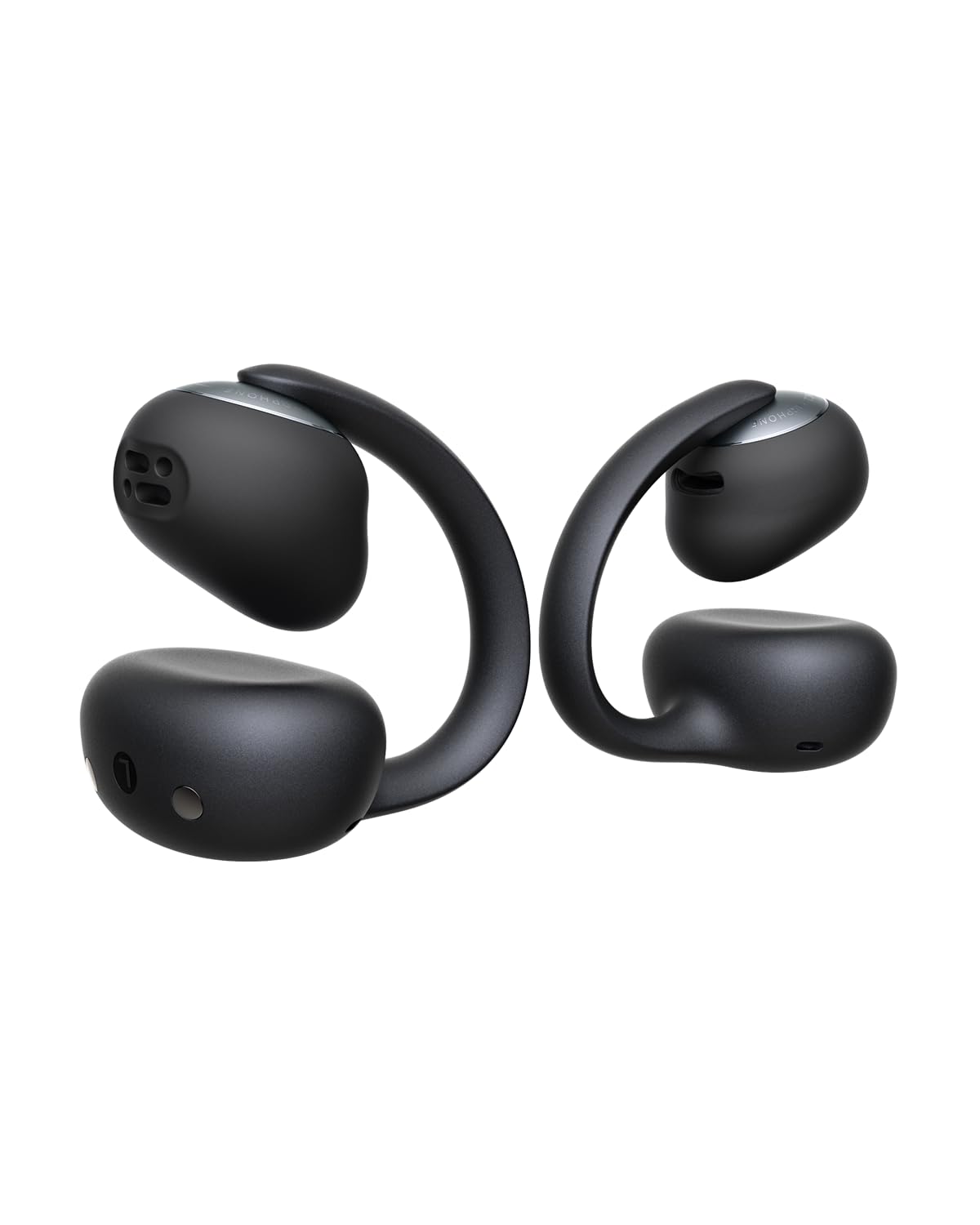
Image: Baseus Bowie MC2 Earbuds and their charging case.
Video: Selesaiview of Baseus Bowie MC2 Clip-On Comfortable Earbuds. This video demonstrates the design and comfort features of the earbuds.
2. Kandungan Pakej
Sahkan bahawa semua item terdapat dalam pakej anda:
- Baseus Bowie MC2 Earbuds
- M/L/XL Ear Cushions
- Kabel USB-C

Image: Contents of the Baseus Bowie MC2 package.
3. Panduan Persediaan
3.1 Mengecas Fon telinga dan Sarung
Before first use, fully charge the earbuds and charging case. Connect the provided USB-C cable to the charging port on the case and a power source. The indicator light on the case will show charging status.

Image: Baseus Bowie MC2 earbuds in their charging case.
3.2 Ear Cushion Installation
The Bowie MC2 earbuds come with M, L, and XL ear cushions. Choose the size that provides a secure and comfortable fit. To install or replace:
- Select the appropriate cushion size.
- Gently remove the existing cushion if present.
- Align the opening of the new cushion with the sound unit and stretch it over the earbud. Lightly rotate to ensure it is properly seated.

Image: Step-by-step guide for installing ear cushions.
Video: Instructions on how to replace ear cushions.
3.3 Memakai Fon Telinga
Place the left and right earbuds in the correct ears. Position the speaker outlet toward your ear canal and ensure the button faces upward. The ergonomic C-ring design provides a stable fit.

Image: Proper wearing instructions for the earbuds.

Image: Earbuds providing a stable fit during movement.
3.4 Berpasangan Bluetooth
Untuk memasangkan fon telinga anda dengan peranti:
- Buka bekas pengecas. Fon telinga akan memasuki mod berpasangan.
- Pada peranti anda (telefon pintar, tablet, dll.), dayakan Bluetooth.
- Cari untuk "Baseus Bowie MC2" in the list of available devices and select it to connect.

Image: Bluetooth 6.0 connectivity for quick pairing.
3.5 Pemasangan Apl Baseus
Download the free Baseus App (available for iOS & Android) to unlock additional features and customization options. The app allows for EQ adjustments, firmware updates, and more.

Image: Smart App Control interface for customizing settings.
4. Arahan Operasi
4.1 Kawalan Butang
The earbuds feature physical buttons for precise control:
| Fungsi | Tindakan |
|---|---|
| Main/Jeda | Akhbar Tunggal |
| Trek Seterusnya | Tekan dua kali |
| Trek Sebelumnya | Tiga Tekan |
| Kelantangan Naik | Tekan dan Tahan selama 1.5s |
| Kelantangan Kurang | Tekan dan Tahan selama 1.5s |
| Jawab atau Tamatkan Panggilan | Akhbar Tunggal |
| Tolak Panggilan | Tekan dan Tahan selama 1.5s |

Imej: Fungsi kawalan butang terperinci.
4.2 Ciri Audio
The Bowie MC2 earbuds support LDAC Hi-Res Audio, delivering up to three times the audio detail compared to the SBC codec. Custom-sized 11mm tri-magnet dynamic drivers provide rich sound. SuperBass 3.0 enhances bass, and BISA spatial audio creates a multi-layered soundstage.

Image: High-resolution audio support with LDAC.

Image: Internal components of the earbud driver for deep bass and pristine detail.

Image: BISA spatial audio for an immersive listening experience.
Video: Grammy Winner Recommended Audio, highlighting the sound quality.
4.3 Ciri Panggilan
The earbuds are equipped with four directional beamforming microphones and AI-enhanced technology to focus on your voice and reduce background noise, ensuring clear calls even in noisy environments.

Image: 4-Mic AI Clear Call technology for enhanced voice clarity.
4.4 Open-Ear Awareness
The open-ear design allows you to enjoy your audio while remaining aware of your surroundings. This feature is ideal for commuting, outdoor activities, and situations where situational awareness is important.

Image: User maintaining awareness of surroundings while listening to audio.
4.5 Multi-point Connection
Bluetooth 6.0 with Baseus Smart-Connect (BSC) technology enables seamless switching between two connected devices, such as a smartphone and a laptop.

Image: Instant Multipoint Connection for seamless device switching.
4.6 Find Your Earbuds Feature
If your earbuds are misplaced, use the Baseus App to locate them. This feature provides peace of mind by helping you find your earbuds quickly.

Image: The 'Find Your Earbuds' feature in the Baseus App.
5. Hayat Bateri dan Pengecasan
The earbuds offer up to 11.5 hours of playtime per charge and up to 55 hours with the charging case (with SuperBass 3.0 on). A 10-minute quick charge provides approximately 3 hours of playtime.

Image: Battery life details for the earbuds and charging case.
6. Penyelenggaraan
6.1 Tahan Air
The earbuds are IP67 waterproof, making them resistant to sweat, rain, dust, and splashes. This ensures reliable performance during workouts and everyday use.

Image: IP67 waterproof rating for durability.
6.2 Pembersihan
Regularly clean your earbuds and charging case with a soft, dry cloth. For the ear cushions, you may gently wipe them with a damp kain dan sabun lembut, pastikan ia benar-benar kering sebelum dipasang semula. Elakkan menggunakan bahan kimia yang keras atau bahan yang melelas.
7. Penyelesaian masalah
Here are answers to common questions:
- Q: How to ensure clear calls on my Baseus Bowie MC2?
- A: Wear earbuds on the correct L/R sides with buttons always facing upward. Keep mic ports clean and free of debris. For clearest call quality, use in quieter environments. Call clarity may also vary slightly depending on your connected device. Enabling the Call Enhancement function in the Baseus App is also recommended.
- Q: How can I increase the volume on my Baseus Bowie MC2?
- A: For iPhone: Disable Reduce Loud Audio in Settings > Sounds & Haptics > Headphone Safety. For Samsung: Disable Media Volume Limit in Settings > Sounds & Vibration > Volume > More. For Android: In Bluetooth Settings, enable Absolute Volume. Alternatively, enable the app's Powerful Bass EQ Mode. Ensure earbuds are worn correctly as instructed in the manual: place left and right earbuds with buttons upward, sound outlets aligned with ear canal openings, and fit them closely to your ears.
- Q: How to upgrade OTA/software?
- A: Simply download the free Baseus App (iOS & Android), connect your earbuds, then go to App Homepage > Settings (top right) > Version to check and install the latest firmware update. The app can be used normally without registering or logging into an account.

Image: Frequently Asked Questions for troubleshooting.
8. Spesifikasi
| Ciri | Perincian |
|---|---|
| Jenama | Baseus |
| Nama Model | Baseus Bowie MC2 |
| Nombor Model | A0102F |
| Penempatan Telinga | Buka Telinga |
| Faktor Bentuk | Wayarles Benar |
| Teknologi Ketersambungan | Wayarles (Bluetooth) |
| Versi Bluetooth | 6.0 |
| Julat Bluetooth | 10 Meter |
| Jenis Kawalan | Kawalan Butang |
| Purata Hayat Bateri | 55 Jam (dengan kes pengecasan) |
| Masa Pengecasan Bateri | 2 Jam |
| Tahap Ketahanan Air | IP67 Kalis Air |
| Jenis Pemacu Audio | Pemandu Dinamik |
| Saiz Pemacu Audio | 11 Milimeter |
| Latensi Audio | 38 milisaat |
| Impedans | 16 ohm |
| Respons Kekerapan | 20 KHz |
| Berat Barang | 105 Gram |
| Berat Sarung Membawa | 43 Gram |
| bahan | Akrilonitril Butadiene Styrene (ABS), Polikarbonat (PC) |
| Ciri-ciri Tambahan | 4-Mic AI Clear Calls, Hi-Res Wireless & LDAC, Super Bass 3.0, Wrap-Around CloudComfort 2.0 |
9. Waranti & Sokongan
9.1 Maklumat Waranti
The Baseus Bowie MC2 Open Ear Clip-On Earbuds come with a 2-Year Manufacturer Warranty. Please retain your proof of purchase for warranty claims.
9.2 Sokongan Pelanggan
For further assistance, technical support, or to access additional resources, please refer to the Baseus App or visit the official Baseus website. The app provides access to firmware updates and personalized settings.