
1. Pengenalan
This manual provides detailed instructions for the installation, operation, and maintenance of your Pyniro 10.6-inch Single DIN Car Stereo. Please read this manual thoroughly before use to ensure proper functionality and to prevent damage.
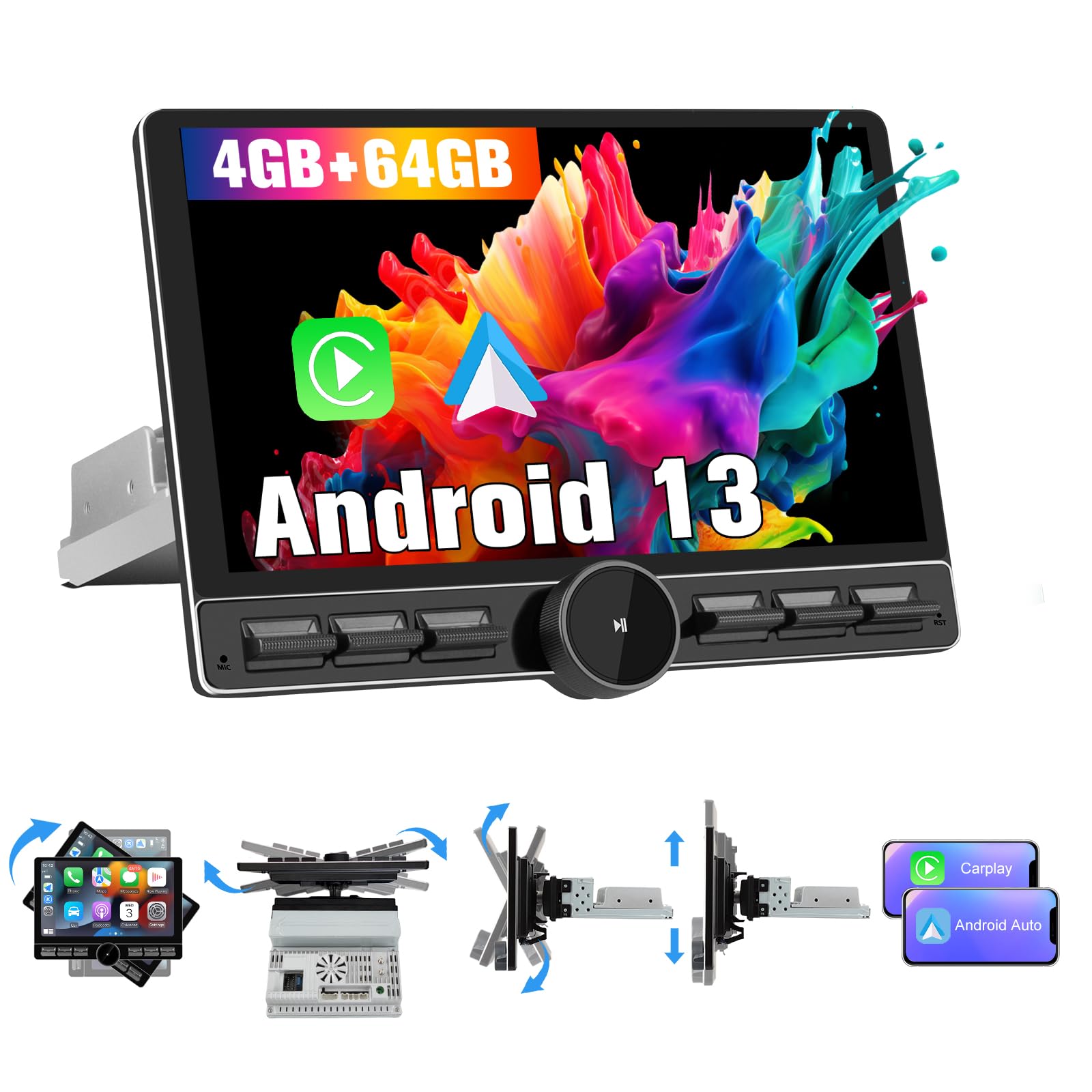
Image 1.1: Pyniro 10.6-inch Single DIN Car Stereo with rotatable touchscreen and physical controls.
2. Persediaan dan Pemasangan
2.1 Kandungan Pakej
Sahkan bahawa semua komponen terdapat dalam pakej:
- 10.6-inch Single DIN Car Stereo Unit
- Antena 4G
- belakangview Camera Video Input Cable (RCA)
- Antena GPS
- RCA kabel
- Kabel USB (x2)
- Mikrofon Luaran
- Power Cable (Universal ISO Harnesses)
- Kurung Pemasangan
- Installation Tools (Screwdriver, Pry Tool)

Image 2.1: All components included in the package for installation.
2.2 Compatibility and Pre-Installation
This car stereo is designed for universal 1DIN dashboards. The reinforced metal chassis measures 178x50mm. Ensure your vehicle's dashboard slot is a standard 1DIN size. If your car's dashboard slot is 2DIN, this radio will not fit.

Image 2.2: Visual guide for 1DIN compatibility and dimensions (178mm x 50mm).
2.3 Sambungan Pendawaian
The package includes universal ISO harnesses. Connect the wires according to their definitions to avoid short circuits or power consumption issues. Refer to the wiring diagram below.

Image 2.3: Connection instructions showing the rear panel of the stereo and wiring harness details.
Nota Penting: The backup camera harness must be installed even if you do not plan to use a backup camera, as it contains the Bluetooth and Wi-Fi antennas.
2.4 Pemasangan Antena
- Antena GPS: Position the GPS antenna outside the glove box for optimal signal performance.
- Antena 4G: Attach the included external 4G antenna to the designated port.

Image 2.4: GPS navigation display and recommended GPS antenna placement.
2.5 Persediaan Kawalan Roda Stereng (SWC).
To enable multifunction steering wheel controls:
- Identify your vehicle’s original SWC wires (typically labeled SWC or Steering Wheel Control).
- Connect these wires directly to the radio’s KEY1 and KEY2 ports on the ISO power adapter using crimp connectors.
Nota Keserasian Penting: This unit does not include a built-in CAN Bus decoder. If your car requires a CAN Bus interface to retain steering wheel controls, you will need to purchase an external CAN Bus decoder separately.

Image 2.5: Steering wheel control compatibility information.
2.6 4G SIM Card Setup
For 4G LTE connectivity:
- Insert a 4G SIM card into the dedicated slot on the 4G antenna module.
- Attach the external 4G antenna to the stereo unit.
- Network activation should be instant without requiring a driver reset.

Image 2.6: Instructions for 4G SIM card and antenna installation.
3. Arahan Operasi
3.1 Rotatable Touchscreen and Controls
The 10.6-inch IPS touchscreen (1280x720 resolution) can be adjusted for vertical or horizontal rotation to suit your viewing preference and avoid glare. The exclusive metal rotary dial provides precise control for volume, zoom, and navigation without diverting attention from the road. The screen features anti-glare technology for daytime visibility and automatic brightness adjustment.

Image 3.1: Demonstration of the rotatable touchscreen and physical control knob.
3.2 Sistem Pengoperasian Android 13
The stereo runs on the Android 13 operating system, offering enhanced security, customization, and compatibility. With 64GB of internal storage (expandable via USB), it can run multiple applications simultaneously without significant lag, supported by its 8-core processor and 4GB RAM.
3.3 CarPlay Tanpa Wayar dan Android Auto
Connect your smartphone wirelessly to access navigation, music, calls, and messages directly on the HD display. Use voice assistants like Siri or Google Assistant for hands-free control.

Image 3.2: Wireless CarPlay and Android Auto interfaces with voice command examples.
3.4 Split-Screen Display
Utilize the split-screen mode to display two applications simultaneously, such as navigation on one side and a rearview camera feed on the other. The IPS screen offers a 60Hz refresh rate for clear visuals.
3.5 Ciri Ketersambungan
- Bluetooth 5.2: For streaming music and hands-free calls with aptX HD for lossless audio.
- Dual-band Wi-Fi (2.4GHz/5GHz): For internet access and downloading updates.
- 4G LTE: Supports 4G SIM cards for independent internet and call functionality. Dual-antenna technology ensures stable signals.
- GPS: Built-in GPS for navigation with support for online map applications.
3.6 Ciri Audio
The stereo includes FM/AM radio with RDS, an Equalizer (EQ), Audio Sound Processor (ASP), Digital Signal Processor (DSP), and Bass Boost functions. These features allow for customization of audio output to personal preferences.

Image 3.3: Bluetooth music and call interface, along with FM/RDS and audio adjustment settings.
3.7 Belakangview Sokongan Kamera
The unit supports aftermarket rearview cameras (not included) via an RCA connector. When reversing, the camera feed will automatically activate, and parking assistance lines will be provided.

Image 3.4: Integrated rearview paparan kamera dengan garis panduan tempat letak kereta.
4. Penyelenggaraan
To maintain the performance and appearance of your car stereo, follow these guidelines:
- Membersihkan Skrin: Gunakan kain lembut dan tidak berbulu untuk mengelap skrin sentuh dengan lembut. Untuk calitan degil, sedikit dampen kain dengan air atau pembersih selamat skrin. Elakkan bahan kimia yang keras atau bahan yang melelas.
- Pembersihan Am: Keep the unit and surrounding dashboard area free of dust and debris. Use a soft brush or compressed air for hard-to-reach areas.
- Kemas Kini Perisian: Periodically check for available software updates through the system settings to ensure optimal performance and access to new features.
5. Penyelesaian masalah
| Masalah | Kemungkinan Punca | Penyelesaian |
|---|---|---|
| Tiada kuasa | Pendawaian tidak betul, fius putus | Check power cable connections (B+, ACC, GND). Verify vehicle fuses. |
| No Bluetooth/Wi-Fi signal | Backup camera harness not connected | Ensure the backup camera harness is connected, as it houses the Bluetooth and Wi-Fi antennas. |
| Kawalan Stereng tidak berfungsi | Incorrect wiring, CAN Bus required | Verify KEY1/KEY2 wire connections. If your vehicle requires a CAN Bus, an external decoder is needed. |
| Android Auto not connecting (some phones) | Cell phone version/brand operator incompatibility | Contact your cell phone brand operator to confirm Android Auto compatibility. |
| Slow response from touchscreen | System processing multiple tasks | While the 8-core processor is efficient, occasional minor delays may occur during heavy multitasking. This is normal operation. |
| Poor audio quality (thin/tinny) | Basic built-in amppemberitahuan | Yang terbina dalam amplifier is basic. For enhanced audio, consider pairing the unit with an external amplifier. Utilize the DSP and EQ settings for fine-tuning. |
| Accessing Factory Settings | Konfigurasi lanjutan | The passcode for the factory settings page is 3368. Gunakan dengan berhati-hati. |
6. Spesifikasi
| Ciri | Perincian |
|---|---|
| Jenama | Pyniro |
| Nombor Model | ZX-US-FY2YT14-A |
| Saiz Skrin | 10.6 Inci |
| Resolusi Skrin | 1280x720 IPS |
| Sistem Operasi | Android 13 |
| Pemproses | 8-Core (UIS8581A @1.6GHz) |
| RAM | 4GB |
| Storan Dalaman (ROM) | 64GB |
| Ketersambungan | Bluetooth 5.2, Dual-band Wi-Fi (2.4GHz/5GHz), 4G LTE (SIM card support) |
| Navigasi | GPS terbina dalam |
| Integrasi Telefon Pintar | CarPlay Tanpa Wayar, Android Auto Wayarles |
| Mod Keluaran Audio | Stereo |
| Kuasa Keluaran | 4x45W |
| Penala Radio | FM (87.5MHz-108.0MHz), AM (522KHz-1620KHz), RDS |
| Ciri Khas | Rotatable Touchscreen, Split-Screen, Customizable RGB Backlighting, DSP, EQ, Bass Boost, Steering Wheel Control Support, Rearview Input Kamera |
| Peranti Serasi | Telefon pintar |
| UPC | 708500306065 |
7. Waranti dan Sokongan
7.1 Maklumat Waranti
Produk ini disertakan dengan a Waranti 2 tahun. Component repair or replacement is available in all cases of manufacturing defects or malfunctions under normal use.
7.2 Sokongan Teknikal
Pyniro offers technical support for this product. For assistance, please contact our support team via email or through our online platform. Personalized support is available to help with any queries or issues you may encounter.