
1. Pengenalan
Thank you for choosing the WOOX MX0294 34-inch Ceiling Fan. This manual provides essential information for the safe installation, operation, and maintenance of your new ceiling fan. Please read these instructions thoroughly before installation and keep them for future reference.
2. Arahan Keselamatan
- Pastikan bekalan kuasa utama diputuskan sambungannya sebelum pemasangan, penyelenggaraan atau pembersihan.
- Pemasangan mesti dilakukan oleh juruelektrik yang berkelayakan mengikut kod elektrik tempatan.
- The mounting structure must be capable of supporting the weight of the fan (minimum 15 kg).
- Ensure all electrical connections are secure and comply with local regulations.
- Jangan masukkan objek ke dalam bilah kipas semasa kipas beroperasi.
- Jauhkan kanak-kanak daripada kipas semasa operasi.
- Kipas ini direka untuk kegunaan dalaman sahaja.
3. Kandungan Pakej
Sila pastikan semua komponen ada dan tidak rosak:
- Perumahan Motor Kipas Siling
- Fan Blades (3 x ABS, maple leaf type)
- Kit Lampu LED
- Kawalan Jauh dengan Pelekap di Dinding
- Pemasangan Braket dan Perkakasan
- Manual Arahan
4. Persediaan dan Pemasangan
Follow these steps for proper installation of your WOOX MX0294 ceiling fan.
4.1 Memasang Kipas
Secure the mounting bracket to a ceiling joist or a suitable support structure. Ensure the bracket is firmly attached and can support the fan's weight.
4.2 Sambungan Pendawaian
Connect the electrical wires from the ceiling to the fan's wiring according to the provided wiring diagram. Ensure all connections are tight and insulated.
4.3 Attaching the Fan Body and Blades
Carefully lift the fan motor housing and attach it to the mounting bracket. Secure it with the provided screws. Then, attach the three ABS blades to the motor housing.
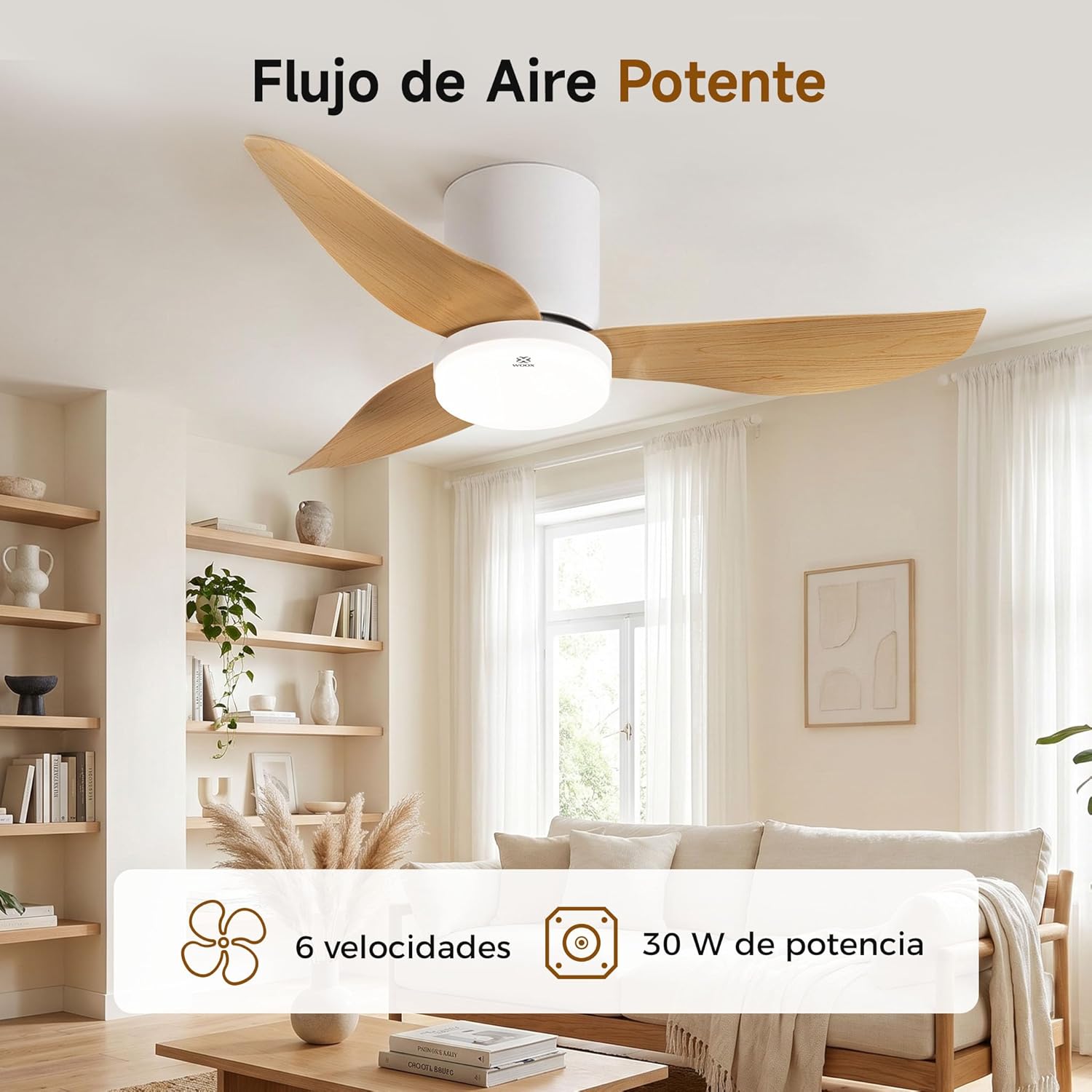
Image: The WOOX MX0294 ceiling fan installed, demonstrating powerful airflow. This image shows the fan's overall appearance and its ability to circulate air effectively.
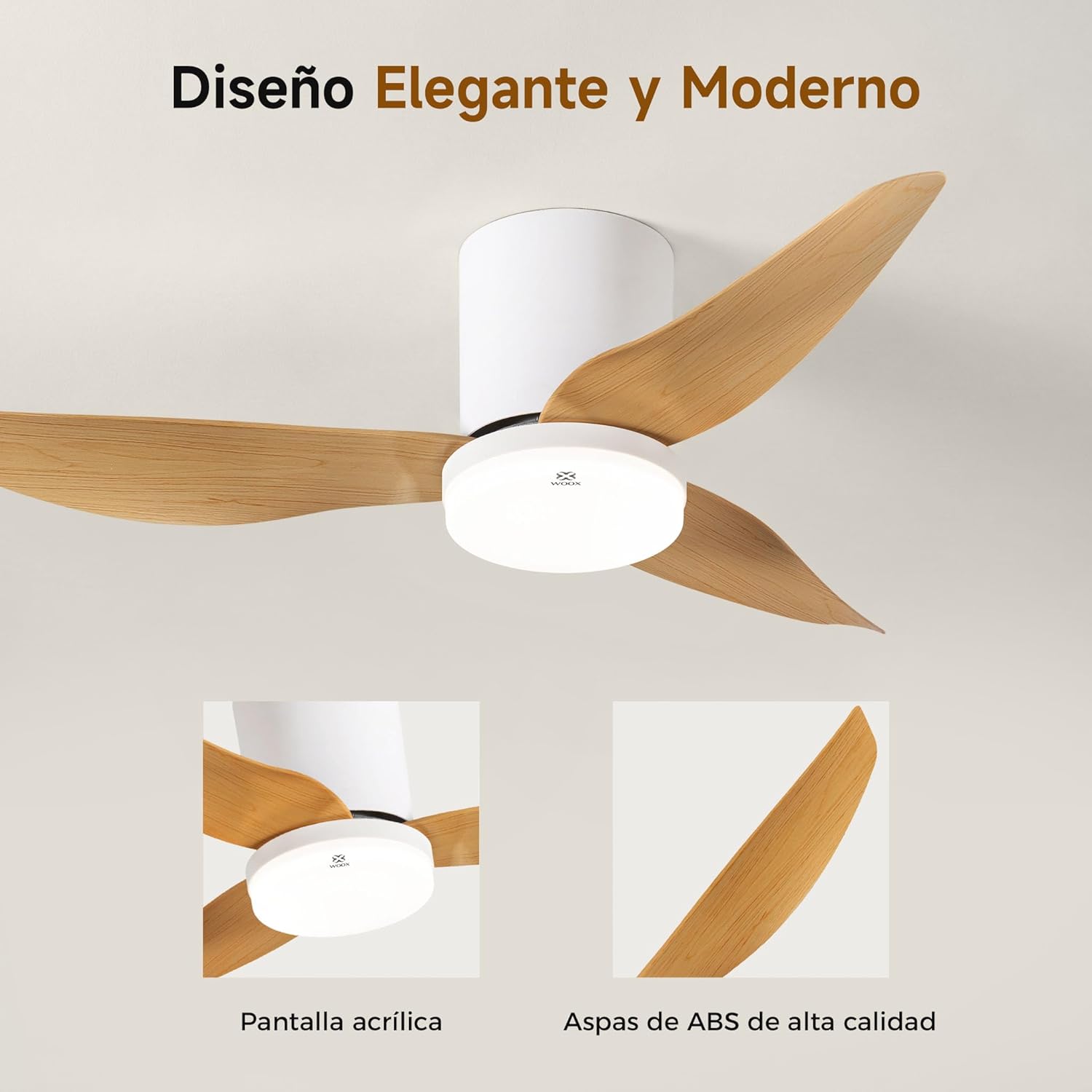
Imej: A terperinci view of the WOOX MX0294 ceiling fan, highlighting its elegant and modern design. The image focuses on the acrylic light screen and the high-quality ABS blades.
4.4 Installing the LED Light Kit
Connect the LED light kit to the fan's electrical connections and secure it to the bottom of the fan housing.
5. Arahan Operasi
Your WOOX MX0294 ceiling fan is controlled by a smart remote control.
5.1 Fungsi Kawalan Jauh

Image: The smart remote control for the WOOX MX0294 ceiling fan, showing buttons for fan speed, light control, timer, natural wind mode, and night light mode.
- HIDUP/MATI Kuasa: Tekan butang kuasa untuk menghidupkan atau mematikan kipas dan lampu.
- Kelajuan Kipas: Use the speed buttons (1-6) to adjust the fan's airflow. There are 6 adjustable speeds.
- Lampu HIDUP/MATI: Separate button to control the light.
- Suhu Warna Cahaya: Cycle through 3 color temperatures: 6500K (Cool White), 4000K (Natural White), and 3000K (Warm White).
- Peredupan Cahaya: Adjust the brightness of the 15W LED light continuously from 0% to 100%.
- Fungsi Pemasa: Set the fan to turn off automatically after 2 hours (2H) or 4 hours (4H).
- Inverse Function (Summer/Winter Mode): Change the direction of the fan blades to optimize air circulation for different seasons.
- Mod Angin Semulajadi: Mensimulasikan angin semula jadi dengan mengubah kelajuan kipas.
- Mod Cahaya Malam: Activates a low-intensity light setting for nighttime use.

Image: The WOOX MX0294 fan light demonstrating its three adjustable color temperatures: 6500K (Cool White), 4000K (Natural White), and 3000K (Warm White).

Image: The WOOX MX0294 fan light illustrating its 15W dimmable brightness feature, allowing continuous adjustment from 0% to 100%.

Image: The WOOX MX0294 fan demonstrating its year-round inverse function, showing downward airflow for cooling in summer and upward airflow for circulating warm air in winter.
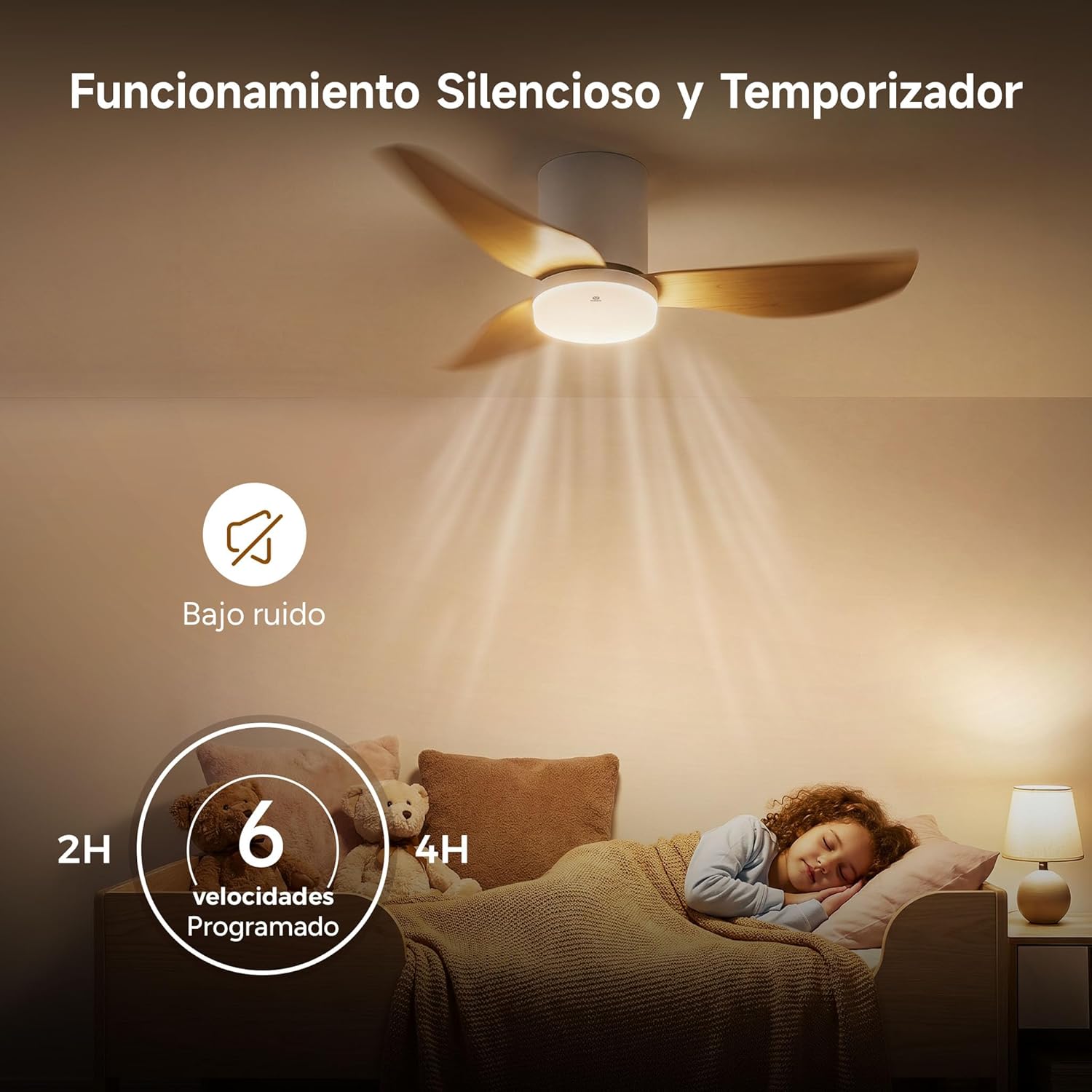
Image: The WOOX MX0294 fan highlighting its silent operation and programmable timer settings for 2 hours and 4 hours, ideal for undisturbed sleep.
6. Penyelenggaraan
Penyelenggaraan tetap memastikan prestasi optimum dan jangka hayat kipas siling anda.
- Pembersihan: Habuk bilah kipas dan perumah motor dengan kerap dengan lembut, damp kain. Jangan gunakan pembersih atau pelarut yang melelas.
- Mengetatkan: Periodically check and tighten all screws on the fan blades and mounting hardware.
- Pelinciran: Motor kipas dilincirkan secara kekal dan tidak memerlukan minyak tambahan.
7. Penyelesaian masalah
Jika anda menghadapi masalah dengan kipas anda, rujuk masalah dan penyelesaian biasa berikut:
- Kipas Tidak Bermula:
- Periksa sama ada bekalan kuasa disambungkan.
- Ensure the remote control batteries are working.
- Sahkan semua sambungan pendawaian selamat.
- Fan Wobbly:
- Ensure all blade screws are tightened.
- Check that the mounting bracket is securely installed.
- Cahaya Tidak Berfungsi:
- Periksa sambungan pendawaian lampu.
- Ensure the light is turned on via the remote.
- Alat Kawalan Jauh Tidak Menjawab:
- Gantikan bateri kawalan jauh.
- Ensure there are no obstructions between the remote and the fan receiver.
8. Spesifikasi
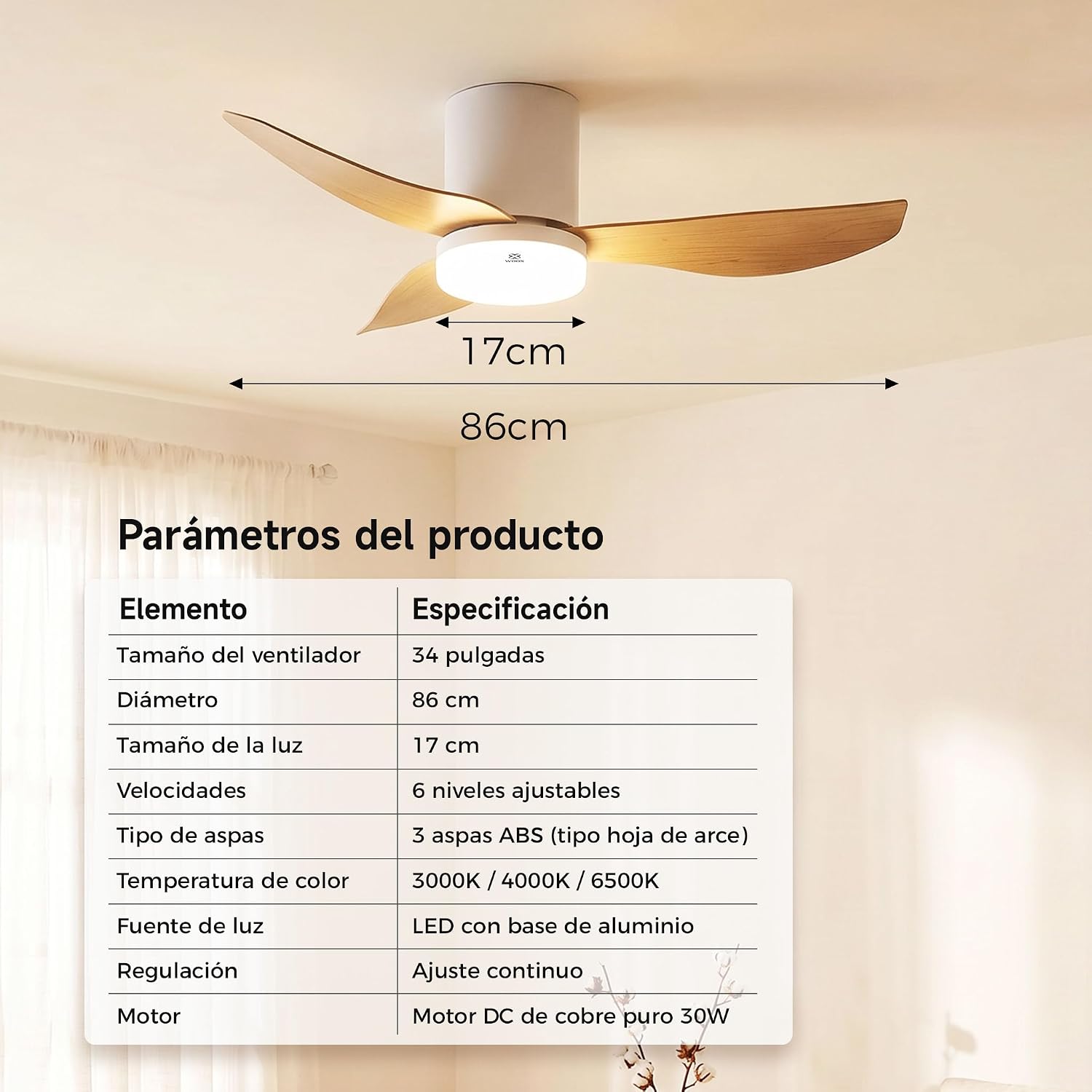
Image: A table detailing the product parameters of the WOOX MX0294 ceiling fan, including fan size, diameter, light size, speeds, blade type, color temperature, light source, dimming, and motor type.
| Parameter | Spesifikasi |
|---|---|
| Saiz Kipas | 34 inci |
| Diameter | 86 sm |
| Saiz Ringan | 17 sm |
| Kelajuan | 6 tahap laras |
| Jenis Bilah | 3 ABS blades (maple leaf type) |
| Suhu Warna | 3000K / 4000K / 6500K |
| Sumber Cahaya | LED with aluminum base (15W) |
| Peredupan | Continuous adjustment |
| Motor | Pure copper DC 30W motor |
| Dimensi Produk (D x W x H) | 40 x 40 x 114 cm (packaging/overall) |
| warna | putih |
9. Waranti dan Sokongan
WOOX products are designed for quality and reliability. This product comes with a standard manufacturer's warranty against defects in materials and workmanship. Please refer to your purchase documentation for specific warranty terms and duration.
For technical support, troubleshooting assistance, or warranty claims, please contact your retailer or the WOOX customer service department. Keep your proof of purchase for warranty validation.