
pengenalan
This manual provides essential information and instructions for using your new REDMI A7 Pro 4G smartphone. Please read this guide thoroughly to ensure proper operation and to maximize your device's features. Keep this manual for future reference.
1. Persediaan Awal
1.1 Membuka Kotak dan Kandungan Pakej
Carefully unpack your REDMI A7 Pro 4G. The package should contain the following items:
- REDMI A7 Pro 4G Smartphone
- Pengecas
- Kabel Jenis-C USB
- Alat Keluarkan SIM
- Kad Waranti
- Panduan Pengguna (manual ini)
1.2 Memasukkan Kad SIM dan Menghidupkan
- Cari dulang kad SIM di sisi peranti anda.
- Insert the SIM eject tool into the small hole next to the tray and gently push until the tray pops out.
- Letakkan kad Nano-SIM anda ke dalam dulang dengan kenalan emas menghadap ke bawah. Pastikan orientasi yang betul.
- Masukkan semula dulang SIM dengan berhati-hati ke dalam telefon.
- Press and hold the Power button (usually on the right side) until the REDMI logo appears to turn on your device.
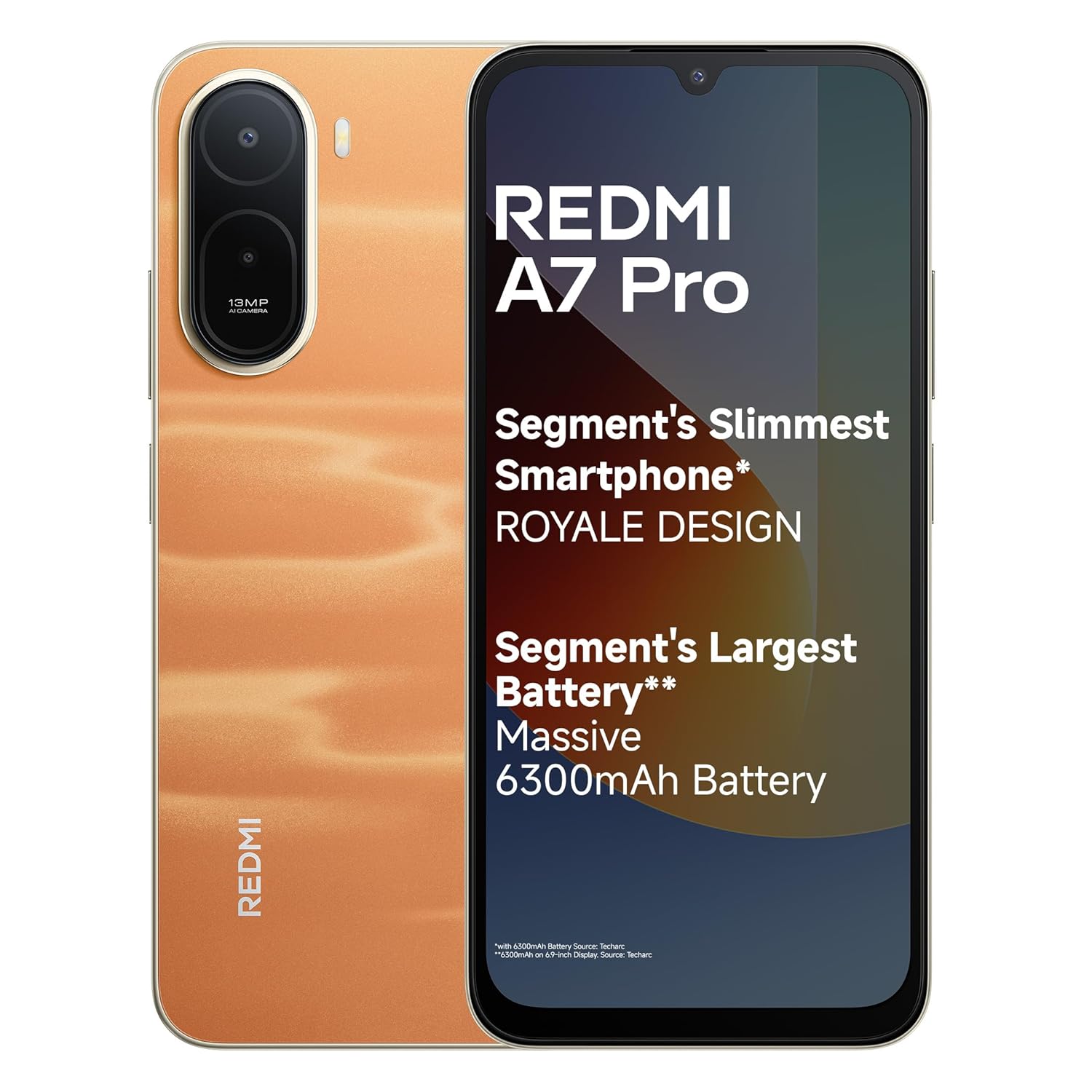
Image: The REDMI A7 Pro 4G smartphone in Sunset Orange, showcasing reka bentuknya.
1.3 Konfigurasi Peranti Permulaan
Ikut gesaan pada skrin untuk melengkapkan persediaan awal:
- Pilih bahasa dan wilayah anda.
- Sambung ke rangkaian Wi-Fi.
- Log masuk dengan akaun Google anda atau buat yang baharu.
- Sediakan kunci skrin (PIN, corak, kata laluan, cap jari, buka kunci muka).
- Review dan menerima terma dan syarat.
1.4 Mengecas Bateri
Before first use, fully charge your device. Use the provided charger and USB Type-C cable.
- Connect the USB cable to the charger and the other end to your phone's USB-C port.
- Palamkan pengecas ke salur keluar kuasa.
- The phone supports 15W Quick Charging for faster power-ups and 7.5W Wired Reverse Charging to share power with other devices.

Image: Illustration of the REDMI A7 Pro 4G's 6300mAh battery and charging capabilities.
2. Operating Your REDMI A7 Pro 4G
2.1 Ciri Paparan
Your REDMI A7 Pro 4G features a large and smooth display:
- Saiz: 17.53cm (6.9-inch) Massive Display for immersive viewing.
- Kadar Segar Semula: 120Hz Adaptive Refresh Rate for smoother scrolling and animations.
- Pensijilan: Triple TUV Certification for eye comfort.
- Wet Touch 2.0: Enhanced touch responsiveness even with wet hands.

Image: The large 17.53cm (6.9-inch) 120Hz display of the REDMI A7 Pro 4G.
2.2 Prestasi dan Perisian
The REDMI A7 Pro 4G is powered by a robust processor and runs on the latest Android version:
- Pemproses: Powerful Octa-core Processor for smooth and stable performance.
- Sistem pengendalian: Android 16 with Xiaomi HyperOS3.
- Kemas Kini Perisian: Up to 4 years of OS updates and 6 years of security patches.
- HyperOS Features: Experience seamless connectivity with features like HyperIsland, Call Sync, Shared Clipboard, and Network Sync across your Xiaomi devices.

Image: Visual representation of the Octa-core processor within the REDMI A7 Pro 4G.

Imej: Selesaiview of Xiaomi HyperOS3 features including HyperIsland, Call Sync, Shared Clipboard, and Network Sync.
2.3 Fungsi Kamera
Capture moments with the REDMI A7 Pro 4G's camera system:
- Kamera Belakang: 13MP AI Dual Camera, tuned for India imagery.
- Kamera Depan: 8MP Selfie Shooter.
- Ultra HD Mode: For clear, detailed shots that remain sharp even when zoomed in.
- Mod Potret: Creates natural background blur to keep the focus on your subject.
- AI Sky Scaping: Quick AI edits to enhance sky in photos.

Image: Close-up of the REDMI A7 Pro 4G's camera module, highlighting the 13MP AI Dual Camera and 8MP Selfie Camera.

Imej: Cthamples of photos taken using Ultra HD Mode and Portrait Mode on the REDMI A7 Pro 4G.

Image: Demonstration of the AI Sky Scaping feature, showing a before and after comparison of a sky in a photo.
2.4 Audio
Experience enhanced audio with the REDMI A7 Pro 4G:
- Boosted Speakers: With 200% Super Volume, the device delivers louder, clearer sound.

Image: The REDMI A7 Pro 4G showcasing its boosted speakers for enhanced audio output.
2.5 Ciri Keselamatan
Secure your device and data with multiple unlocking options:
- Sensor Cap Jari yang dipasang di sisi: Convenient and quick unlocking.
- Buka Kunci Wajah: Buka kunci peranti anda menggunakan pengecaman muka.
2.6 Smart AI Assistant
Leverage intelligent features for daily tasks:
- Google Gemini: Pembantu AI bersepadu untuk pelbagai tugas.
- Bulatan untuk Carian: Quickly search for information by circling items on your screen.

Image: Demonstration of Google Gemini and Circle to Search features on the REDMI A7 Pro 4G.
3. Penyelenggaraan dan Penjagaan
3.1 Membersihkan Peranti Anda
- Gunakan kain lembut dan tidak berbulu untuk mengelap skrin dan badan.
- Elakkan menggunakan bahan kimia yang keras, pembersih yang melelas, atau semburan aerosol.
- Jangan dedahkan peranti kepada kelembapan berlebihan.
3.2 Kemas Kini Perisian
Regularly check for and install software updates to ensure optimal performance and security. Your device is guaranteed up to 4 years of OS updates and 6 years of security patches.
- Pergi ke Tetapan > Perihal telefon > Kemas kini sistem untuk menyemak kemas kini.
3.3 Penjagaan Bateri
- Elakkan suhu yang melampau, yang boleh merendahkan hayat bateri.
- Untuk jangka hayat bateri yang optimum, elakkan daripada kerap menghabiskan bateri sepenuhnya atau mengecasnya sehingga 100% untuk tempoh yang lama.
- The 6300mAh battery is designed for up to 1000 charge cycles, maintaining good capacity over time.
3.4 Device Durability
The REDMI A7 Pro 4G is built for everyday life:
- IP52-rated: Provides protection against dust and splashing water.
- The device has endured over 40,000 tests for reliability.

Image: Visual highlighting the IP52 rating and durability of the REDMI A7 Pro 4G.
4. Menyelesaikan masalah Isu Biasa
4.1 Peranti Tidak Membalas
- If your device becomes unresponsive, press and hold the Power button for about 10-15 seconds to force a restart.
4.2 Prestasi Perlahan atau Kerosakan Aplikasi
- Tutup aplikasi yang tidak digunakan yang berjalan di latar belakang.
- Clear cache for problematic apps (Tetapan > Apl > [Nama Apl] > Storan > Kosongkan cache).
- Ensure your device software is up to date.
- Jika masalah berterusan, pertimbangkan untuk menetapkan semula kilang (Tetapan > Sistem > Tetapkan semula pilihan > Padam semua data (tetapan semula kilang)). Warning: This will erase all data on your phone. Back up important data first.
4.3 Bateri Cepat Habis
- Semak penggunaan bateri masuk Tetapan > Bateri untuk mengenal pasti apl yang haus kuasa.
- Kurangkan kecerahan skrin dan lumpuhkan ciri yang tidak diperlukan seperti GPS, Bluetooth atau Wi-Fi apabila tidak digunakan.
- Enable battery saver mode.
4.4 Isu Ketersambungan Rangkaian
- Hidupkan dan matikan Mod Pesawat.
- Mulakan semula peranti anda.
- Tetapkan semula tetapan rangkaian (Tetapan > Sistem > Tetapkan semula pilihan > Tetapkan semula Wi-Fi, mudah alih & Bluetooth).
- Pastikan kad SIM anda dimasukkan dengan betul dan aktif.
5. Spesifikasi Produk
| Ciri | Spesifikasi |
|---|---|
| Jenama | Redmi |
| Nama Model | REDMI A7 Pro |
| Sistem Operasi | Android 16 with Xiaomi HyperOS3 |
| Saiz Terpasang Memori RAM | 4 GB |
| Kapasiti Penyimpanan Memori | 64 GB |
| warna | Sunset Orange (variant shown) |
| Jenis Paparan | LCD |
| Saiz Paparan | 17.53cm (6.9-inch) |
| Kadar Muat Semula Paparan | Adaptif 120Hz |
| Kapasiti Bateri | 6300 mAh |
| Mengecas | 15W Quick Charge, 7.5W Wired Reverse Charging |
| Kamera Belakang | Kamera Dwi AI 13MP |
| Kamera Depan | 8MP Selfie Shooter |
| Teknologi Selular | 4G |
| Jenis Penyambung | USB Jenis C |
| Berat Barang | 210 Gram |
| Dimensi Item (L x W x H) | 17.2 x 7.9 x 0.8 Sentimeter |
| Ketahanan | berkadar IP52 |
6. Waranti dan Sokongan
6.1 Maklumat Waranti
Your REDMI A7 Pro 4G comes with the following warranty:
- Peranti: Waranti pengilang 1 tahun dari tarikh pembelian.
- In-box Accessories: 6 months manufacturer warranty for accessories, including batteries, from the date of purchase.
Sila simpan bukti pembelian anda untuk tuntutan waranti.
6.2 Sokongan Pelanggan
For technical assistance, service, or further inquiries, please contact Redmi customer support. The REDMI A7 Pro 4G benefits from Pan India Service, offering complete peace of mind with industry-leading repair turnaround times and affordable repair options.

Image: Information on Redmi's Pan India Service, highlighting efficient and affordable repair services.
Pengeluar: PADGET A-14 Sector 68 Noida Padget Electronics Pvt Ltd Uttar Pradesh – 201301, Xiaomi Technology India Pvt Ltd
Pengimport: Xiaomi Technology India Private Limited, Building Orchid. Block E, Embassy Tech Village, Marathahalli Outer Ring Road, Devarabisanahalli, Bengaluru 560103
Untuk maklumat lanjut, lawati pegawai Redmi Store.