
SENSSUN IF1201D
SENSSUN Smart Scale IF1201D User Manual
Model: IF1201D
1. Pengenalan
Thank you for choosing the SENSSUN Smart Scale IF1201D. This digital bathroom scale is designed to provide comprehensive body composition analysis, helping you track your health and fitness progress. Please read this manual carefully before use to ensure proper operation and safety.
Kandungan Pakej
- 1 x SENSSUN Digital Body Scale (Model IF1201D)
- 2 x Bateri AAA
- 1 x Panduan Pengguna
Ciri-ciri Utama
- 20 Essential Body Metrics: Measures body fat, muscle mass, visceral fat, BMI, BMR, body age, and more.
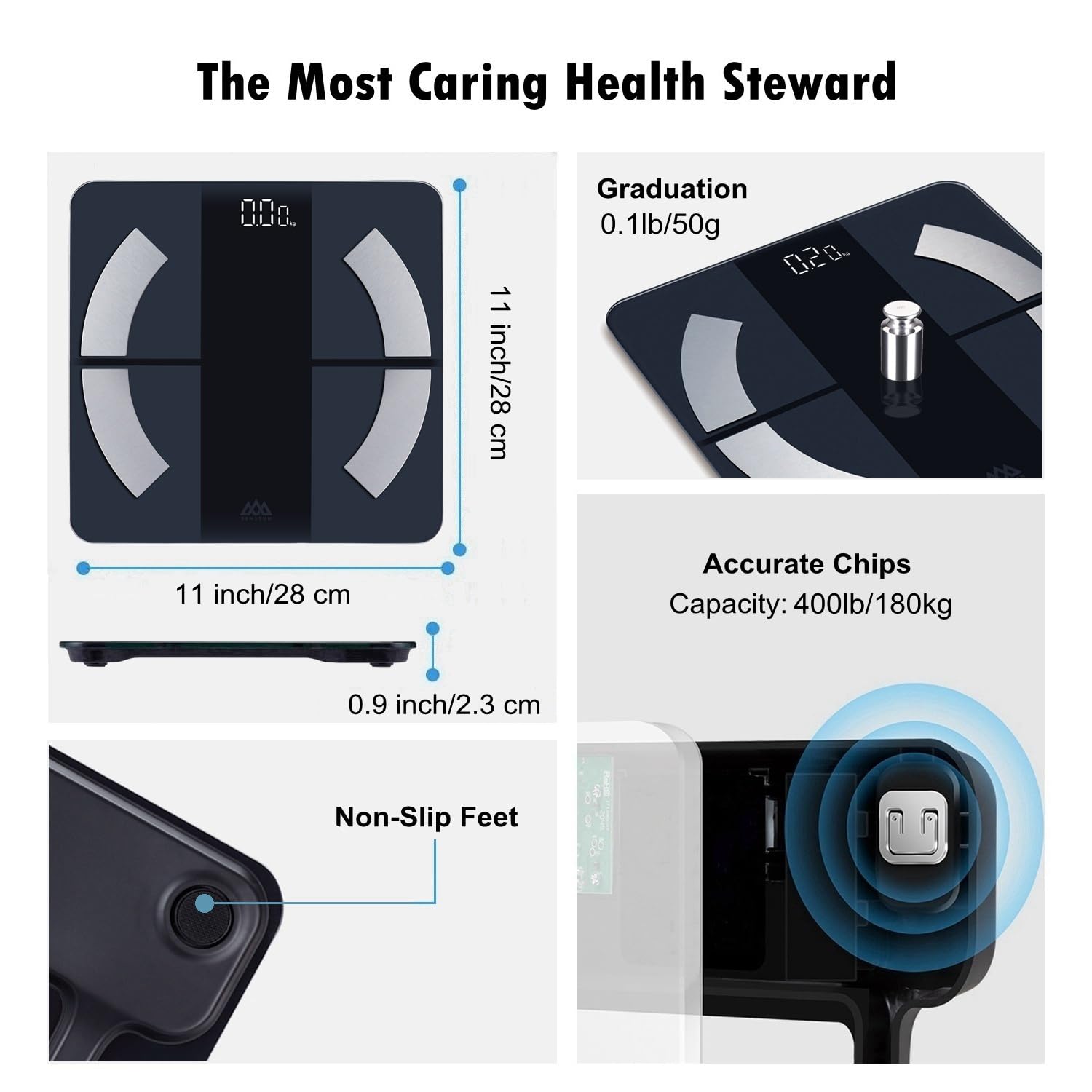
- Ketepatan Tinggi: Four high-precision sensors provide consistent readings up to 400 lb (180 kg / 28 st) with 0.1 lb accuracy.
- Backlit LED Display: Clear display for easy reading in various lighting conditions.
- Penyepaduan Apl Pintar: Syncs with the iMoni Health App, Apple Health, and Google Fit via Bluetooth 4.0.
- Mod Bayi: Allows for accurate weighing of infants by subtracting adult weight.
- Pengguna Tanpa Had: Menyokong berbilang pengguna profiles with private data storage.
- Platform Kaca Terbaja: Tahan lama dan senang dibersihkan.

Image: The SENSSUN Smart Body Scale Model IF1201D, featuring a sleek design and backlit display.
2. Persediaan
2.1 Pemasangan Bateri
- Cari petak bateri di bahagian bawah penimbang.
- Buka penutup bateri.
- Masukkan dua bateri AAA, pastikan kekutuban (+/-) betul.
- Tutup penutup bateri dengan selamat.
Imej: Bahagian bawah view of the scale, highlighting the battery compartment and high-precision sensors.
2.2 Muat Turun dan Pemasangan Apl
The SENSSUN Smart Scale works with the iMoni Health App. Download the app from your device's app store:
- Untuk peranti iOS: Cari untuk "iMoni Health" in the Apple App Store.
- Untuk peranti Android: Cari untuk "iMoni Health" in the Google Play Store.
Install the app and create your user profile.

Image: A smartphone showing the iMoni Health App interface, demonstrating goal tracking and data visualization.
2.3 Penggandingan dan Penentukuran Awal
- Pastikan Bluetooth didayakan pada telefon pintar anda.
- Open the iMoni Health App.
- Step onto the scale barefoot. The scale will turn on and display your weight.
- Aplikasi ini sepatutnya mengesan skala secara automatik dan meminta anda untuk berpasangan. Ikut arahan pada skrin untuk menyelesaikan proses berpasangan.
- The scale will automatically calibrate to 0.0 lb/kg after initial use or if moved. For best accuracy, place the scale on a hard, flat surface.

Image: Detail of the scale's high-accuracy chip, ensuring sensitive response and precise measurements.
3. Arahan Operasi
3.1 Mengambil Pengukuran
- Letakkan penimbang di atas permukaan yang keras dan rata. Elakkan permaidani atau lantai yang tidak rata.
- Step onto the scale barefoot and stand still. Ensure your feet are in contact with the four metal electrodes.
- The display will show your weight. Keep standing until the display flashes, indicating that all body composition data has been measured and sent to the app.
- Open the iMoni Health App to view your complete body composition analysis.

Image: A person standing barefoot on the scale, performing a full-body health scan. The scale displays the weight.
3.2 Understanding Body Metrics
The scale measures 20 key body composition metrics. These include:
- Berat badan
- BMI (Indeks Jisim Badan)
- Badan Lemak
- Air Badan
- Otot Rangka
- Body Bone
- Garam tak organik
- Protein
- Otot Badan
- Indeks Lemak Viseral
- Lemak Subkutan
- Jisim Badan Kurus
- Umur Badan
- Jenis Badan
- Skor Badan
- BMR (Kadar Metabolik Basal)
- AMR (Active Metabolic Rate)
- Muscle Storage Capacity
- Indeks Jantung
- Kadar Jantung
Detailed explanations and historical data for each metric are available within the iMoni Health App.

Image: An infographic illustrating the 20 body composition metrics measured by the SENSSUN Smart Scale.
3.3 Mod Bayi
To weigh an infant or pet:
- First, weigh yourself alone and let the measurement sync to the app.
- In the iMoni Health App, activate "Baby Mode".
- Hold your baby (or pet) and step onto the scale again.
- The app will automatically calculate and display the baby's weight by subtracting your weight.

Image: A mother using the scale with her baby in "Baby Mode" to accurately measure the baby's weight.
3.4 Kefungsian Berbilang Pengguna
The SENSSUN Smart Scale supports an unlimited number of users. Each family member can create their own profile within the iMoni Health App on their personal mobile device. The scale will automatically recognize the user based on their weight and body composition data, ensuring private and accurate tracking for everyone.

Image: A family using the smart scale, demonstrating the unlimited user feature with individual data tracking.
3.5 Switching Units (kg/lb/st)
You can switch between kilograms (kg), pounds (lb), and stones (st) directly on the scale or through the iMoni Health App settings. To change units on the scale, locate the unit switch button on the underside of the scale, near the battery compartment, and press it to cycle through the available units.
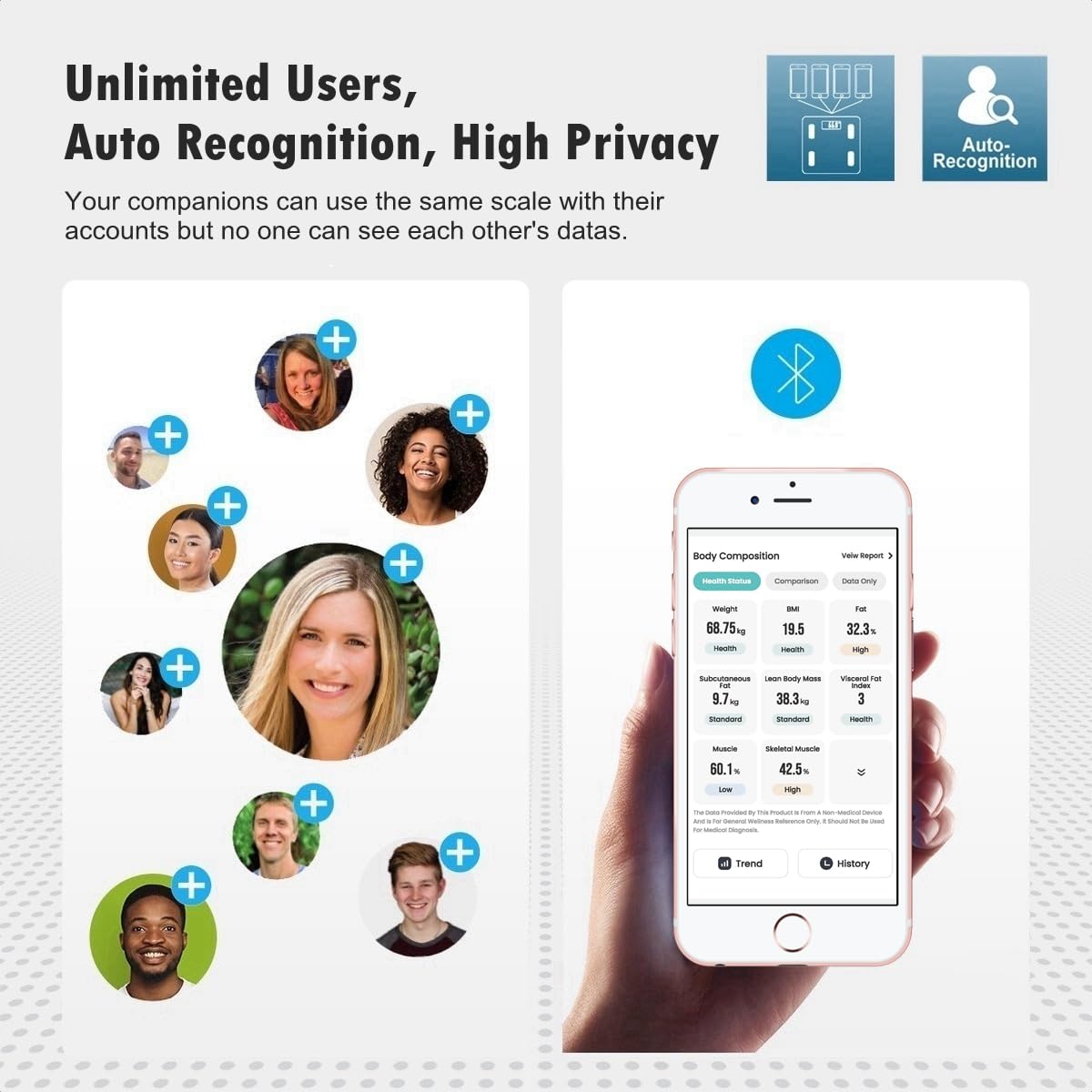
Image: A close-up showing the unit switch button on the back of the scale, allowing selection between kg and lb.
4. Penyelenggaraan
- Pembersihan: Lap permukaan skala dengan damp kain dan detergen ringan. Jangan gunakan pembersih yang kasar atau rendam penimbang di dalam air.
- Storan: Simpan penimbang di tempat yang sejuk dan kering. Elakkan suhu yang melampau dan cahaya matahari langsung.
- Penggantian Bateri: Replace batteries when the "Lo" indicator appears on the display.
- Elakkan Kesan: The scale is made of tempered glass. Avoid dropping or striking the scale, as this may cause damage.
5. Penyelesaian masalah
| Isu | Kemungkinan Punca | Penyelesaian |
|---|---|---|
| "Lo" dipaparkan | Bateri lemah. | Ganti bateri AAA. |
| "Err" displayed | Beban berlebihan atau ralat pengukuran. | Ensure weight is within the 400 lb (180 kg) capacity. Step off and then back on the scale. |
| "C" displayed | Penentukuran diperlukan. | Step off the scale and wait for it to display "0.0" before stepping on again. Ensure it's on a flat, hard surface. |
| No body composition data in app | Not standing barefoot, Bluetooth not connected, or app not open. | Ensure you are barefoot, Bluetooth is on, and the iMoni Health App is open and paired. Stand still until the display flashes. |
| Bacaan tidak tepat | Scale on soft surface, not calibrated, or moved recently. | Place scale on a hard, flat surface. Step on and off to allow auto-calibration to "0.0" before weighing. |

Image: The backlit LED display showing common indicators: "Err" for overload, "Lo" for low battery, and "C" for calibration.
6. Spesifikasi
| Jenama | SENSSUN |
| Nombor Model | JIKA1201D |
| warna | Kaca Hitam |
| Kapasiti Berat | 400 Pounds (180 kg / 28 st) |
| Ketepatan Bacaan | 0.1 paun (0.05 kg) |
| Jenis Paparan | Lampu Belakang LED |
| bahan | Kaca Terbaja |
| Ketersambungan | Bluetooth 4.0 |
| Aplikasi yang serasi | iMoni Health, Apple Health, Google Fit |
| Sumber Kuasa | 2 x Bateri AAA |
| Berat Barang | 2.24 paun |
| Dimensi | Approx. 11.2 x 11.2 inches (28 x 28 cm) |

Image: The SENSSUN Smart Scale highlighting its tempered glass platform and approximate dimensions of 11.2 inches by 11.2 inches.
7. Waranti dan Sokongan
For warranty information and customer support, please refer to the documentation included with your product or contact the manufacturer directly. The standard return policy is 30 days for refund/replacement. Please retain your proof of purchase for any warranty claims.
8. Panduan Video Produk
Video: An official product video demonstrating the features and usage of the Senssun Smart Weight Scale for Body Composition Model IF1201D. This video covers aspects like maximum capacity, high-precision sensors, slim design, switchable units, full-body health scan, quick-read backlit display, and auto-logged body metrics in the app.
Ask a question about this manual
Ask about setup, troubleshooting, compatibility, parts, safety, or missing instructions. Manuals+ will review the question and use this page’s manual context to help answer it.