
1. Pengenalan
This manual provides essential information for setting up, operating, maintaining, and troubleshooting your Redmi A7 Pro 5G smartphone. Please read this guide thoroughly to ensure optimal performance and longevity of your device.
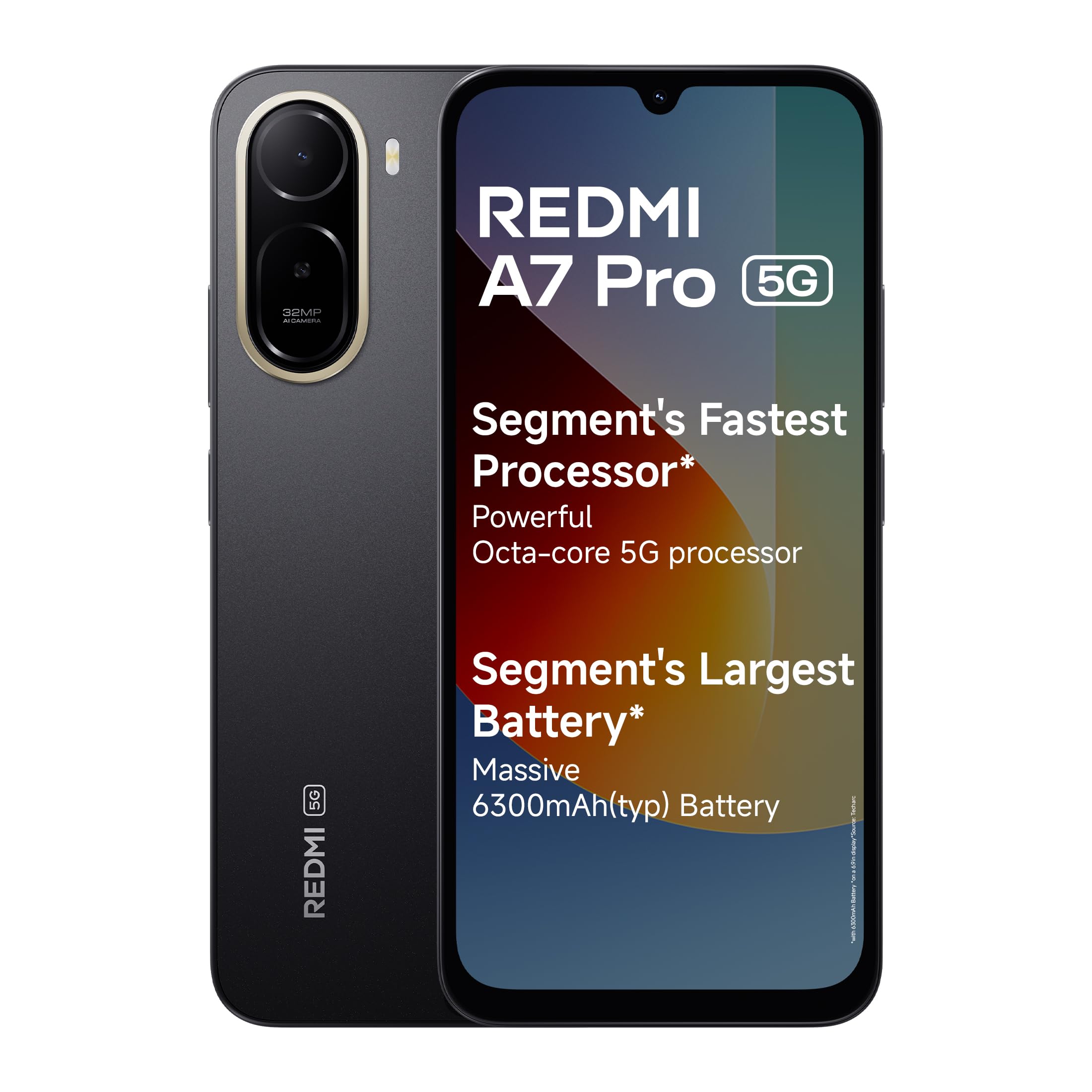
Image: Redmi A7 Pro 5G smartphone, showcasing its design and camera setup.
2. Apa yang ada di dalam Kotak
Sahkan bahawa semua item terdapat dalam pembungkusan produk anda:
- Redmi A7 Pro 5G Smartphone
- Pengecas
- Kabel Jenis-C USB
- Alat Keluarkan SIM
- Kad Waranti
- Panduan Pengguna (dokumen ini)
3. Persediaan
3.1 Memasukkan Kad SIM
- Cari dulang kad SIM di sisi peranti anda.
- Insert the SIM eject tool into the small hole next to the tray and press firmly until the tray pops out.
- Letakkan kad Nano-SIM dan/atau kad microSD anda ke dalam dulang dengan sesentuh emas menghadap ke bawah. Pastikan mereka berorientasikan dengan betul.
- Tolak dulang perlahan-lahan ke dalam peranti sehingga ia berbunyi pada tempatnya.
3.2 Hidupkan dan Persediaan Awal
- Tekan dan tahan butang Kuasa sehingga logo Redmi muncul.
- Ikut arahan pada skrin untuk memilih bahasa, rantau dan sambungkan ke rangkaian Wi-Fi anda.
- Log masuk dengan akaun Google anda atau buat yang baharu.
- Set up a screen lock (PIN, pattern, or password) and fingerprint recognition for enhanced security.
3.3 Mengecas Peranti
Connect the USB Type-C cable to the charging port at the bottom of the phone and the other end to the provided charger. Plug the charger into a power outlet. The device supports 15W quick charging.
4. Mengendalikan Peranti Anda
4.1 Paparan
The Redmi A7 Pro 5G features a large 17.53cm (6.9-inch) display with a 120Hz adaptive refresh rate for smooth visuals. It is TUV certified for eye comfort.

Image: The Redmi A7 Pro 5G display, emphasizing its size and smooth refresh rate.
4.2 Prestasi
Powered by an Octa-core 5G processor, the device delivers stable performance for daily tasks and multitasking.

Image: Visual representation of the Octa-core 5G processor.
4.3 Bateri
The Redmi A7 Pro 5G is equipped with a 6300mAh battery. It supports 15W quick charging and 7.5W wired reverse charging, allowing you to share power with other compatible devices.

Image: Illustration of the phone's large battery capacity and charging features.
Kamera 4.4
Capture moments with the 32MP AI Dual Camera on the rear and an 8MP selfie shooter. Features include:
- Ultra HD Mode: For clear, detailed shots.
- Mod Potret: Creates natural background blur.
- AI Sky: Automatically adjusts sky colors and brightness.
- AI Beauty Selfie: Meningkatkan ciri-ciri wajah untuk swafoto.

Image: Close-up of the Redmi A7 Pro 5G's dual AI camera system.
4.5 Audio
Experience enhanced audio with 200% Volume Boosted Speakers, designed to provide clear sound even in noisy environments.

Imej: Dalaman view highlighting the phone's speaker system.
4.6 Perisian dan Ciri
The device runs on Android 16 with Xiaomi HyperOS 3, offering a smooth and interconnected experience. Key software features include:
- HyperIsland: A dynamic notification and interaction area.
- Google Gemini: Your AI assistant for various tasks.
- Bulatan untuk Carian: Cari untuk any image, video, or text on your screen by circling it.
- Call Sync: Seamlessly pick up calls on connected tablets or laptops.
- Network Sync: Automatically connect your tablet to your phone's hotspot.
- Shared Clipboard: Copy and paste content instantly across connected Xiaomi devices.

Image: Xiaomi HyperOS 3 overview.

Image: Demonstrating Google Gemini and Circle to Search functionalities.
4.7 Security and Durability
The Redmi A7 Pro 5G features IP52-rated protection against dust and splashes. A side-mounted fingerprint sensor provides quick and secure access to your device.

Image: Redmi A7 Pro 5G highlighting its durability features.
5. Penyelenggaraan
5.1 Membersihkan Peranti Anda
- Gunakan kain lembut dan tidak berbulu untuk mengelap skrin dan badan.
- Elakkan penggunaan bahan kimia yang keras, bahan kasar atau semburan aerosol.
- Pastikan port bebas daripada habuk dan serpihan.
5.2 Kemas Kini Perisian
Semak dan pasang kemas kini perisian secara kerap untuk memastikan peranti anda mempunyai ciri terkini, tampung keselamatan dan peningkatan prestasi. Pergi ke Tetapan > Perihal telefon > Versi MIUI untuk menyemak kemas kini.
5.3 Penjagaan Bateri
- Elakkan suhu yang melampau, kerana ia boleh merendahkan hayat bateri.
- Jangan biarkan telefon dicas untuk tempoh yang lama selepas ia mencapai 100%.
- Untuk kesihatan bateri yang optimum, cuba kekalkan tahap cas antara 20% dan 80%.
5.4 Pengurusan Storan
Bersihkan secara kerap yang tidak perlu files, cache, and uninstall unused applications to maintain optimal storage and performance. You can expand storage using a microSD card.
6. Penyelesaian masalah
If you encounter issues with your Redmi A7 Pro 5G, try the following steps:
6.1 Peranti Tidak Dihidupkan
- Pastikan bateri dicas. Sambungkan pengecas dan tunggu beberapa minit sebelum cuba menghidupkan.
- Tekan dan tahan butang Kuasa selama sekurang-kurangnya 10-15 saat untuk memaksa mulakan semula.
6.2 Isu Pengecasan
- Check if the charger and cable are securely connected.
- Try using a different charger and cable to rule out accessory malfunction.
- Pastikan port pengecasan bersih dan bebas daripada serpihan.
6.3 App Performance and Lag
- Tutup aplikasi latar belakang.
- Clear app cache (Settings > Apps > Manage apps > [App Name] > Clear cache).
- Ensure your device software is up to date.
- If issues persist, consider a factory reset (back up your data first).
6.4 Masalah Ketersambungan Rangkaian
- Mulakan semula peranti anda.
- Hidupkan dan matikan Mod Pesawat.
- Periksa pemasukan kad SIM.
- Reset network settings (Settings > Connection & sharing > Reset Wi-Fi, mobile networks & Bluetooth).
7. Spesifikasi
| Ciri | Spesifikasi |
|---|---|
| Jenama | Redmi |
| Model | A7 Pro 5G |
| Sistem Operasi | Android 16, Xiaomi HyperOS |
| Memori RAM | 4 GB |
| Kapasiti Storan | 128 GB (Boleh dikembangkan sehingga 128 GB) |
| Saiz Skrin | 17.53 Centimetres (6.9 inches) |
| Resolusi | 720 x 1600 |
| Kadar Segar Semula | 120 Hz |
| Jenis Paparan | LCD |
| Kamera Belakang | 32 MP (Dual Camera) |
| Kamera Depan | 8 MP |
| Kapasiti Bateri | 6300 Miliamp jam |
| Mengecas | 15W Quick Charging, 7.5W Wired Reverse Charging |
| Slot Kad SIM | Dual SIM |
| Jenis Penyambung | USB Jenis C |
| Keselamatan Biometrik | Pengecaman Cap Jari |
| Kesambungan Rangkaian | 5G, Bluetooth, Wi-Fi |
| Berat Barang | 210 Gram |
| Dimensi Item | 17.2 x 7.9 x 0.8 Sentimeter |
| Ketahanan | Perlindungan berkadar IP52 |
8. Maklumat Waranti
The Redmi A7 Pro 5G comes with a Waranti pengilang 1 tahun untuk peranti dari tarikh pembelian. Aksesori dalam kotak, termasuk bateri, dilindungi oleh Waranti pengilang 6 bulan dari tarikh pembelian.
Please retain your proof of purchase for warranty claims. For detailed terms and conditions, refer to the warranty card included in your product box.
9. Sokongan
For further assistance, technical support, or service inquiries, please contact Redmi customer service. You can find contact details on the official Redmi website or through the support section in your device settings.
Manufacturer Contact Information: BYD INDIA PRIVATE LIMITED, DEVELOPED PLOT NO.OZ-7,SIPCOT ORAGADAM, SRIPERUMBUDUR (TK) KANCHEEPURAM DISTRICT 602105 TAMIL NADU., Xiaomi Technology India Pvt Ltd.
Importer Contact Information: Xiaomi Technology India Private Limited, Building Orchid. Block E, Embassy Tech Village, Marathahalli Outer Ring Road, Devarabisanahalli, Bengaluru 560103.

Image: Information on Redmi's service and support.