
NIIMBOT D11H
NIIMBOT D11H Label Maker Instruction Manual
Model: D11H
pengenalan
Thank you for choosing the NIIMBOT D11H Label Maker. This portable thermal label printer is designed for efficient and clear label printing for various organizational needs in home, office, and small business environments. This manual provides detailed instructions for setup, operation, and maintenance to ensure optimal performance of your device.

Image: A user operating the NIIMBOT D11H label maker with a smartphone, demonstrating its compact size and app-based functionality. The image highlights the device's portability and ease of use for creating various labels.
Apa yang ada dalam Kotak
Sila semak kandungan pakej semasa membuka kotak:
- NIIMBOT D11H Label Maker
- 3 Rolls of Label Tapes (14x30mm clear, 14x40mm white, 12x40mm green)
- Extra 6 Rolls of Mixed Label Paper (White 0.47" x 1.57", Clear 0.47" x 4.29", 0.55" x 1.18")
- Kabel Pengecas USB (Jenis-C)
- Manual Pengguna (dokumen ini)

Image: A collection of NIIMBOT label rolls in different sizes and colors, illustrating the variety of labels included with the D11H label maker.
Produk Selesaiview
The NIIMBOT D11H is a compact, portable thermal label printer. It features a 300 DPI print resolution for clear text and graphics, a 1500mAh battery, and a Type-C USB port for charging. It connects via Bluetooth to your mobile device for label design and printing.

Image: A visual comparison between the NIIMBOT D11 and D11H models, highlighting the D11H's improved specifications such as 1500mAh battery, 300dpi resolution, Type-C USB, and 50mm/s printing speed.
Persediaan
1. Mengecas Peranti
Before first use, fully charge the label maker. Connect the provided USB Type-C cable to the charging port on the device and to a standard USB power adapter (not included).
- Lampu penunjuk pengecasan akan menunjukkan status pengecasan.
- Pengecasan penuh biasanya mengambil masa kira-kira 2-3 jam.
2. Memasang Gulungan Label
- Open the label compartment cover by sliding it open or pressing the release button (refer to device diagram if available).
- Insert the label roll with the printing surface facing upwards, ensuring the labels feed smoothly into the printer mechanism.
- Close the compartment cover firmly until it clicks into place.
- Ensure a small portion of the label tape extends out of the printer's output slot.
3. App Download and Bluetooth Connection
- Muat turun Apl: Cari untuk "NIIMBOT" or "NIIM" in your mobile app store (iOS App Store or Google Play Store) and download the official application.
- Turn On the Label Maker: Tekan dan tahan butang kuasa sehingga lampu penunjuk menyala.
- Dayakan Bluetooth: Pastikan Bluetooth didayakan pada peranti mudah alih anda.
- Sambung melalui Apl: Open the NIIMBOT app. The app will automatically search for nearby NIIMBOT devices. Select your D11H from the list to pair. Note: Do not pair directly through your phone's Bluetooth settings; connect only via the NIIMBOT app.
- Once connected, the app will display the device status.
Arahan Operasi
1. Hidupkan/Mati Kuasa
- Hidupkan kuasa: Press and hold the power button for approximately 2 seconds. The indicator light will illuminate.
- Matikan: Tekan dan tahan butang kuasa selama lebih kurang 2 saat sehingga lampu penunjuk padam.
2. Creating and Editing Labels
Use the NIIMBOT app to design your labels:
- Open the NIIMBOT app and ensure your D11H is connected.
- Select a template or create a new label from scratch.
- The app offers various features including text, symbols, logos, barcodes, QR codes, images, and time stamps.
- Customize font, size, alignment, and other label properties.
- The D11H supports automatic calibration, meaning the first label will not be wasted during printing.

Image: An illustration showing the NIIMBOT D11H's self-calibration feature, which automatically rewinds the first label to prevent waste, ensuring efficient use of label paper.
3. Mencetak Label
- After designing your label in the app, tap the "Print" button.
- Confirm the number of copies and other print settings.
- The label maker will print the labels. The D11H prints at a speed of 50mm/s.
- Tear off the printed label along the serrated edge.
Note: This label maker produces monochrome printouts, meaning it only prints in black text.

Imej: Dari dekat view of the NIIMBOT D11H printing a label, emphasizing its 300 dpi high-resolution thermal printing capability for clear and sharp text.
Penyelenggaraan
1. Membersihkan Kepala Cetak
- Pastikan peranti dimatikan sebelum membersihkannya.
- Buka petak label.
- Lap kepala cetak dengan lembut menggunakan kapasampditambah dengan isopropil alkohol.
- Allow the print head to dry completely before closing the cover and powering on the device.
2. Penyimpanan
- Simpan pembuat label di tempat yang sejuk dan kering, jauh daripada cahaya matahari langsung dan suhu yang melampau.
- Remove label rolls if the device will not be used for an extended period.
Menyelesaikan masalah
| Masalah | Kemungkinan Punca | Penyelesaian |
|---|---|---|
| Peranti tidak akan dihidupkan | Bateri lemah; Kerosakan peranti | Charge the device; Contact customer support if issue persists. |
| Tidak dapat menyambung melalui Bluetooth | Bluetooth not enabled; Incorrect pairing method; App issue | Ensure Bluetooth is on; Connect via NIIMBOT app only; Restart app and device. |
| Kualiti cetakan buruk | Dirty print head; Incorrect label orientation; Low battery | Clean the print head; Reinstall label roll correctly; Charge the device. |
| Label tidak memberi makan | Label roll incorrectly installed; Empty roll; Jammed mechanism | Reinstall label roll; Replace with new roll; Check for obstructions. |
| First label wasted | Automatic calibration not functioning | Ensure the app and firmware are updated. The D11H model is designed to prevent this. |
Spesifikasi
- model: NIIMBOT D11H
- Resolusi Cetakan: 300 DPI
- Teknologi Percetakan: Percetakan Terma
- Ketersambungan: Bluetooth
- Kapasiti Bateri: 1500mAh
- Port Pengecasan: USB Jenis-C
- Kelajuan Mencetak: 50mm/s
- OS yang disokong: iOS, Android (via NIIMBOT App)
- Warna Cetakan: Monochrome (Black text only)
- Penentukuran Automatik: Supported (no first label waste)
Aplikasi
The NIIMBOT D11H label maker is suitable for a wide range of labeling tasks:
- Organisasi Rumah: Labeling kitchen containers, storage boxes, pantry items.
- Penggunaan Pejabat: Menganjur files, folders, stationery, cables.
- Perniagaan Kecil: Product labeling, price tags, inventory management, jewelry labels.
- Penggunaan Peribadi: Labeling cosmetics, medicine, gifts, school supplies.

Image: Demonstrates various uses of the NIIMBOT D11H labels, including organizing kitchen items, setting reminders for medication, and labeling office supplies.
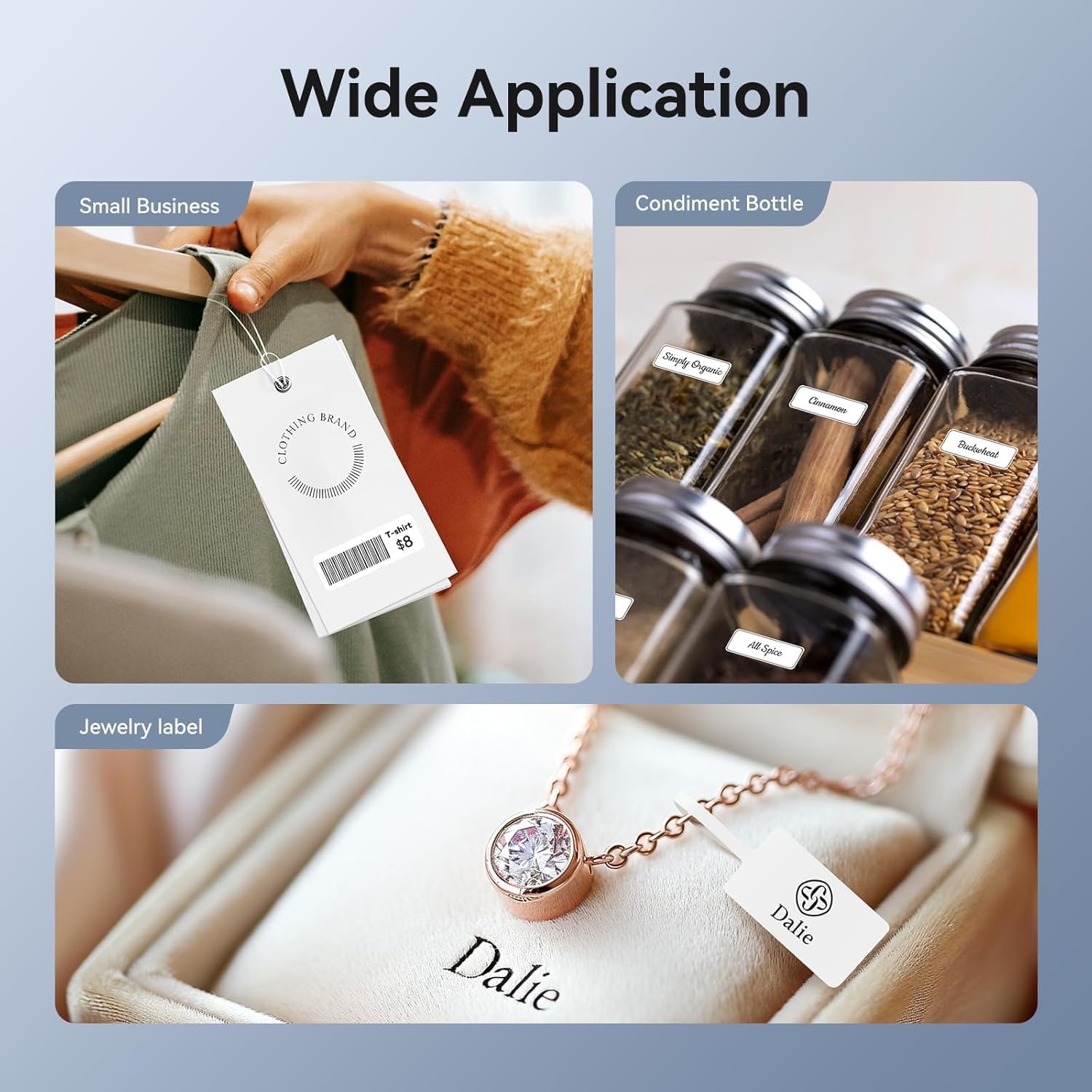
Image: Shows the versatility of the NIIMBOT D11H for small business applications, such as creating price tags for clothing, labeling condiment bottles, and making elegant jewelry labels.

Imej: Tayangan kolajcasing diverse labeling applications for the NIIMBOT D11H, covering kitchen organization, office filing, cosmetic storage, gift personalization, stationery identification, and medicine management.
Waranti dan Sokongan
NIIMBOT products typically come with a standard manufacturer's warranty. Please refer to the warranty card included in your package or visit the official NIIMBOT webtapak untuk terma dan syarat waranti tertentu.
For technical support, troubleshooting assistance, or warranty claims, please contact NIIMBOT customer service through their official website or the contact information provided in your product packaging. When contacting support, please have your product model (D11H) and purchase details ready.
Ask a question about this manual
Ask about setup, troubleshooting, compatibility, parts, safety, or missing instructions. Manuals+ will review the question and use this page’s manual context to help answer it.