
1. Pengenalan
Thank you for choosing the GMKtec NucBox G3 Pro Mini PC. This compact and powerful device is designed for a wide range of applications, from daily office tasks and web browsing to video editing and light server operations. Featuring an Intel Core i3-10110U processor, expandable memory and storage, and versatile connectivity, the NucBox G3 Pro offers a stable and efficient computing experience. This manual provides essential information for setup, operation, maintenance, and troubleshooting to ensure optimal performance and longevity of your device.
2. Maklumat Keselamatan
- Sentiasa gunakan penyesuai kuasa yang disediakan untuk mengelakkan kerosakan pada peranti.
- Jangan dedahkan peranti kepada air, lembapan atau suhu yang melampau.
- Elakkan meletakkan peranti di bawah cahaya matahari langsung atau berhampiran sumber haba.
- Pastikan pengudaraan yang betul untuk mengelakkan terlalu panas. Jangan halang bukaan pengudaraan.
- Jangan cuba membuka atau membaiki peranti sendiri. Rujuk kepada kakitangan perkhidmatan yang berkelayakan.
- Jauhkan peranti daripada medan magnet yang kuat.
3. Kandungan Pakej
Sila tandai kotak untuk item berikut:
- GMKtec Mini PC Unit (NucBox G3 Pro) x 1
- Pakej Skru x 1
- Penyesuai Kuasa x 1
- Kabel HDMI x 1
- Manual Pengguna x 1
- VESA Bracket x 1

Image: Contents of the GMKtec NucBox G3 Pro retail package.
4. Produk Lebihview
The GMKtec NucBox G3 Pro is a compact mini PC featuring an Intel Core i3-10110U processor, offering enhanced processing performance compared to previous generation models. It supports a wide range of uses from daily tasks to business applications. The device is designed for low power consumption (TDP 8W-15W) and low heat generation, ensuring stable operation.
Ciri-ciri Utama:
- Pemproses: Intel Core i3-10110U (2 Cores, 4 Threads, up to 4.1GHz, 6MB Cache)
- Ingatan: 16GB DDR4 (8GB x 2) standard, expandable up to 64GB via 2 SO-DIMM slots.
- Storan: 256GB NVMe SSD standard, expandable up to 8TB via 2 M.2 slots (M.2 2280 PCIe Gen3x4 x1, M.2 2242 SATA3.0 x1).
- Output Paparan: Supports dual 4K@60Hz display output via HDMI ports.
- Ketersambungan: Wi-Fi 6 (up to 1201 Mbps), Bluetooth 5.2, 2.5G LAN.
- Ciri Khas: Wake On LAN, PXE Boot, RTC Wake, Auto Power On.
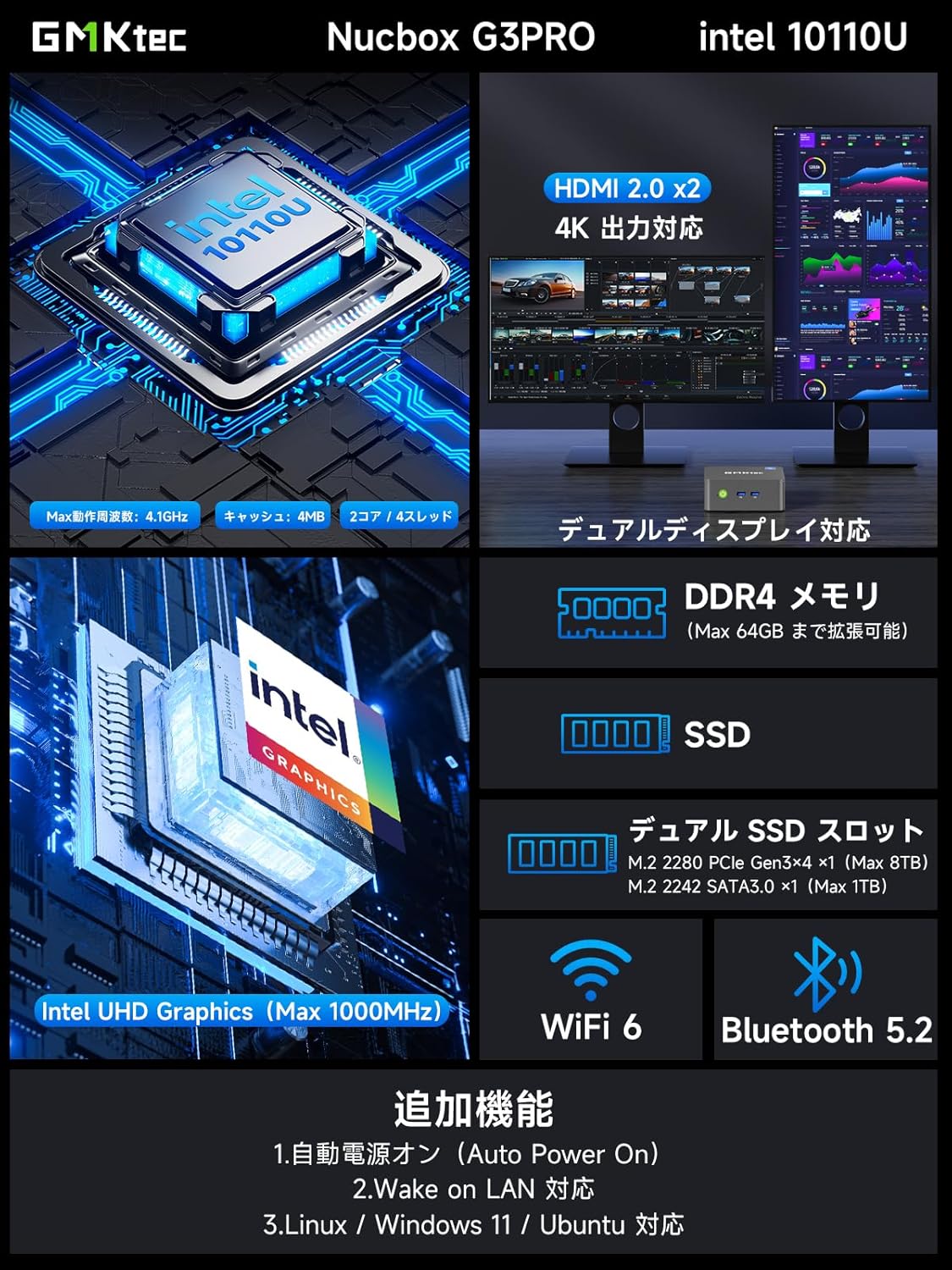
Imej: Selesaiview of the GMKtec NucBox G3 Pro, highlighting ports, memory, storage, and wireless capabilities.
Pelabuhan dan Antara Muka:
The NucBox G3 Pro offers a comprehensive set of ports for various peripherals and displays:
- USB 3.2 (Gen1) x 2
- USB 2.0 x 2
- HDMI x 2 (4K@60Hz output)
- 2.5G LAN (RJ45) x 1
- 3.5mm Audio Jack x 1
- Power Button x 1
- DC IN x 1

Imej: Terperinci view of the NucBox G3 Pro's front and rear ports, including HDMI, USB, LAN, and audio jacks.
5. Persediaan
5.1 Sambungan Awal
- Connect your monitor(s) to the HDMI ports on the back of the Mini PC using the provided HDMI cable.
- Sambungkan papan kekunci dan tetikus anda ke port USB.
- For wired internet access, connect an Ethernet cable to the 2.5G LAN port.
- Connect the power adapter to the DC IN port on the Mini PC, then plug it into a power outlet.
- Tekan butang kuasa di bahagian hadapan Mini PC untuk menghidupkannya.
5.2 Pemasangan Pemasangan VESA
The NucBox G3 Pro supports VESA mounting, allowing you to attach it to the back of a compatible monitor or TV for a clutter-free workspace.
- Attach the VESA bracket to the back of your monitor using the appropriate screws.
- Secure the Mini PC to the VESA bracket.

Image: Demonstrates VESA mount installation and desktop placement options for the Mini PC.
6. Arahan Operasi
6.1 Hidupkan/Mati Kuasa
- Hidupkan kuasa: Tekan butang kuasa pada panel hadapan.
- Matikan: From the operating system, select 'Shut down'. Alternatively, press and hold the power button for 5 seconds to force a shutdown (not recommended for regular use).
6.2 Tatarajah Paparan
The NucBox G3 Pro supports dual 4K displays. Connect your monitors to the HDMI ports. The operating system will automatically detect and configure the displays. You can adjust display settings (resolution, orientation, extended/duplicated desktop) through the Windows Display Settings.
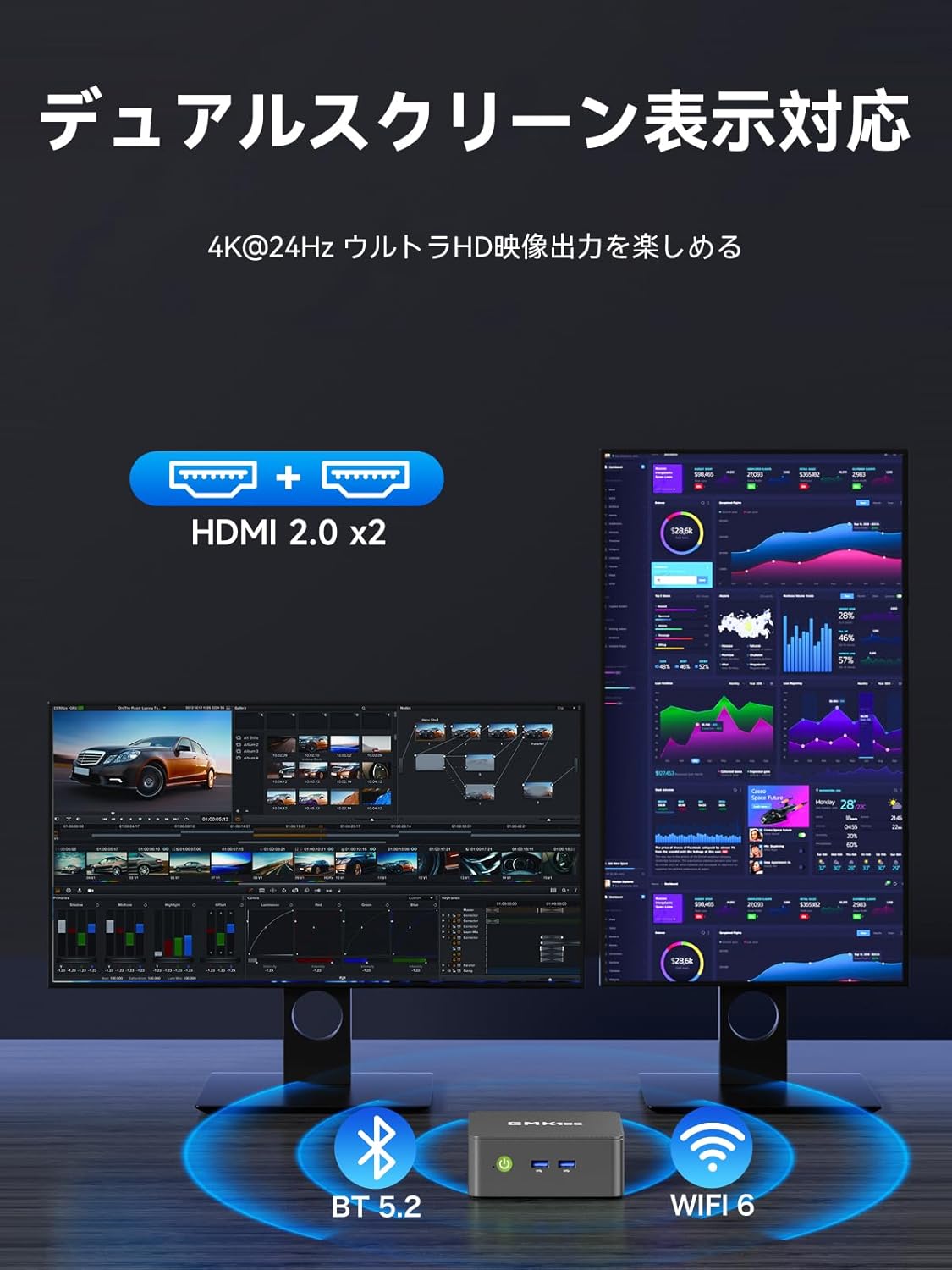
Image: Illustrates the dual-screen display capability of the Mini PC.
6.3 Operating Modes (TDP Adjustment)
The Mini PC features three adjustable TDP (Thermal Design Power) modes: 8W, 10W, and 15W. These modes allow you to balance performance and power consumption according to your needs (Quiet Mode, Power Saving Mode, Full Power Mode).
To adjust the operating mode:
- Power on the Mini PC and repeatedly press the 'ESC' key during startup to enter the BIOS setup screen.
- Navigate to the 'Advanced' tab using the arrow keys.
- Select 'Hardware Monitor' and press 'Enter'.
- Enter the 'System Smart Fan' menu.
- Select 'Enabled' for System Smart Fan.
- Under 'PWM Control System Fan Speed', you can choose from various fan speed percentages (20% to 100%) or 'OFF' to stop the fan. Adjust to your preferred speed.
- Once settings are complete, press 'F10' to save and exit.

Image: Shows the three operating modes (Silent, Balanced, Performance) and the BIOS screen for fan speed adjustment.
Video: Demonstrates how to adjust fan speed settings in the BIOS. Note: This video is for a similar GMKtec model (G10), but the BIOS fan control steps are generally applicable.
7. Penyelenggaraan
7.1 Pembersihan
Regularly clean the exterior of the Mini PC with a soft, dry cloth. Use compressed air to clear dust from the ventilation openings to maintain optimal airflow and cooling performance.
7.2 Storan dan Pengembangan Memori
The NucBox G3 Pro allows for easy expansion of both RAM and SSD storage. It supports up to 64GB DDR4 RAM and up to 8TB SSD storage.
- Matikan peranti dan cabut semua kabel.
- Carefully remove the bottom cover of the Mini PC.
- Locate the SO-DIMM slots for RAM or the M.2 slots for SSDs.
- Install or replace the components as needed, ensuring they are securely seated.
- Reattach the bottom cover and reconnect all cables.

Image: Illustrates the process of expanding storage with M.2 SSDs in the Mini PC.

Imej: Meletup view showing internal components like DDR4 memory, M.2 SSDs, cooling fan, and heat vents.
8. Penyelesaian masalah
- Tiada Kuasa: Pastikan penyesuai kuasa disambungkan dengan selamat ke kedua-dua Mini PC dan soket kuasa yang berfungsi. Cuba soket lain.
- Tiada Paparan: Check that the HDMI cable is securely connected to both the Mini PC and the monitor. Ensure the monitor is powered on and set to the correct input source.
- Tiada sambungan internet: For wired connections, check the Ethernet cable and router. For Wi-Fi, ensure the Wi-Fi adapter is enabled in Windows settings and connected to the correct network.
- Prestasi Perlahan: Close unnecessary applications. Check for background processes. Ensure sufficient free storage space. Consider upgrading RAM or SSD if performance issues persist.
- Terlalu panas: Ensure the Mini PC has adequate ventilation. Clean dust from the vents. Adjust fan speed settings in BIOS if necessary (refer to Operating Instructions).
9. Spesifikasi
| Ciri | Perincian |
|---|---|
| Jenama | GMKtec |
| Model | NucBox G3 Pro |
| Sistem Operasi | Windows 11 Pro |
| Model CPU | Intel Core i3-10110U |
| Kelajuan CPU | Sehingga 4.1 GHz |
| Grafik | Grafik Intel UHD Bersepadu |
| RAM yang dipasang | 16 GB DDR4 (expandable to 64 GB) |
| Kelajuan Memori | 2400 MHz |
| Kapasiti Storan | 256 GB NVMe SSD (expandable to 8 TB) |
| Antara Muka Cakera Keras | PCIE x 2 (M.2 2280 PCIe Gen3x4 x1, M.2 2242 SATA3.0 x1) |
| Antara Muka Keluaran Video | HDMI x 2 (Supports 4K@60Hz) |
| Port USB | USB 3.2 (Gen1) x 2, USB 2.0 x 2 |
| Kesambungan Rangkaian | LAN 2.5G, Wi-Fi 6, Bluetooth 5.2 |
| Dimensi Produk | 114 x 106 x 42.5 mm |
| Berat Produk | 280 gram |
| Ciri Khas | Wake On LAN, But PXE, RTC Wake, Auto Power On |
10. Waranti dan Sokongan
Your GMKtec NucBox G3 Pro Mini PC comes with a 1-year manufacturer's warranty. For technical support, warranty claims, or any inquiries regarding your product, please contact GMKtec customer service through the official channels or the seller from whom you purchased the device.
Seller: GMKtec-Official (1-year manufacturer's warranty)
Untuk bantuan lanjut, sila layari GMKtec Store on Amazon.