
1. Produk Lebihview
The OnePlus Nord 6 is a high-performance smartphone designed for a seamless user experience. It features a Snapdragon 8s Gen 4 processor, a 165Hz AMOLED display, a large 9000mAh battery, and advanced camera capabilities. This manual provides essential information for setting up, operating, maintaining, and troubleshooting your device.
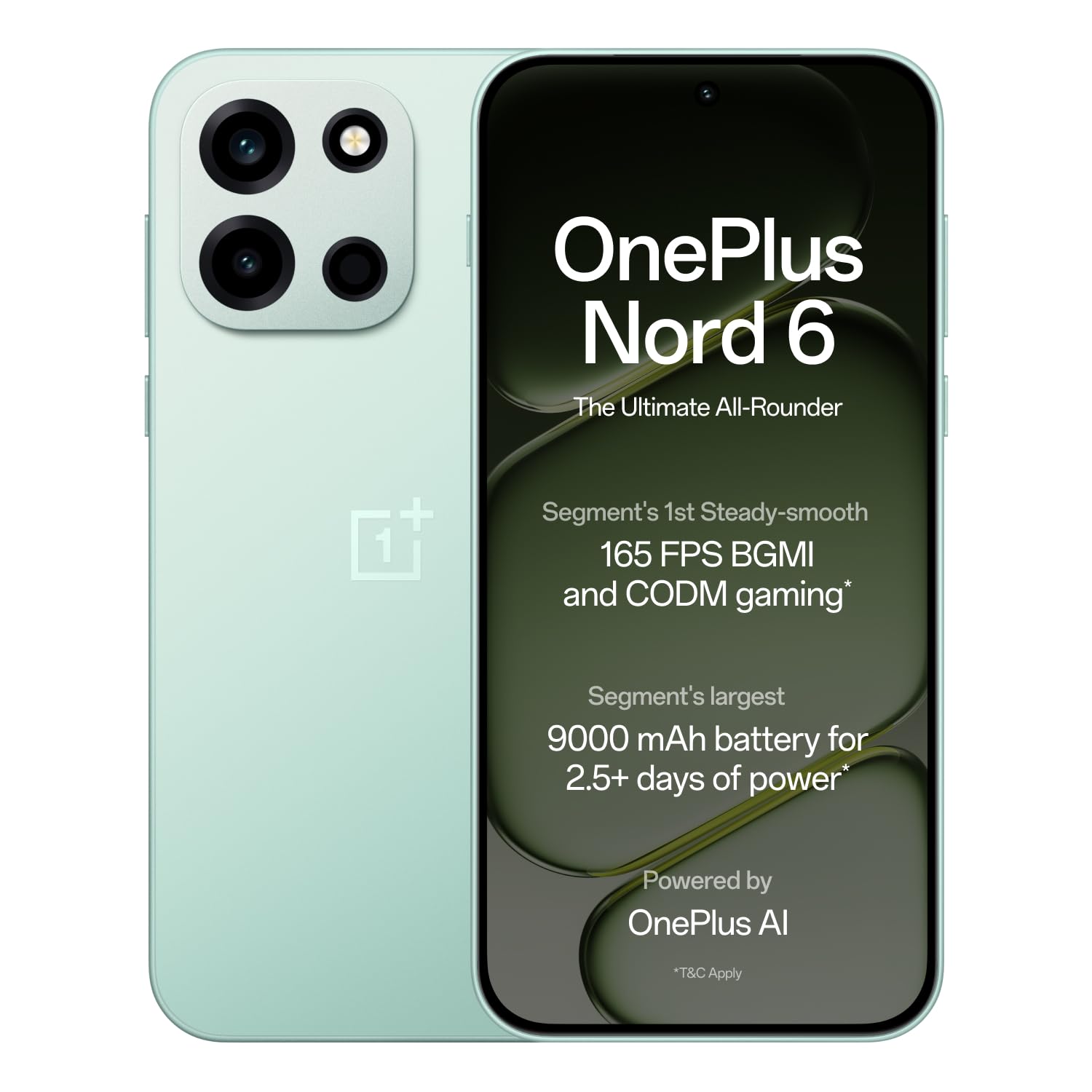
Figure 1: OnePlus Nord 6 (Fresh Mint)
2. Panduan Persediaan
2.1 Apa yang ada di dalam Kotak
Upon unboxing your OnePlus Nord 6, verify that all standard accessories are present:
- OnePlus Nord 6 Smartphone
- Sarung Telefon
- Penyesuai Kuasa (80W SUPERVOOC)
- Kabel USB (Jenis-C)
- Ejector Dulang SIM
- Panduan Mula Pantas

Rajah 2: Kandungan Kotak
2.2 Pemasangan Kad SIM
The OnePlus Nord 6 supports Dual Nano SIM cards.
- Cari dulang SIM di sisi peranti anda.
- Masukkan alat ejector dulang SIM ke dalam lubang kecil di sebelah dulang dan tekan dengan kuat sehingga dulang terkeluar.
- Letakkan kad SIM Nano anda ke dalam slot yang ditetapkan pada dulang, pastikan kenalan emas menghadap ke bawah.
- Masukkan semula dulang SIM dengan berhati-hati ke dalam telefon sehingga ia berbunyi klik pada tempatnya.
2.3 Hidupkan dan Persediaan Awal
To power on your device, press and hold the Power button located on the side until the OnePlus logo appears. Follow the on-screen instructions to complete the initial setup, including language selection, Wi-Fi connection, Google account login, and fingerprint/face unlock setup.
3. Arahan Operasi
3.1 Prestasi dan Permainan
The OnePlus Nord 6 is equipped with the Snapdragon 8s Gen 4 processor, LPDDR5X RAM, and UFS 4.1 ROM for elite performance. This configuration supports stable 165 FPS gaming in titles like BGMI and CODM, ensuring a smooth and responsive experience.

Figure 3: Snapdragon 8s Gen 4 Processor

Figure 4: 165 FPS Gaming Experience
3.2 Paparan
The device features a 165Hz 1.5K AMOLED 'Sunburst' display with Aqua Touch 2.0, offering smooth visuals and responsive touch interaction even with wet fingers. It provides up to 1800 nits peak brightness for clear outdoor visibility and dims to 2 nits for comfortable low-light viewing.

Figure 5: 165Hz AMOLED Display
3.3 Sistem Kamera
The OnePlus Nord 6 is equipped with a versatile camera system:
- Kamera Utama: 50MP SONY LYTIA with Dual-axis OIS and multi-focusing, capable of 4K 60 FPS video.
- Kamera Depan: 32MP GalaxyCore with multi-focus sensor, optimized for selfies and portraits, also supporting 4K 60 FPS video.
- Kamera Ultra-lebar: 8MP for broader perspectives.
Dedicated multi-focusing sensors and HDR algorithms ensure clarity and natural colors in various lighting conditions.

Rajah 6: Sistem Kamera Di Atasview
3.4 Bateri dan Pengecasan
The device features a 9000mAh battery, providing extended usage. It supports 80W SUPERVOOC fast charging, allowing for quick power-ups. Additionally, it offers 27W reverse charging, enabling you to charge other compatible devices.
- A 5-minute charge can provide up to 2.5 hours of YouTube streaming.
- 10 minutes of reverse charging can provide 12 hours of music playback on modern true wireless earbuds.

Rajah 7: Bateri 9000mAh

Figure 8: 27W Reverse Charging
3.5 Ketersambungan
The Nord 6 offers robust connectivity with a Wi-Fi Booster Chip and 5G-Advanced support, ensuring faster Wi-Fi speeds and lower latency for gaming. It also includes Bluetooth, Infrared, NFC, and USB Type-C connectivity.
3.6 Ciri AI
Leverage personalized Google Gemini and flagship-level OnePlus AI for enhanced productivity. Features include:
- OnePlus Mind Space: Save photos, articles, and schedules for AI assistance.
- OnePlus AI: Translate text, videos, or calls, generate summaries, craft written content, and create mind maps/tables.
- AI Writer & AI Scanner: For document creation and lecture presentations.

Figure 9: Google Gemini & OnePlus AI
4. Penyelenggaraan
4.1 Kemas Kini Perisian
OnePlus is committed to providing 4 Android OS upgrades and 6 years of security updates for the Nord 6, ensuring long-term performance and security. Regularly check for and install available updates to keep your device optimized.

Figure 10: 6-Year Software Support
4.2 Tahan Air dan Habuk
The OnePlus Nord 6 boasts comprehensive IP ratings (IP66, IP68, IP69, and IP69K), providing high levels of dust and water resistance. This includes protection against powerful water jets, submersion, and high-temperature/high-pressure sprays.

Figure 11: IP Ratings for Water and Dust Resistance
4.3 Pembersihan dan Penjagaan
To maintain your device, use a soft, lint-free cloth for cleaning. Avoid harsh chemicals or abrasive materials. Keep the device away from extreme temperatures and direct sunlight.
5. Penyelesaian masalah
If you encounter issues with your OnePlus Nord 6, consider the following common solutions:
- Peranti Tidak Membalas: Tekan dan tahan butang Kuasa selama kira-kira 10-15 saat untuk memaksa mulakan semula.
- Bateri Habis Cepat: Check background app usage, reduce screen brightness, or enable power-saving modes. Ensure you are using the provided 80W SUPERVOOC charger.
- Isu Kesambungan (Wi-Fi/5G): Toggle Wi-Fi or mobile data off and on. Restart your router or contact your service provider if the issue persists.
- Camera Performance in Low Light: While the camera is optimized for various conditions, very low light environments may still result in reduced image quality. Ensure the lens is clean.
- Terlalu panas: If the device feels excessively warm during heavy use or charging, close demanding applications, reduce screen brightness, or disconnect from charging temporarily.
For persistent issues, refer to the support section or visit the official OnePlus support webtapak.
6. Spesifikasi
| Ciri | Spesifikasi |
|---|---|
| Jenama | OnePlus |
| Model | Nord 6 |
| Sistem Operasi | OxygenOS 16 |
| Pemproses | Snapdragon 8s Gen 4 (3.2 GHz) |
| RAM | 12 GB |
| Storan Dalaman | 256 GB |
| Saiz Paparan | 6.78 Inci |
| Jenis Paparan | AMOLED |
| Resolusi | 1272 x 2772 Piksel |
| Kadar Segar Semula | 165 Hz |
| Kamera Belakang | 50 MP (Utama) |
| Kamera Depan | 32 MP |
| Kapasiti Bateri | 9000 mAh |
| Mengecas | 80W SUPERVOOC, 27W Reverse Charging |
| Slot Kad SIM | Dual Nano SIM |
| Tahap Ketahanan Air | IP66, IP68, IP69, IP69K |
| Ketersambungan | 5G, Wi-Fi, Bluetooth, Infrared, NFC, USB Type C |
| Dimensi | 16.2 x 7.7 x 0.8 Sentimeter |
| Berat badan | 217 Gram |
7. Waranti dan Sokongan
7.1 Maklumat Waranti
The OnePlus Nord 6 comes with a standard manufacturer's warranty. Additionally, OnePlus provides a lifetime display warranty for industry-wide greenline issues. For specific terms and conditions, please refer to the warranty card included in your product packaging or visit the official OnePlus webtapak.

Figure 12: Lifetime Display Warranty
7.2 Sokongan Pelanggan
For further assistance, technical support, or service inquiries, please contact OnePlus customer service:
- Nombor Perhubungan: 1800 102 8411
- WhatsApp: +91-9289606888
- Pengeluar: OPPO Mobiles India Swasta Berhad
Anda juga boleh melawat pegawai tersebut OnePlus Store on Amazon untuk mendapatkan lebih banyak maklumat produk dan sumber sokongan.