
1. Arahan Keselamatan Penting
Please read all instructions carefully before using the Airversa RDX Smart Waterless Diffuser. Retain this manual for future reference.
- Use only the provided DC-12V/1A power adapter.
- Do not immerse the diffuser in water or any other liquid.
- Jauhkan daripada kanak-kanak dan haiwan peliharaan.
- Letakkan peresap pada permukaan yang stabil dan rata.
- Jangan sekat saluran keluar kabus.
- Avoid direct contact with essential or fragrance oils, as they may cause irritation. In case of contact, rinse thoroughly with water.
- Cabut palam peranti sebelum membersihkan atau apabila tidak digunakan untuk tempoh yang lama.
- Jangan cuba membuka atau membaiki unit sendiri. Hubungi sokongan pelanggan untuk mendapatkan bantuan.
2. Produk Lebihview
The Airversa RDX Smart Waterless Diffuser utilizes advanced cold diffusion technology to disperse essential or fragrance oils into an ultra-fine dry mist without heat or water. This preserves the oil's purity and ensures a powerful, whisper-quiet scent experience for areas up to 1500 sq ft.
Ciri-ciri Utama:
- Waterless Cold Diffusion: Transforms oils into a fine mist without heat or water.
- Kawalan Apl: Manage settings, schedules, and intensity via the Sleekpoint App (Bluetooth connection).
- Kapasiti Besar: 300 mL oil reservoir for extended use.
- Liputan Luas: Effectively scents spaces up to 1500 sq ft.
- Paparan Bersepadu: Visual countdown for diffusion and pause intervals.
- Lampu Malam Boleh Laras: Embedded ambient light with adjustable brightness.
- Reka bentuk tahan lasak: Premium aluminum shell for longevity and aesthetic appeal.

Image: The Airversa RDX Diffuser in a living room, showcasing its main features and coverage area.

Image: Seamless App Control via Bluetooth, showing the Sleekpoint App interface and diffuser dimensions.

Imej: Terperinci view of the diffuser's control panel with touch buttons and visual indicators.
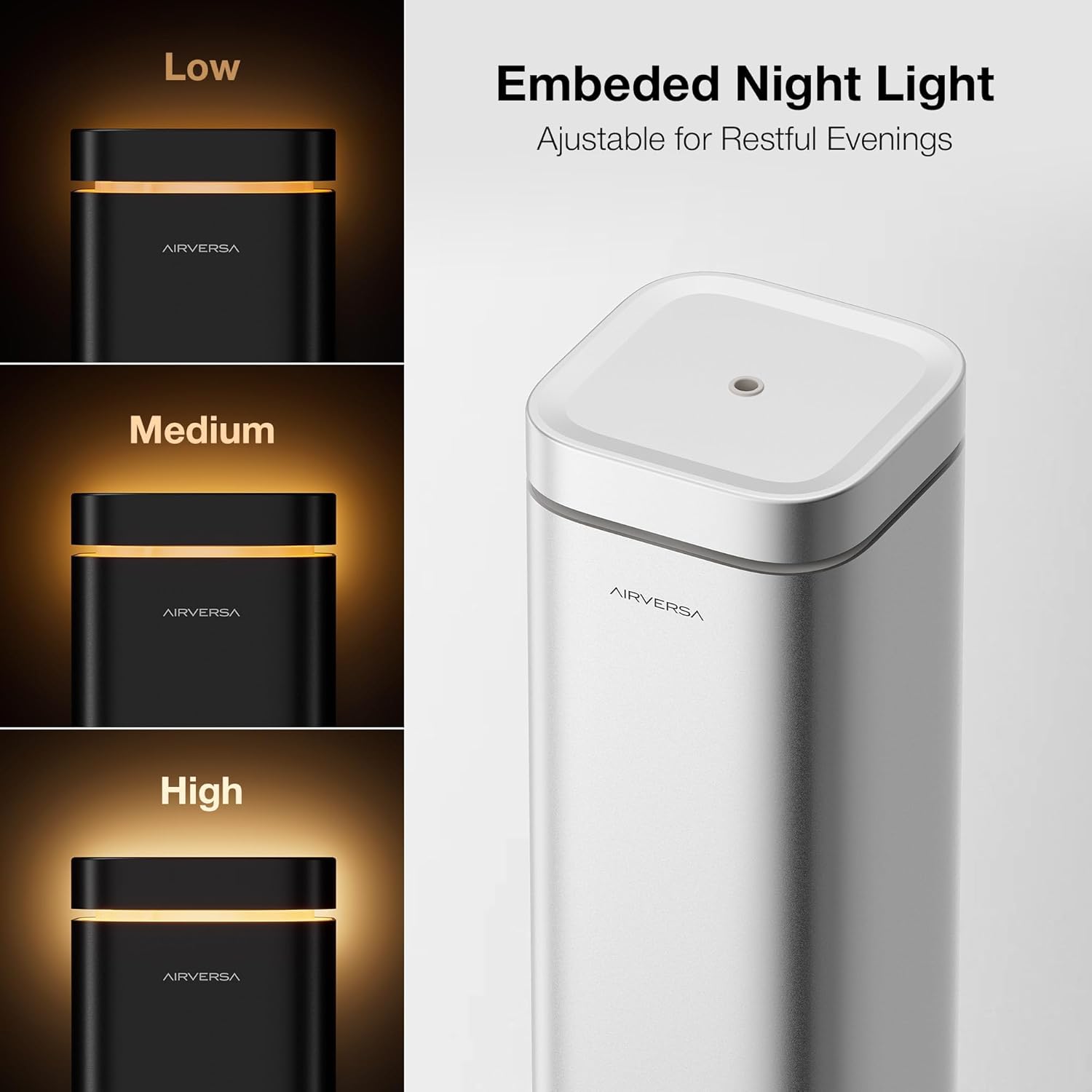
Image: The embedded night light with adjustable brightness levels (Low, Medium, High).

Image: The mistake-proof nozzle design ensuring intuitive one-way fit for oil bottles.
3. Kandungan Pakej
Sahkan bahawa semua item terdapat dalam pakej anda:
- Airversa RDX Waterless Diffuser
- Charging Cable (DC-12V/1A Power Adapter)
- Manual Pengguna (dokumen ini)
4. Persediaan
4.1 Penempatan Awal
Place the diffuser on a flat, stable surface in the desired area. Ensure it is away from direct sunlight, heat sources, and out of reach of children and pets.
4.2 Filling the Oil Reservoir
- Gently lift the nozzle assembly out of the top of the diffuser.
- Unscrew the cap from your essential or fragrance oil bottle. Carefully pour the oil into the diffuser's reservoir. Do not overfill.
- Align the nozzle assembly with the opening and push it back into place. The design ensures a one-way fit.

Image: Lift the nozzle out of the device.

Image: Fill the reservoir with your chosen oil.

Image: Push the nozzle back into place (One-way Fit).
4.3 Sambungan Kuasa
Connect the provided charging cable to the diffuser and plug the adapter into a standard electrical outlet.
4.4 Muat Turun Apl dan Berpasangan
- Muat turun Sleekpoint App from the Apple App Store (iOS) or Google Play Store (Android OS).
- Dayakan Bluetooth pada telefon pintar anda.
- Open the Sleekpoint App and follow the on-screen instructions to pair with your Airversa RDX diffuser. The app will guide you through the connection process.
Video: A demonstration of setting up and controlling the Airversa RDX Smart Scent Diffuser using the mobile application.
5. Operasi
5.1 Menghidupkan/Mematikan
- Untuk Menghidupkan: Tap the Power Button (bottom button) on the diffuser's control panel.
- Untuk Mematikan: Press and hold the Power Button for a few seconds.
5.2 Menggunakan Panel Kawalan
The diffuser features an intuitive touch control panel:
- Kira detik Visual: The circular display shows a real-time countdown for diffusion and pause intervals.
- Butang Lampu Malam: Tap to adjust the brightness of the ambient night light. Press and hold to turn it off.
- Penunjuk Bluetooth: Shows the connection status with the Sleekpoint App.
Imej: Terperinci view of the diffuser's control panel with touch buttons and visual indicators.
5.3 Ciri Kawalan Aplikasi
Once paired, the Sleekpoint App provides comprehensive control:
- Penjadualan: Set up to 5 different schedules with specific diffusion and pause intervals. Toggle schedules on or off with a single tap.
- Penyesuaian: Adjust diffusion duration and pause intervals to match your room size and desired scent intensity.
- Oil Calculator: Simulate oil consumption and duration based on your settings.
- Refill Reminders: Set automated reminders to ensure continuous scenting.
Image: Seamless App Control via Bluetooth, showing the Sleekpoint App interface.
5.4 Night Light Operation
The integrated night light can be adjusted via the control panel or the Sleekpoint App. Tap the Night Light button to cycle through brightness levels (Low, Medium, High) or press and hold to turn it off.
Image: The embedded night light with adjustable brightness levels.
6. Penyelenggaraan
6.1 Pembersihan
Regular cleaning helps maintain optimal performance. Unplug the diffuser before cleaning.
- Lap bahagian luar dengan lembut, damp kain.
- To clean the nozzle and oil reservoir, remove the nozzle assembly. Empty any remaining oil. You may use a small amount of rubbing alcohol on a cotton swab to gently clean the nozzle and the inside of the reservoir. Allow to air dry completely before reassembling.
- Jangan gunakan pembersih yang melelas atau bahan kimia yang keras.
6.2 Oil Replacement
When the oil level is low, follow the steps in Section 4.2 to refill the reservoir. The Airversa RDX is compatible with most essential and fragrance oils on the market.

Image: The diffuser is compatible with most essential and fragrance oils.
7. Penyelesaian masalah
If you encounter issues with your Airversa RDX diffuser, refer to the following common problems and solutions:
| Masalah | Kemungkinan Punca | Penyelesaian |
|---|---|---|
| No mist is being diffused. | Oil reservoir is empty. Muncung tersumbat. Peranti tidak dihidupkan. | Refill the oil reservoir. Clean the nozzle as per Section 6.1. Pastikan peranti dipalamkan dan dihidupkan. |
| App cannot connect to the diffuser. | Bluetooth dimatikan pada telefon. Diffuser is out of range. Apl perlu dimulakan semula. | Pastikan Bluetooth diaktifkan. Move closer to the diffuser (within 20 feet). Close and reopen the Sleekpoint App. |
| Scent is too weak/strong. | Diffusion intervals need adjustment. | Adjust diffusion duration and pause intervals via the Sleekpoint App to suit your preference. |
If the problem persists after trying these solutions, please contact Airversa customer support.
8. Spesifikasi
| Ciri | Perincian |
|---|---|
| Jenama | Airversa |
| Nama Model | RDX |
| Kapasiti | 300 Mililiter (10 fl oz) |
| Kawasan Liputan | Sehingga 1500 Kaki Persegi |
| Input Kuasa | DC-12V / 1A |
| Kaedah Kawalan | Sleekpoint App (Bluetooth), Touch Buttons |
| bahan | aluminium |
| Dimensi (L x W x H) | 4.4"L x 4.4"W x 12.4"H |
| Tutup Automatik | ya |
| Keserasian Rumah Pintar | Smart Home Compatible |
9. Waranti dan Sokongan
Airversa products are manufactured to high-quality standards and come with a limited warranty. For detailed warranty information, product support, or to purchase accessories, please visit the official Airversa store or contact our customer service team.
Airversa Store: Visit the Airversa Store on Amazon