
pengenalan
Thank you for choosing the Cillso Smartwatch. This manual provides detailed instructions on how to set up, operate, and maintain your device. This smartwatch features a 1.95-inch HD display, Bluetooth calling capabilities, IP68 water resistance, comprehensive health monitoring including SpO2 and sleep tracking, over 100 sports modes, and integrated Alexa for voice control. Please read this manual carefully to ensure optimal performance and longevity of your smartwatch.
Persediaan
1. Mengecas Jam Pintar
Before initial use, fully charge your smartwatch. Connect the provided charging cable to the charging port on the back of the watch and to a standard USB power adapter (not included). A full charge typically takes approximately 2 jam. The watch has a Bateri 300mAh, menyediakan 5-7 days of normal use dan sehingga 30 days of standby time.

Image: The smartwatch display indicating a 1.95-inch screen, 2 hours charging time, 5-7 days normal use, 30 days standby time, and a 300mAh battery capacity.
2. Pemasangan Apl dan Berpasangan
- Muat turun Apl: Scan the QR code in the quick start guide or search for the companion app (e.g., 'GloryFit' as suggested by watch dial image) in your smartphone's app store (Android or iOS).
- Daftar/Log Masuk: Ikut arahan pada skrin untuk membuat akaun atau log masuk.
- Pair the Smartwatch: Ensure Bluetooth is enabled on your smartphone. Open the app, navigate to the device section, and select 'Add Device'. Choose your Cillso Smartwatch from the list of available devices. Confirm the pairing request on both your phone and the smartwatch.
Arahan Operasi
1. Navigasi Asas
- Skrin sentuh: Leret ke atas, bawah, kiri atau kanan untuk menavigasi menu dan pemberitahuan. Ketik untuk memilih item.
- Butang Sisi: Press the side button to return to the home screen or to wake up the display.
2. Panggilan Bluetooth
Jam tangan pintar menyokong Bluetooth 5.3 calling, allowing you to make and receive calls directly from your wrist when connected to your smartphone. It features a mikrofon terbina dalam dan menyokong rekod panggilan dan sehingga 100 kenalan.
- Menjawab Panggilan: When an incoming call notification appears, tap the green phone icon to answer.
- Menolak Panggilan: Ketik ikon telefon merah untuk menolak panggilan masuk.
- Membuat Panggilan: Access the dial pad or contact list on your smartwatch to initiate a call.
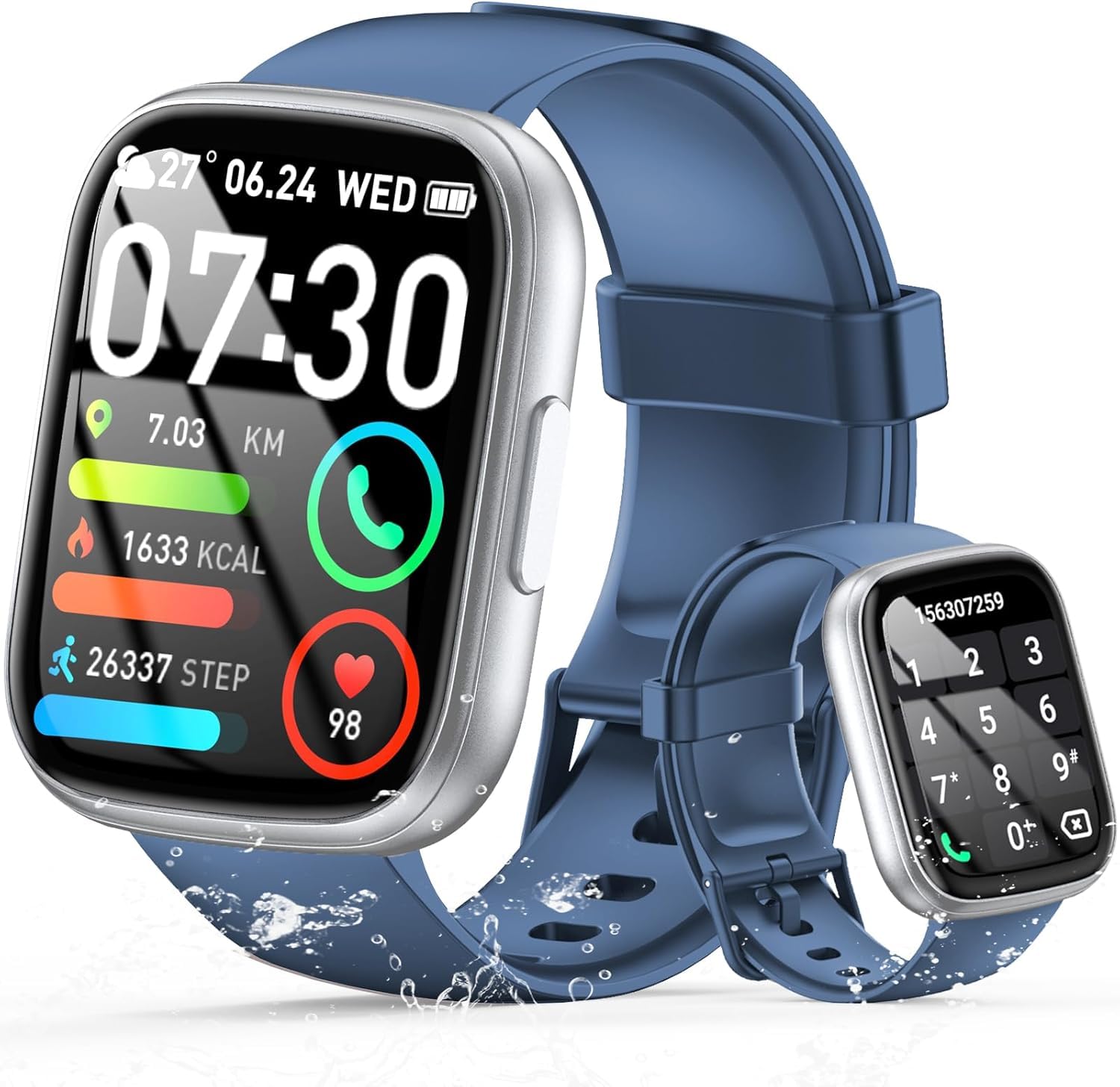
Image: The smartwatch displaying an incoming call, along with icons for built-in mic, Hi-Fi Spectra, call records, and 100 contacts. Examples of dial pad and contact list are also shown.
3. Pemantauan Kesihatan
The smartwatch provides continuous health monitoring features to help you track your well-being.
- Pemantauan Denyut Jantung: Jam tangan ini sentiasa memantau kadar denyutan jantung anda sepanjang hari. View your heart rate data on the watch or in the app.
- Pemantauan Oksigen Darah (SpO2): Ukur tahap ketepuan oksigen darah anda.
- Pemantauan Tidur: Tracks your sleep patterns, including deep sleep, light sleep, and wake times, to provide insights into your sleep quality.

Image: Visual representation of heart rate, blood oxygen (SpO2), and sleep monitoring graphs and data on the smartwatch and a person sleeping while wearing the watch.
4. Mod Sukan
Jam tangan pintar menyokong over 100 sports modes to accurately track your workouts. Common modes include running, basketball, climbing, skipping, swimming, and badminton. It tracks metrics such as steps, distance, calories burned, and exercise duration.

Image: A person cycling with the smartwatch, illustrating various sports modes like running, basketball, climbing, skipping, swimming, and badminton. Also shows tracking for steps, distance, and calories.
5. Integrasi Alexa
Dengan Alexa integrated, you can use voice commands to control music playback, check weather, set alarms, and more directly from your smartwatch.
6. Personalized Watch Dials
Customize your smartwatch with over 200 stylish watch faces available through the companion app. You can also upload your favorite photos to create personalized watch dials. The display features wide color gamut, AM LED technology, and color accuracy.

Imej: Rancangan jam tangan pintarcasing multiple personalized watch dial options, highlighting wide color gamut, AM LED, and color accuracy features.
7. Ciri-ciri Pelbagai Fungsi
- Kawalan Muzik: Mainkan, jeda, langkau trek dan laraskan kelantangan untuk muzik yang dimainkan pada telefon pintar anda yang disambungkan.
- Kawalan Kamera: Remotely control your smartphone's camera to frame, focus, and snap photos or start/stop video recording.
- Jam loceng: Tetapkan penggera untuk membangunkan anda atau mengingatkan anda tentang peristiwa penting.
- Ciri-ciri lain: Includes weather forecasts, stopwatch, timer, and more.

Image: The smartwatch displaying interfaces for music control, remote camera control, and alarm clock settings, along with icons for other features like temperature, weather, and microphone.
Penyelenggaraan
1. Pembersihan
Wipe the smartwatch regularly with a soft, dry cloth. For stubborn dirt, use a slightly damp kain dan kemudian keringkan dengan teliti. Elakkan menggunakan bahan kimia yang keras atau bahan yang melelas.
2. Rintangan Air (IP68)
The Cillso Smartwatch is IP68 kalis air, meaning it is protected against dust ingress and can withstand immersion in water up to 1.5 meters for up to 30 minutes. It is suitable for daily use, hand washing, and light rain. However, it is not recommended for hot showers, saunas, or diving, as steam and high water pressure can compromise the seal.
3. Penjagaan Bateri
- Elakkan suhu yang melampau, yang boleh merendahkan hayat bateri.
- Charge the device fully before long periods of inactivity.
- Gunakan hanya kabel pengecasan yang disediakan.
Menyelesaikan masalah
- Tonton tidak dihidupkan: Pastikan jam tangan dicas sepenuhnya. Sambungkannya ke pengecas selama sekurang-kurangnya 30 minit.
- Tidak boleh berpasangan dengan telefon: Make sure Bluetooth is enabled on your phone and the watch is within range. Restart both devices and try pairing again through the app.
- Data kesihatan tidak tepat: Pastikan jam tangan dipakai dengan kemas di pergelangan tangan anda, tidak terlalu ketat atau terlalu longgar. Bersihkan sensor dengan kerap.
- Pemberitahuan tidak diterima: Check app permissions on your phone to ensure the companion app has access to notifications. Verify that notifications are enabled within the app settings.
- Alexa tidak memberi respons: Ensure the watch is connected to your phone and has an active internet connection. Check Alexa settings within the companion app.
Spesifikasi
| Nombor Model | B0GQGYDJS7 |
| Jenama | Cillso |
| Saiz Skrin | 1.95 Inci |
| Teknologi Ketersambungan | Bluetooth 5.3 |
| Penilaian Ketahanan Air | IP68 |
| Kapasiti Bateri | 300 mAh (Litium-polimer) |
| Masa Mengecas | lebih kurang 2 jam |
| Penggunaan Biasa Hayat Bateri | 7-10 hari |
| Masa Tunggu Sedia | Sehingga 30 hari |
| Kapasiti Penyimpanan Memori | 1 GB |
| Input Antara Muka Manusia | Mikrofon, Skrin Sentuh |
| Komponen yang Disertakan | Kabel pengecasan |
Waranti dan Sokongan
Warranty information for your Cillso Smartwatch is typically provided with your purchase documentation. Please refer to those materials for details regarding warranty coverage and terms. For technical support, product inquiries, or assistance with troubleshooting beyond this manual, please contact Cillso customer service through the contact information provided with your product or on the official Cillso webtapak.