
pengenalan
Thank you for choosing the Kaidi TWS KD-788 Wireless Bluetooth Earbuds. These earbuds are designed to provide a high-quality, stable, and convenient audio experience. Equipped with new-generation smart chips, they offer low latency and high connection stability. The Smart Touch technology allows for easy control, and IPX4 water resistance makes them suitable for daily use.
The Kaidi KD-788 is an excellent choice for those seeking practicality, superior sound quality, and great value in modern wireless Bluetooth earbuds. Its compact and ergonomic design ensures comfort during extended use, perfect for music, videos, calls, or gaming.
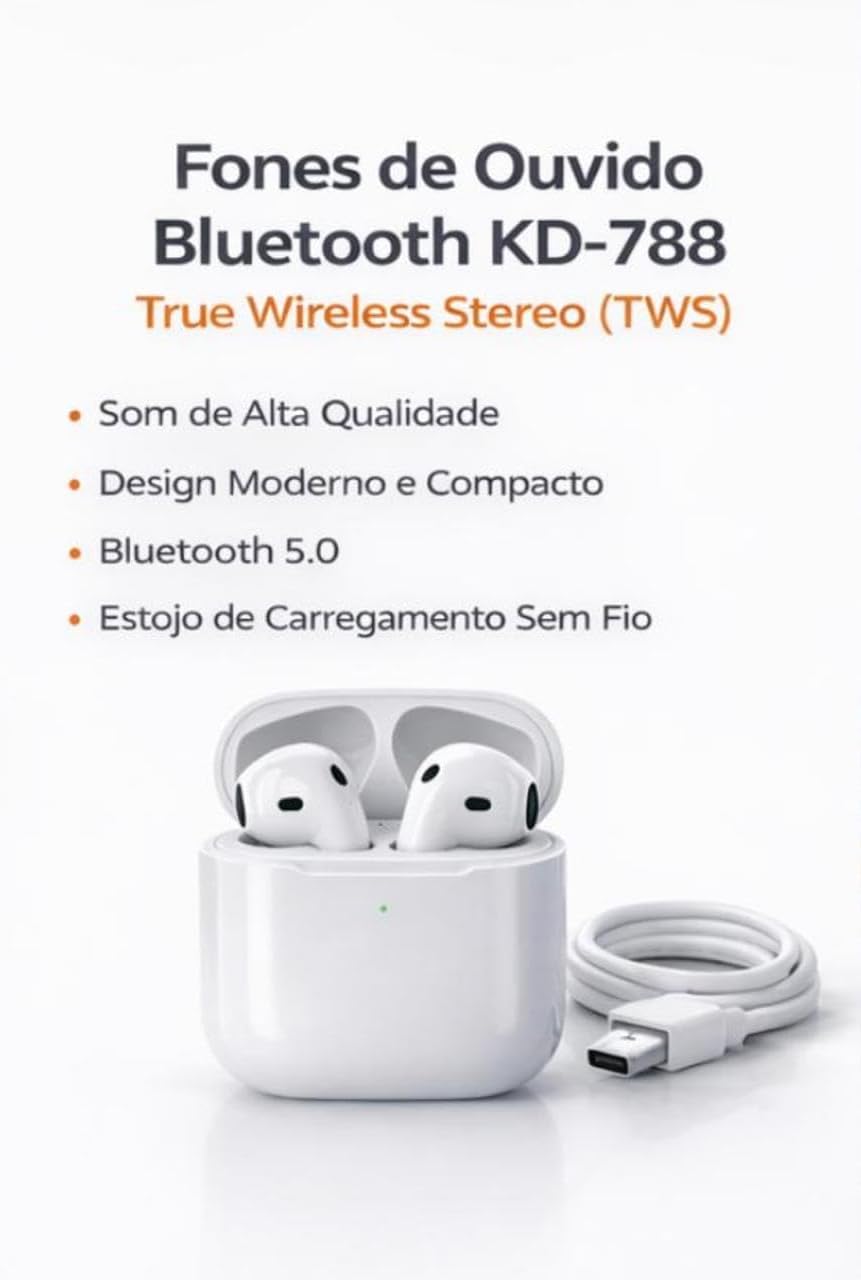
Image: Kaidi KD-788 True Wireless Stereo (TWS) Earbuds with charging case and USB cable. This image highlights the product's high sound quality, modern and compact design, Bluetooth 5.0, and wireless charging case.
Persediaan
1. Mengecas Fon Telinga dan Sarung
Before first use, fully charge the earbuds and the charging case. Connect the provided USB cable to the charging case and a power source. The indicator light on the case will show the charging status.
2. Berpasangan dengan Peranti Anda
- Pastikan fon telinga dicas dan diletakkan di dalam bekas pengecasan.
- Open the charging case lid. The earbuds will automatically enter pairing mode, indicated by a flashing light (usually blue or white) on one or both earbuds.
- On your smartphone, tablet, or laptop, go to the Bluetooth settings.
- Cari untuk available devices and select "KD-788" (or similar name) from the list.
- Once connected, a voice prompt will confirm successful pairing, and the indicator lights on the earbuds will turn off or flash slowly.
Fon telinga akan menyambung semula secara automatik ke peranti gandingan terakhir apabila dialih keluar daripada sarung, jika Bluetooth didayakan pada peranti.

Image: Kaidi KD-788 Earbuds showcasing Bluetooth 5.0 technology. This image highlights fast and stable connection, low power consumption, and compatibility with iOS and Android devices.
Arahan Operasi
Hidupkan/Mati Kuasa
- Hidupkan kuasa: Open the charging case lid, or long-press the touch area on both earbuds for 3 seconds.
- Matikan: Letakkan fon telinga kembali ke dalam bekas pengecasan dan tutup penutup, atau tekan lama kawasan sentuh pada kedua-dua fon telinga selama 5 saat.
Main balik Muzik
- Main/Jeda: Ketik sekali sama ada fon telinga.
- Lagu Seterusnya: Ketik dua kali pada fon telinga kanan.
- Trek Sebelumnya: Ketik dua kali pada fon telinga kiri.
Pengurusan Panggilan
- Jawab/Tamatkan Panggilan: Ketik sekali sama ada fon telinga.
- Tolak Panggilan: Tekan lama sama ada fon telinga selama 2 saat.
Pembantu Suara
- Aktifkan Pembantu Suara: Ketik tiga kali sama ada fon telinga.

Image: Kaidi KD-788 Earbuds highlighting superior sound quality. Features include crisp and immersive stereo sound, powerful drivers for impactful bass, and a built-in microphone for hands-free calls.
Penyelenggaraan
- Pembersihan: Gunakan kain lembut, kering, bebas serabut untuk membersihkan fon telinga dan bekas pengecas. Jangan gunakan bahan kimia yang keras atau bahan yang melelas.
- Tahan Air: The earbuds are IPX4 water resistant, meaning they can withstand splashes of water. Do not submerge them in water or expose them to heavy rain. Ensure they are dry before placing them back in the charging case.
- Storan: Simpan fon telinga di dalam bekas pengecas apabila tidak digunakan untuk melindunginya dan memastikan ia dicas. Elakkan suhu yang melampau.
- Penjagaan Bateri: Untuk memanjangkan hayat bateri, elakkan daripada menyahcas sepenuhnya fon telinga dan bekas pengecasan dengan kerap. Mengecasnya dengan kerap, walaupun tidak digunakan secara berterusan.
Menyelesaikan masalah
Fon telinga tidak berpasangan atau bersambung
- Pastikan kedua-dua fon telinga dicas.
- Matikan dan hidupkan Bluetooth peranti anda.
- Forget/delete "KD-788" from your device's Bluetooth list and try pairing again.
- Place earbuds back in the case, close the lid, wait a few seconds, then open to re-initiate pairing mode.
Hanya satu fon telinga berfungsi
- Pastikan kedua-dua fon telinga dicas.
- Letakkan kedua-dua fon telinga kembali ke dalam bekas pengecasan, tutup penutupnya, dan kemudian bukanya semula. Ini selalunya akan menyegerakkannya semula.
- Try resetting the earbuds (refer to specific reset instructions if available in the full product manual, or try forgetting the device and re-pairing).
Low sound quality or no sound
- Semak tahap kelantangan pada kedua-dua peranti anda dan fon telinga.
- Ensure the earbuds are clean and free of debris that might block the sound.
- Move closer to your connected device to avoid interference or being out of range.
Isu pengecasan
- Pastikan kabel pengecasan disambungkan dengan selamat pada kedua-dua bekas dan sumber kuasa.
- Cuba kabel pengecasan atau penyesuai kuasa yang berbeza.
- Bersihkan sesentuh pengecasan pada fon telinga dan bahagian dalam sarung dengan kapas kering.
Spesifikasi
| Jenama | Kaidi |
| Nama Model | KD-788 |
| warna | putih |
| Penempatan Telinga | Dalam telinga |
| Teknologi Ketersambungan | Bluetooth |
| Teknologi Komunikasi Tanpa Wayar | Bluetooth |
| Julat Bluetooth | Up to 10 Meters (without barriers) |
| Kaedah Kawalan | Sentuh |
| Hayat Bateri | Up to 4 Hours (continuous music) |
| Tahap Ketahanan Air | Kalis Air (IPX4) |
| Ciri Khas | True Wireless Stereo (TWS) Technology, Smart Touch Control |
| Peranti Serasi | Telefon Bimbit, Tablet, Komputer Riba |
| Komponen yang Disertakan | Pengecas |
| Berat Barang | 55 Gram |
| Kiraan Unit | 1 pasang |
Maklumat Waranti
Produk ini disertakan dengan a Waranti 30 hari from the date of purchase, covering manufacturing defects. Please retain your proof of purchase for warranty claims. The warranty does not cover damage caused by misuse, accidents, unauthorized modifications, or normal wear and tear.
Sokongan
For further assistance, technical support, or warranty inquiries, please contact your retailer or the point of purchase. Please have your product model number (KD-788) and proof of purchase ready when contacting support.
Video Produk
Kaidi TWS Earbuds Overview
Video: Selesai ringkasview of the Kaidi TWS Bluetooth Earbuds, demonstrating their design and features. This video is provided by the seller BBGC COMERCIO E VENDAS.
KD-788 Earbuds Demonstration
Video: A demonstration of the Kaidi KD-788 earbuds, showcasing their physical aspects and how they fit. This video is provided by the seller LUMEO PLACE STORE.