
1. Pengenalan
Terima kasih kerana membeliasing the Shark EVOPOWER SYSTEM FIT+ LC156JGY1 Cordless Stick Vacuum Cleaner. This lightweight and powerful vacuum is designed to fit your lifestyle, featuring an automatic dust collection dock, iQ sensor technology for optimized suction, and a brushless power fin to prevent hair tangles. This manual provides essential information for safe and effective use of your new appliance.

Image: The Shark EVOPOWER SYSTEM FIT+ LC156JGY1 cordless stick vacuum cleaner with its automatic dust collection dock.
2. Maklumat Keselamatan
Please read all instructions carefully before using your vacuum cleaner. Failure to follow these instructions may result in electric shock, fire, or serious injury.
- Perkakas ini adalah untuk kegunaan rumah sahaja.
- Jangan gunakan di luar atau di permukaan basah.
- Jauhkan rambut, pakaian longgar, jari dan semua bahagian badan daripada bukaan dan bahagian yang bergerak.
- Jangan ambil apa-apa yang terbakar atau berasap, seperti rokok, mancis, atau abu panas.
- Jangan gunakan tanpa cawan habuk dan penapis di tempatnya.
- Gunakan hanya seperti yang diterangkan dalam manual ini.
- Always turn off the appliance before connecting or disconnecting the motorized nozzle, charging, or performing any maintenance.
- Store the vacuum in a dry indoor area.
3. Kandungan Pakej
Sahkan bahawa semua komponen terdapat dalam pakej anda:
- Unit Vakum Utama
- Automatic Dust Collection Dock (with charging function)
- Lithium-ion Battery (1, pre-installed in main unit)
- Manual Pengguna (dokumen ini)
4. Pemasangan dan Persediaan
Follow these steps to assemble your vacuum cleaner and prepare it for first use:
- Buka Pembungkusan Komponen: Keluarkan semua bahagian dari bungkusan dengan berhati-hati.
- Pasang Unit Utama: Connect the wand to the floor nozzle until it clicks into place. Then, connect the handheld vacuum to the top of the wand until it clicks.
- Set up the Automatic Dust Collection Dock: Place the dock on a flat, stable surface near a power outlet.
- Cas Bateri: Place the assembled vacuum cleaner onto the automatic dust collection dock. Ensure the charging contacts align. The battery will begin charging automatically. A full charge takes approximately 3.5 hours.
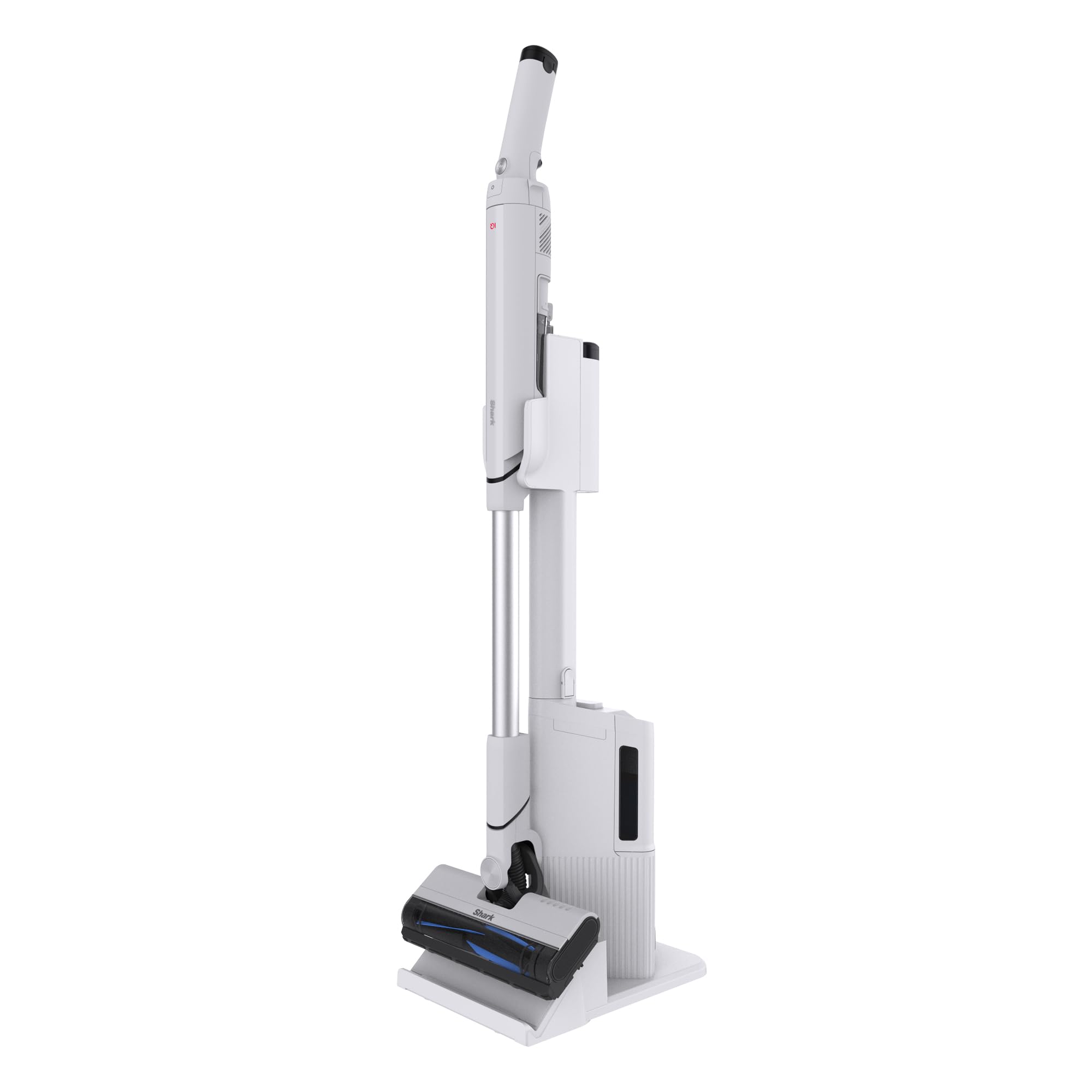
Image: The Shark EVOPOWER SYSTEM FIT+ LC156JGY1 vacuum cleaner in its assembled state.
5. Operasi
5.1. Bermula dan Berhenti
- To start the vacuum, press the power button on the handheld unit.
- To stop, press the power button again.
5.2. Mod Pembersihan
Your vacuum features two cleaning modes:
- iQ Mode: This is the standard mode. The Shark iQ sensor automatically adjusts suction power based on the amount of debris detected, optimizing cleaning efficiency and battery life.
- Mod Rangsangan: For stubborn dirt and deep cleaning, press the Boost button on the handheld unit to activate maximum suction power.

Image: The iQ sensor automatically adjusts suction power based on debris levels.
5.3. Handheld Conversion
To convert to a handheld vacuum for cleaning furniture, stairs, or tight spaces:
- Press the release button on the handheld unit.
- Pull the handheld unit away from the wand.
- Attach any desired accessories (not included with this model, but available separately) to the handheld unit.

Image: Converting the stick vacuum to a handheld unit for versatile cleaning.
5.4. Automatic Dust Collection Dock
When you return the vacuum to its dock, the automatic dust collection feature will activate, transferring debris from the vacuum's dust cup to the dock's larger collection bin. This minimizes contact with dust and reduces the frequency of emptying the vacuum's small dust cup.
- The dock can hold approximately 30 days' worth of debris (based on 1 use per day; actual capacity may vary depending on environment).
- To temporarily stop the automatic dust collection process (e.g., at night), press the dedicated button on the dock.

Image: The automatic dust collection dock for convenient and hygienic debris disposal.

Image: Comparison of traditional dust emptying (dust flying) versus Shark's automatic, dust-free collection.
6. Penyelenggaraan
Penyelenggaraan tetap memastikan prestasi optimum pembersih vakum anda.
6.1. Emptying the Dust Collection Dock
- When the dust collection bin on the dock is full, remove it and empty the contents into a trash can.
- The dock's dust box is washable. Rinse with water and allow to air dry completely before reinserting.
6.2. Membersihkan Penapis
The vacuum's dust cup and filters are washable:
- Remove the dust cup and filters from the handheld unit.
- Rinse the dust cup and filters with cold water.
- Allow all parts to air dry completely for at least 24 hours before reassembling. Do not use a hairdryer or other heating methods.

Image: The HEPA filter ensures clean exhaust, trapping fine dust and allergens.

Image: Washable components including the brush roll, dust cup, and filters for easy maintenance.
6.3. Membersihkan Gulungan Berus
The brushless power fin design minimizes hair tangles. If any debris accumulates:
- Turn off the vacuum and disconnect it from the dock.
- Open the brush roll garage on the floor nozzle.
- Remove any tangled hair or debris from the brush roll.
- The brush roll can be rinsed with water. Ensure it is completely dry before reinserting.

Image: The brushless power fin effectively captures debris without tangling hair.
7. Penyelesaian masalah
Jika anda menghadapi sebarang isu, rujuk panduan penyelesaian masalah berikut:
| Masalah | Kemungkinan Punca | Penyelesaian |
|---|---|---|
| Vakum tidak dihidupkan | Bateri tidak dicas atau tidak dimasukkan dengan betul. | Ensure battery is fully charged and correctly inserted into the handheld unit. |
| Kehilangan sedutan | Dust cup full, filters clogged, or blockage in nozzle/wand. | Empty dust cup, clean filters, and check for blockages. |
| Pengumpulan habuk automatik tidak berfungsi | Dock's dust bin full, or vacuum not properly seated on dock. | Empty the dock's dust bin. Ensure the vacuum is correctly placed on the dock. Check if the automatic collection stop button is activated. |
| Gulung berus tidak berputar | Blockage in brush roll or brush roll garage. | Turn off the vacuum, remove any obstructions from the brush roll area. |
8. Spesifikasi
| Ciri | Perincian |
|---|---|
| Nombor Model | LC156JGY1 |
| warna | Lucent Gray |
| Dimensions (Stick Mode) | 104.1 sm (H) x 26.7 sm (W) x 15.2 sm (D) |
| Weight (Stick Mode) | lebih kurang 1.8 kg |
| Jenis Bateri | Litium-ion |
| Masa Mengecas | lebih kurang 3.5 jam |
| Operating Time (Stick Mode) | iQ Mode: Approx. 8-30 minutes Boost Mode: Approx. 8 minutes |
| Operating Time (Handheld Mode) | iQ Mode: Approx. 9-40 minutes Boost Mode: Approx. 9 minutes |
| Dust Collection Dock Capacity | Approx. 30 days of debris (varies by usage) |
| Waranti Pengeluar | 2 tahun |
9. Waranti dan Sokongan
9.1. Waranti Pengeluar
This Shark EVOPOWER SYSTEM FIT+ LC156JGY1 vacuum cleaner comes with a Waranti pengilang selama 2 tahun dari tarikh pembelian. Waranti ini meliputi kecacatan bahan dan mutu kerja di bawah kegunaan rumah biasa. Sila simpan bukti pembelian anda untuk tuntutan waranti.
9.2. Sokongan Pelanggan
For product support, troubleshooting assistance beyond this manual, or warranty inquiries, please contact Shark customer service. Refer to the contact information provided on the official Shark webtapak atau pembungkusan produk anda.
You can also visit the official Shark store on Amazon for additional information and accessories: Shark Official Store


