
1. Pengenalan
Thank you for choosing the AMAZTIM T3 Ultra Smart Watch. This device combines a robust military-grade design with advanced smart features, including a 1.85-inch ultra-large HD display, extended battery life, Bluetooth calling, 24/7 health monitoring, and over 100 sports modes. This manual provides essential information for setting up, operating, and maintaining your smart watch to ensure optimal performance and longevity.
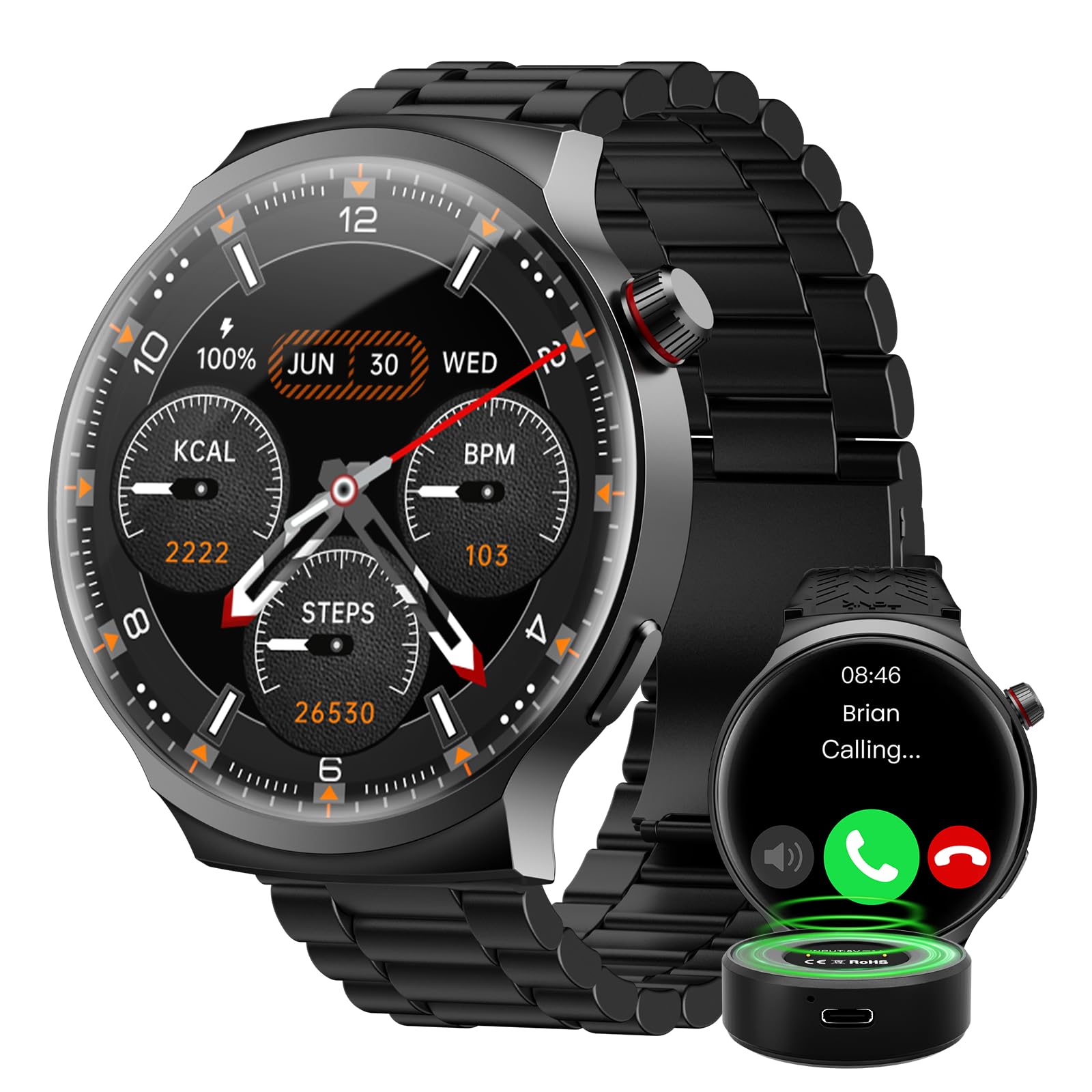
The AMAZTIM T3 Ultra Smart Watch, featuring its large display and rugged design.
2. Apa yang Termasuk
Upon opening your AMAZTIM T3 Ultra Smart Watch package, please verify that all the following items are present:
- AMAZTIM T3 Ultra Smart Watch
- Sarung Pengecasan (1000mAh)
- Kabel Pengecasan (USB)
- Manual Pengguna (dokumen ini)
- Additional Watch Straps (if applicable to your model)

Image showing the smart watch, charging cable, charging case, and additional straps included in the package.
3. Persediaan
3.1. Mengecas Peranti
Before initial use, fully charge your AMAZTIM T3 Ultra Smart Watch.
- Sambungkan kabel pengecasan ke kes pengecasan.
- Place the smart watch onto the charging case, ensuring the magnetic contacts align correctly.
- Connect the USB end of the charging cable to a compatible USB power adapter (5V/1A recommended) or a computer's USB port.
- Paparan jam tangan akan menunjukkan status pengecasan. Cas penuh biasanya mengambil masa kira-kira 2-3 jam.
The watch features an 800mAh battery, and the portable charging case has an additional 1000mAh capacity, providing extended usage.

The smart watch being charged by its portable charging case, illustrating the battery capacity.
3.2. Berpasangan dengan Telefon Pintar Anda
To unlock all features, pair your smart watch with the companion app on your iOS or Android device.
- Download the official AMAZTIM companion app from the App Store (iOS) or Google Play Store (Android).
- Pastikan Bluetooth didayakan pada telefon pintar anda.
- Open the AMAZTIM app and follow the on-screen instructions to create an account or log in.
- In the app, navigate to "Add Device" or "Pair New Device" and select your AMAZTIM T3 Ultra from the list of available devices.
- Sahkan permintaan berpasangan pada kedua-dua jam tangan dan telefon pintar anda.
- Setelah dipasangkan, aplikasi akan membimbing anda melalui tetapan awal dan penyegerakan.
4. Arahan Operasi
4.1. Navigasi Asas
- Leret ke atas/bawah: Tatal melalui menu dan pemberitahuan.
- Leret Kiri/Kanan: Akses widget pantas atau muka jam tangan yang berbeza.
- Ketik: Pilih item atau sahkan tindakan.
- Tekan Butang Sisi: Return to the home screen or access the app list.

The 1.85-inch ultra-large HD display provides clear visibility for all functions.
4.2. Membuat dan Menjawab Panggilan
Once paired via Bluetooth, you can make and answer calls directly from your watch.
- Untuk menjawab: Apabila panggilan masuk, ketik ikon telefon hijau pada skrin jam tangan.
- Untuk Membuat Panggilan: Access the phone function from the app list, then use the dial pad or select a contact to initiate a call.

The smart watch displaying options for answering calls and interacting with the AI Voice Assistant.
4.3. Pembantu Suara AI
The built-in AI Voice Assistant allows for hands-free control and information retrieval.
- Activate the voice assistant by tapping its icon or using a designated gesture (refer to app settings for customization).
- Speak your commands clearly, such as "What's the weather today?", "Play music," or "Call John."
4.4. Pemantauan Kesihatan
The watch continuously monitors various health metrics.
- Kadar Jantung: Provides 24-hour heart rate tracking. View data masa nyata pada jam tangan atau arah aliran terperinci dalam apl.
- Oksigen Darah (SpO2): Ukur tahap oksigen darah anda apabila diperlukan.
- Monitor Tidur: Tracks your sleep patterns, including deep sleep, light sleep, and wake times.
- Pedometer: Counts your steps and estimates calories burned throughout the day.

The watch interface showing real-time health data, including heart rate, SpO2, and blood pressure.
4.5. Mod Sukan
With over 100 sports modes, the watch accurately tracks your workout data.
- Navigate to the "Workout" or "Sports" section on your watch.
- Pilih aktiviti yang anda inginkan (cth., berlari, berbasikal, berenang).
- The watch will record duration, distance, calories burned, and heart rate during your exercise.
- Review detailed workout summaries in the companion app.

A visual representation of the watch's sports tracking capabilities, showing different activity icons and workout metrics.
4.6. Pemberitahuan
Terima pemberitahuan daripada telefon pintar anda terus pada jam tangan anda.
- Ensure notification permissions are enabled in both your phone's settings and the AMAZTIM app.
- Leret ke bawah dari muka jam tangan ke view pemberitahuan terkini.
5. Penyelenggaraan
5.1. Pembersihan
Untuk mengekalkan penampilan dan kefungsian jam tangan anda:
- Lap skrin jam tangan dan badan dengan kain lembut dan tidak berbulu.
- Untuk kotoran degil, sedikit dampen kain dengan air. Elakkan bahan kimia yang keras atau bahan yang melelas.
- Regularly clean the charging contacts on the back of the watch to ensure proper charging.
5.2. Tahan Air
The AMAZTIM T3 Ultra Smart Watch is designed with military-grade materials and features IP68 water resistance, making it suitable for swimming and exposure to rain.
- It can withstand submersion up to 50 meters.
- Avoid using the watch in hot water, saunas, or steam rooms, as this can compromise the water seal.
- Selepas terdedah kepada air masin, bilas jam tangan dengan air tawar dan keringkan dengan teliti.

The smart watch is shown resisting water, highlighting its IP68 waterproof rating.
6. Penyelesaian masalah
| Isu | Penyelesaian yang Mungkin |
|---|---|
| Tonton tidak dihidupkan | Pastikan jam tangan dicas sepenuhnya. Tekan dan tahan butang kuasa selama beberapa saat. |
| Tidak boleh berpasangan dengan telefon |
|
| Data kesihatan yang tidak tepat |
|
| Pemberitahuan tidak diterima |
|
| Hayat bateri pendek |
|
7. Spesifikasi
| Ciri | Perincian |
|---|---|
| Jenama | AMAZTIM |
| Nombor Model | T3 Ultra |
| Saiz Skrin | 1.85 Inci |
| Resolusi | 360 x 360 |
| Sistem Operasi | Compatible Android and iOS |
| Teknologi Ketersambungan | Bluetooth |
| Kapasiti Bateri | 1000 Miliamp Hours (Charging Case) + 800mAh (Watch) |
| Ciri Khas | Activity Tracker, Heart Rate Monitor, Sleep Monitor, Voice Assistant, Bluetooth Calls, 100+ Sports Modes, Military-Grade Materials, IP68 Water Resistance |
| Kapasiti Penyimpanan Memori | 256 MB |
| Metrik Diukur | Heart Rate, Blood Oxygen |
| Lebar Jalur | 22 Milimeter |
| warna | Luxury Black |
8. Waranti dan Sokongan
8.1. Maklumat Waranti
The AMAZTIM T3 Ultra Smart Watch comes with a standard manufacturer's warranty. Please refer to the warranty card included in your product packaging or visit the official AMAZTIM weblaman web untuk terma dan syarat terperinci mengenai perlindungan dan tempoh jaminan. Simpan bukti pembelian anda untuk tuntutan jaminan.
8.2. Sokongan Pelanggan
If you encounter any issues not covered in this manual or require further assistance, please contact AMAZTIM customer support through the following channels:
- rasmi Webtapak: Visit the AMAZTIM official webtapak untuk Soalan Lazim, sumber sokongan dan borang hubungan.
- Sokongan E-mel: Rujuk kepada pembungkusan produk anda atau pegawai rasmi webtapak untuk alamat e-mel sokongan pelanggan.
- Sokongan Dalam Apl: The AMAZTIM companion app may offer direct support options.
9. Video Produk Rasmi
Watch the official product video for a visual guide to the AMAZTIM T3 Ultra Smart Watch features and operation.
Tayangan video rasmicasing the AMAZTIM POWER PRO Smart Watch, demonstrating its key functionalities and design.