
1. Pengenalan
The Joso Mix Master Keyboard and Mouse Adapter is designed to enhance your gaming experience on PlayStation 5 consoles by allowing the use of a standard keyboard and mouse. This adapter converts keyboard and mouse inputs into controller signals, providing precise control for various game genres. It features a 1000Hz polling rate for ultra-low latency and supports on-the-fly sensitivity adjustments.
2. Kandungan Pakej
Sila sahkan bahawa semua item yang disenaraikan di bawah disertakan dalam pakej anda:
- 1 x Joso Mix Master Keyboard and Mouse Converter
- 1 x P5 General Adapter
- 1 x Type-C to USB-A Cable
- 1 x USB-A (Female) to Type-C (Male) Adapter (for PS5 front Type-C port)
- 1 x Manual Pengguna

Image: The Joso Mix Master adapter and its included accessories, displayed on a product box.
3. Keserasian
The Joso Mix Master adapter is compatible with the following PlayStation 5 console models:
- PlayStation 5 (P5)
- PlayStation 5 Slim (P5 Slim)
- PlayStation 5 Pro (P5 Pro)
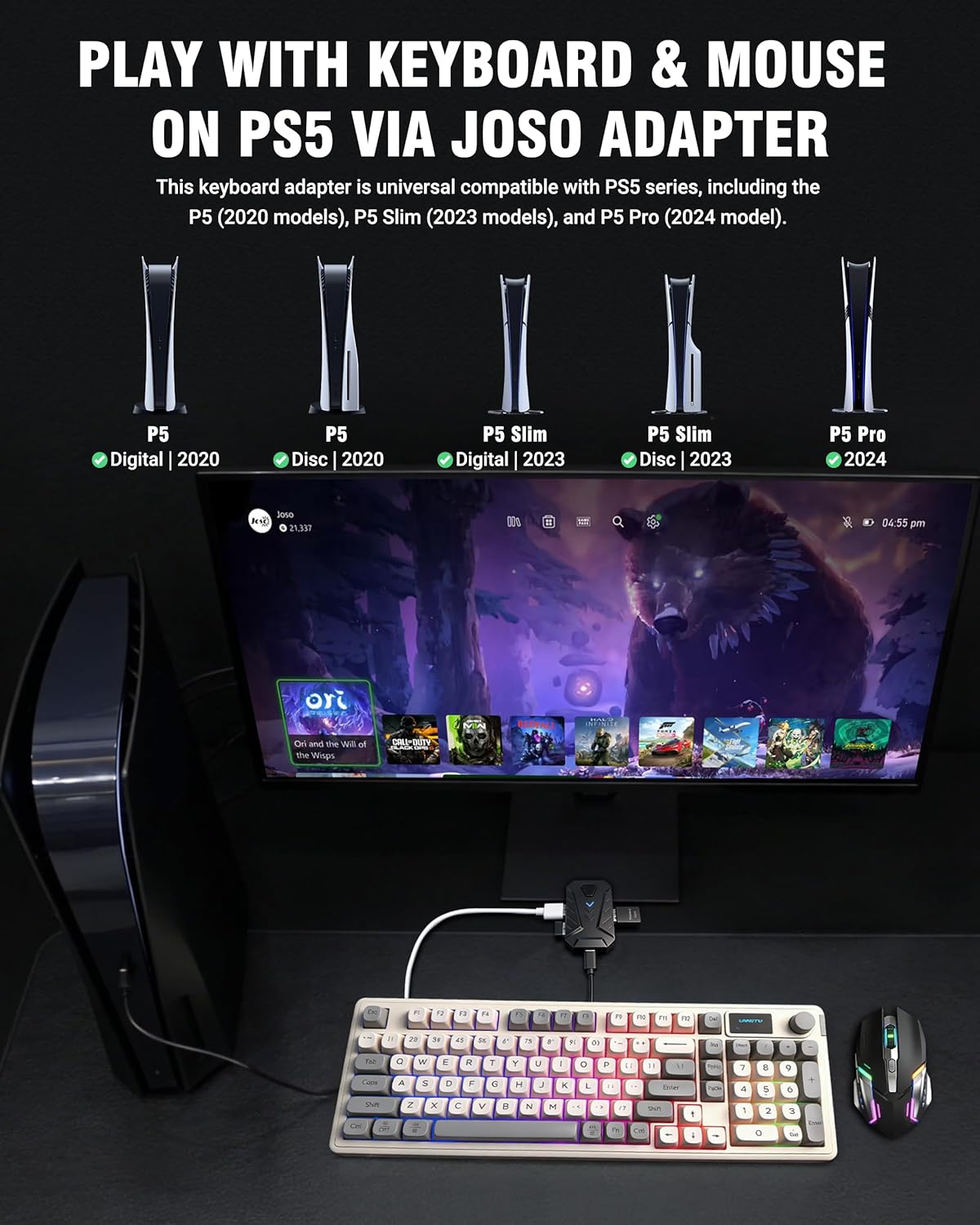
Image: A visual representation of the Joso adapter connected to a PS5 console, illustrating compatibility with different PS5 models (Digital, Disc, Slim, Pro).
4. Arahan Persediaan
Follow these steps to connect and set up your Joso Mix Master adapter:
- Enable USB Cable Function: On your PlayStation 5 console, navigate to the settings and enable the "Use USB Cable" function. This is crucial for the adapter to function correctly.
- Sambung Peranti: Plug your keyboard and mouse into the designated USB ports on the Joso Mix Master adapter.
- Connect Adapter to PS5:
- For standard PS5 models, plug the adapter directly into an available USB-A port on the console.
- For PS5 Slim/Pro models, use the included USB-A (Female) to Type-C (Male) adapter to connect the Joso Mix Master to the front Type-C port of your console.
- Sahkan Sambungan: Once connected, the blue indicator light on the Joso Mix Master adapter will stay on, indicating a successful connection and recognition by the console.

Image: A step-by-step diagram illustrating how to connect the Joso adapter, keyboard, and mouse to a PS5 console, including the use of the Type-C adapter for Slim/Pro models. The indicator light is also shown.
5. Arahan Operasi
5.1. General Gameplay
The Joso Mix Master allows you to use your keyboard and mouse for precise control in various games, including FPS, RPG, and adventure titles. This setup provides enhanced aiming accuracy, faster building, and superior movement compared to a standard controller.

Image: A gamer actively playing on a PS5 using a keyboard and mouse connected via the Joso adapter, demonstrating precise control in a first-person shooter game.

Image: A graphic illustrating various game genres (FPS, RPG, Adventure) and popular titles like Apex, COD, and Fortnite, indicating the adapter's versatility.
5.2. On-the-Fly Sensitivity Adjustment
You can adjust mouse sensitivity during gameplay without pausing the action:
- General Sensitivity: tahan Ctrl key on your keyboard and scroll the mouse wheel up or down to adjust the overall mouse sensitivity. Release the Ctrl key to lock in your preferred setting.
- Aim Down Sights (ADS) Sensitivity: To adjust ADS sensitivity, actively aim down sights in-game and then hold down the Ctrl key while scrolling the mouse wheel up or down. This allows for precise adjustments specific to aiming scenarios.

Image: A close-up of the Joso adapter and a mouse, with an overlay demonstrating how scrolling the mouse wheel while holding Ctrl adjusts sensitivity, comparing controller vs. keyboard/mouse aiming.
5.3. One-Touch Fire Function Switching
The adapter supports switching between different fire modes for an improved shooting experience:
- Menekan "F4" key on your keyboard can toggle various fire modes on or off.
- In Rapid Fire mode, you must press and hold the left mouse button to fire continuously.

Image: A hand operating a mouse, with an in-game overlay showing the effect of the one-touch fire function, highlighting the F4 key for mode switching.
6. Pemetaan Utama
The Joso Mix Master adapter provides a default key mapping that translates keyboard and mouse inputs to PS5 controller actions. Refer to the diagram below for a visual representation of the default key assignments.
Image: A detailed diagram showing the default key mappings from a standard keyboard and mouse to PS5 controller buttons (e.g., ESC to PS button, Q to L1, E to R1, Space to X, etc.).
7. Penyelenggaraan
To ensure the longevity and optimal performance of your Joso Mix Master adapter, follow these simple maintenance guidelines:
- Pastikan penyesuai bersih dan bebas daripada habuk. Gunakan kain lembut dan kering untuk pembersihan.
- Elakkan mendedahkan penyesuai kepada suhu, kelembapan atau cahaya matahari langsung yang melampau.
- Jangan cuba membuka atau mengubah suai penyesuai, kerana ini akan membatalkan jaminan dan boleh menyebabkan kerosakan.
- Simpan penyesuai di tempat yang selamat apabila tidak digunakan untuk mengelakkan kerosakan fizikal.
8. Penyelesaian masalah
If you encounter any issues with your Joso Mix Master adapter, please refer to the following common solutions:
- Adapter Not Recognized / No Input:
- Ensure the "Use USB Cable" function is enabled in your PS5 settings.
- Periksa semua sambungan kabel untuk memastikan ia selamat.
- Try connecting the adapter to a different USB port on your PS5.
- Verify that the blue indicator light on the adapter is solid, indicating a successful connection.
- Ensure your keyboard and mouse are functioning correctly when connected directly to a computer.
- Kelewatan atau Input:
- The Joso Mix Master features a 1000Hz polling rate for minimal latency. If you experience lag, ensure your PS5 system software is up to date.
- Try restarting your PS5 console and reconnecting the adapter.
- Kemas kini Firmware:
- Periodically check the official Joso website for any available firmware updates for the Mix Master adapter. Firmware updates can improve performance and compatibility. Instructions for updating firmware will be provided on the webtapak.
9. Spesifikasi
| Ciri | Perincian |
|---|---|
| Nombor Model | Mix Master |
| Jenama | Joso |
| Peranti Serasi | PlayStation 5 (PS5, PS5 Slim, PS5 Pro) |
| Kegunaan Produk Khusus | Konsol Permainan Video |
| Jenis Penyambung | USB Jenis A |
| warna | Hitam |
| Bilangan Pelabuhan | 4 |
| Jenis Palam Kuasa | Type C – 2 pin (European plug) |
| Kadar Mengundi | 1000 Hz |
10. Waranti dan Sokongan
Specific warranty information for the Joso Mix Master Keyboard and Mouse Adapter is not provided within this manual. For details regarding warranty coverage, technical support, or to inquire about firmware updates, please refer to the official Joso website or contact Joso customer service directly.