
1. Produk Lebihview
The TMEZON MZ-Y73+MZ-D92 is a sophisticated 2-wire video intercom system designed for enhanced home security and convenience. It features a 7-inch color touchscreen monitor and a 1080P outdoor camera with night vision. The system supports Wi-Fi connectivity for remote access via a mobile application, allowing users to view visitors, communicate, and unlock doors from anywhere. Key functionalities include two-way audio, motion detection, video recording, and multiple door opening methods.

Image 1.1: The TMEZON MZ-Y73+MZ-D92 video intercom system, showing the indoor 7-inch monitor and the outdoor doorbell unit.
2. Komponen Sistem
- 7-inch Indoor Monitor: Color touchscreen display for viewing, communication, and system control.
- 1080P Outdoor Doorbell Unit: Features a 1080P camera, night vision, 140° wide-angle view, and IP65 weather resistance.
- Penyesuai Kuasa: For powering the indoor monitor.
- Mounting Brackets and Screws: For secure installation of both units.
- Kad RFID/Kunci Fob: For convenient door unlocking.
- Manual Pengguna: Dokumen ini.
3. Persediaan dan Pemasangan
3.1 Sambungan Pendawaian
The system utilizes a 2-wire connection between the indoor monitor and the outdoor doorbell unit. Ensure all power is disconnected before beginning the wiring process.
- Identify the two main wires from your existing intercom wiring or run new 2-wire cable between the indoor and outdoor locations.
- Connect the two wires to the designated terminals on the back of the outdoor doorbell unit.
- Connect the other end of the two wires to the corresponding terminals on the indoor monitor.
- Connect the power adapter to the indoor monitor and plug it into a power outlet.

Image 3.1: Illustration of the 2-wire connection method for the intercom system, simplifying installation.
3.2 Mounting the Units
Use the provided mounting brackets and screws to securely attach the indoor monitor to an interior wall and the outdoor doorbell unit to an exterior surface. Ensure the outdoor unit is positioned at an appropriate height for clear camera view and protected from direct heavy rain if possible, despite its IP65 rating.
3.3 Wi-Fi and App Setup
The indoor monitor connects to your home's 2.4 GHz Wi-Fi network. Download the designated mobile application (e.g., Tuya Smart or Smart Life) from your device's app store. Follow the in-app instructions to pair the monitor with your Wi-Fi network and link it to your mobile device. This enables remote control and notifications.

Image 3.2: The indoor monitor indicating 2.4G Wi-Fi connectivity for smart home integration.
4. Arahan Operasi
4.1 Basic Intercom Functions
When a visitor presses the doorbell button on the outdoor unit, the indoor monitor will ring and display the visitor's video feed. You can then initiate two-way audio communication by tapping the microphone icon on the monitor screen or through the mobile app.

Image 4.1: A user interacting with the 7-inch color touchscreen monitor to view and communicate with a visitor.
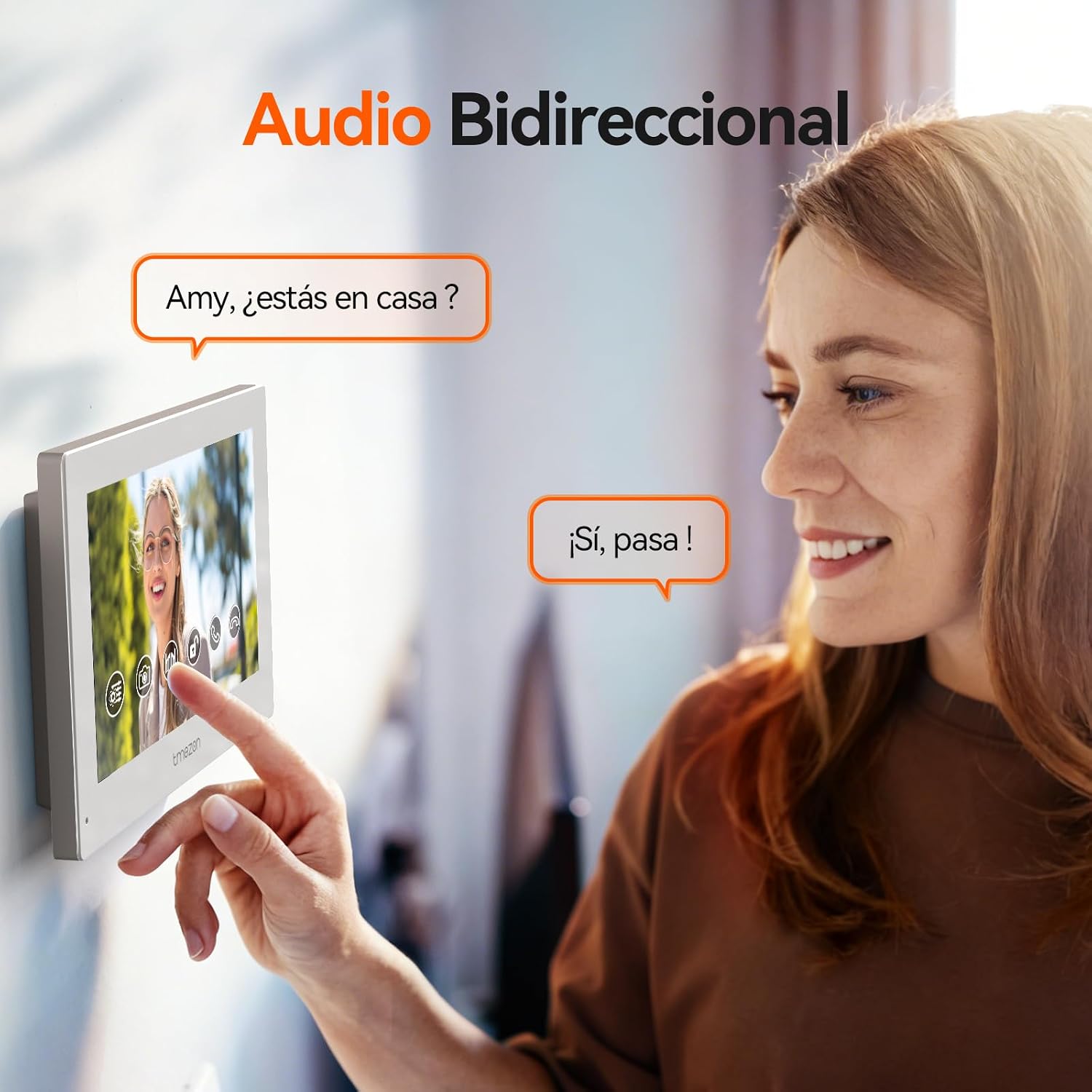
Image 4.2: Demonstrates the two-way audio communication feature, allowing clear conversation between the indoor monitor and the outdoor unit.
4.2 Door Unlocking Methods
The system offers three ways to unlock your door:
- Via Monitor: Tap the unlock icon on the indoor monitor screen.
- Melalui Apl Mudah Alih: Use the unlock function within the connected mobile application.
- Melalui Kad RFID: Present a pre-programmed RFID card or key fob to the outdoor doorbell unit.

Image 4.3: Visual representation of the three flexible door unlocking methods: via mobile app, indoor monitor, or RFID card.
4.3 Pengesanan Gerakan dan Makluman
The outdoor unit features intelligent motion detection. When motion is detected, the system can send alerts to your mobile phone. Sensitivity and detection areas can be adjusted through the monitor settings or the mobile app to minimize false alarms.

Image 4.4: Illustration of the intelligent motion detection feature, showing the detection zone and a mobile notification alert.
4.4 Rakaman dan Main Semula Video
The system supports recording video to a MicroSD card (up to 128 GB, not included). Recordings can be triggered by doorbell presses or motion detection. You can review dirakam footage directly on the 7-inch monitor or through the mobile application.

Image 4.5: Depicts the 1080P video recording and playback functionality, with support for MicroSD card storage.
4.5 Penglihatan Malam
The outdoor camera is equipped with night vision capabilities, providing clear images even in low-light conditions.

Image 4.6: The outdoor doorbell unit demonstrating its 1080P HD night vision capability, providing clear visibility after dark.
5. Penyelenggaraan
To ensure optimal performance and longevity of your TMEZON video intercom system, follow these maintenance guidelines:
- Pembersihan: Regularly wipe the indoor monitor screen and the outdoor camera lens with a soft, dry cloth. Avoid abrasive cleaners or solvents.
- Perlindungan Unit Luar: While the outdoor unit is IP65 rated for weather resistance, periodically check for any debris or obstructions around the camera and microphone.
- Kemas Kini Perisian: Check the mobile application or monitor settings for available firmware updates to ensure the system has the latest features and security enhancements.
- Bekalan Kuasa: Ensure the indoor monitor's power adapter is securely connected and not damaged.

Image 5.1: The outdoor unit's IP65 weather-resistant design, suitable for various environmental conditions.
6. Penyelesaian masalah
If you encounter issues with your TMEZON video intercom system, refer to the following common troubleshooting steps:
- No Power/Monitor Not Turning On:
- Check if the power adapter is securely plugged into the monitor and a working power outlet.
- Verify the power outlet is functional by plugging in another device. - No Video/Audio from Outdoor Unit:
- Ensure the 2-wire connection between the indoor and outdoor units is secure and correctly wired.
- Check for any physical damage to the outdoor unit's camera or microphone. - Isu Sambungan Wi-Fi:
- Confirm your Wi-Fi router is operating on a 2.4 GHz frequency.
- Ensure the monitor is within range of your Wi-Fi router.
- Restart your Wi-Fi router and the indoor monitor.
- Re-attempt the Wi-Fi pairing process through the mobile app. - Pemberitahuan Aplikasi Tidak Diterima:
- Check your phone's notification settings for the intercom app.
- Ensure the app has necessary permissions (e.g., internet access, notifications).
- Verify the monitor is connected to Wi-Fi and has internet access. - Door Unlocking Not Working:
- For RFID, ensure the card is correctly programmed and presented to the outdoor unit.
- For app/monitor unlock, ensure the system is powered and connected. Check wiring to the electronic lock if applicable. - System Randomly Restarts:
- This could indicate a power supply issue or a software glitch. Ensure the power supply is stable. If the issue persists, contact customer support.
7. Spesifikasi
| Pengeluar | TMEZON |
| Nombor Model | MZ-Y73+MZ-D92 |
| Dimensi Pakej | 18.9 x 14.9 x 9.7 cm |
| Berat Barang | 1.03 kg |
| Gaya | 1 Keluarga |
| Voltage | 24 Volt (DC) |
| Resolusi Kamera | 1080P |
| Saiz Monitor | Skrin sentuh 7 inci |
| Ketersambungan | 2-Wire, 2.4 GHz Wi-Fi |
| Outdoor Unit IP Rating | IP65 |
| Penyimpanan | Kad MikroSD (sehingga 128GB, tidak termasuk) |
8. Waranti dan Sokongan
8.1 Maklumat Waranti
This TMEZON product comes with a standard manufacturer's warranty. Please refer to the warranty card included in your product packaging or contact TMEZON customer service for specific warranty terms and conditions.
8.2 Sokongan Pelanggan
For technical assistance, troubleshooting, or any product-related inquiries, please contact TMEZON customer support. Contact details can typically be found on the official TMEZON webtapak atau dalam dokumentasi produk anda.