
pengenalan
Thank you for choosing the OneOdio Studio Max 1 Wireless DJ Headphone and USB-C to 3.5 mm Adapter. This manual provides essential information for the proper setup, operation, and maintenance of your device. Please read it thoroughly before use and retain it for future reference.
Kandungan Pakej
Sahkan bahawa semua item yang disenaraikan di bawah terdapat dalam pakej anda:
- OneOdio Studio Max 1 Wireless DJ Headphone
- USB-C to 3.5 mm Audio Adapter
- Kabel Pengecas USB-C
- Kabel Audio 3.5 mm
- Manual Pengguna (dokumen ini)
- Carrying Pouch (if included)
Produk Selesaiview
Familiarize yourself with the components of your OneOdio Studio Max 1 headphones and the USB-C adapter.
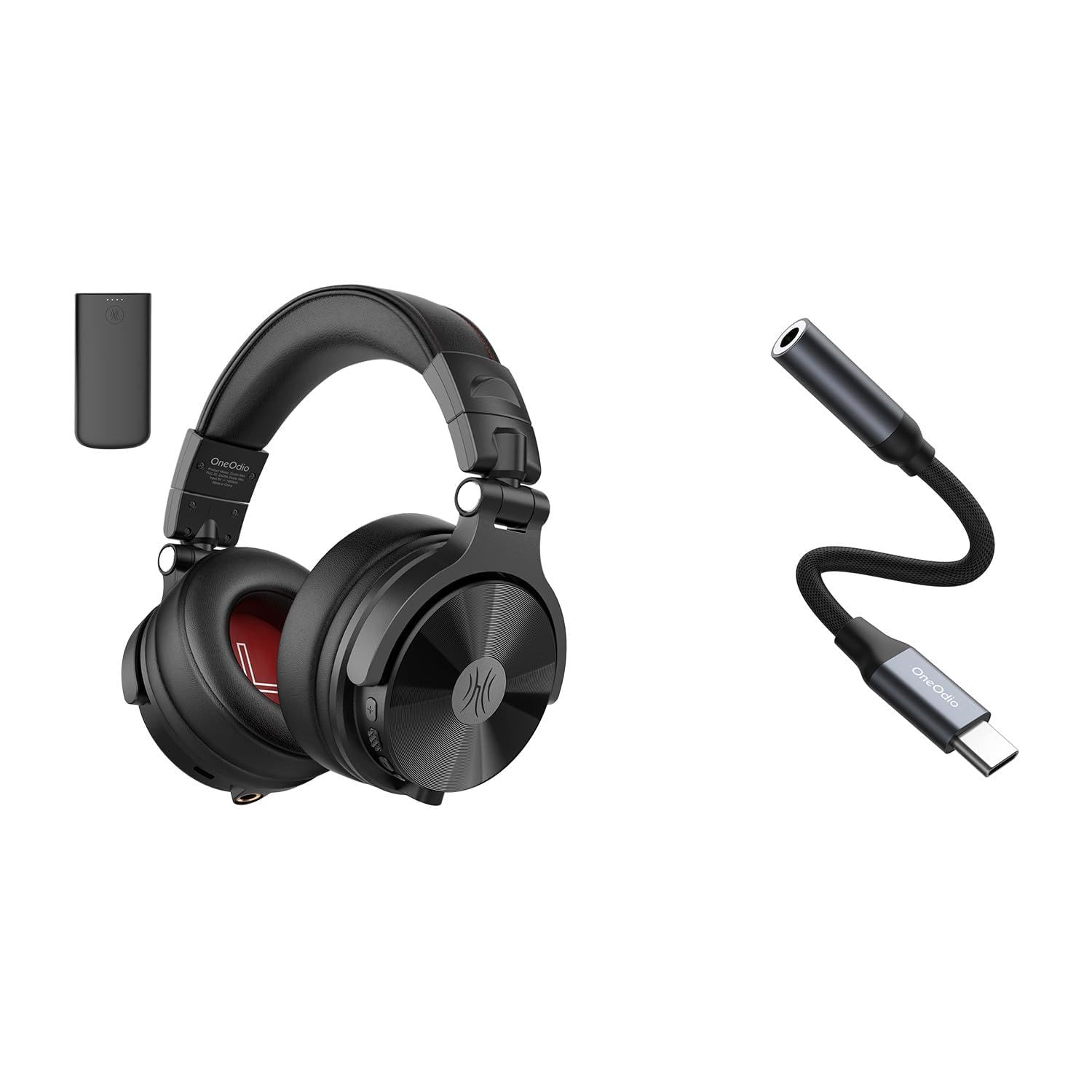
Rajah 1: OneOdio Studio Max 1 Wireless DJ Headphone and USB-C to 3.5 mm Adapter. This image displays the headphones in their folded state alongside the USB-C to 3.5 mm adapter and included cables, providing a general view of the product and its accessories.
Komponen Fon Kepala
- Butang Kuasa: On/Off, Play/Pause, Call Answer/End
- Butang Naik Kelantangan: Increase volume, Next track (long press)
- Butang Kurang Kelantangan: Decrease volume, Previous track (long press)
- Port Pengecasan USB-C: For charging the headphones
- 3.5 mm Audio Input: Untuk sambungan berwayar
- mikrofon: Untuk panggilan bebas tangan
- Penunjuk LED: Displays power, pairing, and charging status
USB-C to 3.5 mm Adapter Components
- Penyambung USB-C: Connects to your device
- Bicu Audio 3.5 mm: Connects to headphones or other audio devices
- Cip DAC: Provides high-resolution audio conversion
Persediaan
Mengecas Fon Kepala
Before initial use, fully charge the headphones.
- Sambungkan kabel pengecas USB-C ke port pengecasan USB-C pada fon kepala.
- Sambungkan hujung kabel yang satu lagi ke sumber kuasa USB (cth, port USB komputer, penyesuai dinding).
- The LED indicator will glow red during charging and turn off when fully charged.
Rajah 2: Illustrates the USB-C charging port on the headphones. For charging, locate this port, typically on one of the earcups, and connect the provided USB-C cable.
Penggandingan Bluetooth (Mod Tanpa Wayar)
- Pastikan fon kepala dimatikan.
- Press and hold the Power Button for approximately 5-7 seconds until the LED indicator flashes blue and red alternately. This indicates pairing mode.
- Pada peranti audio anda (telefon pintar, tablet, komputer), dayakan Bluetooth dan cari peranti yang tersedia.
- Select "OneOdio Studio Max 1" from the list of found devices.
- Setelah dipasangkan, penunjuk LED akan berkelip biru perlahan-lahan.
Wired Connection (3.5 mm Audio Cable)
For a wired connection, you can use the included 3.5 mm audio cable.
- Connect one end of the 3.5 mm audio cable to the 3.5 mm audio input on the headphones.
- Connect the other end of the 3.5 mm audio cable to the 3.5 mm audio output on your device.
- Fon kepala akan bertukar secara automatik kepada mod berwayar.
Using the USB-C to 3.5 mm Adapter
This adapter allows you to connect 3.5 mm audio devices to USB-C ports that lack a dedicated audio jack.
- Connect the USB-C end of the adapter to the USB-C port on your audio source device (e.g., smartphone, laptop).
- Connect your 3.5 mm headphones or other audio device to the 3.5 mm audio jack on the adapter.
- Ensure your device's audio output is set to the USB-C audio accessory if prompted.
Rajah 3: Depicts the USB-C to 3.5 mm adapter. To use, insert the USB-C connector into your device and plug your 3.5 mm audio cable into the adapter's audio jack.
Arahan Operasi
Hidupkan/Mati Kuasa
- Hidupkan kuasa: Press and hold the Power Button for 2-3 seconds until the LED indicator flashes blue.
- Matikan: Press and hold the Power Button for 3-4 seconds until the LED indicator flashes red and then turns off.
Music Playback (Wireless Mode)
- Main/Jeda: Tekan pendek Butang Kuasa.
- Kelantangan: Tekan pendek butang Kelantangan Naik (+).
- Perlahankan suara: Tekan pendek butang Kelantangan Turun (-).
- Lagu Seterusnya: Tekan lama butang Naikkan Kelantangan (+).
- Trek Sebelumnya: Tekan lama butang Kelantangan Turun (-).
Call Management (Wireless Mode)
- Jawab/Tamatkan Panggilan: Tekan pendek Butang Kuasa.
- Tolak Panggilan: Tekan lama Butang Kuasa.
- Dail Semula Nombor Terakhir: Double-press the Power Button.
LDAC/LC3 Codec Support
The OneOdio Studio Max 1 supports LDAC and LC3 codecs for high-resolution wireless audio transmission. Ensure your source device also supports these codecs and that they are enabled in your device's Bluetooth settings for optimal audio quality.
Penyelenggaraan dan Penjagaan
- Clean the headphones and adapter with a soft, dry cloth. Do not use abrasive cleaners or solvents.
- Elakkan mendedahkan peranti kepada suhu, kelembapan atau cahaya matahari langsung yang melampau.
- Store the headphones in the included carrying pouch when not in use to protect them from dust and scratches.
- Do not attempt to disassemble or modify the headphones or adapter, as this will void the warranty.
- Keep away from water and liquids. If exposed, power off immediately and allow to dry completely before use.
Menyelesaikan masalah
| Masalah | Kemungkinan Punca | Penyelesaian |
|---|---|---|
| Fon kepala tidak dihidupkan. | Bateri lemah. | Cas fon kepala sepenuhnya. |
| Tidak boleh berpasangan melalui Bluetooth. | Fon kepala tidak berada dalam mod berpasangan; Bluetooth dilumpuhkan pada peranti; terlalu jauh dari peranti. | Ensure headphones are in pairing mode (flashing red/blue). Enable Bluetooth on your device. Move headphones closer to the device (within 10 meters). |
| Tiada bunyi dalam mod wayarles. | Volume too low; headphones not connected; incorrect audio output selected. | Increase volume on headphones and device. Re-pair headphones. Check device's audio output settings. |
| Tiada bunyi dalam mod berwayar. | Cable not fully inserted; faulty cable; incorrect audio output selected. | Ensure 3.5 mm cable is fully inserted into both devices. Try a different 3.5 mm cable. Check device's audio output settings. |
| USB-C adapter not working. | Adapter not fully inserted; device incompatible; incorrect audio output selected. | Ensure adapter is fully inserted into the USB-C port. Verify your device supports USB-C audio output. Check device's audio output settings. |
Spesifikasi
- model: OneOdio Studio Max 1
- Diameter Pemandu: 50 mm
- Respons Kekerapan: 20 Hz - 40 kHz (Hi-Res Audio certified)
- Impedans: 32 ohm
- Sensitiviti: 110 dB ± 3 dB
- Versi Bluetooth: 5.2
- Julat Bluetooth: Sehingga 10 meter (33 kaki)
- Codec yang disokong: LDAC, LC3, SBC, AAC
- USB-C Adapter SampKadar ling: 24-bit/96kHz HiFi audio
Waranti dan Sokongan
OneOdio products come with a standard manufacturer's warranty. For detailed warranty information, please refer to the warranty card included in your package or visit the official OneOdio website. For technical support, troubleshooting assistance, or warranty claims, please contact OneOdio customer service through their official channels.
rasmi Webtapak: www.oneodio.com
Sokongan E-mel: support@oneodio.com