
pengenalan
Thank you for choosing the OneOdio Focus A1Pro Wireless On-Ear Headphones. This manual provides detailed instructions for setting up, operating, maintaining, and troubleshooting your new headphones. Please read this manual thoroughly before use to ensure optimal performance and longevity of your device.
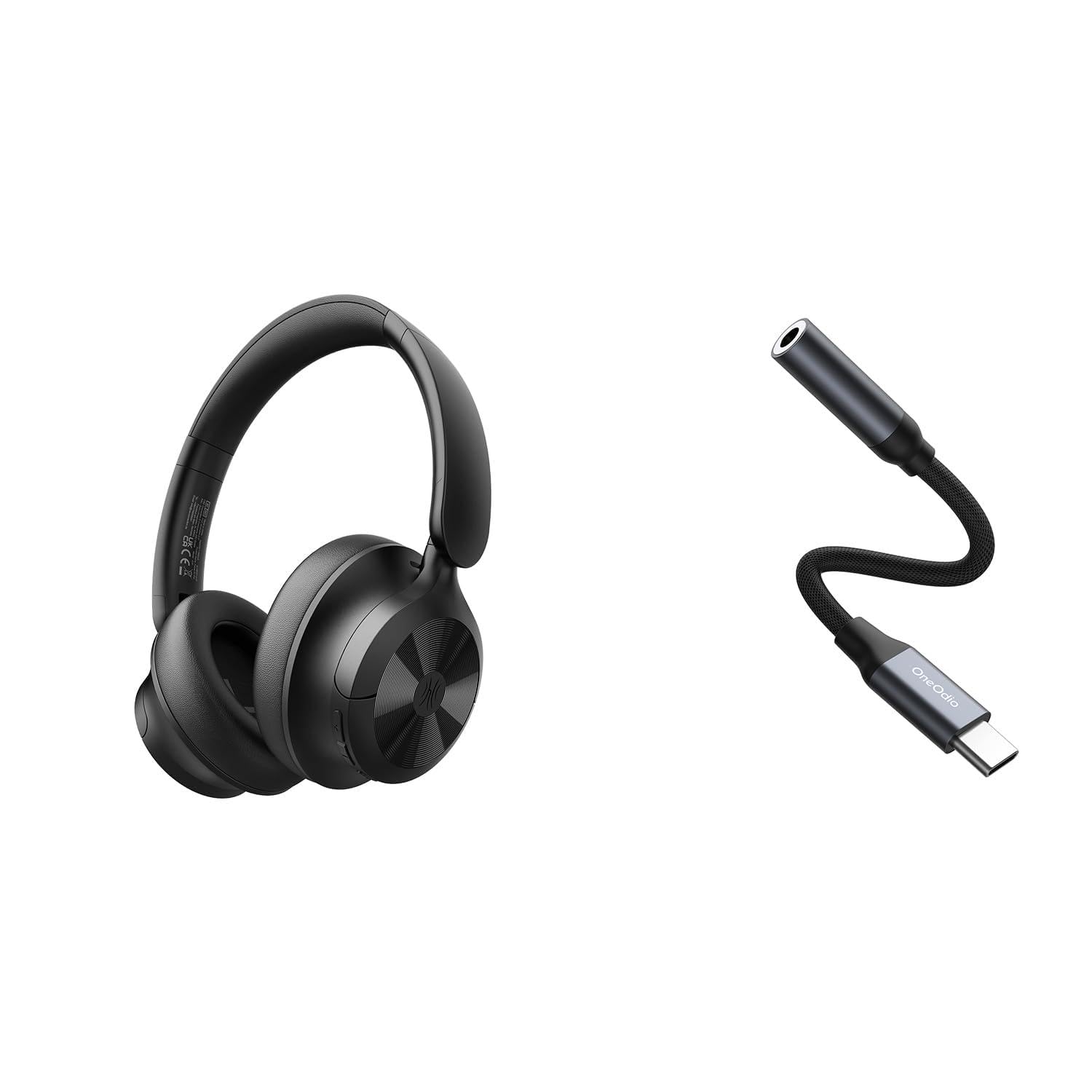
Image: OneOdio Focus A1Pro Wireless On-Ear Headphones. This image displays the headphones in their typical on-ear design, showcasing cup telinga dan ikat kepala.
Kandungan Pakej
Sila semak pakej untuk item berikut:
- OneOdio Focus A1Pro Wireless On-Ear Headphones
- USB-C ke Penyesuai Audio 3.5mm
- Kabel Pengecas USB-C
- Beg Bawa
- Manual Pengguna (dokumen ini)
Persediaan
1. Mengecas Fon Kepala
Before first use, fully charge the headphones. Connect the USB-C charging cable to the charging port on the headphones and the other end to a USB power source (e.g., computer USB port, wall adapter). The LED indicator will show charging status and turn off or change color when fully charged.

Image: Close-up of the USB-C charging port on the OneOdio Focus A1Pro headphones, with a charging cable connected.
2. Menghidupkan/Mematikan
- Untuk Menghidupkan: Press and hold the Multi-function button for approximately 3 seconds until the LED indicator flashes blue.
- Untuk Mematikan: Press and hold the Multi-function button for approximately 3 seconds until the LED indicator flashes red and then turns off.
3. Berpasangan Bluetooth
- Pastikan fon kepala dimatikan.
- Press and hold the Multi-function button for 5-7 seconds until the LED indicator flashes red and blue alternately. This indicates pairing mode.
- Pada peranti anda (telefon pintar, tablet, komputer), dayakan Bluetooth dan cari peranti yang tersedia.
- Select "OneOdio A1Pro" from the list of found devices.
- Setelah disambungkan, penunjuk LED akan berkelip biru perlahan.
- Jika kata laluan diperlukan, masukkan "0000".
Fon kepala akan cuba menyambung semula secara automatik ke peranti pasangan terakhir apabila dihidupkan.
4. Wired Connection (using USB-C to 3.5mm Audio Adapter)
For a wired connection, use the provided USB-C to 3.5mm audio adapter. This allows you to connect the headphones to devices with a standard 3.5mm audio jack.
- Plug the USB-C end of the adapter into the USB-C port on the headphones.
- Plug the 3.5mm end of the adapter into the 3.5mm audio jack of your audio source device.
- Ensure the headphones are powered off for wired mode to function correctly and conserve battery.

Image: The OneOdio Focus A1Pro headphones connected to an audio source via the USB-C to 3.5mm audio adapter.
Arahan Operasi
Kawal Selesaiview
The headphones feature intuitive controls located on the earcup. Familiarize yourself with these buttons for seamless operation.

Image: Diagram showing the location and function of control buttons on the OneOdio Focus A1Pro headphones, including volume, multi-function, and ANC buttons.
Main balik Muzik
- Main/Jeda: Tekan butang Pelbagai fungsi sekali.
- Lagu Seterusnya: Tekan dan tahan butang Naikkan Kelantangan selama 2 saat.
- Trek Sebelumnya: Tekan dan tahan butang Kurangkan Kelantangan selama 2 saat.
- Kelantangan: Tekan butang Kelantangan Naik sebentar.
- Perlahankan suara: Tekan butang Kelantangan Turun sebentar.
Pengendalian Panggilan
- Jawab/Tamatkan Panggilan: Tekan butang Pelbagai fungsi sekali.
- Tolak Panggilan: Tekan dan tahan butang Berbilang fungsi selama 2 saat.
- Dail Semula Nombor Terakhir: Tekan dua kali butang Berbilang fungsi.
Pembatalan Bising Aktif (ANC)
The Focus A1Pro headphones feature Active Noise Cancellation to reduce ambient noise.
- Aktifkan ANC: Press the ANC button once. The ANC indicator light will turn green.
- Nyahaktifkan ANC: Tekan butang ANC sekali lagi. Lampu penunjuk ANC akan dimatikan.
Memakai Fon Kepala
Adjust the headband to fit comfortably over your head. The earcups should fully cover your ears for optimal sound quality and noise cancellation. The earcups are typically marked 'L' for left and 'R' for right.
Penyelenggaraan
Pembersihan
- Lap fon kepala dengan kain lembut, kering dan tidak berbulu.
- Jangan gunakan pembersih yang melelas, alkohol atau pelarut kimia.
- Elakkan mendapatkan kelembapan ke dalam mana-mana bukaan.
- The earpads can be gently wiped with a slightly damp cloth and mild soap solution, then dried thoroughly.
Penyimpanan
When not in use, store the headphones in the provided carrying pouch to protect them from dust and scratches. Store in a cool, dry place away from extreme temperatures.
Penjagaan Bateri
- Elakkan menyahcas sepenuhnya bateri dengan kerap.
- Cas fon kepala secara berkala, walaupun tidak digunakan untuk tempoh yang lama, untuk mengekalkan kesihatan bateri.
- Do not expose the headphones to high temperatures, as this can degrade battery performance.
Menyelesaikan masalah
Tiada Kuasa
- Pastikan fon kepala dicas sepenuhnya.
- Press and hold the Multi-function button for 3 seconds to power on.
Tiada Bunyi
- Bluetooth:
- Ensure the headphones are paired and connected to your device.
- Check the volume level on both the headphones and your device.
- Cuba nyahpasang dan pasangkan semula fon kepala.
- Berwayar:
- Ensure the USB-C to 3.5mm adapter is securely connected to both the headphones and the audio source.
- Sahkan sumber audio sedang dimainkan dan kelantangannya dinaikkan.
- Test with a different audio cable or device if possible.
Isu Sambungan Bluetooth
- Ensure the headphones are in pairing mode (red and blue flashing LED).
- Gerakkan fon kepala lebih dekat dengan peranti anda.
- Clear the Bluetooth list on your device and try pairing again.
- Elakkan gangguan daripada peranti wayarles lain.
Menetapkan semula Fon Kepala
If you experience persistent issues, you can try resetting the headphones to their factory settings. (Note: Specific reset procedures vary by model. A common method is to press and hold the Multi-function and Volume Down buttons simultaneously for 5-10 seconds while powered on, or connect to power while holding a button. Refer to the manufacturer's official support for exact steps if this general method does not work.)
Spesifikasi
| Nama Model | Focus A1Pro |
| Versi Bluetooth | 5.0 (Estimated, common for modern headphones) |
| Diameter Pemandu | 40mm (Dianggarkan) |
| Respons Kekerapan | 20Hz - 20kHz (tipikal) |
| Kapasiti Bateri | 500mAh (Dianggarkan) |
| Masa Mengecas | lebih kurang 2-3 jam |
| Masa Main Semula | Up to 30 hours (Varies with volume and ANC usage) |
| Berat badan | Approx. 250g (Dianggarkan) |
Note: Specifications are subject to change without notice. Actual performance may vary.
Waranti dan Sokongan
Maklumat Waranti
OneOdio products are covered by a limited warranty from the date of purchase. This warranty covers manufacturing defects in materials and workmanship. It does not cover damage caused by misuse, accidents, unauthorized modifications, or normal wear and tear. Please retain your proof of purchase for warranty claims.
Sokongan Pelanggan
For technical support, warranty inquiries, or other assistance, please contact OneOdio customer service through their official webtapak atau peruncit tempat anda membeli produk tersebut.
rasmi Webtapak: www.oneodio.com
Sokongan E-mel: support@oneodio.com