
1. Pengenalan
Thank you for choosing Auxmir Smart A19 RGB+CCT LED Light Bulbs. These smart bulbs offer a wide range of colors and tunable white light, controllable via Wi-Fi, Bluetooth, remote, or voice commands through Amazon Alexa and Google Assistant. This manual provides essential information for safe installation, operation, and maintenance of your smart light bulbs.
2. Maklumat Keselamatan
- Penggunaan Dalaman Sahaja: These bulbs are designed for indoor use. Do not install in wet or humid locations.
- Matikan Sebelum Pemasangan: Sentiasa matikan kuasa pada lekapan sebelum memasang atau menanggalkan mentol.
- Voltage: Pastikan voltan lekapantage is compatible with the bulb (AC100-130V).
- Keserasian Dimmer: Do not use with standard dimmer switches. Dimming is controlled via the app or voice commands.
- Elakkan Lekapan Tertutup: Do not install in fully enclosed fixtures, as this can trap heat and shorten the bulb's lifespan.
- Jauhkan dari Air: Elakkan pendedahan kepada air atau cecair lain.
3. Kandungan Pakej
- Auxmir Smart A19 RGB+CCT LED Light Bulb (2-Pack)
- Alat kawalan jauh (1)
- Manual Pengguna (Dokumen ini)
4. Ciri-ciri Produk
- RGB+CCT Color Changing: 16 million RGB colors and tunable white light (2700K warm white to 6500K cool daylight).
- Kesambungan Dwi: Supports both Wi-Fi (2.4GHz only) and Bluetooth for flexible control.
- Pelbagai Kaedah Kawalan: Control via Briturn App, included remote, or voice commands with Alexa and Google Home.
- Tidak diperlukan Hab: Bersambung terus ke rangkaian Wi-Fi 2.4GHz anda.
- Penyegerakan Muzik: Lights change color and brightness in rhythm with music.
- Mod Pemandangan: Pre-set scenes and customizable DIY effects (fading, flashing, breathing).
- Penjadualan & Pemasa: Set schedules for automatic on/off and brightness adjustments.
- Cekap Tenaga: 9W power consumption, equivalent to a 60W incandescent bulb, delivering 800 lumens.
- Jangka hayat yang panjang: Sehingga 20,000 jam beroperasi.
5. Persediaan
5.1 Pemasangan Fizikal
- Pastikan kuasa pada lampu dimatikan pada suis sebelum pemasangan.
- Carefully screw the Auxmir Smart Light Bulb into a standard E26 base socket.
- Turn on the power to the light fixture. The bulb should flash, indicating it is in pairing mode.
5.2 App Download and Pairing (Briturn App)
The Briturn App is required for full smart functionality. Ensure your mobile device is connected to a 2.4GHz Wi-Fi network.
- Muat turun Apl: Cari untuk "Briturn" in the Apple App Store or Google Play Store, or scan the QR code provided in the product packaging.
- Daftar/Log Masuk: Open the Briturn App and create a new account or log in if you already have one.
- Tambah Peranti: Ketik ikon "+" atau butang "Tambah Peranti" dalam aplikasi.
- Pilih Jenis Peranti: Choose "Lighting" or "Light Source (Wi-Fi)" from the device list.
- Confirm Pairing Mode: Ensure your bulb is flashing rapidly. If not, turn the bulb off and on 3 times (on-off-on-off-on) until it flashes.
- Sambung ke Wi-Fi: Enter your 2.4GHz Wi-Fi network name and password in the app.
- Berpasangan: The app will begin searching for the bulb. Once found, the bulb will stop flashing and remain steadily lit.
- Namakan semula Peranti: You can rename the bulb for easier control (e.g., "Living Room Light").
Kawalan Bluetooth: If your Wi-Fi is unavailable, you can still control the bulb directly via Bluetooth within a 40-meter (130 feet) range using the Briturn App. Ensure Bluetooth is enabled on your phone.
5.3 Voice Assistant Integration (Alexa & Google Home)
To enable voice control, link your Briturn account to Amazon Alexa or Google Assistant.
- Open Voice Assistant App: Buka aplikasi Amazon Alexa atau aplikasi Google Home pada peranti mudah alih anda.
- Add Device/Skill: Navigate to the "Skills & Games" section (Alexa) or "Works with Google" section (Google Home).
- Cari untuk Briturn: Cari untuk the "Briturn" skill/service.
- Enable Skill/Link Account: Enable the Briturn skill and link it to your Briturn account using your Briturn login credentials.
- Cari Peranti: Setelah dipautkan, minta pembantu suara anda untuk "Temui peranti" atau memulakan penemuan peranti secara manual dalam apl.
- Perintah Suara: Anda kini boleh menggunakan arahan suara seperti:
- "Alexa, hidupkan Lampu Ruang Tamu."
- "Hey Google, dim Bedroom Light to 50%."
- "Alexa, change Kitchen Light to blue."
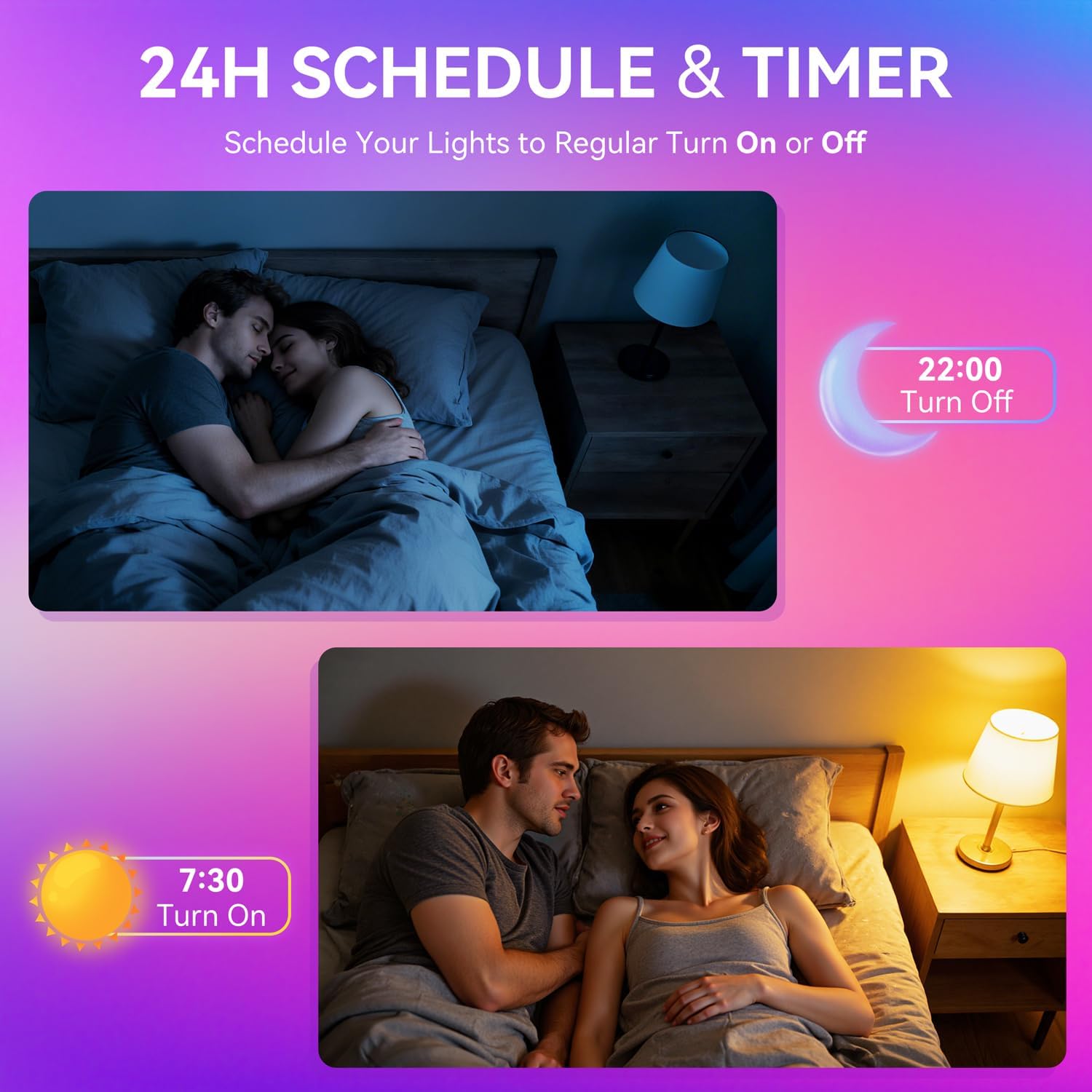
Image: A woman interacting with a smart speaker to control her Auxmir smart light bulb, demonstrating voice control functionality.
6. Arahan Operasi
6.1 Color and Brightness Control
- Pilihan Warna: In the Briturn App, select your bulb and choose from 16 million RGB colors using the color wheel.
- Putih boleh merdu: Adjust the white light temperature from 2700K (warm white) to 6500K (cool daylight) to suit your preference.
- Peredupan: Use the brightness slider in the app or voice commands to adjust brightness from 1% to 100%.

Image: Three Auxmir smart bulbs showcasing their ability to display a wide range of RGB colors and tunable white light, from warm to cool.
6.2 Mod Pemandangan
The Briturn App offers various pre-set scenes and allows you to create custom lighting effects.
- Pre-set Scenes: Select from modes like Movie, Sleep, Festival, and more to instantly change the ambiance of your room.
- DIY Scenes: Create your own custom lighting effects by adjusting colors, brightness, and transition styles (fading, flashing, breathing). Save these as personal scenes for quick access.

Imej: Bekasample of a living space transformed by Auxmir smart lighting, demonstrating various scene modes and their impact on room ambiance.
6.3 Penyegerakan Muzik
Synchronize your lights with music playing on your phone or through the phone's microphone.
- In the Briturn App, select the Music Sync feature.
- Choose from modes like Party, Dynamic, Calm, or Auto Rhythm.
- The bulbs will change colors and brightness according to the rhythm and beat of the music detected by your phone's microphone.

Image: A visual representation of the music sync feature, where Auxmir smart bulbs change colors and patterns in response to music, creating a dynamic atmosphere.
6.4 Penjadualan dan Pemasa
Automate your lighting with schedules and timers.
- In the Briturn App, navigate to the "Schedule" or "Timer" section for your bulb.
- Set specific times for the bulb to turn on or off.
- Customize brightness and color for scheduled events (e.g., a warm light to wake up, a dim light for bedtime).
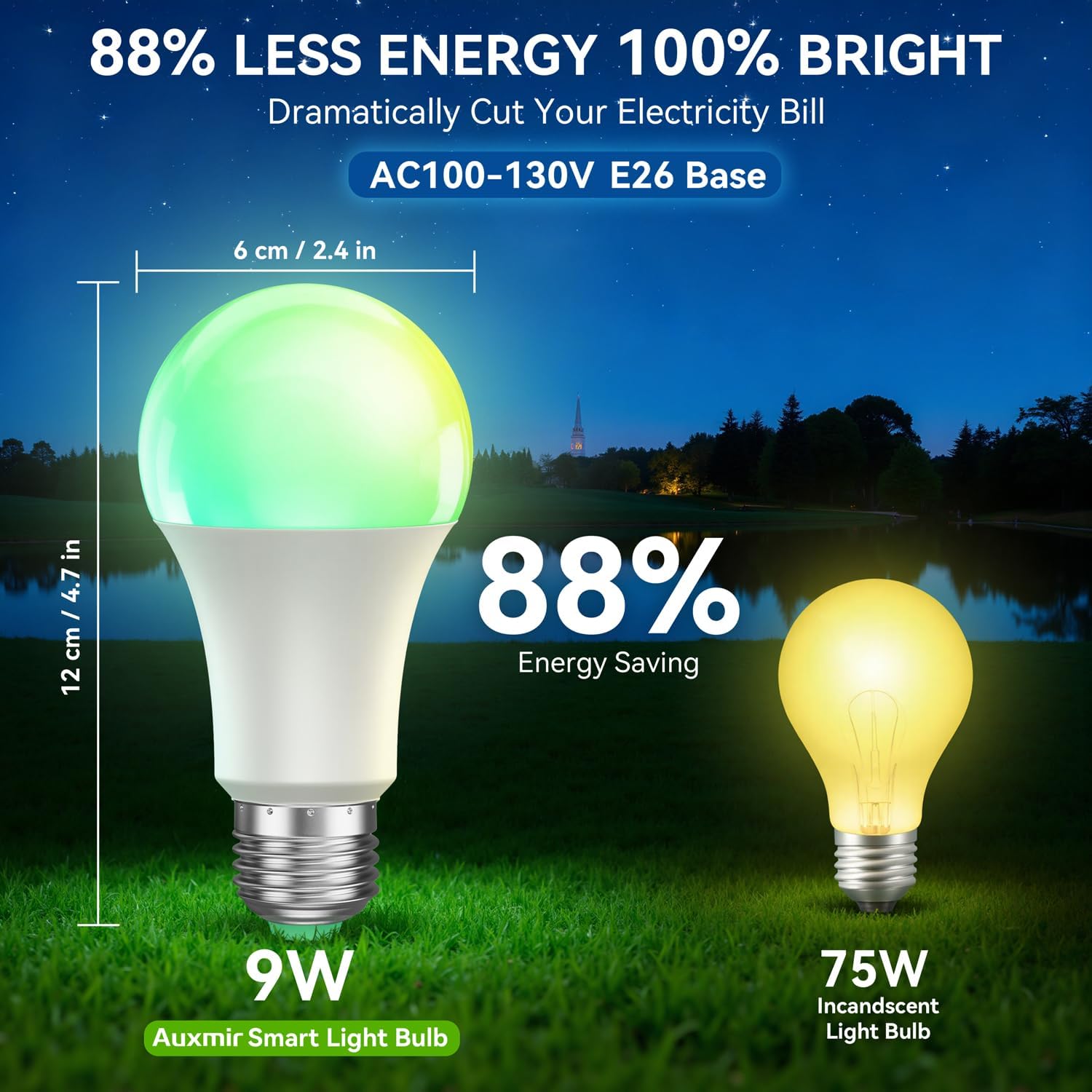
Image: Illustrations depicting the scheduling feature, where Auxmir smart bulbs can be programmed to turn on and off at specific times, such as for waking up or going to bed.
6.5 Kawalan Kumpulan
Control multiple Auxmir smart bulbs simultaneously.
- In the Briturn App, go to the device list.
- Select the option to create a "Group."
- Add the desired bulbs to the group (e.g., "Living Room Lights").
- You can now control all bulbs in the group with a single command or tap, adjusting their color, brightness, and scenes together.

Image: A diagram illustrating how Auxmir smart bulbs can be grouped and controlled across different rooms in a home, enabling synchronized lighting for various activities.
7. Penyelenggaraan
- Pembersihan: Pastikan mentol telah dimatikan dan sejuk sebelum membersihkan. Lap dengan kain lembut dan kering. Jangan gunakan pembersih cecair.
- Penggantian: When the bulb reaches the end of its lifespan, replace it with another Auxmir Smart A19 LED Light Bulb or a compatible E26 LED bulb.
- Storan: Jika menyimpan mentol, simpan di tempat yang sejuk dan kering, jauh daripada cahaya matahari langsung dan suhu yang melampau.
8. Penyelesaian masalah
| Masalah | Kemungkinan Punca | Penyelesaian |
|---|---|---|
| Mentol tidak dihidupkan | Tiada kuasa pada lekapan; Mentol tidak diskrukan dengan betul; Mentol rosak. | Check power switch and circuit breaker. Ensure bulb is securely screwed in. Test bulb in another fixture. |
| Mentol tidak bersambung ke Wi-Fi | Incorrect Wi-Fi password; Not a 2.4GHz network; Bulb not in pairing mode; Router too far. | Verify Wi-Fi password. Ensure you are on a 2.4GHz network. Reset bulb to pairing mode (on-off-on-off-on). Move bulb closer to router. |
| Kawalan suara tidak berfungsi | Briturn skill not enabled/linked; Incorrect device name; Voice assistant not connected to internet. | Ensure Briturn skill is enabled and linked in Alexa/Google Home app. Use the exact device name. Check internet connection of your voice assistant device. |
| Alat kawalan jauh tidak berfungsi | Battery depleted; Obstruction between remote and bulb; Remote not paired. | Replace remote battery. Ensure clear line of sight. Refer to remote pairing instructions (if applicable, usually automatic). |
| Bulb flickering or unstable light | Loose connection; Electrical interference; Faulty bulb. | Check bulb connection. Ensure no other devices are causing interference. If problem persists, contact support. |
9. Spesifikasi
| Ciri | Spesifikasi |
|---|---|
| Nombor Model | ZJ-BWBL1L-RGBWW-2PP-BT |
| Saiz Bentuk Mentol | A19 |
| Pangkalan Mentol | E26 |
| Wattage | 9 Watt |
| Setara Pijar | 60 Watt |
| Kecerahan | 800 Lumen |
| Warna Cerah | Multicolor (RGB) + Tunable White (2700K-6500K) |
| Boleh dimalapkan | 1% - 100% via App/Voice |
| Ketersambungan | Wi-Fi 2.4GHz, Bluetooth |
| Kaedah Kawalan | App, Remote, Voice (Alexa, Google Assistant) |
| Input Voltage | AC100-130V |
| Jangka hayat | 20,000 Jam |
| Penggunaan Dalaman/Luar | Dalaman Sahaja |
| Dimensi (W x H) | 2.4" x 4.7" (6 cm x 12 cm) |
| bahan | kaca |
10. Waranti dan Sokongan
10.1 Maklumat Waranti
Auxmir Smart Light Bulbs come with a Waranti 3 tahun dari tarikh pembelian. Waranti ini meliputi kecacatan pembuatan dan kerosakan dalam penggunaan biasa. Ia tidak melindungi kerosakan yang disebabkan oleh penyalahgunaan, kemalangan, pengubahsuaian yang tidak dibenarkan, atau pemasangan yang tidak betul.
10.2 Sokongan Pelanggan
If you encounter any issues or have questions regarding your Auxmir Smart Light Bulbs, please contact our customer support team:
- e-mel: [Masukkan E-mel Sokongan Pelanggan Di Sini]
- telefon: [Insert Customer Support Phone Number Here]
- Webtapak: Visit the official Auxmir webtapak untuk Soalan Lazim dan sumber tambahan.
Please have your model number (ZJ-BWBL1L-RGBWW-2PP-BT) and purchase details ready when contacting support.