
pengenalan
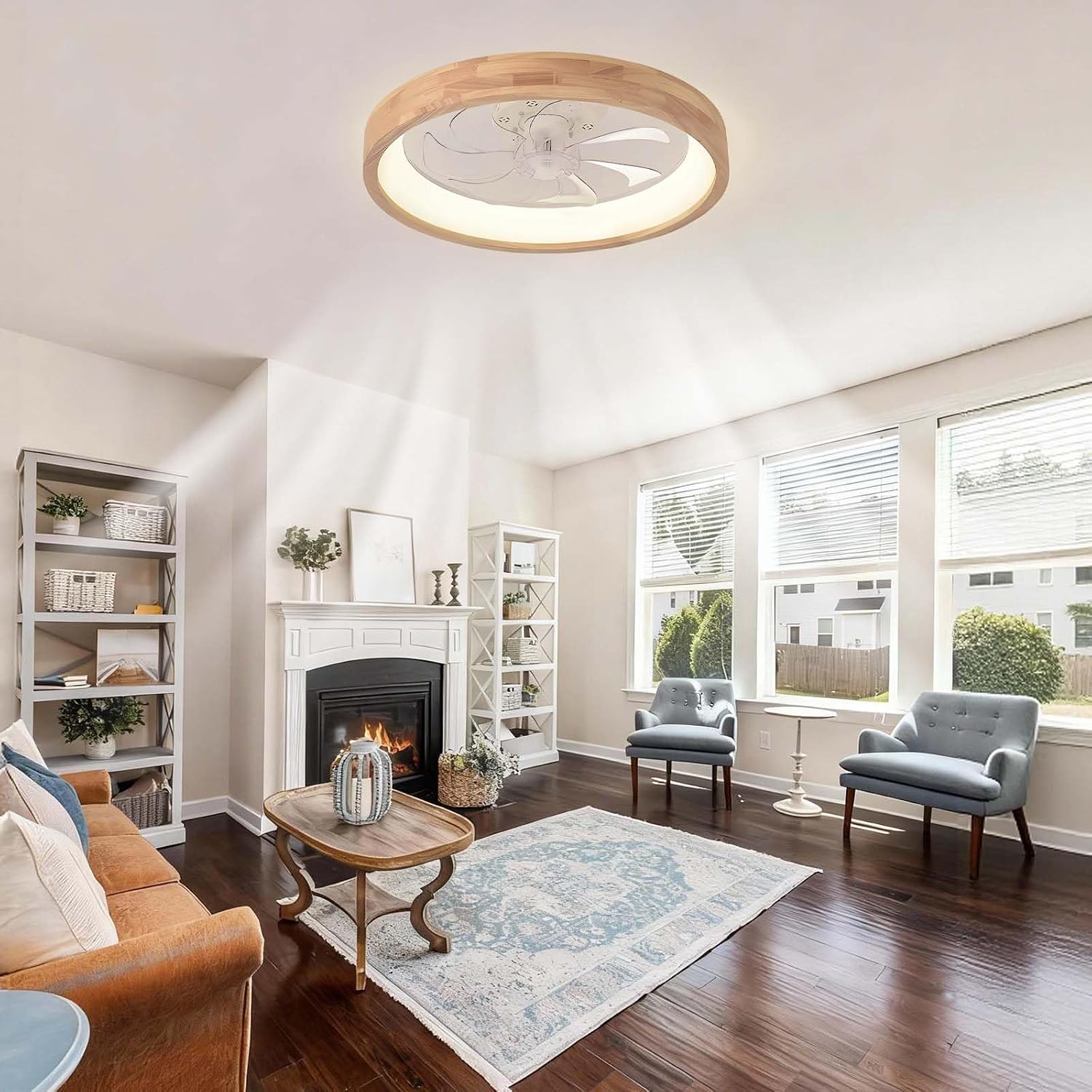
Thank you for choosing the LASANYA p0698 Smart Ceiling Fan with Dimmable LED Light. This product combines efficient air circulation with versatile lighting, designed to enhance comfort and style in your home. Featuring a reversible DC motor, 6 adjustable speeds, and smart control via both a remote and a mobile application, this ceiling fan is suitable for various indoor spaces including living rooms, bedrooms, offices, and kitchens. Please read this manual thoroughly before installation and operation to ensure safe and optimal performance.
Arahan Keselamatan Penting
- Always disconnect power at the main circuit breaker before installation, maintenance, or cleaning.
- Installation must be performed by a qualified electrician or a person with electrical experience.
- Ensure the mounting structure can support the weight of the fan (approximately 4 kg).
- Jangan bengkokkan pemegang bilah semasa pemasangan atau pembersihan.
- Pastikan semua sambungan elektrik selamat dan mematuhi kod dan peraturan tempatan.
- Jauhkan kanak-kanak daripada kipas semasa operasi.
- Jangan masukkan objek ke dalam bilah kipas semasa kipas beroperasi.
Apa yang Termasuk
Carefully unpack your ceiling fan and ensure all items are present:
- Kipas Siling dengan Lampu LED Bersepadu
- Alat Kawalan Jauh
- Kit Perkakasan Pemasangan
- Manual Pengguna (dokumen ini)
Spesifikasi Produk
| Ciri | Spesifikasi |
|---|---|
| Jenama | LASANYA |
| Nombor Model | p0698 |
| warna | kayu |
| Bahan | Akrilik, Logam |
| Dimensi (L x W x H) | 51 cm x 51 cm x 15 cm (21 in x 21 in x 6.7 in) |
| Sumber Kuasa | Electric Corded (220V) |
| Jenis Cahaya | LED bersepadu |
| Suhu Warna Cerah | Warm White (3000K), Neutral White (4000K), Cool White (6000K) |
| Boleh dimalapkan | Ya (10% hingga 100%) |
| Wattage | 30 Watt |
| Motor Kipas | Motor DC Boleh Balik |
| Kelajuan Kipas | 6 Kelajuan |
| Kaedah Kawalan | Remote Control, Mobile Application |
| Fungsi Pemasa | 1/2/4/8 Jam |
| Tahap Kebisingan | Kira-kira 25 dB |
| Saiz Bilik yang Disyorkan | 5 hingga 20 m² |
| Jenis Pemasangan | Pemasangan Siling |
Persediaan dan Pemasangan
This ceiling fan is designed for straightforward installation using basic household tools. Follow these general steps. Refer to the detailed diagrams in the included printed manual for specific wiring and mounting instructions.
- Sediakan untuk Pemasangan: Matikan kuasa pada pemutus litar. Pastikan lokasi pemasangan selamat dan boleh menyokong berat kipas.
- Lekapkan Pendakap: Secure the mounting bracket to the ceiling junction box using the provided screws and hardware.
- Dawai kipas: Connect the fan's electrical wires to your household wiring according to the wiring diagram in the manual. Ensure all connections are tight and properly insulated.
- Pasang Badan Kipas: Carefully lift the fan body and attach it to the mounting bracket. Secure it with the appropriate screws.
- Pasang Penutup Cahaya: Attach the acrylic light cover to the fan body.
- Pulihkan Kuasa: Setelah pemasangan selesai dan semua sambungan diperiksa, pulihkan kuasa pada pemutus litar.
Arahan Operasi
Your LASANYA p0698 ceiling fan can be controlled via the included remote control or a dedicated mobile application.
Operasi Kawalan Jauh
Alat kawalan jauh membolehkan anda menguruskan semua fungsi kipas dan cahaya:
- Kipas HIDUP/MATI: Tekan butang kipas untuk menghidupkan atau mematikan kipas.
- Kelajuan Kipas: Use the speed buttons (1-6) to adjust the fan's rotation speed.
- Motor Boleh Balik: Press the reverse button to switch between summer mode (downward airflow for cooling) and winter mode (upward airflow for heat distribution).
- Lampu HIDUP/MATI: Tekan butang lampu untuk menghidupkan atau mematikan lampu LED.
- Suhu Warna: Cycle through Warm White (3000K), Neutral White (4000K), and Cool White (6000K) settings.
- Peredupan: Use the brightness adjustment buttons to increase or decrease light intensity (10% to 100%).
- Pemasa: Set the fan to automatically turn off after 1, 2, 4, or 8 hours.
Kawalan Aplikasi Mudah Alih
Download the official LASANYA app from your smartphone's app store. Follow the in-app instructions to pair your fan. The app provides all the functionalities of the remote control, plus additional smart features and scheduling options.


Penyelenggaraan
Penyelenggaraan tetap memastikan jangka hayat dan prestasi optimum kipas siling anda.
- Pembersihan: Before cleaning, ensure the power is off at the circuit breaker. Use a soft, damp kain untuk mengelap bilah kipas dan perumah motor. Jangan gunakan pembersih atau pelarut yang kasar.
- Ketatkan Skru: Periodically check and tighten all screws on the fan body and mounting bracket to prevent loosening and potential hazards.
- Sumber Cahaya: The integrated LED light source is designed for long life and is not user-replaceable. If the light fails, contact customer support.
Menyelesaikan masalah
Jika anda menghadapi masalah dengan kipas anda, rujuk masalah dan penyelesaian biasa berikut:
| Masalah | Kemungkinan Punca | Penyelesaian |
|---|---|---|
| Kipas tidak bermula | No power, loose wiring, remote battery dead | Check circuit breaker, ensure wiring is secure, replace remote battery. |
| Lampu tidak menyala | No power, loose wiring, LED failure | Check circuit breaker, ensure wiring is secure. If LED failure, contact support. |
| Kipas bergoyang | Loose mounting, unbalanced blades | Ensure mounting bracket is secure. Check for any bent blades or loose screws. |
| Alat kawalan jauh tidak berfungsi | Dead battery, remote not paired | Replace remote battery. Refer to manual for remote pairing instructions. |
| Kawalan apl tidak berfungsi | Fan not paired, Wi-Fi issue | Ensure fan is properly paired with the app. Check your Wi-Fi connection. |
Sokongan Pelanggan
For further assistance, technical support, or warranty inquiries, please contact LASANYA customer service through the retailer where you purchased the product or visit the official LASANYA webtapak untuk maklumat hubungan.