
pengenalan
The Pulsar Trail 3 LRF XR50 is a thermal imaging riflescope designed for advanced observation and targeting. It integrates a high-resolution 640x480 12µm thermal sensor with a fast F50/1.0 lens, providing clear thermal imagery even in challenging conditions. The device features a built-in laser rangefinder for precise distance measurements up to 1,312 yards. With a versatile 3-24x magnification range and a robust IP67-rated housing, the XR50 is engineered for reliable performance in various environments.
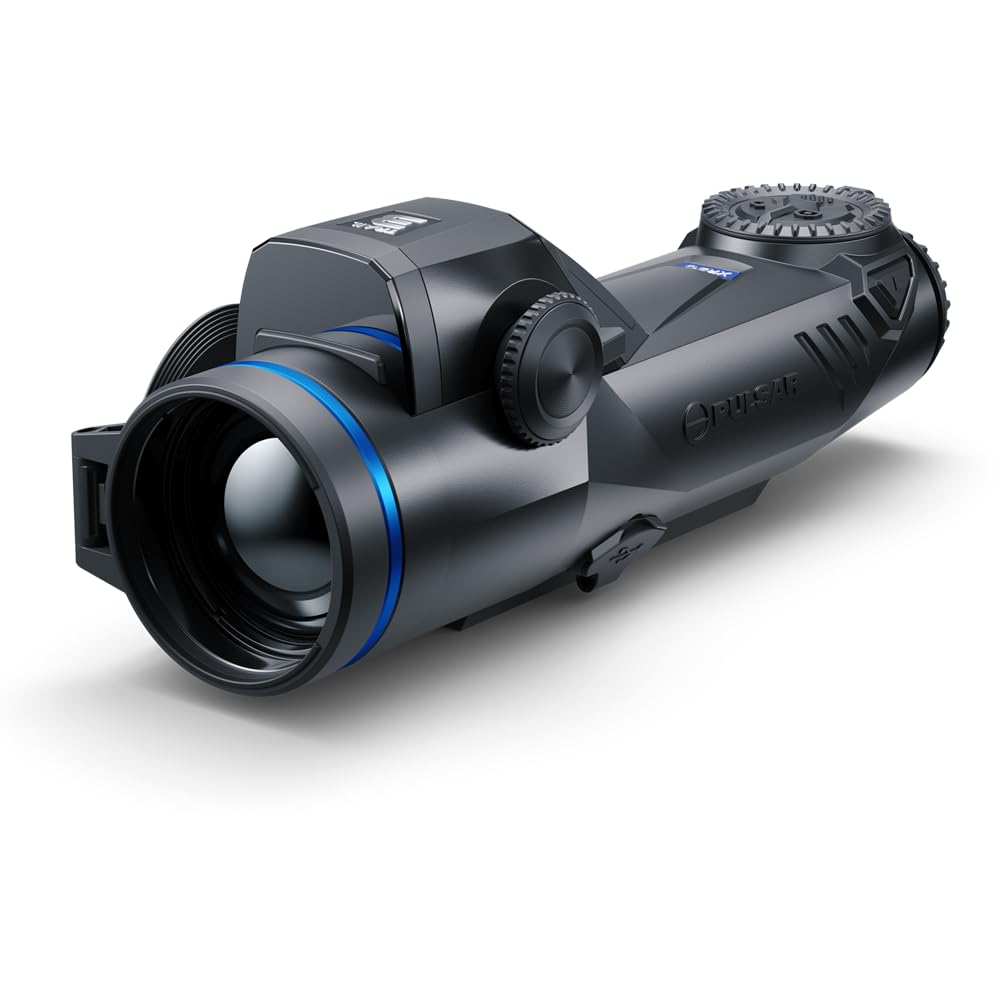
Figure 1: Pulsar Trail 3 LRF XR50 Thermal Riflescope. This image shows the overall design of the thermal riflescope from an angled perspective, highlighting its compact form factor and control layout.
Apa yang ada dalam Kotak
Selepas membuka kotak, sahkan bahawa semua komponen ada:
- Pulsar Trail 3 LRF XR50 Thermal Riflescope
- Membawa Sarung
- LPS7i Rechargeable Battery Pack
- Manual Pengguna (dokumen ini)
- Kabel USB-C
- Kain Pembersih Lensa
Persediaan
1. Pemasangan dan Pengecasan Bateri
- Locate the battery compartment on the side of the riflescope.
- Buka penutup petak bateri.
- Insert the LPS7i rechargeable battery pack, ensuring correct polarity.
- Tutup penutup petak bateri dengan selamat.
- To charge, connect the USB-C cable to the riflescope's USB-C port and to a power source. The battery indicator will show charging status.

Rajah 2: Sisi view of the riflescope, illustrating the battery compartment. The image highlights the location for battery insertion and the USB-C charging port.
2. Memasang Riflescope
The Trail 3 LRF XR50 is designed to be mounted on a rifle using compatible mounting systems (not included). Ensure the mount is securely attached to the rifle's rail and the riflescope is firmly fastened to the mount. Refer to your specific mount's instructions for detailed installation procedures.
3. Pelarasan Diopter
Adjust the diopter ring (located near the eyepiece) until the reticle and on-screen information appear sharp and clear to your eye. This adjustment is personal and should be performed before initial use.
Arahan Operasi
1. Hidupkan/Mati Kuasa
- To power on, press and hold the power button (typically located on the top of the unit) for a few seconds until the display activates.
- To power off, press and hold the power button again until the unit shuts down.

Rajah 3: Atas view of the riflescope, highlighting the main control buttons, including the power button. This image provides a clear view of the user interface for operation.
2. Pelarasan Pembesaran
The Trail 3 LRF XR50 offers a 3-24x magnification range. Use the dedicated magnification control buttons or rotary encoder (refer to your specific model's interface) to adjust the digital zoom level. Lower magnification provides a wider field of view for scanning, while higher magnification allows for detailed observation.

Rajah 4: Depan view of the riflescope, showing the objective lens and the integrated laser rangefinder area. This perspective is relevant for understanding optical adjustments and rangefinding.
3. Laser Rangefinder Operation
Activate the built-in laser rangefinder via its dedicated button or menu option. Aim the reticle at the target and press the rangefinder button. The distance to the target (up to 1,312 yards) will be displayed on the screen. Ensure a clear line of sight to the target for accurate readings.
4. Thermal Palettes and Display Modes
The riflescope offers various thermal color palettes (e.g., White Hot, Black Hot, Red Hot) to optimize target detection based on environmental conditions and user preference. Cycle through these palettes using the menu or a dedicated button. The high-resolution 1920x1080 AMOLED display ensures sharp contrast.
5. Reticle Selection and Zeroing
The Trail 3 LRF XR50 features multiple reticle options, including a Chevron type. Select your preferred reticle from the menu. For accurate shooting, the riflescope must be zeroed to your specific rifle and ammunition. Refer to the on-screen menu for the zeroing procedure, which typically involves firing at a target and adjusting the reticle's position to match the point of impact.
Penyelenggaraan
1. Pembersihan
- Kanta: Use the provided lens cleaning cloth or a soft, lint-free cloth specifically designed for optics. Gently wipe the lens surfaces. For stubborn dirt, use a small amount of optical cleaning solution. Avoid abrasive materials.
- Badan: Lap badan riflescope dengan lembut, damp cloth. Do not use harsh chemicals or solvents. The IP67 rating ensures protection against dust and temporary immersion in water, but proper cleaning after exposure is recommended.
2. Penjagaan Bateri
- Charge the LPS7i battery fully before extended storage.
- Simpan bateri di tempat yang sejuk dan kering.
- Avoid fully discharging the battery for prolonged periods.
3. Penyimpanan
When not in use, store the riflescope in its protective carrying case in a dry environment, away from direct sunlight and extreme temperatures. Ensure the lens caps are in place.
Menyelesaikan masalah
| Masalah | Kemungkinan Punca | Penyelesaian |
|---|---|---|
| Peranti tidak dihidupkan. | Bateri ternyahcas atau dipasang dengan salah. | Charge the battery. Ensure the battery is inserted with correct polarity and the compartment cover is closed. |
| Imej kabur atau tidak fokus. | Diopter not adjusted, objective lens dirty, or focus ring not adjusted. | Adjust the diopter. Clean the objective lens. Adjust the objective focus ring. |
| Laser rangefinder not providing readings. | Obstruction in front of rangefinder, target too far, or adverse weather conditions. | Ensure a clear line of sight. Verify target is within range (1,312 yards). Rangefinder performance may be affected by fog or heavy rain. |
| Hayat bateri pendek. | Battery not fully charged, extreme cold temperatures, or high display brightness. | Ensure battery is fully charged. Reduce display brightness. Battery performance decreases in cold weather. |
Spesifikasi
| Ciri | Perincian |
|---|---|
| Nama Model | Trail 3 LRF XR50 |
| Nombor Model | PL76588K |
| Sensor terma | 640x480 12µm |
| NETD Sensitivity | Sub-18mK |
| Kanta Objektif | F50/1.0 |
| Pembesaran | 3-24x |
| Detection Range (Deer-sized target) | Sehingga 2,300 meter |
| Julat Pencari Jarak Laser | Sehingga 1,312 ela |
| Jenis Paparan | AMOLED |
| Resolusi Paparan | 1920x1080 |
| Jenis Bateri | LPS7i Rechargeable Pack |
| Operating Time (on single charge) | Sehingga 10 jam |
| Kuasa Luaran | USB-C |
| Perlindungan Alam Sekitar | IP67 (Dustproof, waterproof up to 1m for 30 min) |
| Recoil Resistance | 6,000 Joule |
| Suhu Operasi | -13°F hingga 122°F (-25°C hingga 50°C) |
| bahan | Aloi Magnesium |
| Dimensi (L x W x H) | 10.7" x 3.4" x 2.8" |
| Berat badan | 30.7 Ounces (approx. 1.9 lbs) |
| Jenis Reticle | Chevron (multiple options available) |
Maklumat Waranti
The Pulsar Trail 3 LRF XR50 Thermal Riflescope is covered by a Waranti Terhad 5 Tahun. This warranty covers defects in materials and workmanship under normal use. For specific terms, conditions, and to initiate a warranty claim, please refer to the official Pulsar webtapak atau hubungi sokongan pelanggan mereka.
Sokongan
For further assistance, technical support, or service inquiries regarding your Pulsar Trail 3 LRF XR50, please visit the official Pulsar website or contact their authorized service centers. Always provide your model number (PL76588K) and serial number when seeking support.
Notis Penting: This product is controlled for export and in-country transfers under the authority of the International Traffic in Arms Regulations (ITAR). Diversion contrary to U.S. law is prohibited.