
pengenalan
This manual provides essential instructions for the safe operation, setup, maintenance, and troubleshooting of your UREVO Walking Pad URTM025 S2. Please read this manual thoroughly before using the product to ensure proper function and to prevent injury.

Image: The UREVO Walking Pad URTM025 S2 in a typical usage scenario, demonstrating its versatility as both a standalone walking pad and an under-desk treadmill.
Arahan Keselamatan
- Pastikan pad berjalan diletakkan di atas permukaan yang rata dan stabil.
- Jauhkan kanak-kanak dan haiwan peliharaan daripada peralatan semasa operasi.
- Jangan kendalikan pad berjalan jika ia rosak atau tidak berfungsi.
- Pakai kasut sukan yang sesuai semasa digunakan.
- Jangan melebihi cadangan berat maksimum 242 paun.
- Always consult a physician before starting any new exercise program.
Persediaan
Membongkar dan Meletakkan
The UREVO Walking Pad URTM025 S2 comes pre-assembled. Carefully remove all packaging materials. Place the walking pad on a level, hard surface, ensuring there is adequate space around it for safe operation.
Sambungan Kuasa
Connect the power cord to the walking pad and then plug it into a grounded electrical outlet. Ensure the power switch is in the "ON" position.
Berpasangan Alat Kawalan Jauh
The remote control is typically pre-paired. If not, refer to the specific instructions included with the remote for pairing procedures. The remote allows for convenient adjustment of speed and incline.
App Connection (Urevo Fitness App)
The walking pad features Bluetooth connectivity for use with the Urevo Fitness App.
- Download the "Urevo Fitness App" from your device's app store (available on App Store and Google Play).
- Dayakan Bluetooth pada peranti mudah alih anda.
- Open the Urevo Fitness App and follow the on-screen instructions to connect to your URTM025 S2 walking pad.
- The app allows for tracking workout data and controlling the walking pad.

Image: Demonstrates the UREVO Walking Pad's compatibility with the Urevo Fitness App, allowing users to track progress and control settings.
Arahan Operasi
Bermula dan Berhenti
- Untuk mula: Press the "Start" button on the remote control or within the Urevo Fitness App. The walking pad will begin at a low speed.
- Untuk berhenti: Press the "Stop" button on the remote control or within the app. The walking pad will gradually slow down and stop.
Pelarasan Kelajuan
Adjust the speed using the "+" and "-" buttons on the remote control or the speed controls in the Urevo Fitness App. The speed range is from 0.5 MPH to 4 MPH.
Pelarasan Kecondongan
The URTM025 S2 features an adjustable incline capability up to 9 percent. Use the incline controls on the remote or app to increase or decrease the incline. Adjusting the incline can enhance workout intensity and target different muscle groups.
Versatile Usage Modes
The UREVO Walking Pad URTM025 S2 is designed for versatile use, functioning as a walking pad, an under-desk treadmill, and an incline trainer.
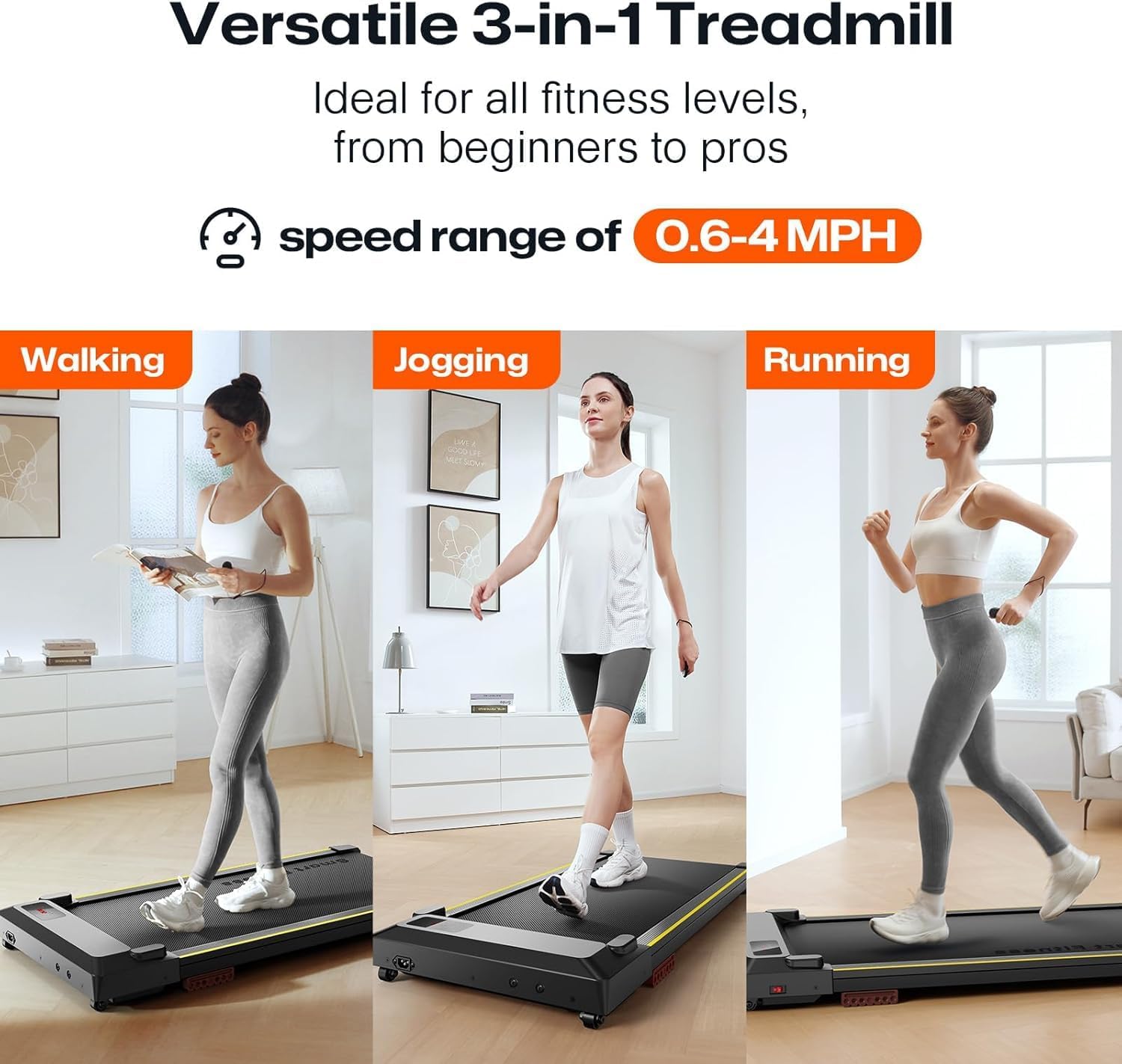
Image: Illustrates the three primary modes of use: walking, jogging, and running, with a speed range of 0.6-4 MPH.
Paparan LED
The integrated LED display shows key workout metrics such as speed, time, distance, and calories burned.
Penyelenggaraan
Pembersihan
Regularly wipe down the walking pad with a damp cloth to remove dust and sweat. Avoid using abrasive cleaners or solvents. Ensure the power is disconnected before cleaning.
Pelinciran Tali Pinggang
To maintain optimal performance and extend the life of the running belt, periodic lubrication is recommended. Refer to the specific lubrication instructions provided with your walking pad or contact customer support for guidance on the correct lubricant and application frequency.
Penyimpanan
The compact design and built-in wheels allow for easy storage. When not in use, the walking pad can be rolled and stored under a desk, sofa, or in a closet.
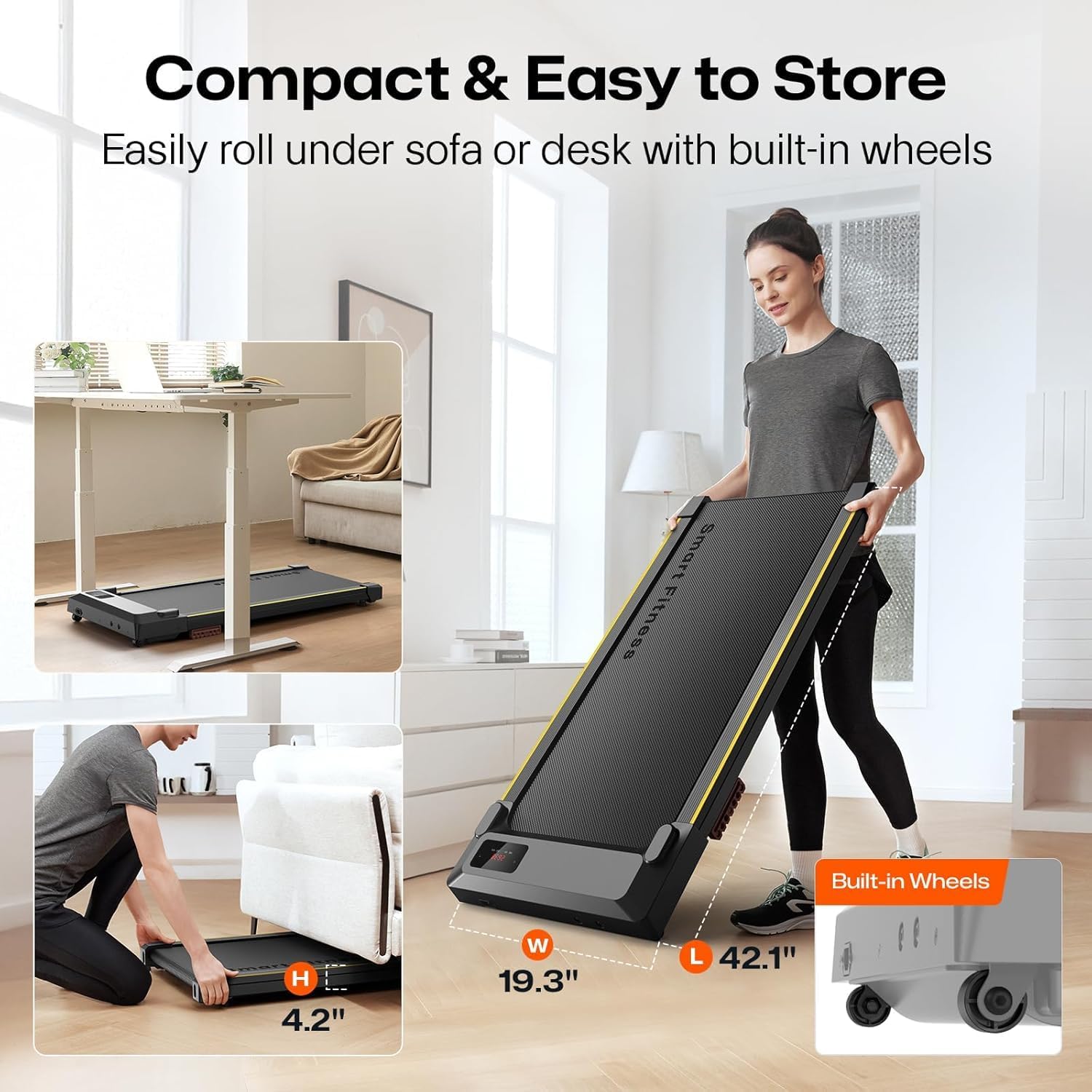
Image: Demonstrates the compact storage capabilities of the UREVO Walking Pad, showing it easily fitting under furniture.
Menyelesaikan masalah
- Walking Pad Not Starting:
- Ensure the power cord is securely plugged into both the walking pad and a functional electrical outlet.
- Check that the main power switch on the walking pad is in the "ON" position.
- Verify the remote control batteries are not depleted.
- Inconsistent Speed or Belt Slippage:
- The running belt may require lubrication. Refer to the Maintenance section.
- Ensure the walking pad is on a level surface.
- Isu Ketersambungan Apl:
- Pastikan Bluetooth didayakan pada peranti mudah alih anda.
- Restart the Urevo Fitness App and try reconnecting.
- Ensure the walking pad is powered on and within Bluetooth range.
- Bunyi Luar Biasa:
- Stop the walking pad immediately.
- Inspect for any loose parts or foreign objects.
- Jika bunyi bising berterusan, hentikan penggunaan dan hubungi sokongan pelanggan.
Spesifikasi
| Ciri | Perincian |
|---|---|
| Jenama | UREVO |
| Nama Model | URTM025 S2 |
| Dimensi Produk (LxWxH) | 46.8" x 19.3" x 4.8" |
| Folded Size (LxWxH) | 46.8" x 19.3" x 4.8" |
| Berat Barang | 37.5 paun |
| bahan | Keluli Aloi |
| Kelajuan Maksimum | 4 Batu sejam |
| Kelajuan Minimum | 0.5 Batu sejam |
| Kuasa Kuda Maksimum | 2.5 HP |
| Cadangan Berat Maksimum | 242 paun |
| Jenis Paparan | LED |
| Teknologi Ketersambungan | Bluetooth |
| Control Program Name | Urevo Fitness App |
| Perhimpunan Diperlukan | Tidak |
| Ciri Khas | APP Record, Compact Design, 9% Incline Capability |
| Tali Pinggang Lari | 5-Layer Non-Slip |
| Penyerapan Kejutan | 6 Penyerap Hentakan Silikon |
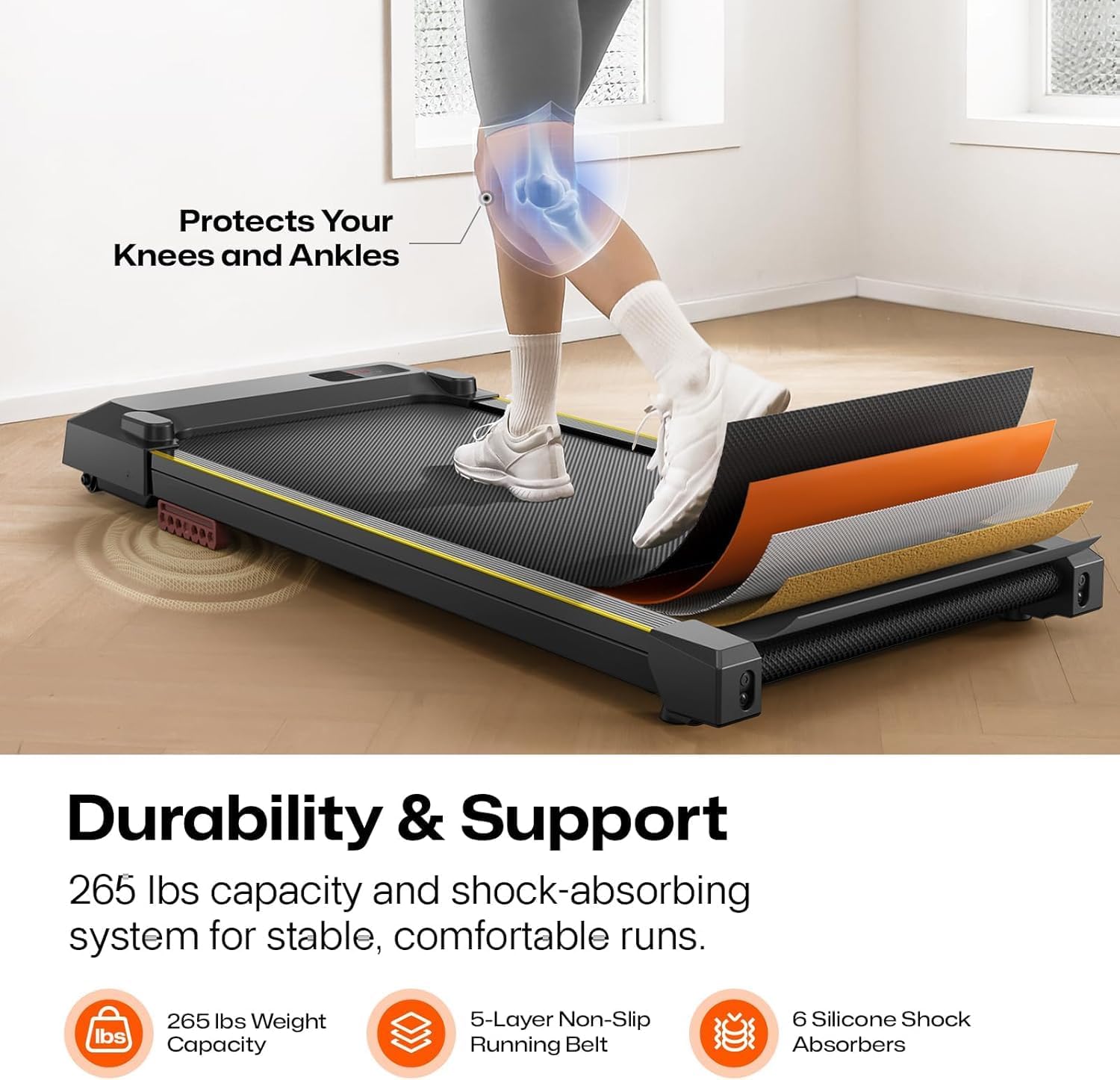
Imej: Terperinci view of the UREVO Walking Pad's construction, highlighting its 5-layer non-slip running belt and 6 silicone shock absorbers for durability and user comfort.

Image: Illustrates the quiet 2.5HP motor, designed for smooth and silent operation, suitable for home and office environments.
Waranti
The UREVO Walking Pad URTM025 S2 comes with a Waranti 1 tahun from the date of purchase. This warranty covers manufacturing defects under normal use. Please retain your proof of purchase for warranty claims. The warranty does not cover damage caused by misuse, accidents, or unauthorized modifications.
Sokongan Pelanggan
For any questions, concerns, or technical assistance regarding your UREVO Walking Pad URTM025 S2, please contact UREVO customer support. Refer to the contact information provided on the product packaging or the official UREVO webtapak.
When contacting support, please have your model number (URTM025 S2) and proof of purchase readily available.