
pengenalan
The FREEWOLF M104 is a full-size wireless gaming keyboard designed for versatile use across various platforms. It features tri-mode connectivity (2.4GHz wireless, Bluetooth, and USB-C wired), a 104-key layout with a numeric keypad, RGB backlighting, and a 4000mAh rechargeable battery. The keyboard incorporates a membrane switch design with a tactile feel, double-shot injection keycaps, and an ergonomic metal panel for durability and comfortable use.
Persediaan
Kandungan Pakej
Verify that the package contains the FREEWOLF M104 keyboard, a USB-C cable, and a 2.4GHz USB receiver.
Mengecas Papan Kekunci
Connect the provided USB-C cable to the keyboard's USB-C port and the other end to a power source (e.g., computer USB port, USB wall adapter). The keyboard features a 4000mAh rechargeable battery. A full charge ensures extended wireless operation.

Mod Kesambungan
The M104 keyboard supports three connection modes: Wired (USB-C), 2.4GHz Wireless, and Bluetooth.
1. Mod Berwayar (USB-C)
Connect the USB-C cable directly from the keyboard to your computer. The keyboard will function immediately without additional drivers.
2. Mod Tanpa Wayar 2.4GHz
Locate the 2.4GHz USB receiver, typically stored in a compartment on the keyboard's underside. Plug the receiver into an available USB port on your computer. Switch the keyboard's mode selector to 2.4GHz. The keyboard should connect automatically.
3. Mod Bluetooth
Switch the keyboard's mode selector to Bluetooth. On your device (PC, Mac, tablet, smartphone), enable Bluetooth and search for new devices. Select "FREEWOLF M104" (or similar name) from the list to pair. The keyboard can store multiple Bluetooth pairings, allowing for seamless switching between devices.


Video: Connectivity Overview (Model Serupa)
Video: This video demonstrates the multi-mode connectivity and a media knob feature on a similar FREEWOLF keyboard model (K100). It illustrates the physical switch for changing between 2.4G, Bluetooth, and wired modes, which is applicable to the M104's setup.
Arahan Operasi
Fungsi Utama Asas
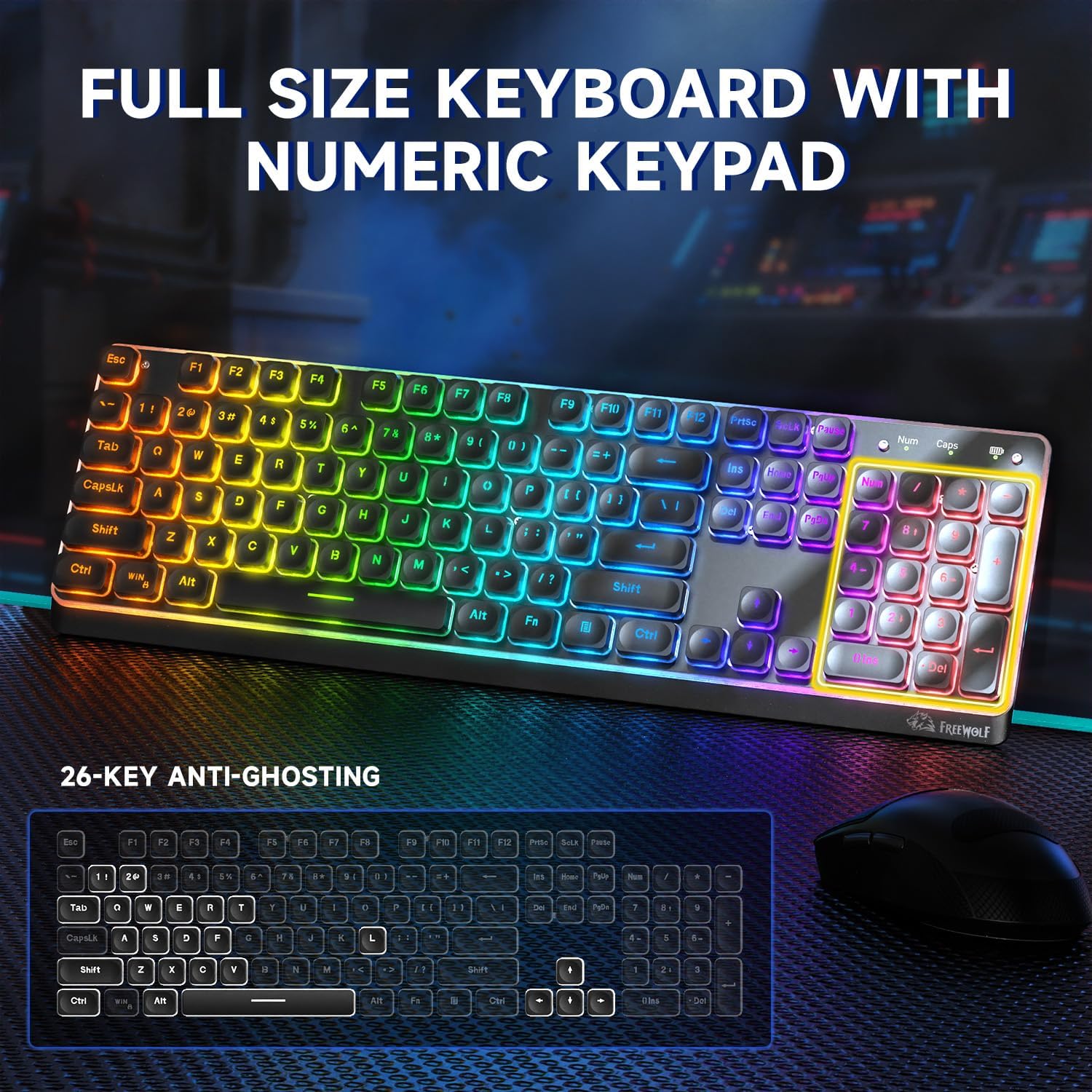
The M104 features a standard 104-key QWERTY layout, including a dedicated numeric keypad for efficient data entry and calculations.
Kekunci Multimedia
The keyboard includes 12 multimedia keys, accessible via the Function (Fn) key combinations, for quick control over media playback, volume, and other system functions.
Kawalan Lampu Latar RGB
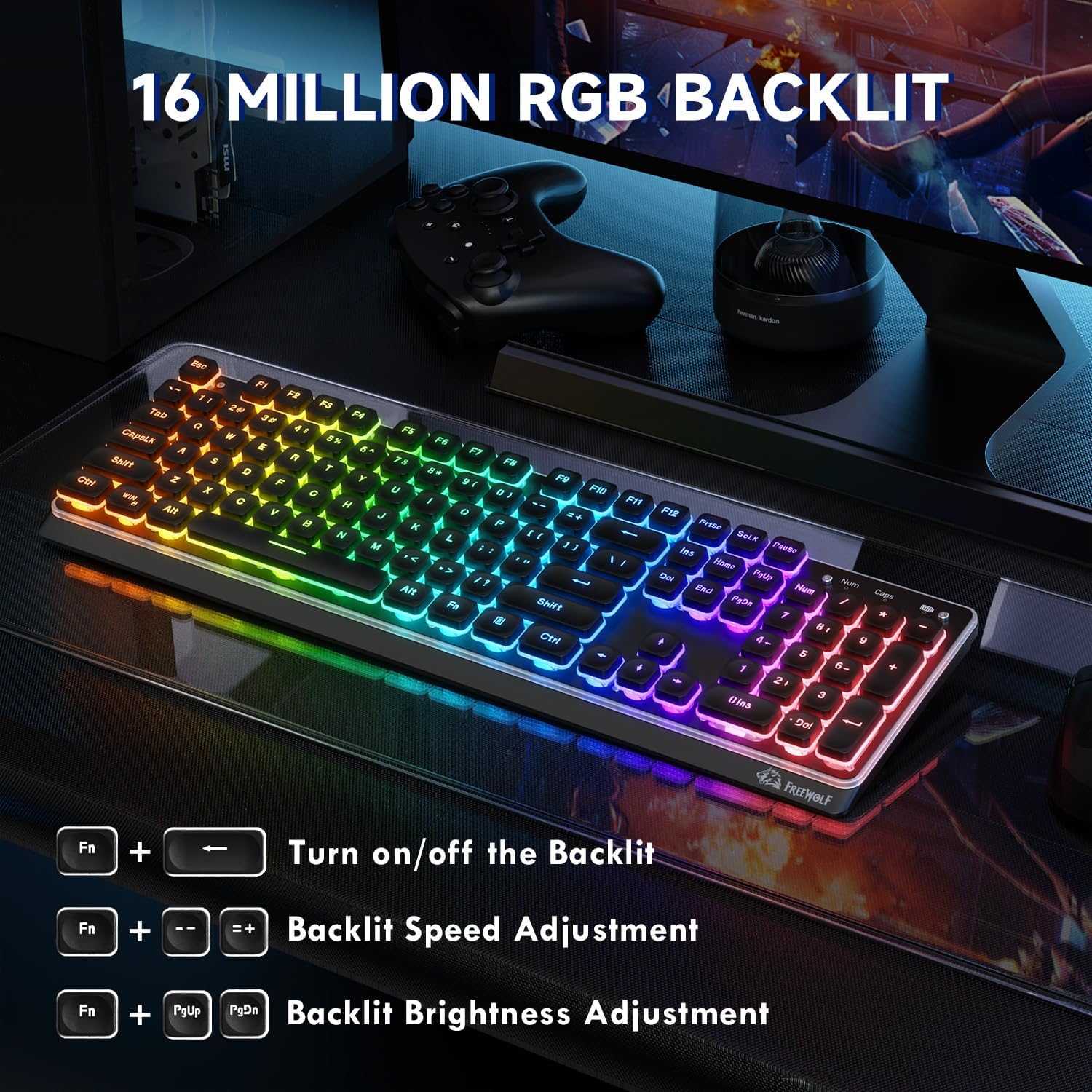
The M104 keyboard features RGB backlighting with 16 million color options. Use the following key combinations to adjust the lighting:
- Hidupkan/Matikan Lampu Latar: Tekan Fn + PrtSc
- Laraskan Kelajuan Lampu Latar: Tekan Fn + '-' (decrease speed) or Fn + '+' (tingkatkan kelajuan)
- Laraskan Kecerahan Lampu Latar: Tekan Fn + PgUp (tingkatkan kecerahan) atau Fn + PgDn (decrease brightness)
Anti-Ghosting
The M104 supports 26-key anti-ghosting, ensuring that multiple simultaneous key presses are registered accurately, which is beneficial for gaming and fast typing.
Reka Bentuk Ergonomik
The keyboard features an ergonomic design with a tilt angle and height-adjustable feet, promoting a comfortable typing posture and reducing wrist fatigue during extended use. The membrane silicone rebound structure contributes to a quiet and smooth typing experience.

Penyelenggaraan
Pembersihan
The M104 features floating keycaps, which facilitate easy cleaning. Use a soft brush or compressed air to remove dust and debris from between the keys. The keyboard is designed to be splash-proof, offering protection against minor liquid spills. For deeper cleaning, gently wipe the keycaps and surface with a damp cloth and mild cleaning solution, ensuring no liquid enters the keyboard's internal components.

Penjagaan Bateri
To maximize the lifespan of the 4000mAh rechargeable battery, avoid fully discharging it frequently. Charge the keyboard when the battery indicator shows low power. Store the keyboard in a cool, dry place when not in use for extended periods.
Menyelesaikan masalah
Papan Kekunci Tidak Membalas
- Semak Kuasa: Pastikan papan kekunci dicas atau disambungkan melalui USB-C.
- Mod Sahkan: Confirm the mode switch (2.4GHz, Bluetooth, Wired) is set correctly for your connection type.
- Sambung Semula Sambungan: For 2.4GHz, try unplugging and re-inserting the USB receiver. For Bluetooth, unpair and re-pair the keyboard in your device's Bluetooth settings.
- Test Wired Mode: If wireless modes fail, connect the keyboard via USB-C to determine if the issue is with the wireless connection or the keyboard itself.
Input Delay or Unresponsive Keys
- Kependaman Bluetooth: Bluetooth connections may experience slight delays, especially in environments with interference. For critical tasks like gaming, consider using 2.4GHz wireless or wired mode.
- 2.4GHz Interference: Ensure the 2.4GHz receiver is not obstructed and is close to the keyboard. Avoid placing it near other wireless devices that may cause interference.
- Tahap Bateri: Low battery can affect performance. Charge the keyboard fully.
RGB Backlight Not Working
- Hidupkan: Pastikan lampu latar dihidupkan menggunakan Fn + PrtSc.
- Laraskan Kecerahan: Increase brightness using Fn + PgUp.
- Penjimatan Kuasa: The backlight may turn off automatically after a period of inactivity to conserve battery. Press any key to reactivate.
Spesifikasi
| Model | M104 |
| Jenama | FREEWOLF |
| Reka Letak Kekunci | 104-key Full Size QWERTY with Numeric Keypad |
| Jenis Kekunci | Membran (Rasa Mekanikal) |
| Ketersambungan | Tri-Mode (2.4GHz Wireless, Bluetooth, USB-C Wired) |
| Kapasiti Bateri | 4000mAh Boleh dicas semula |
| Lampu latar | RGB (16 Juta Warna) |
| Anti-Ghosting | 26-Kunci |
| Bahan Panel | logam |
| Kekunci Kekunci | Double-shot Injection, Floating Design |
| Dimensi | 44.5 x 16 x 4 cm |
| Berat badan | 790 g |

Waranti dan Sokongan
For warranty information, technical support, or service inquiries, please refer to the documentation included with your purchase or contact the seller directly. Keep your proof of purchase for any warranty claims.