
1. Pengenalan
Thank you for choosing the iFFALCON 32S55 32-inch Smart TV. This manual provides essential information for setting up, operating, maintaining, and troubleshooting your new television. Please read this manual thoroughly before using the TV and keep it for future reference.
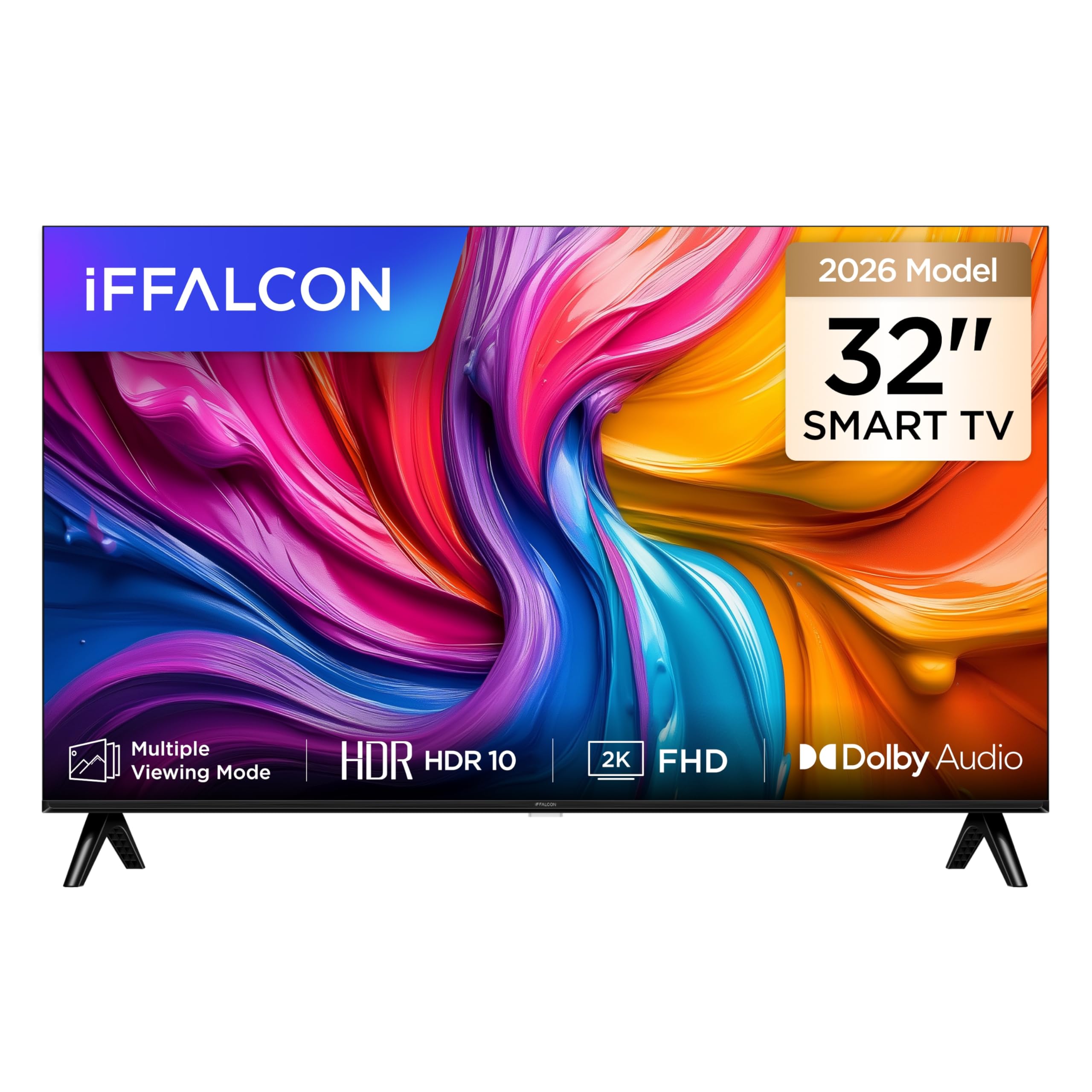
A depan view of the iFFALCON 32S55 32-inch Smart TV, showcasing its slim bezel design and vibrant display.
The iFFALCON 32S55 combines Full HD resolution with HDR10 support for clear visuals, Dolby Audio for an immersive sound experience, and the versatility of Android TV. Its metallic bezel-less design offers a modern aesthetic for any home.
2. Maklumat Keselamatan Penting
Sentiasa ikuti langkah berjaga-jaga keselamatan asas ini semasa menggunakan televisyen anda:
- Sumber Kuasa: Pastikan TV disambungkan kepada bekalan kuasa dalam volum yang ditentukantagjulat e.
- Pengudaraan: Jangan sekat bukaan pengudaraan. Benarkan ruang yang mencukupi di sekeliling TV untuk aliran udara yang betul.
- Air dan Kelembapan: Jangan dedahkan TV kepada hujan atau lembapan. Jangan letakkan objek yang diisi dengan cecair, seperti pasu, di TV.
- haba: Keep the TV away from heat sources like radiators, heat registers, stoves, or other heat-producing appliances.
- Pembersihan: Cabut plag TV daripada soket dinding sebelum membersihkan. Gunakan kain lembut dan kering.
- Pemasangan: When mounting the TV on a wall or stand, follow the instructions provided in this manual and with the mounting kit.
- Kanak-kanak: Supervise children to ensure they do not play with the TV.
- kilat: Cabut palam TV semasa ribut petir atau apabila tidak digunakan untuk tempoh yang lama.
3. Kandungan Pakej
Sila pastikan semua item berikut disertakan dalam pakej anda:
- iFFALCON 32S55 32-inch Smart TV
- Penyesuai Kuasa
- Kabel Kuasa
- Alat Kawalan Jauh
- Stand TV (2 keping)
- Manual Pengguna (dokumen ini)
If any items are missing or damaged, please contact your retailer or iFFALCON customer support.
4. Persediaan
4.1 Memasang Stand
- Letakkan TV menghadap ke bawah dengan berhati-hati pada permukaan yang lembut dan rata untuk mengelakkan kerosakan skrin.
- Jajarkan kepingan dirian dengan slot yang sepadan di bahagian bawah TV.
- Secure the stands using the screws provided. Ensure they are firmly attached.
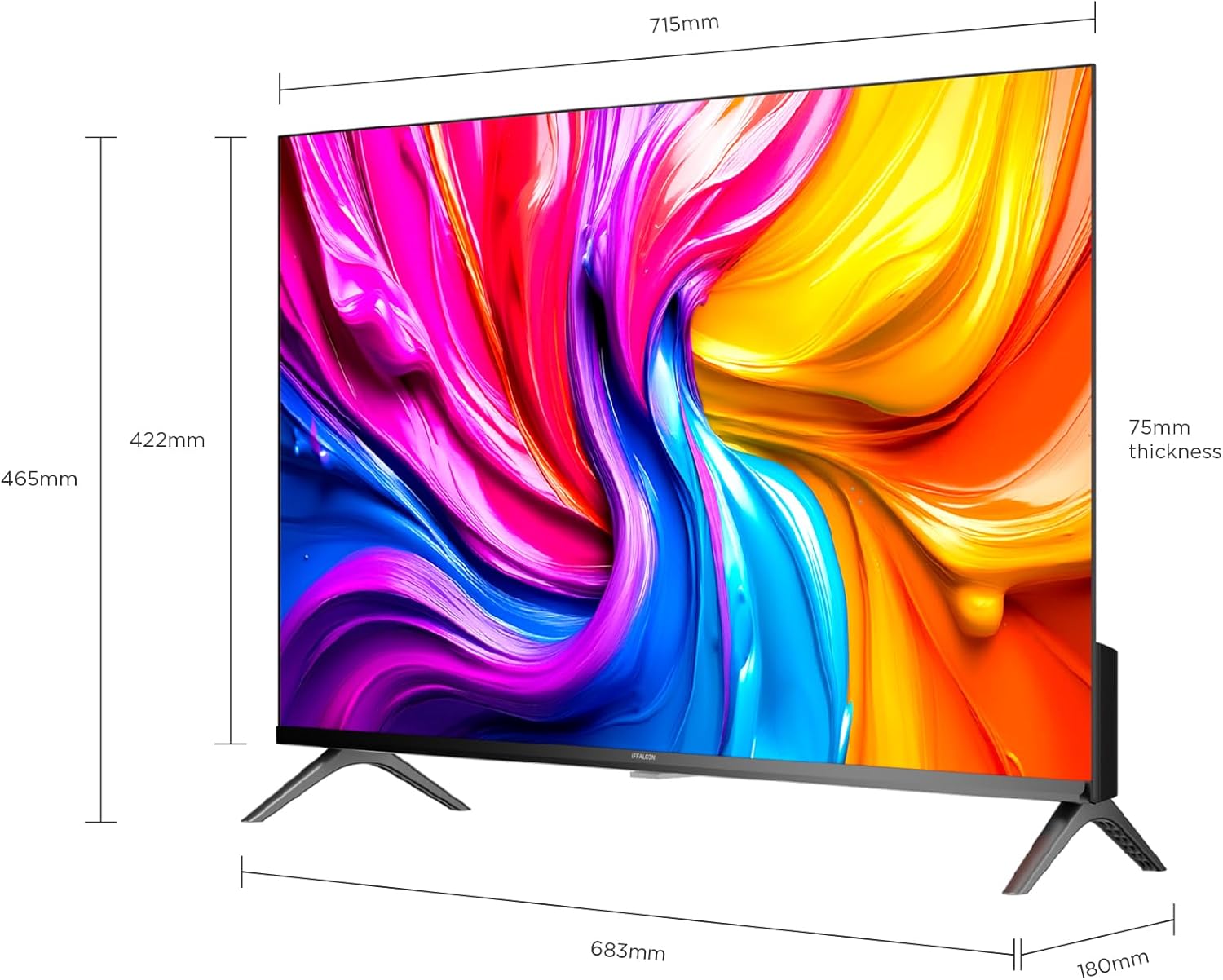
A diagram showing the physical dimensions of the iFFALCON 32S55 Smart TV, including width (715mm), height (422mm), and thickness (75mm).
4.2 Kuasa Penyambung
- Sambungkan kabel kuasa ke input kuasa TV.
- Palamkan hujung kabel kuasa yang lain ke salur keluar dinding.
4.3 Menyambung Peranti Luaran
Your iFFALCON 32S55 TV offers various connectivity options:
- HDMI: Connect Blu-ray players, game consoles, or set-top boxes. (Total HDMI Ports: 2)
- USB: Sambungkan pemacu USB untuk main balik media.
- Wi-Fi/Bluetooth: Untuk rangkaian wayarles dan sambungan aksesori.

The back panel of the iFFALCON 32S55 Smart TV, displaying various input and output ports for connectivity, including HDMI and USB.
4.4 Initial Power-On and Basic Setup
- Tekan butang kuasa pada alat kawalan jauh atau TV.
- Ikut arahan pada skrin untuk memilih bahasa, negara anda dan menyambung ke rangkaian Wi-Fi anda.
- Log masuk dengan akaun Google anda untuk mengakses ciri dan aplikasi Android TV.
5. Mengendalikan TV Anda
5.1 Fungsi Kawalan Jauh
The remote control allows you to navigate the TV's interface, adjust settings, and access smart features. Refer to the remote control diagram in your quick start guide for specific button functions.
5.2 Menavigasi Android TV
Your iFFALCON 32S55 runs on Android TV, providing access to a wide range of apps, streaming services, and Google Assistant. Use the directional pad and 'OK' button on your remote to navigate the home screen and menus.
5.3 Tetapan Gambar dan Bunyi
Akses menu tetapan untuk menyesuaikan anda viewpengalaman dalam dan mendengar:
- Mod Gambar: Choose from standard, vivid, movie, sport, or custom settings.
- HDR10: Experience enhanced contrast and color detail in compatible content.
- Audio Dolby: Enjoy clear, rich, and powerful sound. Adjust audio settings for different content types.
- Mod Permainan: Optimize your TV for gaming by reducing input lag.

An illustration comparing a scene with HDR10 enabled versus without HDR, highlighting the enhanced contrast, color, and detail provided by HDR10 on the iFFALCON 32S55 TV.

An image representing the immersive sound experience provided by Dolby Audio on the iFFALCON 32S55 Smart TV, with sound waves emanating from the screen.

An image showing a sports scene with Sports Mode off and Sports Mode on, demonstrating how the mode optimizes picture settings for clearer, more dynamic sports viewing on the iFFALCON 32S55 TV. This mode can also be applied to gaming for reduced input lag.
6. Penyelenggaraan
6.1 Membersihkan Skrin
- Matikan TV dan cabut palam kord kuasa.
- Lap skrin perlahan-lahan dengan kain lembut yang tidak berbulu.
- Untuk tanda degil, ringankan dampen kain dengan air atau pembersih skrin khusus (jangan sesekali sembur terus ke skrin).
- Do not use abrasive cleaners, alcohol, benzene, or thinners.
6.2 Membersihkan Badan TV
- Lap badan TV dengan kain lembut dan kering.
- Avoid using any liquid cleaners directly on the TV body.
7. Penyelesaian masalah
Jika anda menghadapi masalah dengan TV anda, rujuk masalah dan penyelesaian biasa berikut:
| Masalah | Penyelesaian yang Mungkin |
|---|---|
| Tiada kuasa | Check if the power cord is securely plugged into the TV and the wall outlet. Ensure the outlet is working. |
| Tiada gambar, tetapi bunyi hadir | Check the input source. Ensure external devices are properly connected and powered on. Adjust brightness/contrast settings. |
| Tiada bunyi, tetapi ada gambar | Check the volume level and mute status. Ensure audio cables are correctly connected for external devices. Check TV audio output settings. |
| Alat kawalan jauh tidak berfungsi | Gantikan bateri. Pastikan tiada halangan antara alat kawalan jauh dan penderia IR TV. |
| Isu sambungan Wi-Fi | Restart your router and the TV. Check Wi-Fi password. Ensure the TV is within range of your router. |
| Prestasi perlahan / Aplikasi ranap | Close unused apps. Clear cache for problematic apps. Restart the TV. Consider a factory reset if issues persist (note: this will erase all data). |
For more complex issues, please refer to the online support resources or contact iFFALCON customer service.
8. Spesifikasi
| Ciri | Perincian |
|---|---|
| Jenama | iFFALCON |
| Nama Model | 32S55 |
| Saiz Skrin | 32 Inci |
| Teknologi Paparan | LED |
| Resolusi | FHD (1920 x 1080) |
| Kadar Segar Semula | 60 Hz |
| Ciri-ciri Utama | Dolby Audio, Gaming Mode, Multi-Eye Protection, Slim Design |
| Komponen yang Disertakan | Power Adapter, Power Cable, Remote Control, Stand, User Manual |
| Teknologi Ketersambungan | Bluetooth, HDMI, USB, Wi-Fi |
| Dimensi Produk (D x W x H) | 7.5D x 71.5W x 42.2H cm |
| Berat Produk | 4.8 Kilogram |
| Jumlah Port HDMI | 2 |
| warna | Hitam |
| Tahun Model | 2026 |
| Pengeluar | iFFALCON |
| Negara Asal | China |
9. Waranti dan Sokongan
9.1 Maklumat Waranti
Your iFFALCON 32S55 Smart TV comes with a Waranti pengilang selama 2 tahun. Waranti ini melindungi kecacatan pada bahan dan mutu kerja di bawah penggunaan biasa. Sila simpan bukti pembelian anda untuk tuntutan waranti.
The warranty does not cover damage caused by misuse, accidents, unauthorized modifications, or external factors.
9.2 Sokongan Pelanggan
For technical assistance, warranty claims, or further inquiries, please visit the official iFFALCON webtapak atau hubungi sokongan pelanggan mereka:
- iFFALCON Store: Visit iFFALCON Store on Amazon
- Refer to the contact information provided in your warranty card or on the official iFFALCON weblaman web untuk saluran sokongan langsung.