
1. Pengenalan
This manual provides detailed instructions for setting up, operating, and maintaining your AOOSTAR MACO AMD Ryzen 7 H255 Mini PC. Please read this manual thoroughly before using the device to ensure proper functionality and safety. The AOOSTAR MACO Mini PC is designed for high performance, featuring an AMD Ryzen 7 H255 processor, Radeon 780M graphics, and extensive connectivity options.
2. Kandungan Pakej
Sahkan bahawa semua item yang disenaraikan di bawah terdapat dalam pakej anda:
- 1 x AOOSTAR MACO AMD Ryzen 7 H255 Mini PC
- 1 x SSD Cooling Pad
- 1 x 120W 19V 6.32A Type-C Power Supply
3. Produk Lebihview
The AOOSTAR MACO Mini PC is a compact yet powerful computing solution. Below are key features and an overview of its components and ports.
3.1 Ciri-ciri Utama
- Pemproses: AMD Ryzen 7 H255 (8-core, 16-thread, up to 4.9 GHz) with Zen 4 architecture and 4nm process.
- Grafik: Integrated Radeon 780M graphics (RDNA 3 architecture).
- Ingatan: Dual-channel DDR5 5600MHz (expandable up to 128GB).
- Storan: Dual-channel M.2 2280 NVMe PCIe4.0x4 SSD (expandable up to 8TB).
- Keselamatan: One-touch fingerprint unlock for secure access.
- Sokongan Paparan: Supports up to four 4K displays simultaneously.
- Ketersambungan: OCuLink, Dual USB4, USB 3.2 Gen2, USB 3.0, HDMI, DisplayPort, Dual 2.5G LAN, Wi-Fi 6.
3.2 External Components and Ports
Familiarize yourself with the various ports and components of your Mini PC.
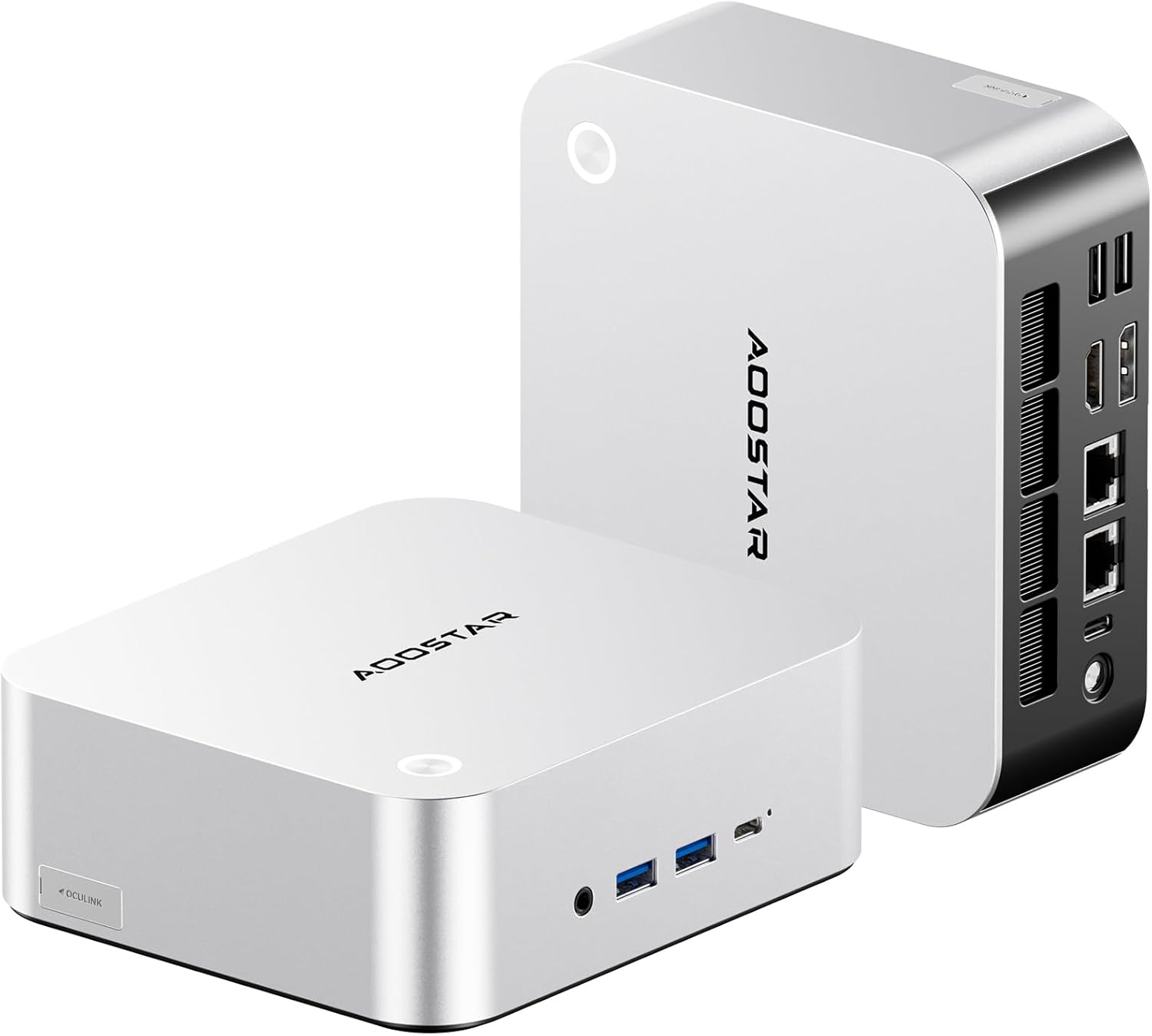
Imej: Depan dan belakang view of the AOOSTAR MACO Mini PC, showcasing reka bentuknya yang padat dan pelbagai port.

Imej: Terperinci view of the AOOSTAR MACO Mini PC's rear ports, including OCuLink, USB4, USB 3.2 Gen2, HDMI, DisplayPort, and Dual 2.5G LAN ports.
- Panel Depan: Power button with fingerprint sensor, USB ports.
- Panel belakang: OCuLink port (1), USB4 ports (2), USB 3.2 Gen2 ports (2), USB 3.0 ports (2), HDMI port (1), DisplayPort (1), 2.5G LAN ports (2), DC power input (1), Audio Jack (1).

Image: Close-up of the one-touch fingerprint sensor on the AOOSTAR MACO Mini PC for secure login.

Image: Visual representation of the AMD Ryzen 7 H255 processor, highlighting its core count, turbo frequency, and architecture.

Imej: Dalaman view showing the dual DDR5 memory slots and dual M.2 PCIe 4.0 SSD slots for high-speed storage and memory.

Image: The OCuLink port connected to an external GPU enclosure, demonstrating its use for enhanced graphics performance.

Image: Two AOOSTAR MACO Mini PCs side-by-side, highlighting the dual USB4 ports for high-speed data transfer and power delivery.
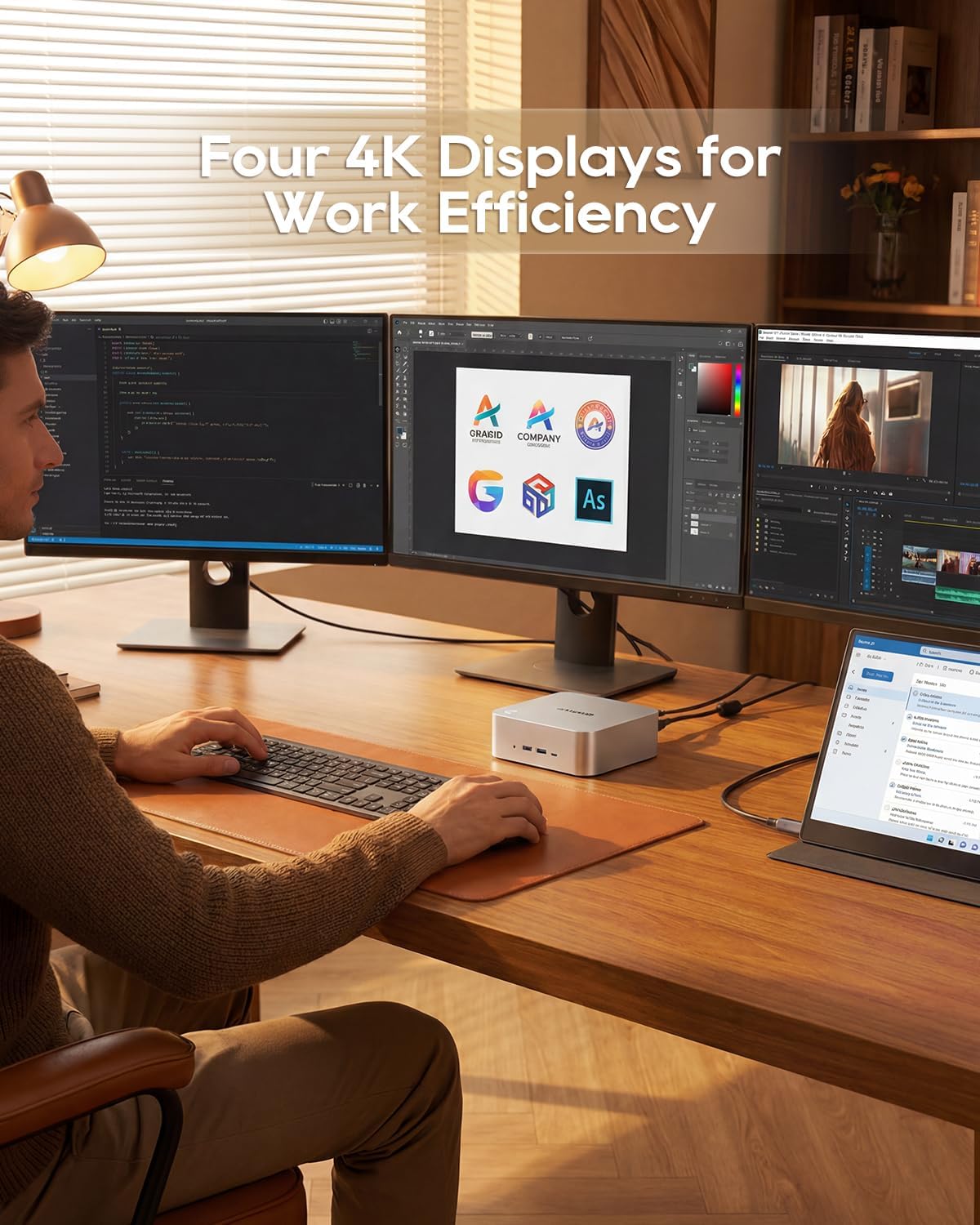
Image: A user working with the AOOSTAR MACO Mini PC connected to four 4K displays, illustrating its multi-display capability for productivity.
Image: The rear of the Mini PC showing the dual 2.5G LAN ports and an external WiFi antenna, emphasizing its high-speed networking capabilities.
Video: Tamatview of the AOOSTAR MACO Mini PC, demonstrating its features such as fingerprint unlock, business applications, gaming performance, and home theater use.
4. Arahan Persediaan
Follow these steps to set up your AOOSTAR MACO Mini PC:
- Paparan Sambungkan: Connect your monitor(s) to the Mini PC using an HDMI or DisplayPort cable. The Mini PC supports up to four 4K displays.
- Sambung Peranti: Palamkan papan kekunci, tetikus anda dan sebarang peranti USB lain ke dalam port USB yang tersedia.
- Sambungan Rangkaian: For wired internet, connect an Ethernet cable to one of the 2.5G LAN ports. For wireless internet, ensure the Wi-Fi antenna is connected (if external) and the device is powered on to configure Wi-Fi settings.
- Sambungan Kuasa: Connect the 120W Type-C power supply to the DC input port on the Mini PC, then plug the power adapter into a wall outlet.
- Hidupkan kuasa: Press the power button on the front of the Mini PC. The system will boot up.
- Persediaan Awal: Follow the on-screen instructions to complete the operating system setup (e.g., Windows OS).
5. Arahan Operasi
This section covers general operation and specific features of your Mini PC.
5.1 Buka Kunci Cap Jari
The Mini PC features a one-touch fingerprint unlock for enhanced security and quick access. During initial OS setup or via system settings, you can enroll your fingerprints. Once configured, simply touch the power button to wake and log in without needing a password.
5.2 Persediaan Berbilang Paparan
The Mini PC supports connecting up to four 4K displays. Connect your monitors to the available HDMI and DisplayPort outputs. You can configure display settings (e.g., extend, duplicate) within your operating system's display settings.
5.3 OCuLink for External Graphics
The OCuLink port provides a high-bandwidth connection (64 Gbps) for external GPU solutions. This allows for significantly improved graphics performance for demanding applications or gaming. Note that OCuLink is not hot-swappable and does not occupy an M.2 2280 PCIe4.0 SSD slot.
5.4 USB4 Ports
The dual USB4 ports offer versatile connectivity with high data transfer speeds and power delivery capabilities (up to 100W). These ports can be used for external graphics card docks, NVMe SSD arrays, or other high-speed peripherals.
6. Penyelenggaraan
Penyelenggaraan berkala membantu memastikan jangka hayat dan prestasi optimum Mini PC anda.
- Pembersihan: Use a soft, dry cloth to clean the exterior of the Mini PC. For dust accumulation in vents, use compressed air. Ensure the device is powered off and unplugged before cleaning.
- Pengudaraan: Ensure the Mini PC is placed in a well-ventilated area. Do not block the ventilation openings.
- Kemas Kini Perisian: Regularly update your operating system, drivers, and applications to maintain security and performance.
7. Penyelesaian masalah
Jika anda menghadapi masalah dengan Mini PC anda, rujuk langkah penyelesaian masalah biasa berikut:
- Tiada Kuasa:
- Pastikan penyesuai kuasa disambungkan dengan selamat ke PC Mini dan salur keluar kuasa yang berfungsi.
- Sahkan alur keluar kuasa berfungsi dengan memasang peranti lain.
- Tiada Paparan:
- Check that the display cable (HDMI/DisplayPort) is securely connected to both the Mini PC and the monitor.
- Pastikan monitor dihidupkan dan ditetapkan kepada sumber input yang betul.
- Cuba sambungkan ke paparan lain atau gunakan kabel lain.
- Tiada sambungan internet:
- For wired connection, check the Ethernet cable and router status.
- For Wi-Fi, ensure Wi-Fi is enabled in the operating system settings and you are connected to the correct network with the correct password.
- Mulakan semula penghala/modem anda dan Mini PC.
- Prestasi Perlahan:
- Tutup aplikasi yang tidak perlu berjalan di latar belakang.
- Check for sufficient free storage space on your SSD.
- Ensure the Mini PC is well-ventilated to prevent overheating.
8. Spesifikasi
Detailed technical specifications for the AOOSTAR MACO AMD Ryzen 7 H255 Mini PC:
| Ciri | Spesifikasi |
|---|---|
| Jenama | AOOSTAR |
| Nombor Model | MACO AMD Ryzen 7 H255 |
| Model CPU | AMD Ryzen 7 H255 |
| Kelajuan CPU | 3.8 GHz (Base), up to 4.9 GHz (Max Boost) |
| Pemproses bersama Grafik | Radeon 780M |
| Saiz Terpasang Memori RAM | 24 GB |
| Teknologi Memori RAM | DDR5 |
| Kelajuan Memori | 5600 MHz |
| Saiz Maksimum Memori RAM | 128 GB |
| Kapasiti Penyimpanan Memori | 1 TB SSD |
| Antara Muka Cakera Keras | PCIE x 4 |
| Sistem Operasi | OS (Dipasang terlebih dahulu) |
| Teknologi Ketersambungan | HDMI, USB, Wi-Fi 6, 2.5G LAN, OCuLink |
| Antara Muka Keluaran Video | DisplayPort, HDMI |
| Resolusi | 4K |
| Jumlah Port USB | 6 (2x USB4, 2x USB 3.2 Gen2, 2x USB 3.0) |
| Dimensi Item | 5.12 x 5.12 x 2.36 inci |
| Berat Barang | 660 Gram |
| warna | Hitam |
9. Waranti dan Sokongan
The AOOSTAR MACO AMD Ryzen 7 H255 Mini PC comes with a 1-year warranty. For warranty claims, technical support, or service inquiries, please contact AOOSTAR customer support through their official channels or the retailer where the product was purchased. Keep your proof of purchase for warranty validation.